Optimal Row Height Excel How To Change Table Row Height In Word 2010 Deltasongs How To Change Row Height Column Width In Microsoft Excel 2010 YouTube Why Is The Maximum Row Height In Excel 546px YouTube How To Adjust Row Height In MS Excel Online A Guide By MyGuide Changing The Row Height Of A Datagridview Mobile Legends Read our 5 easy methods for setting row height in Excel Get set row Method 1 Using Mouse Click Drag Method 2 Using Double Click on Mouse Method 3 Using Row Height Option Method 4 Using Keyboard Shortcut Method 5 Using AutoFit Row Height Feature
Go to File Options Advanced Display select an option from the Ruler Units list If you switch to Normal view then column widths and row heights are displayed in points Individual rows and columns can have only one setting For example a single column can have a 25 point width but it can t be 25 points wide for one row and 10 points Because every pixel increases 0 75 to the row height Go to File Options Then change the font size based on your required row height You may go through the above table again to determine the font size As I want to get the row height is 20 actually 19 50 I fix the size 15 as shown in the below figure
Changing The Row Height Of A Datagridview Mobile Legends How To Change Row Height In Excel WPS Office Academy How To Change Row Height In Google Sheets My Software Free How To Auto Fit Row Height In Excel 5 Useful Ways ExcelDemy Excel Set Row Height VBAmacros How To Adjust Column Width Row Height Microsoft Excel 2013 YouTube Excel Row Height And Column Width Modifying Both On Excel YouTube How To Increase Height In Excel Row Cells Sheet Imtech Technical E 556AM Uni Bond Lighting
Optimal Row Height Excel
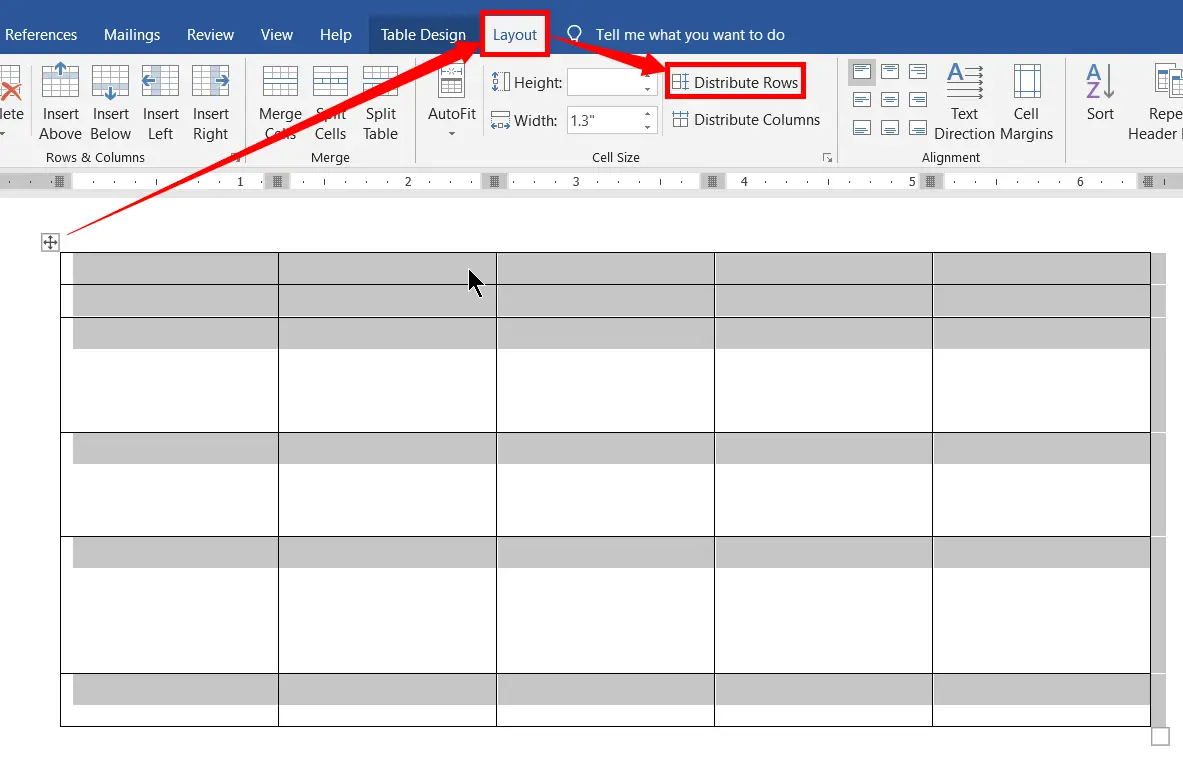 Optimal Row Height Excel
https://www.digiruns.com/wp-content/uploads/2019/06/Distribute-Row-Height-Equally-in-MS-Word-1.png
The default size of columns in Excel is 8 43 Rows can have a maximum height of 409 points with 1 point equal to approximately 1 72 inch or 0 035 cm The default height of an Excel row varies from 15 points on a 100 dpi to 14 3 points on a 200 dpi Ideal for newsletters proposals and greetings addressed to your personal contacts Mail
Templates are pre-designed files or files that can be used for various functions. They can save time and effort by providing a ready-made format and layout for creating various sort of content. Templates can be used for personal or professional jobs, such as resumes, invites, leaflets, newsletters, reports, discussions, and more.
Optimal Row Height Excel

Sydney Sweeney Height Weight Bra Size Body Measurements Age

How To Change Row Height In Excel WPS Office Academy

How To Change Row Height In Google Sheets My Software Free
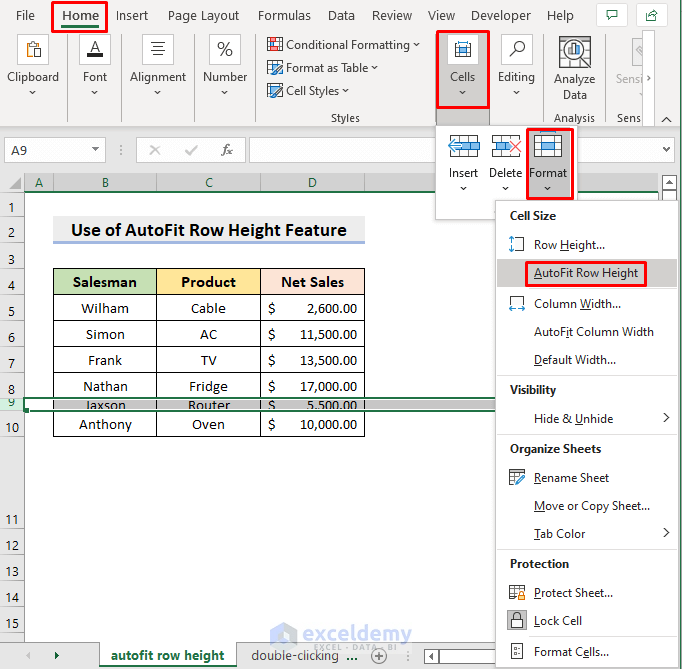
How To Auto Fit Row Height In Excel 5 Useful Ways ExcelDemy
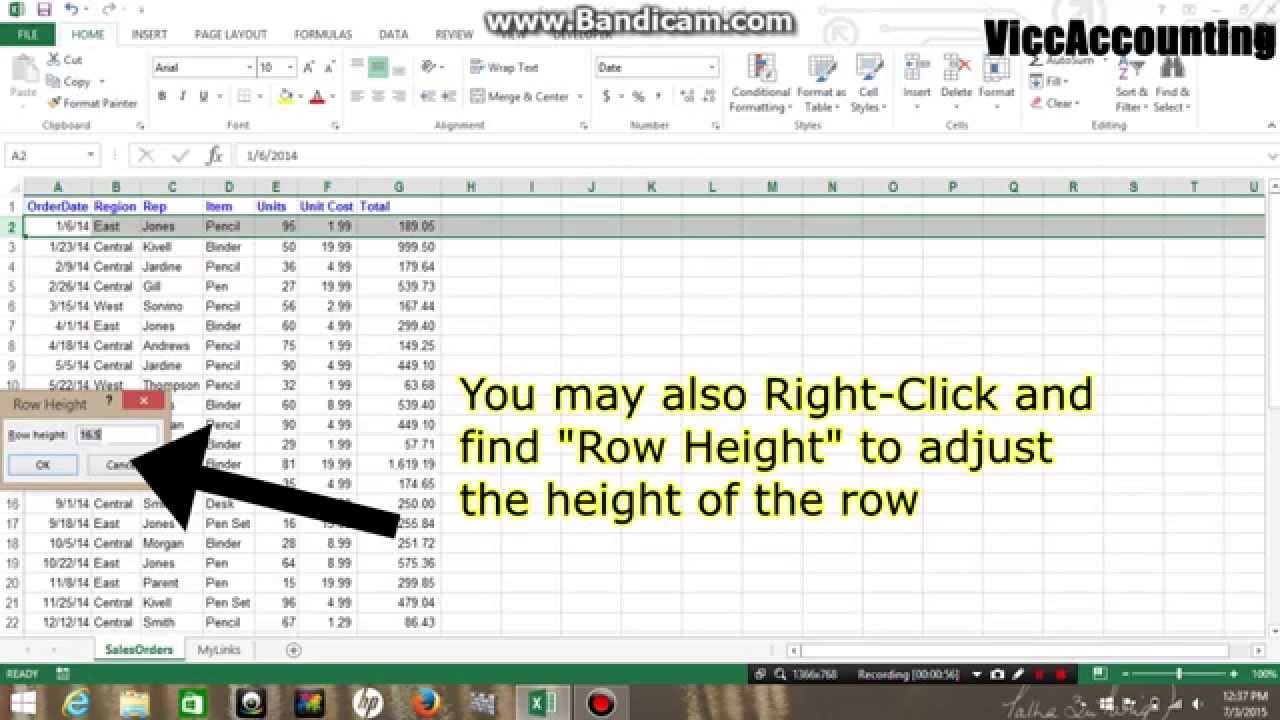
How To Adjust Column Width Row Height Microsoft Excel 2013 YouTube
Excel Row Height And Column Width Modifying Both On Excel YouTube

Users can manually set row heights within the range of 0 to 409 points with each point approximately equal to 1 72 inch or 0 035 cm Notably a hidden row has a height of zero 0 point 5 Ways to Auto Adjust Row Height in Excel If you want to reduce or increase Excel row heights there are several ways to adjust them

The most common way to adjust row height in Excel is by dragging the row border It allows you to quickly resize a single row as well as change the height of multiple or all rows Here s how To change the height of one row drag the lower boundary of the row heading until the row is set to the desired height

117 A method I just found extending the previous post a little Select the whole sheet Resize a column a little wider because the whole sheet is selected all the columns will get wider Double click a row separator the row height will be auto fitted Double click a column separator the column widths will be auto fitted
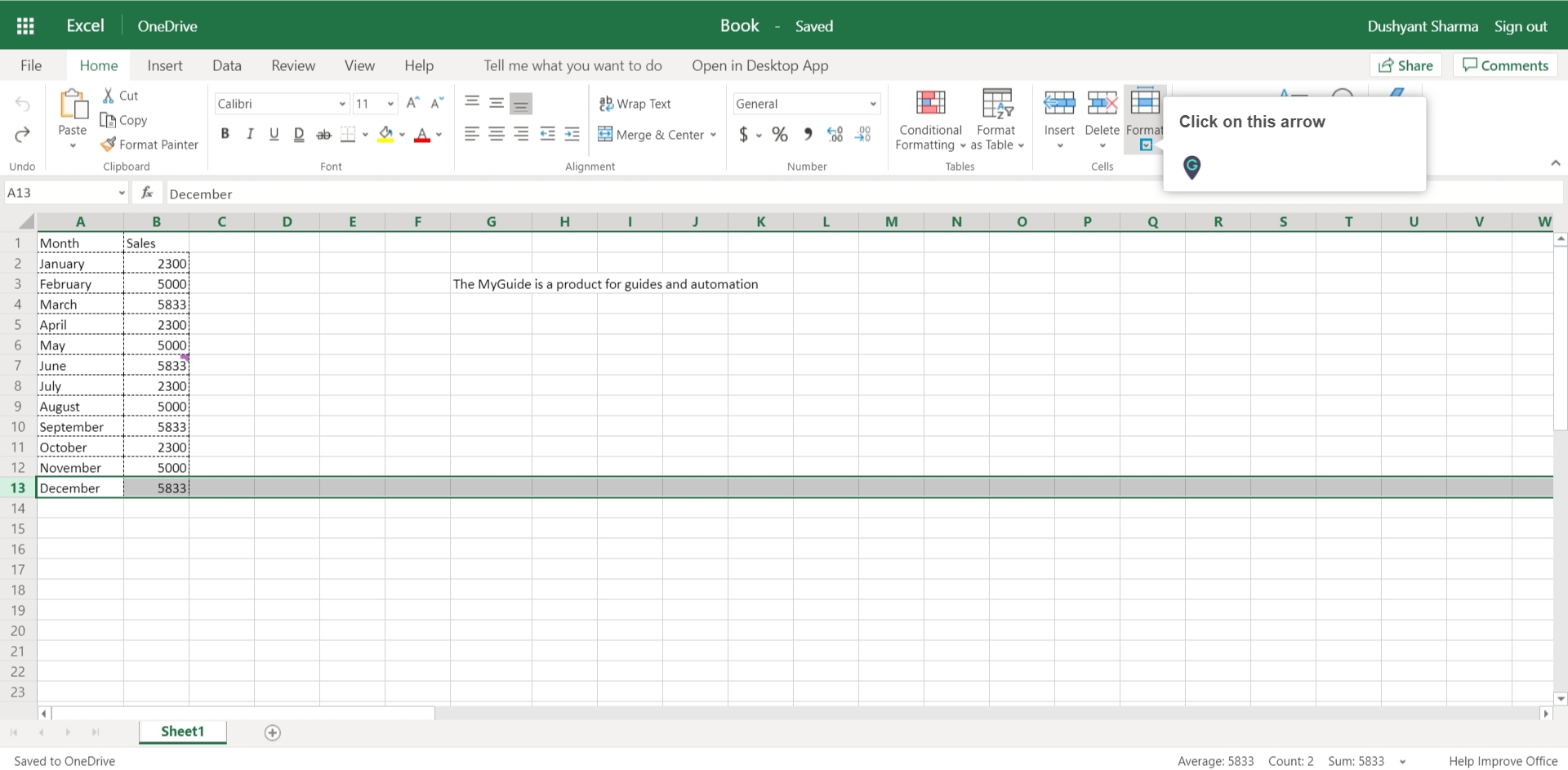
The easiest and the most popular method to change row height in Excel is to use the mouse Suppose you have a data set as shown below and you want to change the row height of the third row so that the entire text is visible in the row Below are the steps to use the mouse to change the row height in Excel
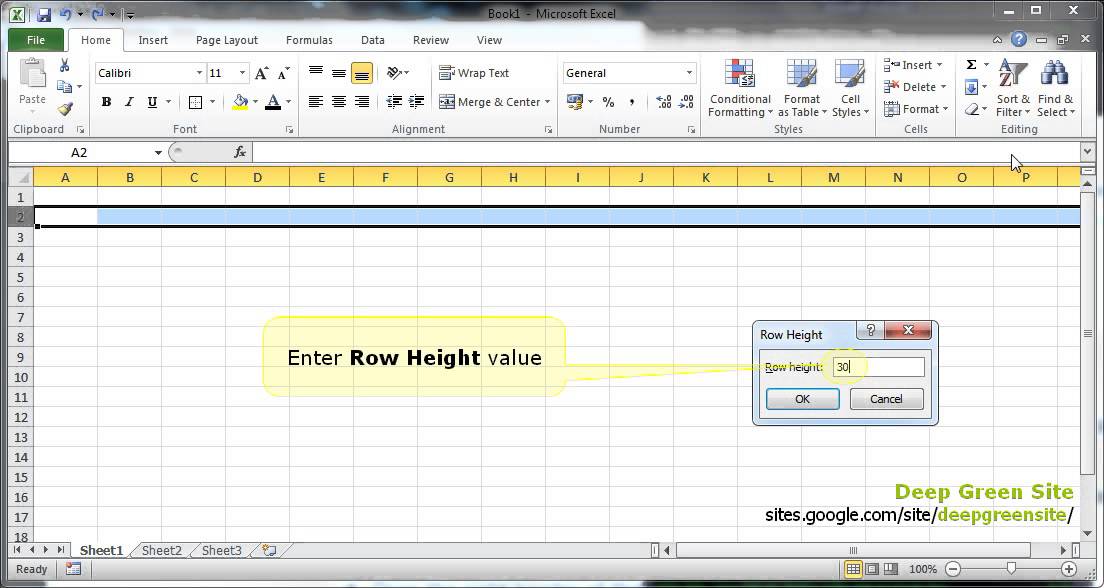
How to Change Row Height in Excel Method 1 Using Row Height Command To change the height of multiple rows Select any of the cells from the rows or the entire rows go to the Home tab click drop down of Format under Cells group select Row Height option Type your desired row height in the Row Height dialog box
The default row height for each row depends on the largest font and font size chosen in any of the cells in that row you can assign different fonts and font sizes for different cells However you can choose a specific height for any of the rows as well as a specific column width for any of the columns Troubleshooting When Row Height is Not Changing in Excel Row height not changing in Excel can be a real headache Here are some tips to help solve the problem Check if the row is locked or protected Right click and select Format Cells See if the Locked box is marked Unmark it and try resizing the row again
Go to Home tab Format section click AutoFit Row Height The row height will automatically adjust based on the longest string of text within that row It s indeed a time saving feature when it comes down to working with multiple cells in one go