Ideal Row Height In Excel How To Change Row Height And Column Width In Excel Microsoft Excel How To Adjust Column Width Row Height Microsoft Excel 2013 YouTube IT Support Solution How To Set Row Height In Excel In Cm ITSolution4U How To Adjust Row Height In Excel YouTube How To Change Row Height In Microsoft Excel By default Excel sets the row height to 15 points which translates to 20 pixels on a standard display The height can be adjusted to fit the content of the cell or for aesthetic purposes It is important to note that changing the font size or adding multiple lines of text may require an adjustment in row height
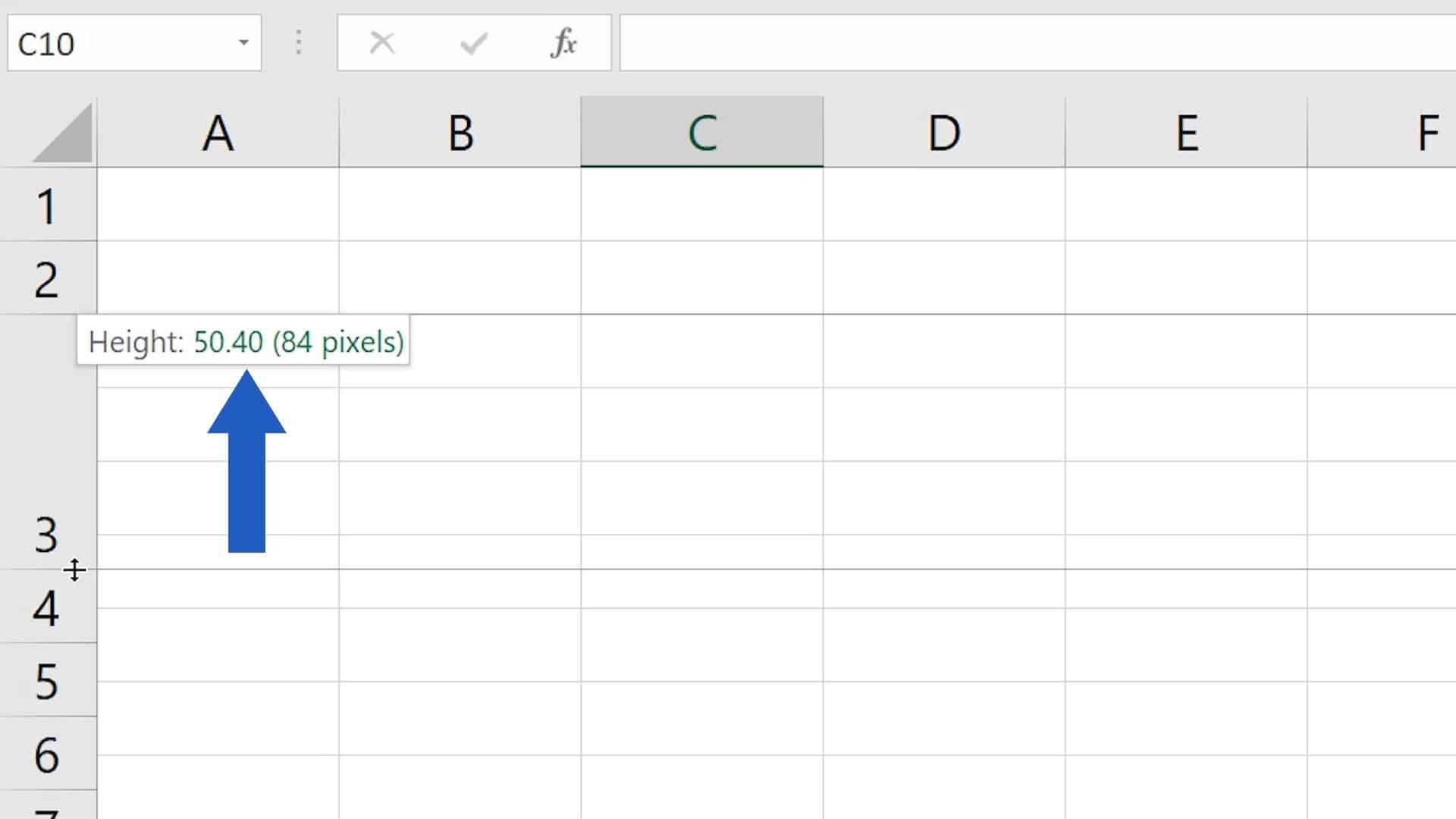
Method 1 Using Mouse Click Drag To change the row height in Excel use the click and drag technique with the mouse This method lets you manually stretch the row to the required height The greatest advantage of click and drag is that you can freely set the row height of your preference by eye Change the column width or row height in Excel You can manually adjust the column width or row height or automatically resize columns and rows to fit the data Note The boundary is the line between cells columns and rows If a column is too narrow to display the data you will see in the cell Resize rows Select a row or a range of rows
How To Change Row Height In Microsoft Excel C VB NET AutoFit Column Width And Row Height In Excel How To Change Row Height In Excel WPS Office Academy How To Change Row Height In Microsoft Excel How To Set Row Height And Column Width In Excel Using The Keyboard How To Change Row Height In Excel Change Row Height Column Width VBA Autofit Excel Unlocked Various Ways To Adjust Row Height In Microsoft Excel Make Row Height To Exactly Equal Column Width MS Excel YouTube
Ideal Row Height In Excel
 Ideal Row Height In Excel
https://i.pinimg.com/originals/f0/b2/e4/f0b2e41cc1bc072751369437484fb114.jpg
Change the row height To change the height of a single row drag the boundary below the row heading until the row is the height you want To decrease the height drag the bottom boundary up Tip A quick way to make the row height fit the size of the text in the row is to double click the boundary between row headers
Pre-crafted templates provide a time-saving service for developing a diverse range of documents and files. These pre-designed formats and layouts can be utilized for different personal and expert projects, including resumes, invitations, flyers, newsletters, reports, presentations, and more, streamlining the material production process.
Ideal Row Height In Excel
Changing The Row Height Of A Datagridview Mobile Legends
C VB NET AutoFit Column Width And Row Height In Excel

How To Change Row Height In Excel WPS Office Academy
How To Change Row Height In Microsoft Excel
How To Change Row Height In Excel
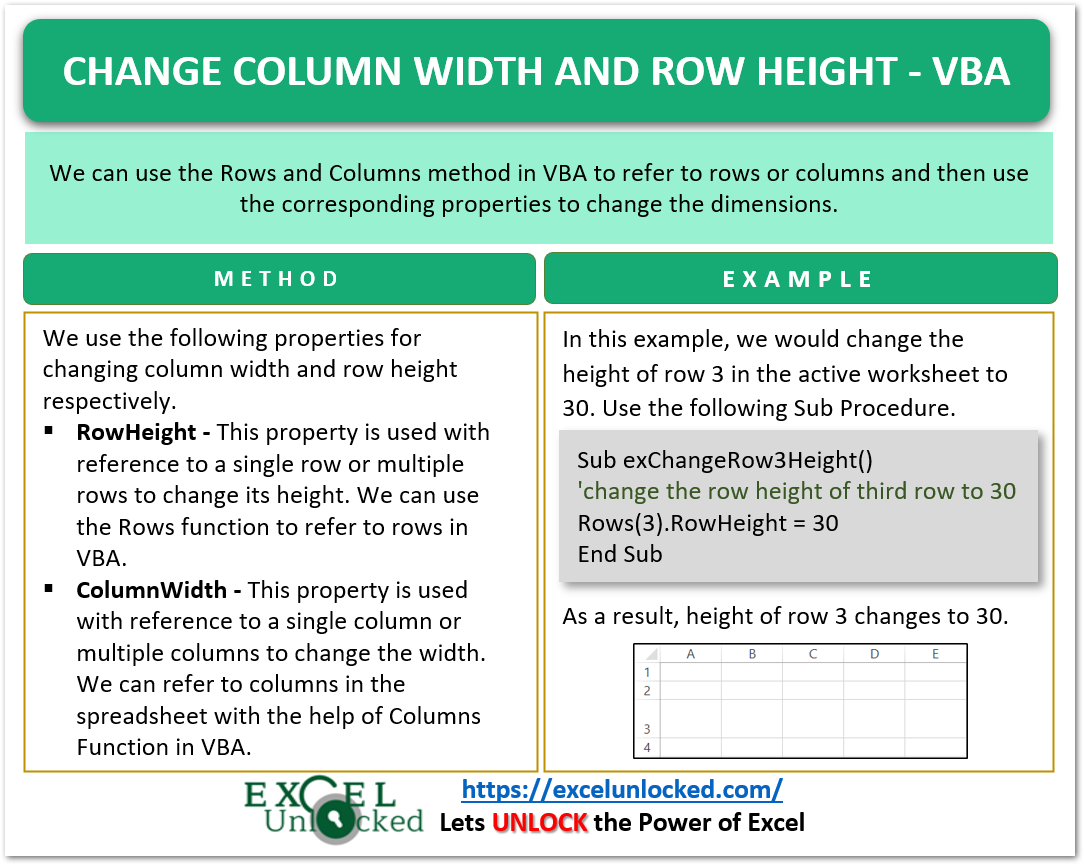
Change Row Height Column Width VBA Autofit Excel Unlocked

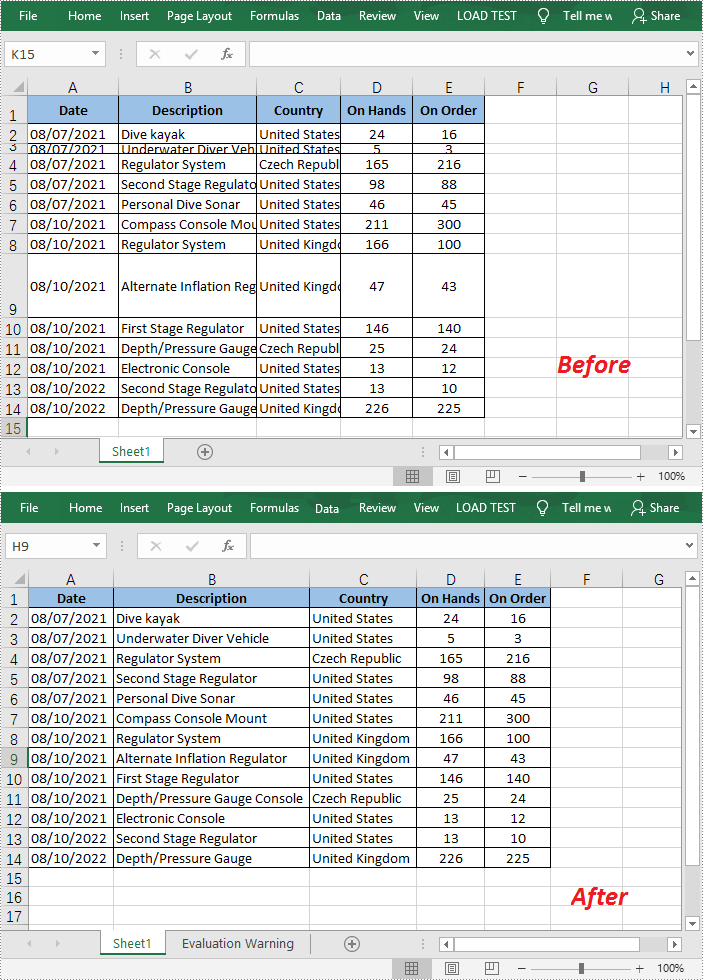
Get FREE Advanced Excel Exercises with Solutions In the article you will get a complete overview of row height in Excel You will learn about the default row height and the ways to change and autofit row height Usually the default row height of an Excel spreadsheet is 15 points or 20 pixels
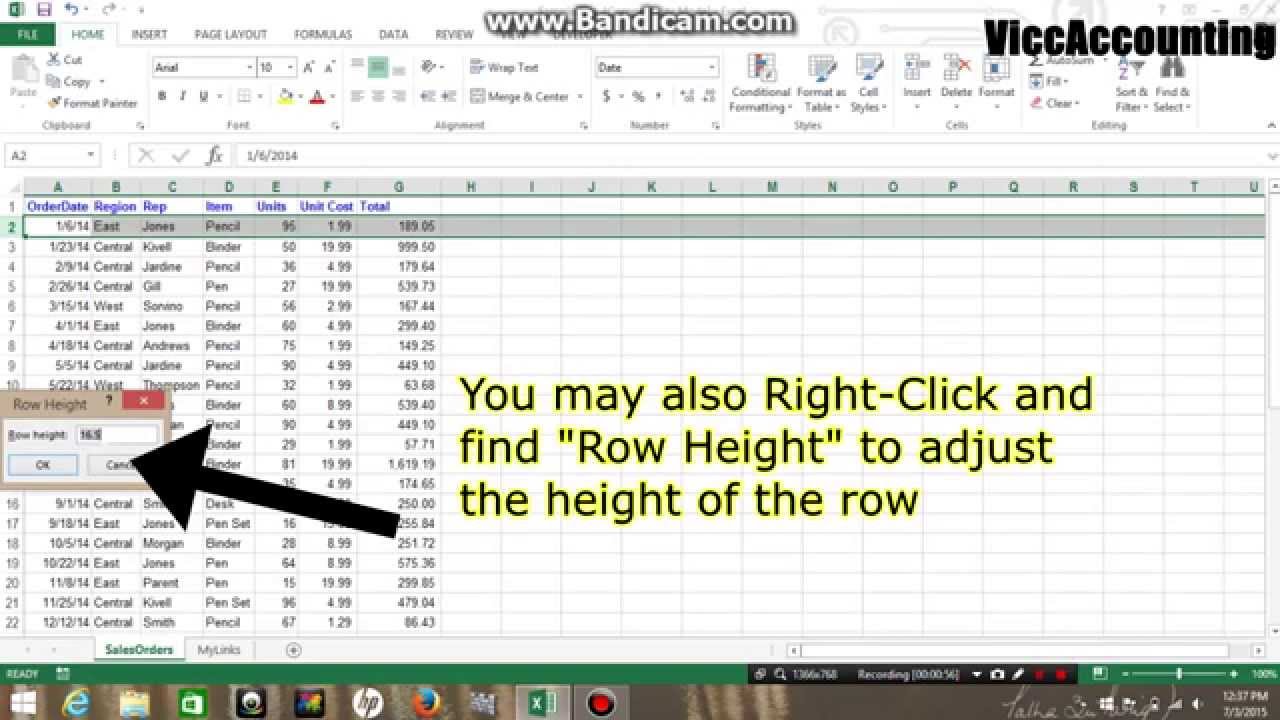
The easiest and the most popular method to change row height in Excel is to use the mouse Suppose you have a data set as shown below and you want to change the row height of the third row so that the entire text is visible in the row Below are the steps to use the mouse to change the row height in Excel
Go to File Options Advanced Display select an option from the Ruler Units list If you switch to Normal view then column widths and row heights are displayed in points Individual rows and columns can have only one setting
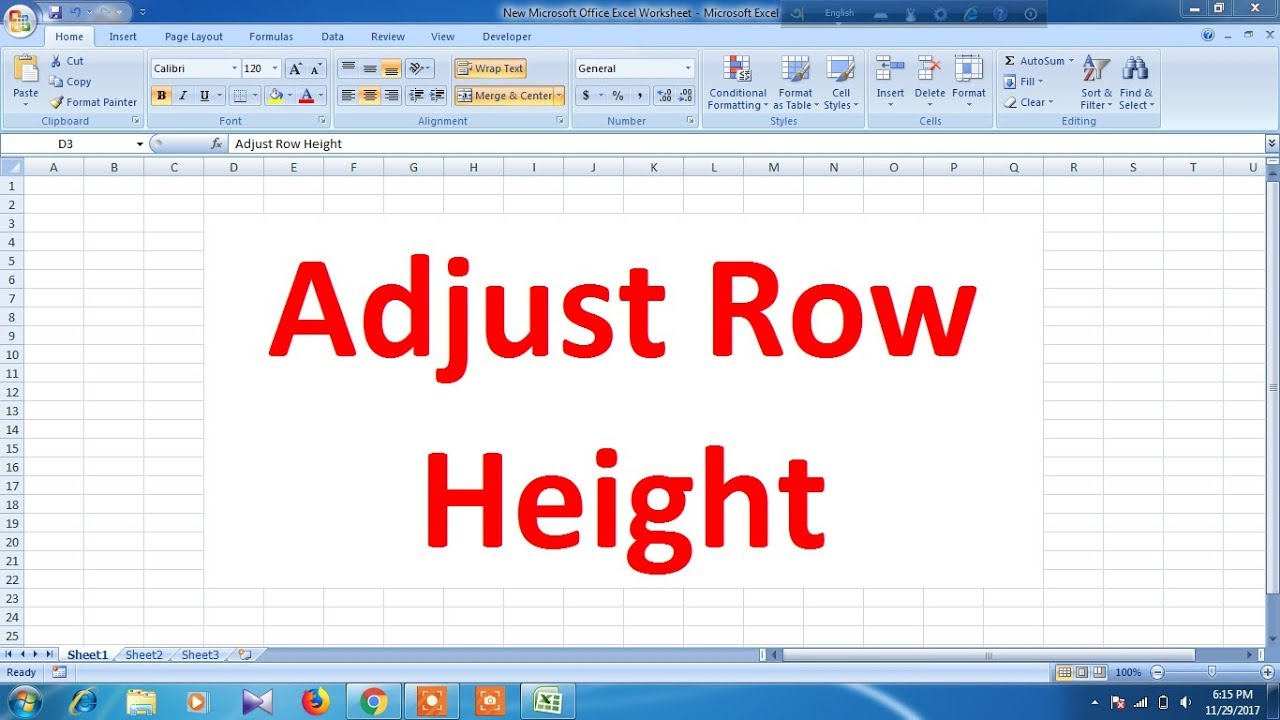
The default row height for each row depends on the largest font and font size chosen in any of the cells in that row you can assign different fonts and font sizes for different cells However you can choose a specific height for any of the rows as well as a specific column width for any of the columns

The most common way to adjust row height in Excel is by dragging the row border It allows you to quickly resize a single row as well as change the height of multiple or all rows Here s how To change the height of one row drag the lower boundary of the row heading until the row is set to the desired height
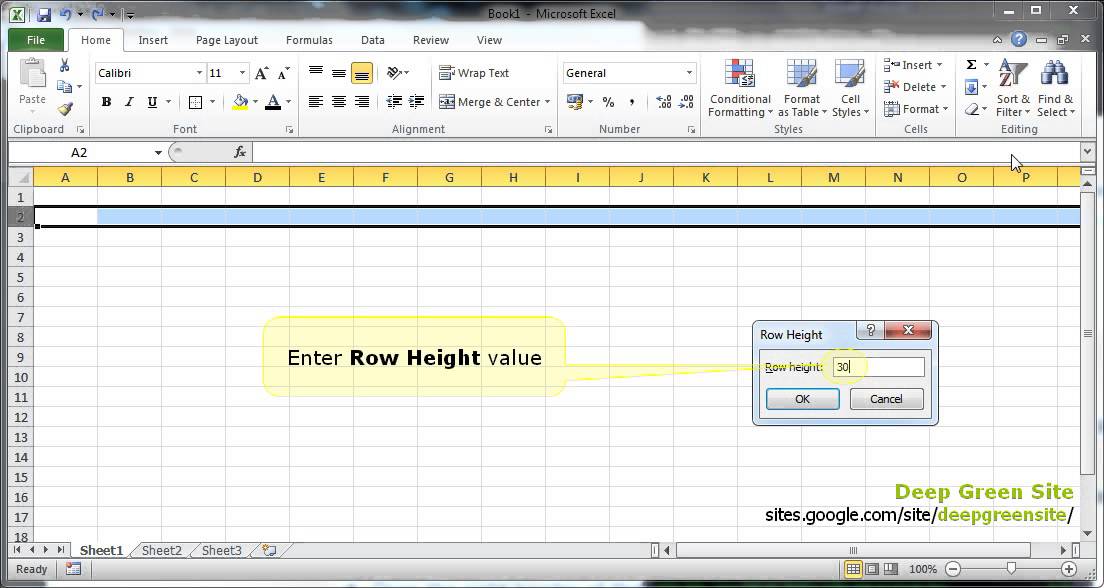
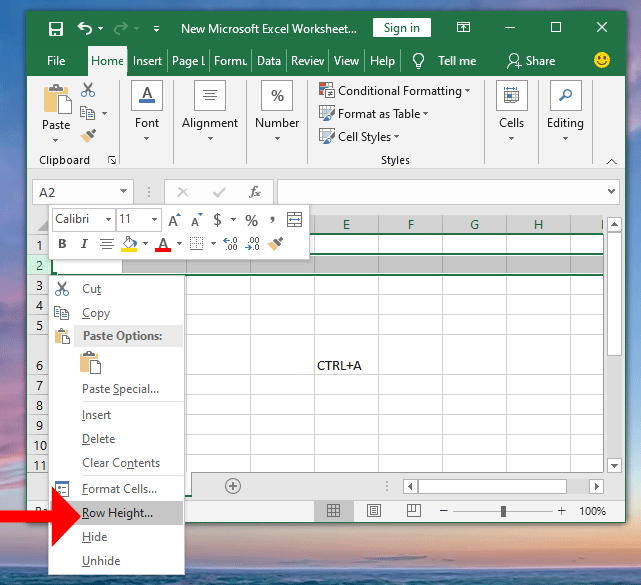
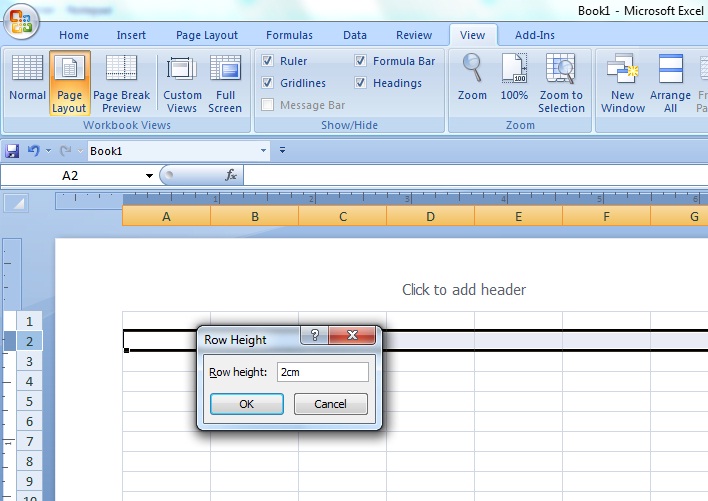
Go to the View tab first Then from the Workbook Views group click on the Page Layout command After that select a row and right click on it This will bring a pop list From the list choose Row Height The Row Height dialog box will appear Thus you will see the default row height is 0 21 inches Which is in terms of DPI 15 Using keyboard shortcut keys also known as hotkeys you can change the row height in Excel Open the worksheet Select the rows you want to change height either by clicking on the left mouse button and dragging them Or hold shift and use the arrow keys to select the rows Press the ALT key
From the options we will select the Row Height option to change the height of the row Steps Firstly right click on row 14 Secondly choose Row Height from the available options Next in the prompt set the Row height to 50 Finally click on OK As a result the Row Height of the 14th row will be changed