Netstat Show Active Connections Check All The Active Connections With NETSTAT YouTube What Is Netstat Command How Does It Work In Windows MiniTool Netstat Command In Linux With Examples Netstat Find Number Of Active Connections In Linux Using Netstat What Is Netstat Command And How To Use It EaseUS I want to monitor the number of active TCP and UDP connections using the netstat command I tried to run the following command netstat a grep e tcp e udp awk print 1 6 sort uniq c The output contains listening and non listening connections while I want to display only active connections How can I achieve this using netstat
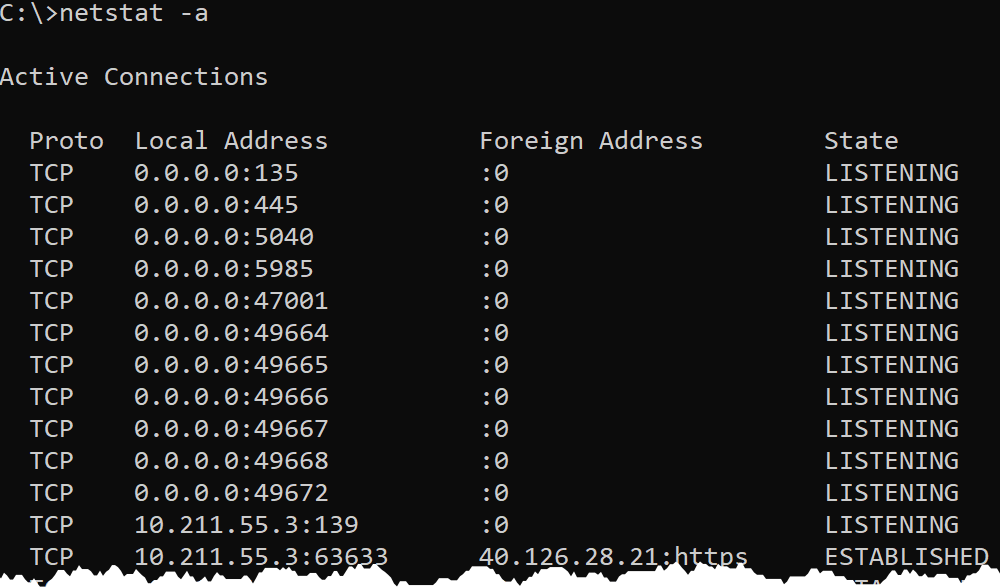
We re going to cover three ways you can view your PC s active connections The first uses the good old netstat command from PowerShell or the Command Prompt Then we ll show you two free tools TCPView and CurrPorts that also get the job done and may be more convenient Option One Check Active Connections with PowerShell or Command Prompt Display network protocol statistics Let s get it started Show all connections To start with netstat let s see the command that displays all connections netstat a Type the above command and hit enter You will see all the active connections from different states as shown below
What Is Netstat Command And How To Use It EaseUS Query List Of Active Tcp Connections In Windows Using Powershell Vrogue Viewing Active Ports With NETSTAT YouTube Ping Vs Traceroute Vs Netstat Detailed Analysis Site24x7 Netstat Command In Linux With Examples 01 DevopsRoles Free 1 4 Ways To See Active Network Connections Windows WikiHow BashSenpai Your Terminal Assistant 4 Ways To Find Out What Ports Are Listening In Linux How To Check Active Network Connections In Windows GeeksforGeeks
Netstat Show Active Connections
 Netstat Show Active Connections
https://i.ytimg.com/vi/uzEURpG9IXY/maxresdefault.jpg
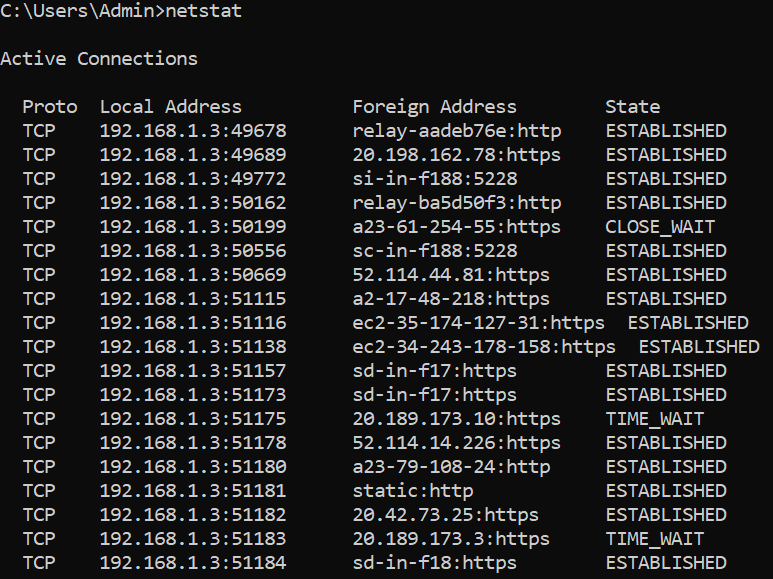
On the Command Prompt type netstat and press Enter The command after executing will output a list of active connections along with their status If you need to share the output with a tech support team for example use this command to copy the results in a text file netstat Path FileName txt In this command Path is any folder s
Pre-crafted templates provide a time-saving option for developing a diverse variety of files and files. These pre-designed formats and designs can be used for different individual and expert jobs, including resumes, invitations, leaflets, newsletters, reports, presentations, and more, streamlining the material creation procedure.
Netstat Show Active Connections
How To Find Listening Ports With Netstat And PowerShell

Query List Of Active Tcp Connections In Windows Using Powershell Vrogue

Viewing Active Ports With NETSTAT YouTube
Ping Vs Traceroute Vs Netstat Detailed Analysis Site24x7

4 Ways To See Active Network Connections Windows WikiHow
BashSenpai Your Terminal Assistant

6 Answers Sorted by 64 You are looking for the netstat command This command should provide what you re looking for netstat a if you would also like to see what programs are using the specified ports you can use netstat b to use the netstat program Go to the start menu or press Win r and skip to step 3

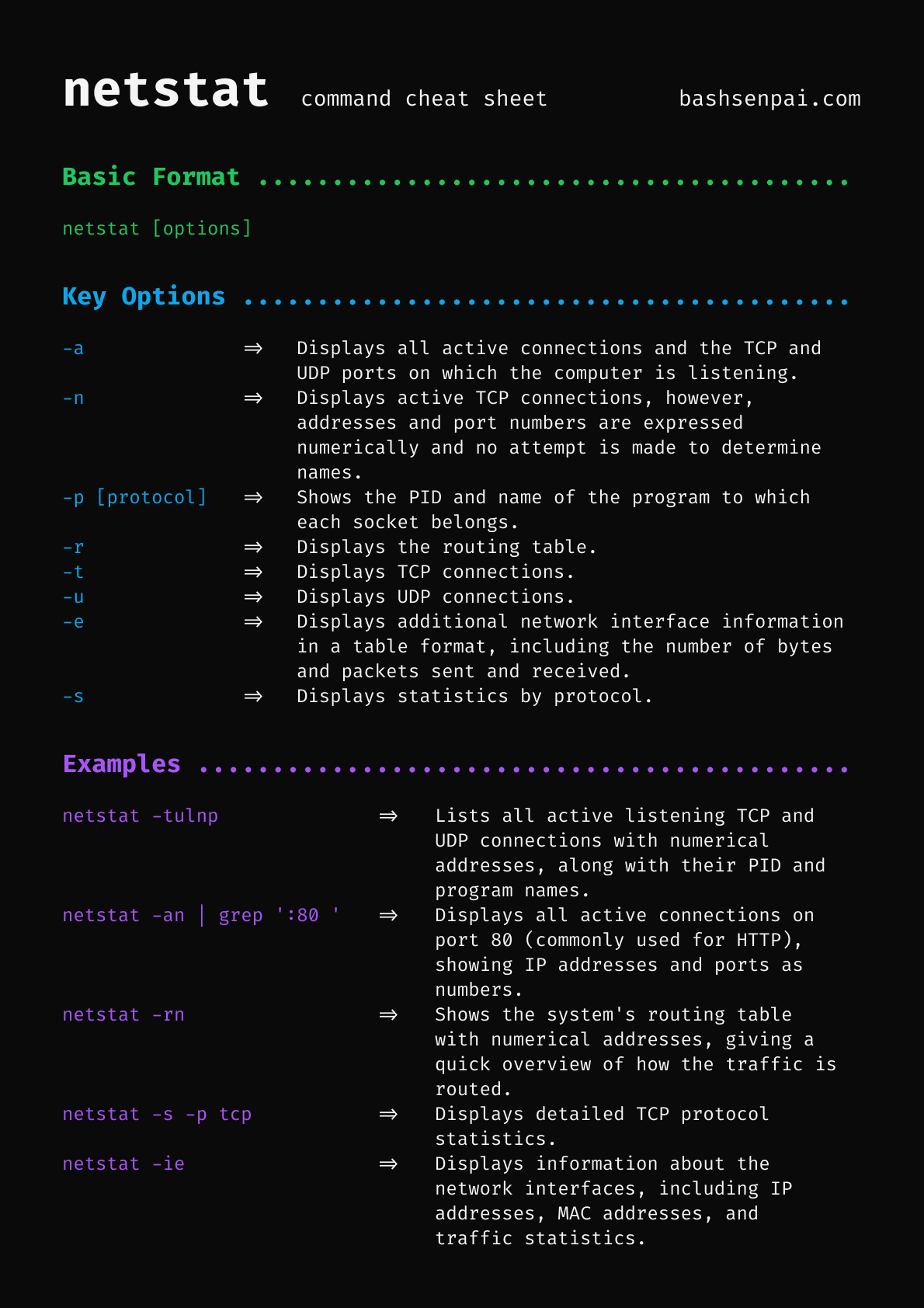
Used without parameters this command displays active TCP connections Important This command is available only if the Internet Protocol TCP IP protocol is installed as a component in the properties of a network adapter in Network Connections Syntax netstat a b e n o p Protocol r s interval Parameters Expand table

The first list in the output displays active established internet connections on the computer The following details are in the columns Proto Protocol of the connection TCP UDP Recv Q Receive queue of bytes received or ready to be received Send Q Send queue of bytes ready to be sent

Type the following command to show all active TCP connections and press Enter netstat Image credit Future Optional Type the following command to display active connections

Method 1 Accessing the Network and Sharing Menu in Windows 7 through 10 Download Article 1 Click Start 2 Go to Settings 3 Select Ethernet under the options of Network Internet 4 Go to the Network and Sharing Center
Windows netstat command without any command line arguments displays active TCP connections It also includes some useful command options to show network connections and ports in various forms such as show connections and opened ports based on the protocol find the process id of a connection port view network statics and find the Use the key combination Win Key X In the menu that opens select Command Prompt Enter the command pre netstat a n o pre The parameters for netstat are preceded with a hyphen not a forward slash like many other commands The a tells it to show us all active connections and the ports on which the computer is listening
Keep in mind that netstat will only show you active TCP or UDP connections and while TCP and UDP are the most common protocols there are a slew of others that exist that are potential attack avenues that netstat cannot show Additionally an attacker or malicious program could bypass all protocols and use there own custom connection protocol