Microsoft Teams Lists Formulas Microsoft Lists Vs Planner Vs To Do When To Use Them Manage The Lists App For Your Organization Microsoft Teams Microsoft Lists In Microsoft Teams Is Now Generally Available Microsoft Teams Tutorialspoint Microsoft Lists Jira Trello Web Sep 3 2020 nbsp 0183 32 Lists in Teams is supported as a team based tab app built on top of the Microsoft Teams platform and supports the following features New list creation from scratch from templates 8 standard templates and 3 industry specific ones Patients Loans and Incidents from Excel table data and from an existing list
Web Create a rule for a list Create or change the view of a list Create list relationships Customize permissions for a list Create a calendar Search in a list Examples of common formulas in lists Column types and options Share a list or list item Web Oct 15 2022 nbsp 0183 32 15K views 1 year ago Microsoft Teams How to create a calculated column in Microsoft Lists within Teams or SharePoint How to create the calculated column in Lists and how to edit or
Microsoft Lists Jira Trello Microsoft Lists And Teams Add Your List To A Teams Channel YouTube MICROSOFT LISTS IN TEAMS Asset Management Template YouTube Microsoft Teams Er Teams Gratis NHL Data ApS Keunggulan Dan Fitur Aplikasi Microsoft Teams Lists Microsoft s Latest In Tracking Team Collaboration Primary Website What To Do When Microsoft Teams Won t Uninstall New Feature From Microsoft Teams Can Automatically Delete Archived Planner Tab In Microsoft Teams Now Includes The Schedule View And
Microsoft Teams Lists Formulas
 Microsoft Teams Lists Formulas
https://aleson-itc.com/wp-content/uploads/2021/06/herramientas_teams.jpg
Web Go to the Teams channel where you want to add a list Select the Add a tab icon select Lists and then Save Those steps add a new Lists tab to the Teams channel From there you can Create a brand new list or Add an existing list to a Teams channel
Templates are pre-designed files or files that can be used for various functions. They can conserve effort and time by supplying a ready-made format and design for developing different sort of material. Templates can be used for personal or expert projects, such as resumes, invitations, flyers, newsletters, reports, discussions, and more.
Microsoft Teams Lists Formulas

New Lists App In Microsoft Teams Is Now Generally Available Onmsft Com
Microsoft Lists And Teams Add Your List To A Teams Channel YouTube

MICROSOFT LISTS IN TEAMS Asset Management Template YouTube

Microsoft Teams Er Teams Gratis NHL Data ApS
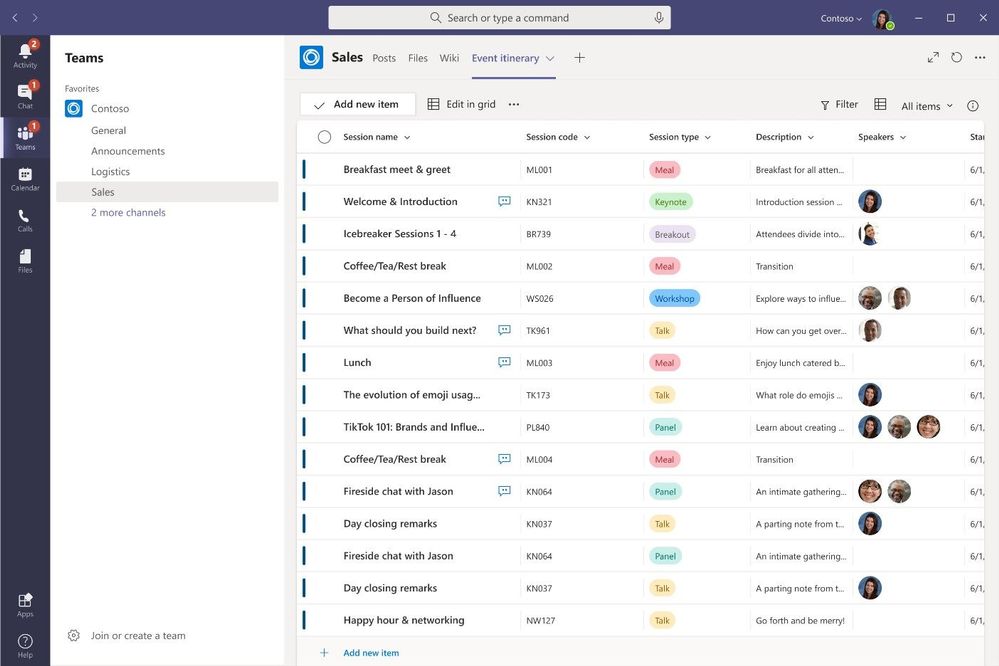
Lists Microsoft s Latest In Tracking Team Collaboration Primary Website
What To Do When Microsoft Teams Won t Uninstall

Web Sep 10 2020 nbsp 0183 32 Formulas in Microsft Lists on Teams Good day I would like to use Lists to create something like a Gantt chart I want insert a formula that adds 3 months to a planned start date and the answer is the planned end date I used this formula DATE YEAR Column1 MONTH Column1 Column2 DAY Column1
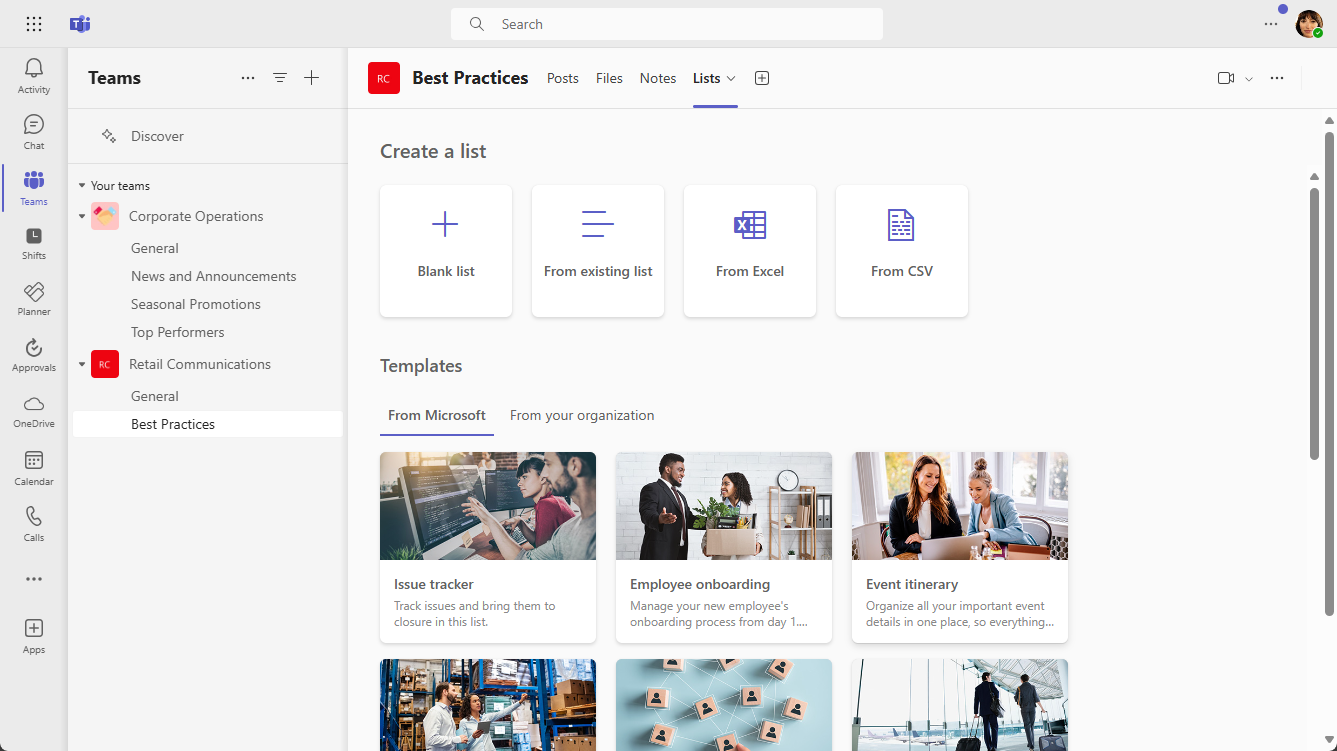
Web Team members create lists from scratch from a handy template from an existing list or from an Excel workbook in the desktop or web version of Teams On mobile devices team members can view and edit lists but not create or add them

Web Jul 13 2021 nbsp 0183 32 On to the gems mixed with targeted tips and tricks and links to relevant documentation You ll also find a new episode of The Intrazone Top 5 hidden gems Microsoft Lists covering the 5 gems and audio snippets from Jeff Teper and Andrea Lum You ll also find a few upcoming events

Web You can use formulas and functions in SharePoint lists or libraries to calculate data in a variety of ways By adding a calculated column to a list or library you can create a formula that includes data from other columns and performs functions to calculate dates and times to perform mathematical equations or to manipulate text

Web You should make the source list first In this example we ll use a list of college courses as the source list and a Reading list as the target list The goal is to display a course name and course ID for every book on the Reading list without having to manually enter the information Make the source list
[desc-11] [desc-12]
[desc-13]