Microsoft 365 Rules Not Working WeMo Rules Not Working 3 Quick Ways To Fix Free Office 365 Training Creating Rules In Exchange To Block Bad Outlook Rules Not Working In Windows 10 Here s How To Fix It What s Microsoft Defender For Office 365 GitBit How Do I Fix Outlook Rules Not Working Web Jul 20 2020 nbsp 0183 32 STATUS FIXED The issue is fixed in Monthly Channel Version 2006 Build 13001 20266 To install the update from Outlook click File Office Account Update Options Update Now The fix has been backported to Semi Annual Enterprise Channel Preview Version 2002 Build 12527 20834
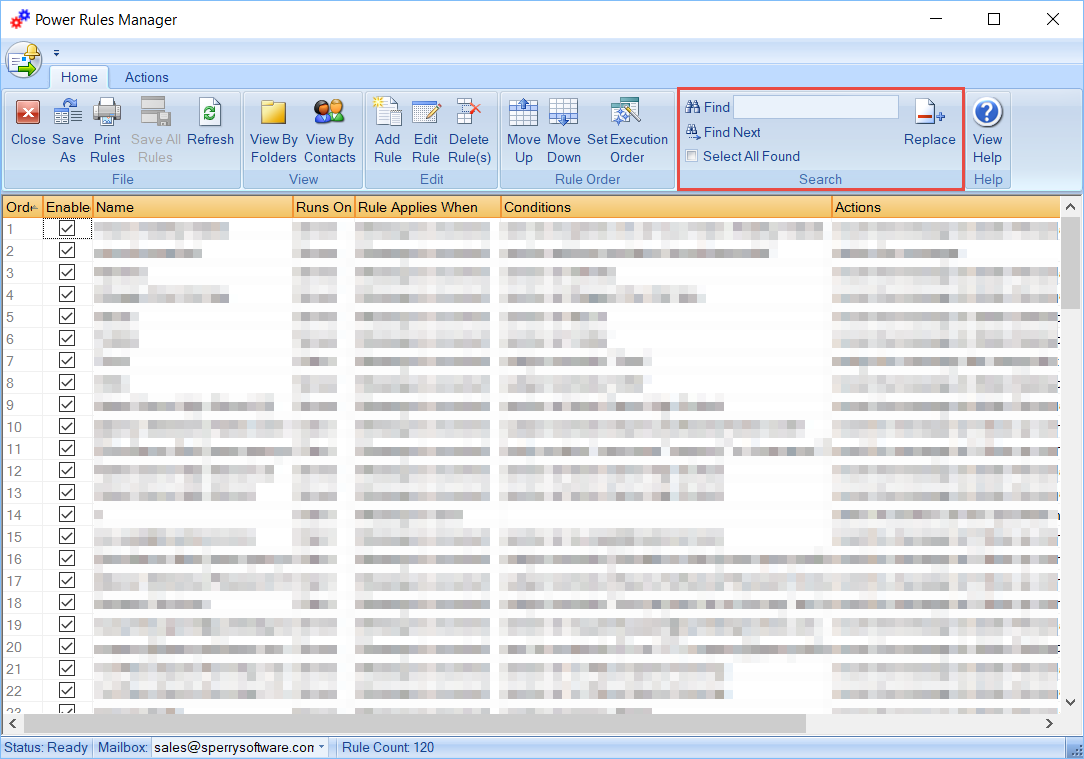
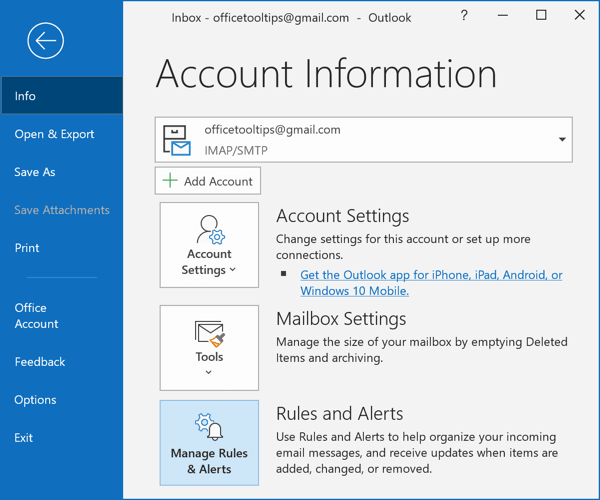
Web Mar 8 2023 nbsp 0183 32 1 Ensure Your Outlook Rules Are Enabled 2 Fix Outlook s Corrupt SRS File 3 Reduce the Space Used by Your Outlook Rules Shorten Your Rule Names Delete Old Outlook Rules Combine Multiple Outlook Rules 4 Turn Off Outlook s Stop Processing More Rules Option 5 Repair Outlook s Corrupt OST or PST File 6 Web Jul 1 2023 nbsp 0183 32 1 Make Sure Outlook Rules Are Enabled To start you need to ensure that you haven t inadvertently disabled any Outlook rules To do so use these steps Open the Outlook app and click the File menu in the top left corner In the Info tab click the Manage Rules amp Alerts button
How Do I Fix Outlook Rules Not Working Office 365 Outlook Rules Apexlasopa Outlook 365 Rules Not Running Automatically Solutions 2023 Outlook Rules The Ultimate Guide How To Set Up 2023 Outlook 365 Rules Not Running Automatically Solutions 2024 The Five Rules Of Fields For File Server Migrations To Microsoft 365 Export And Import Rules Microsoft Outlook 365 Microsoft 365 Microsoft Teams Office 365 And Microsoft Teams Four Microsoft 365 The Key To Modern Business Communication
Microsoft 365 Rules Not Working
 Microsoft 365 Rules Not Working
https://automationgears.com/wp-content/uploads/2021/09/wemo-rules-not-working.jpg
Web Jun 20 2023 nbsp 0183 32 To address your outlook rules not working issue please check the followings If your mailbox a Exchange online or Exchange on premises mailbox Please contact you Exchange admin to confirm this How did you configured your mailbox in Outlook Exchange mode IMAP mode or POP mode Can you view your outlook rules in
Pre-crafted templates use a time-saving service for producing a varied range of files and files. These pre-designed formats and designs can be made use of for various personal and expert tasks, including resumes, invitations, flyers, newsletters, reports, discussions, and more, enhancing the content production procedure.
Microsoft 365 Rules Not Working

Outlook 365 Rules Not Running Automatically Solutions 2023
Office 365 Outlook Rules Apexlasopa

Outlook 365 Rules Not Running Automatically Solutions 2023

Outlook Rules The Ultimate Guide How To Set Up 2023
The Five Rules Of Fields For File Server Migrations To Microsoft 365
Export And Import Rules Microsoft Outlook 365
Web Solution Enable the rule On the Tools menu click Rules In the left pane of the Rules dialog box click the account type for the rule you want to edit If you don t know what type of account you have In the Rules dialog box click Show All and then under Personal Settings click Accounts

Web Feb 13 2020 nbsp 0183 32 Outlook 365 Inbox Rules Do Not Work I have set up rules to send mail from certain senders to junk email or other folders but they do not work All my mail lands in my inbox The only time a rule works is when I create or modify it and apply it as soon as I have saved the changes
Web Apr 30 2022 nbsp 0183 32 Any of these may be the culprit Rules exceed the rules quota established for your mailbox Corruption in send receive settings file Rules set to run on one computer only Corruption using a POP3 or IMAP account Lost Co Unsplash How to Fix Outlook Rules Not Working

Web Sep 13 2023 nbsp 0183 32 To troubleshoot this issue you can try the following steps 1 Check if the rules are enabled and set to run automatically 2 Verify that the rules are applied to the correct folder 3 Try running the rules manually to see if they work 4 Create a new Outlook profile and test the rules Create an Outlook profile 5

Web Oct 23 2023 nbsp 0183 32 Download and install or reinstall Microsoft 365 or Office 2021 on a PC or Mac Microsoft Support If you are using New Outlook for Windows please try to go to Rules settings and check rule if working fine You may also test with new rule created as well as delete the rule with fresh created to test again
Web Aug 13 2021 nbsp 0183 32 Microsoft Office 365 Outllok Rules Not Working Microsoft Q amp A Jenna Meagher 1 Aug 13 2021 9 53 AM I have two gmail addresses set up in Outlook 365 There are times when I login via the web when I am not at my home office or via the app on my iPhone If I am at my home office I use the downloaded app Web Nov 26 2020 nbsp 0183 32 SRS file location drive Users lt username gt AppData Roaming Microsoft Outlook Lengthy rule names and similar rules might cause this issue Please try to rename shorter names and temporarily disable other Outlook rules run this rule only to see if the issue still continues
Web Jan 24 2024 nbsp 0183 32 Your Inbox rule that has an action forward messages doesn t work in Microsoft 365 Cause This behavior is by design when the rule is forwarding messages to 10 or more individual recipients This is a result of the forwarded limit in Microsoft 365 which is described at Exchange Online Limits Workaround