Install Rds Server 2016 Error 4005 Rds Server 2016 Microsoft Q A Windows Server 2016 Device CAL 1 CAL Groot Assortiment Op Ict4sale nl Installation Remote Desktop Services Unter Windows Server 2016 Medic Windows RDS Server 2016 White Bar At Top Of Maximized Window Chrome FIX Reset 120 Days Grace Period On RDS Server 2016 2012 Qnet88 Como instalar o Chrome Importante antes de baixar confira se o Chrome 233 compat 237 vel com seu sistema operacional e outros requisitos do sistema
To install or upgrade to the latest version of Google Earth Pro download the application System requirements In order for Google Earth Pro to run on your computer you must have all To fix most issues with your search engine pop ups or Chrome updates uninstall and reinstall Chrome On your iPhone or iPad learn how to make Chrome your default browser Learn how
FIX Reset 120 Days Grace Period On RDS Server 2016 2012 Qnet88 Windows Server 2016 RDS 50 Device Cals Buy And Download At A Low Price How To Install And Activate The RDS Licensing Role On Windows Server Windows Install RDS To A Server 2016 TechNet Articles United Windows Install RDS To A Server 2016 TechNet Articles United Install RDS CALs On Windows Server C mo Instalar Office 2016 En RDS Server 2016 En 2023 ENTRECHIPS Microsoft RDS Server 2016 Device CAL S2 Software D ploiement Rapide D un Serveur RDS Avec Windows Server 2016 IT Connect
Install Rds Server 2016
 Install Rds Server 2016
https://learn.microsoft.com/answers/storage/attachments/171774-image.png
Install Google Earth Pro or fix a problem Install amp uninstall Google Earth Pro Update Google Earth Pro See notes on Google Earth releases
Pre-crafted templates offer a time-saving service for developing a diverse range of files and files. These pre-designed formats and designs can be made use of for different individual and professional jobs, consisting of resumes, invites, flyers, newsletters, reports, presentations, and more, simplifying the content creation procedure.
Install Rds Server 2016

Installing Remote Desktop Services RDS In Windows Server 2012 R2

Windows Server 2016 RDS 50 Device Cals Buy And Download At A Low Price

How To Install And Activate The RDS Licensing Role On Windows Server

Windows Install RDS To A Server 2016 TechNet Articles United

Install RDS CALs On Windows Server
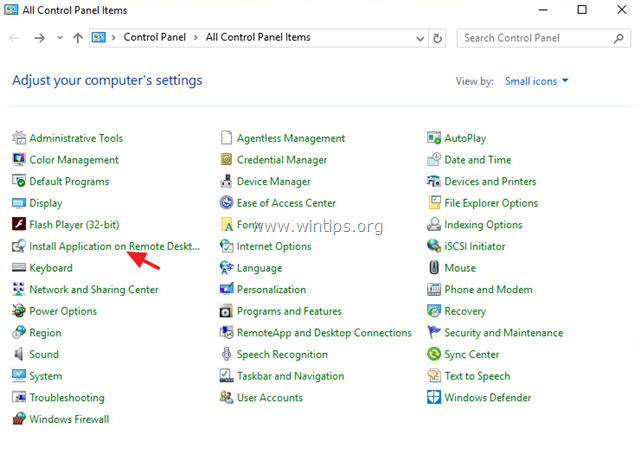
C mo Instalar Office 2016 En RDS Server 2016 En 2023 ENTRECHIPS

Puedes descargar e instalar el navegador web Chrome sin coste econ 243 mico y usarlo para navegar por la Web C 243 mo instalar Chrome Importante Antes de descargarlo puedes
Official Google Chrome Help Center where you can find tips and tutorials on using Google Chrome and other answers to frequently asked questions
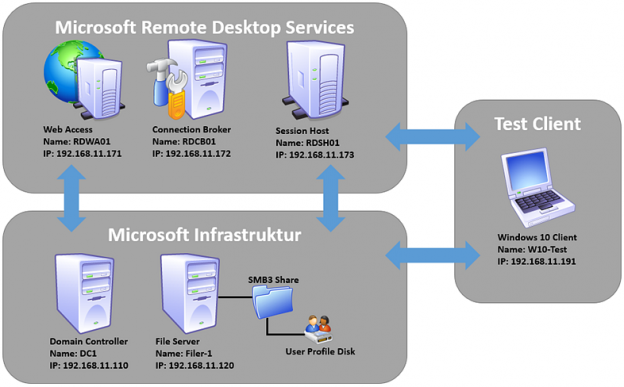
When you install Drive for desktop on your computer it creates a drive in My Computer or a location in Finder named Google Drive All of your Drive files appear here
Tip If you use a work or school account you might not be able to use Google Drive for desktop or your organization might have to install it for you If you have questions ask your administrator
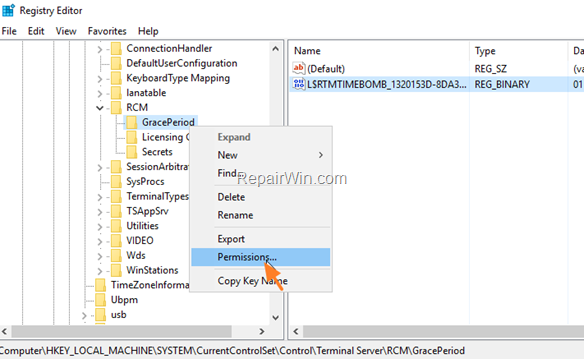
Can t install because you re not an administrator on Windows If you re not an administrator follow the steps to download and install Google Chrome Learn more about how to fix most
[desc-11] [desc-12]
[desc-13]