Install Remote Desktop Services Server 2016 Without Domain Windows Server 2016 Remote Desktop How To Install Shelfholoser Windows Server 2016 Remote Desktop Services User Vs Device 27 Microsoft Calculator Online IramNolah Despro ICT Portal How To Install Remote Desktop Services RDS Terminal Server In Find the Google Play Store app Get Android apps amp digital content from the Google Play Store Use your phone or computer to install apps amp content on other devices Pre order or pre register for apps
Install an extension Important You can t add extensions when you browse in Incognito mode or as a guest Open the Chrome Web Store Find and select the extension you want Select Add to Chrome May 22 2025 nbsp 0183 32 Windows 11 Python 3 10 6 pip install SSL pip python m pip install
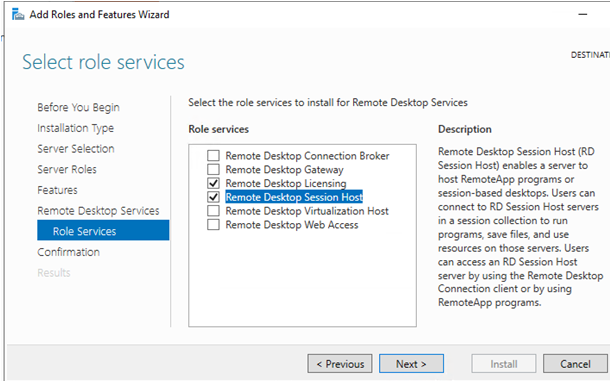
How To Install Remote Desktop Services RDS Terminal Server In A Guide On How To Install Office 365 ProPlus On A Remote Desktop Windows Server 2016 Remote Desktop Services Kms Garryfeeds How To Setup Remote Desktop Services In Windows Server 2016 TurboFuture Enable Remote Desktop Connections In Windows Server 2016 YouTube How To Install And Activate The RDS Licensing Role On Windows Server How To Install And Configure Remote Desktop Services RDS On Windows Remote Desktop Microsoft Windows Server 2016 Remote Desktop Services Softvire
Install Remote Desktop Services Server 2016 Without Domain
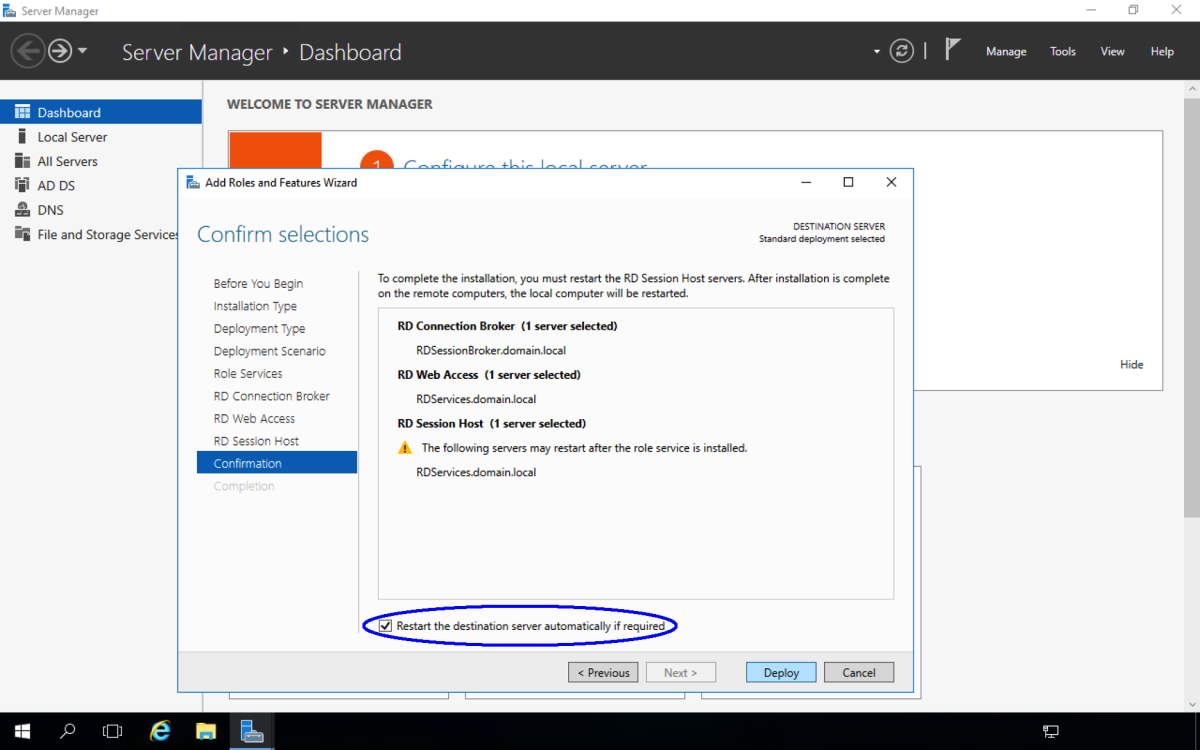 Install Remote Desktop Services Server 2016 Without Domain
https://images.saymedia-content.com/.image/t_share/MTc1MDE0NTU4ODAzNjMzODk2/how-to-setup-remote-desktop-services-windows-2016.png
pip install conda install anaconda prompt pip install conda install 1 106
Pre-crafted templates use a time-saving solution for producing a varied series of documents and files. These pre-designed formats and designs can be made use of for various personal and expert projects, consisting of resumes, invites, leaflets, newsletters, reports, discussions, and more, simplifying the content development process.
Install Remote Desktop Services Server 2016 Without Domain

How To Install Remote Desktop On Windows 10 Home Dikokoredesigns
A Guide On How To Install Office 365 ProPlus On A Remote Desktop
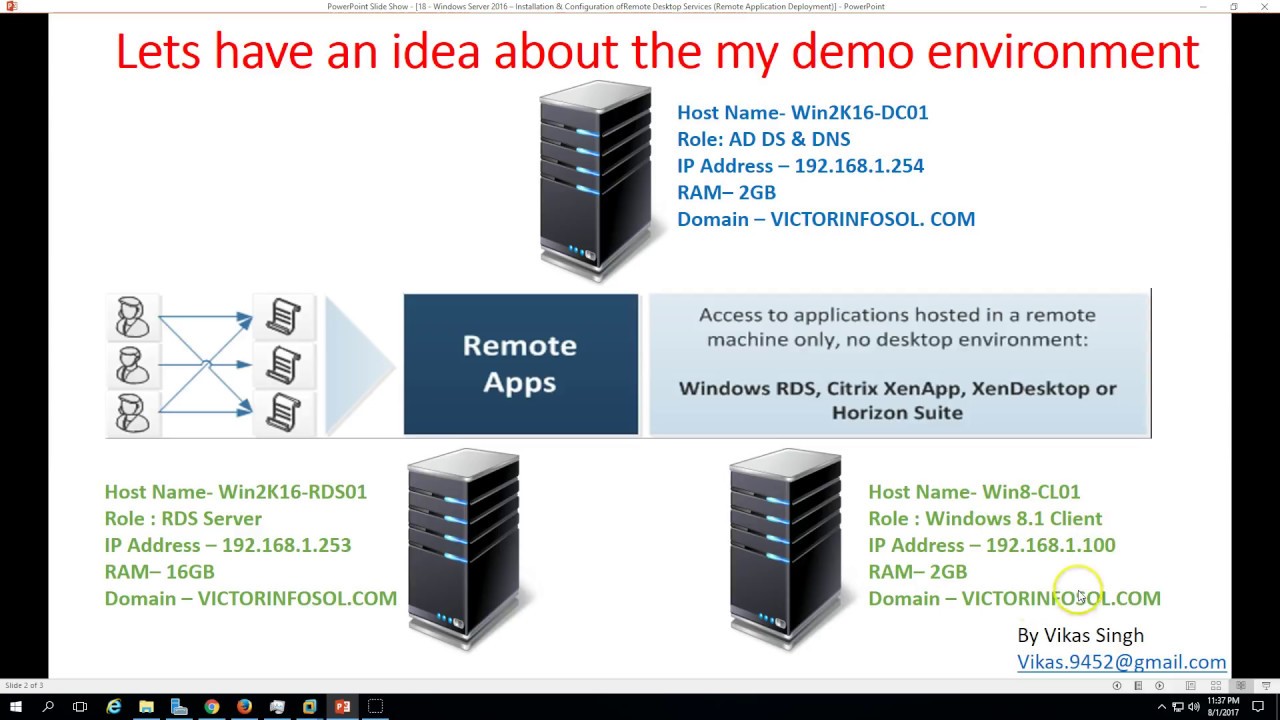
Windows Server 2016 Remote Desktop Services Kms Garryfeeds

How To Setup Remote Desktop Services In Windows Server 2016 TurboFuture
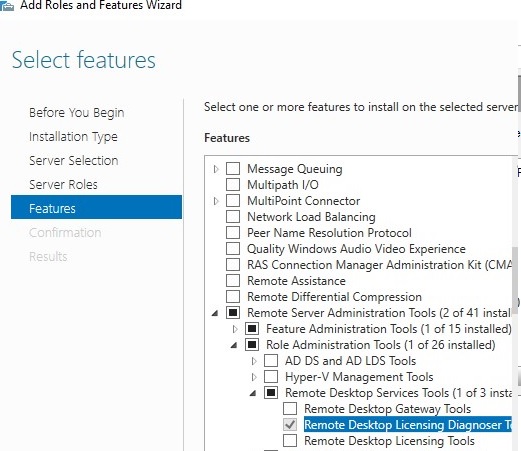
How To Install And Activate The RDS Licensing Role On Windows Server
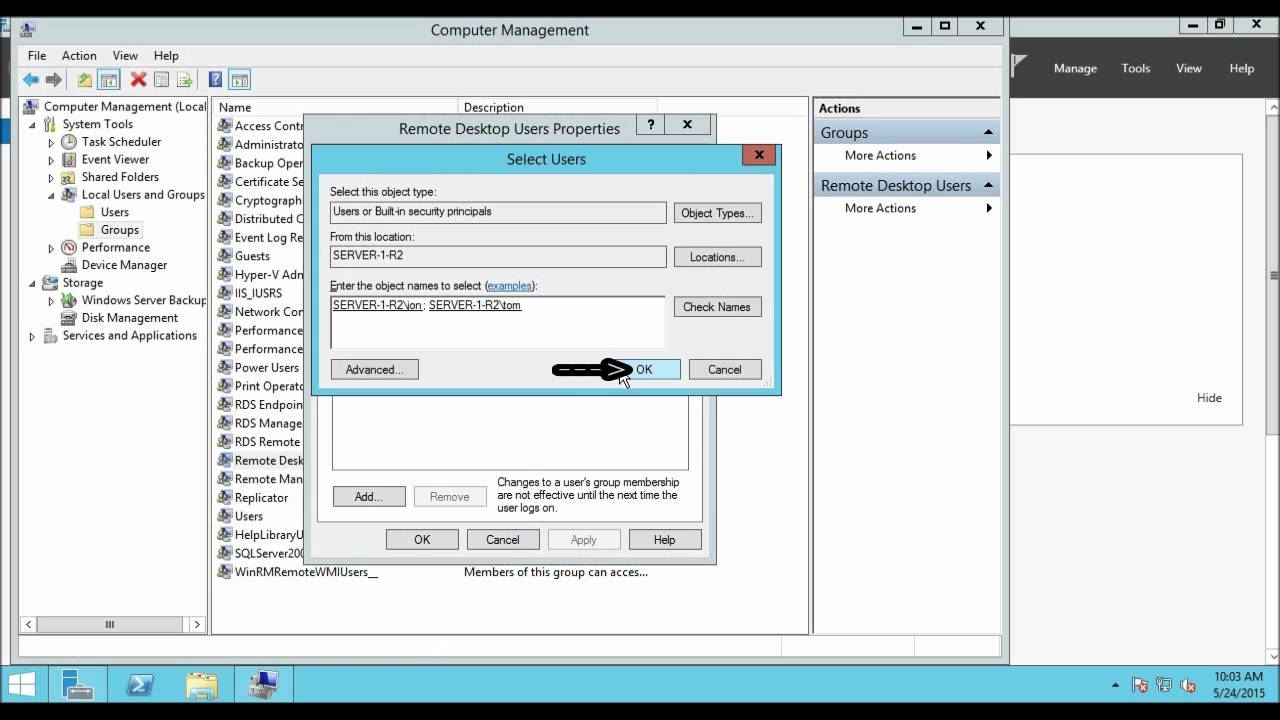
How To Install And Configure Remote Desktop Services RDS On Windows
To install or upgrade to the latest version of Google Earth Pro download the application System requirements In order for Google Earth Pro to run on your computer you must have all minimum
Download the installation file again To install Chrome again use the new file If the installation still isn t working use an offline installer Computers with multiple user accounts Computers with one user

Get Google Chrome Important Before you download check if Chrome supports your operating system and you ve met all other system requirements

Official Google Chrome Help Center where you can find tips and tutorials on using Google Chrome and other answers to frequently asked questions

How to install Chrome Important Before you download check if Chrome supports your operating system and you ve met all other system requirements
[desc-11] [desc-12]
[desc-13]