Install Npm In Linux Terminal C mo Instalar Paquetes Npm Trucos CSS Aprender Marketing How To Create React App Using Npm Dev Practical Classic Art Photography How To Install Nodejs And Npm On Ubuntu Linux YouTube Install Node js And Npm In 3 Easy Steps Installation Steps Open up your terminal and type brew install node Sit back and wait Homebrew has to download some files compile and install them But
Js is installed type node v in the terminal This should print the version number so you ll see something like this v0 10 35 Test NPM To Once the NodeSource repository is enabled install Node js and npm by typing sudo apt install nodejs Copy The nodejs package contains both
Install Node js And Npm In 3 Easy Steps Raspberry Pi Node js Npm Install Npm In A Few Easy Steps CSS Tricks CSS Tricks How To Install Node js On Ubuntu And Update Npm To The Latest Version Linux Mint node js npm Linux windows NodeJS NPM 1024 How To Install Node Js And Npm On Windows Roy Tutorials Riset Install And Use Chat GPT In Linux Terminal Command Line How To Update Npm Version In Windows
Install Npm In Linux Terminal
 Install Npm In Linux Terminal
https://aprendermarketing.es/wp-content/uploads/2022/01/1643255530_549_s_AF038BF04094A70509D67F40885F11F49B56FA082F53552BB58B184DA068C273_1637120566816_16-42-fe7mk-iqg37.png
How to Install Node js and npm on Ubuntu Linux Method 1 Install Node js and npm on Ubuntu using the official repository Remove Node js
Templates are pre-designed files or files that can be used for numerous purposes. They can save time and effort by offering a ready-made format and design for producing different sort of material. Templates can be used for personal or professional tasks, such as resumes, invites, leaflets, newsletters, reports, discussions, and more.
Install Npm In Linux Terminal
Node Js Windows Install Passatable

Raspberry Pi Node js Npm

Install Npm In A Few Easy Steps CSS Tricks CSS Tricks
How To Install Node js On Ubuntu And Update Npm To The Latest Version
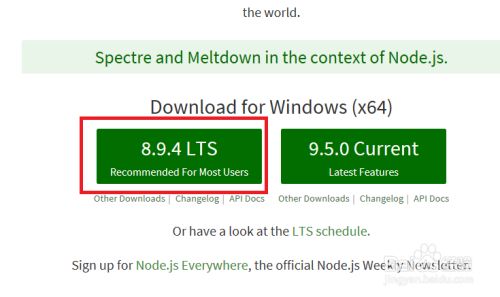
Linux windows NodeJS NPM 1024
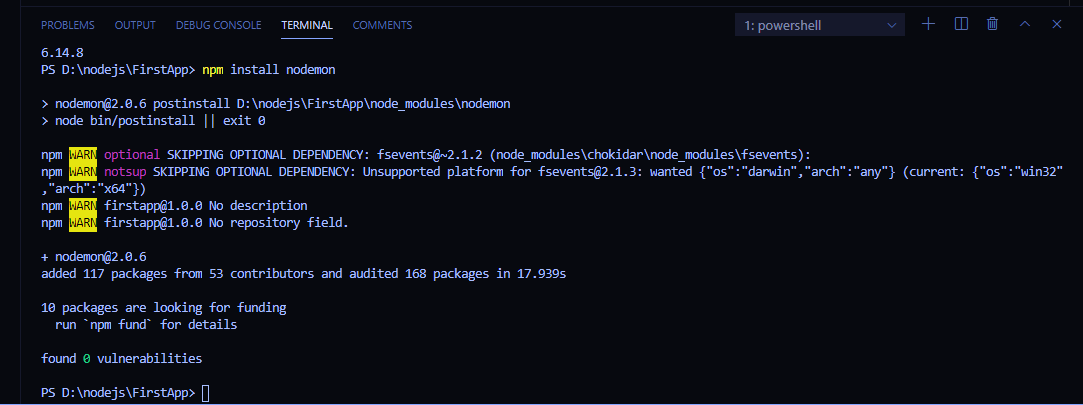
How To Install Node Js And Npm On Windows Roy Tutorials Riset

To publish and install packages to and from the public npm registry or a private npm registry you must install Node js and the npm command line interface
Check your Download folder for the installer file and click on it to start the installation process The Node js installer carries the Node js

You can install a specific package with NPM s install command In the example below NPM installs the latest stable version of the package

Js and NPM is available from the official NodeSource Enterprise Linux repository which is maintained by the Nodejs website and you will need to

Node js and npm packages are available in the Community Repository pacman S nodejs npm CentOS Fedora and Red Hat Enterprise Linux Node js is available as a
Installing Node js and npm from NodeSource Once the NodeSource repository is enabled install Node js and npm sudo apt install nodejs Copy Step 1 Add Node js Repository Step 2 Update System Step 3 Install Node js Version 14 on Kali Linux Step 4 Check Node and NPM Versions Step 5 Remove
Click to find the Command to install Node js http bit ly 2bM8jhH In this video we will see How