Install Forticlient Vpn Linux Easily Install FortiClient VPN On Oracle Linux Kifarunix How To Install FortiClient VPN On Ubuntu 20 04 LTS Paratune How To Install Forticlient SSL VPN On Ubuntu Systran Box Free FortiClient VPN PC Download For Windows MAC Computer How To Install Forticlient On Kali Linux Systran Box Learn how to install FortiClient Linux using a downloaded installation file from the official Fortinet website This guide covers the steps for different Linux distributions and provides troubleshooting tips FortiClient Linux is a comprehensive security solution for Linux users
Best Practices FortiCloud Public Private Cloud Secure SD WAN Zero Trust Network Access Tele Working Multi Factor Authentication FortiASIC Operational Technology Define Design Deploy Demo Secure SD WAN Zero Trust Network Access Secure Access Service Edge Next Generation Firewall Hardware Guides FortiAnalyzer FortiAnalyzer Big Data FortiClient VPN allows you to create a secure and an encrypted Virtual Private Network VPN connection tunnel using IPSec or SSL VPN Tunnel Mode connections between your device and the FortiGate Firewall Best free VPN service provider for Linux ProtonVPN Install FortiClient VPN Client on Ubuntu 20 04 Ubuntu 18 04
How To Install Forticlient On Kali Linux Systran Box A Easy Way To Install FortiClient VPN Quick Tip Forticlient Vpn Only Install Bopqevillage How To Install Forticlient SSL VPN On Ubuntu Systran Box How To Configure And Install Forticlient VPN Step By Step YouTube C mo Conectar Forticlient Ssl Vpn En Ubuntu La Tecnolog a Installazione Forticlient SSL VPN In Ambiente Linux Ubuntu Tecnologia Linux Release Notes FortiClient 6 0 3 Fortinet Documentation Library How To Install FortiClient VPN On Ubuntu 20 04 LTS LinuxWays
Install Forticlient Vpn Linux
 Install Forticlient Vpn Linux
https://kifarunix.com/wp-content/uploads/2022/09/forticlient-vpn.png
Solution Note A Fortinet Support Contract is not necessary in order to download the Linux Version of the SSL VPN Client Download SSL VPN Client for Linux The latest SSL VPN Client for Linux can be downloaded from Product Downloads and Free Trials To download the software Open the link Product Downloads and Free Trials
Pre-crafted templates provide a time-saving option for producing a varied range of files and files. These pre-designed formats and designs can be used for numerous individual and professional tasks, consisting of resumes, invites, flyers, newsletters, reports, presentations, and more, simplifying the material creation process.
Install Forticlient Vpn Linux

How To Install Forticlient On Kali Linux Systran Box
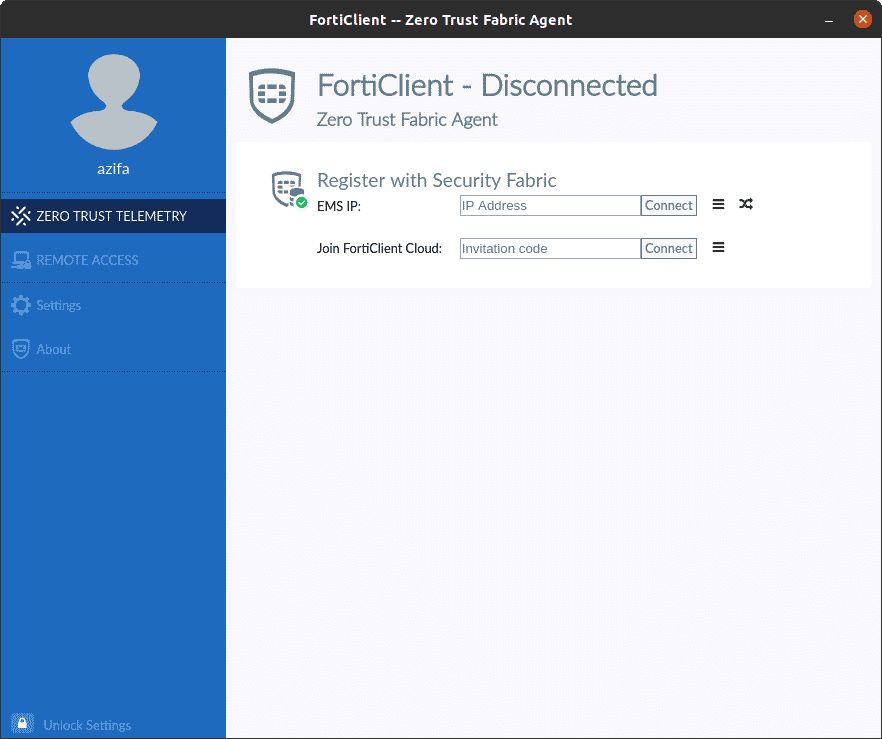
A Easy Way To Install FortiClient VPN Quick Tip

Forticlient Vpn Only Install Bopqevillage

How To Install Forticlient SSL VPN On Ubuntu Systran Box

C mo Conectar Forticlient Ssl Vpn En Ubuntu La Tecnolog a

Installazione Forticlient SSL VPN In Ambiente Linux Ubuntu Tecnologia

Installing FortiClient Linux using a downloaded installation file To install on Red Hat or CentOS 8 Obtain a FortiClient Linux installation rpm file In a terminal window run the following command sudo dnf install FortiClient installation rpm file y FortiClient installation rpm file is the full path to the downloaded rpm file

Solution 1 Ensure FortiClient is downloaded through the Fortinet Support Portal support fortinet Steps Once logged into support fortinet navigate here At the top of the webpage select Support Firmware Download Select Product FortiClient Download

1 Add FortiClient GPG key 2 Add FortiClient repository 3 Update Ubuntu 20 04 package lists 4 Install FortiClient on Ubuntu 20 04 5 Run your VPN client 6 Uninstall or Remove Steps to install FortiClient VPN on Ubuntu 20 04 LTS 1 Add FortiClient GPG key

Save password auto connect and always up Access to certificates in Windows Certificates Stores SAML support for SSL VPN Advanced features Windows Activating VPN before Windows logon Connecting VPNs before logging on AD environments Creating redundant IPsec VPNs Creating priority based SSL VPN connections

Connecting to the VPN tunnel in FortiClient Appendix F SSL VPN prelogon SSL VPN prelogon using AD machine certificate Computer machine certificate Installing FortiClient Linux from repo fortinet To install on Red Hat or CentOS Add the repository
And then run below command in terminal to install the Forticlient package sudo dpkg i Downloads FortiClientPackageFileName deb 3 Go to the forticlient directory by running the below command cd opt forticlient 4 Run the below commands in opt forticlient directory to configure the SSL VPN profile in forticlient Installation Guide Following are the steps involved in installing FortiClient VPN on our Ubuntu machine Step 1 Install gpg key The very first thing that we will start with is installing the gpg key To do that run the following command wget O https repo fortinet repo ubuntu DEB GPG KEY sudo apt key add
Linux Downloads To install FortiClient for linux please follow the instructions below for your specific linux distribution