Increase Text Size Apple Notes How To Increase Text Size In MacOS Monterey AppleInsider How To Increase Text Size On The Apple Watch TheFastCode Dwelling Bucket Check Mac Increase Font Size Slander Regardless Of Cut Back How To Change Text Size On Apple Watch IGeeksBlog Make Text Smaller Than Tiny Latex Advancedfecol Magnify the entire iPhone screen On supported models you can magnify the iPhone screen with Display Zoom Go to Settings Display Brightness Tap Display Zoom then tap Larger Text Tap Done then tap Use Zoomed See also Zoom in on the iPhone screen Make iPhone text easier to read with accessibility features Helpful
How to Increase Decrease Text Size in Apple Notes June 25 2021 I like big Font on all devices including desktop but especially mobile I find the default Apple Notes font small so I increased the size There are two approaches to increasing the font in Apple Notes The first is for individual notes or text Level 1 7 points Posted on May 23 2020 9 49 AM That will allow me to adjust indentation add bullets underscore etc But the only font size change appears to be part of changing from Heading to Title to Subheadding Body etc Perhaps there s a way to change the font established for the font associated with Body
Make Text Smaller Than Tiny Latex Advancedfecol Bear Notes Vs Apple Notes Which Note Taking App Should You Choose Apple Notes As A Second Brain Good Idea Or Not Size Matters How To Increase Text Size On Apple Watch Cult Of Mac 20 Best Apple Notes App Tips And Tricks For IPhones And IPads TechPP Note taking Apps For Students Best 10 Apps The Entrepreneur Review How To Increase Text Size On Apple Watch How To Increase Decrease Text Size In Apple Notes TechSnivel How To Change Text Size On Apple Watch IGeeksBlog
Increase Text Size Apple Notes
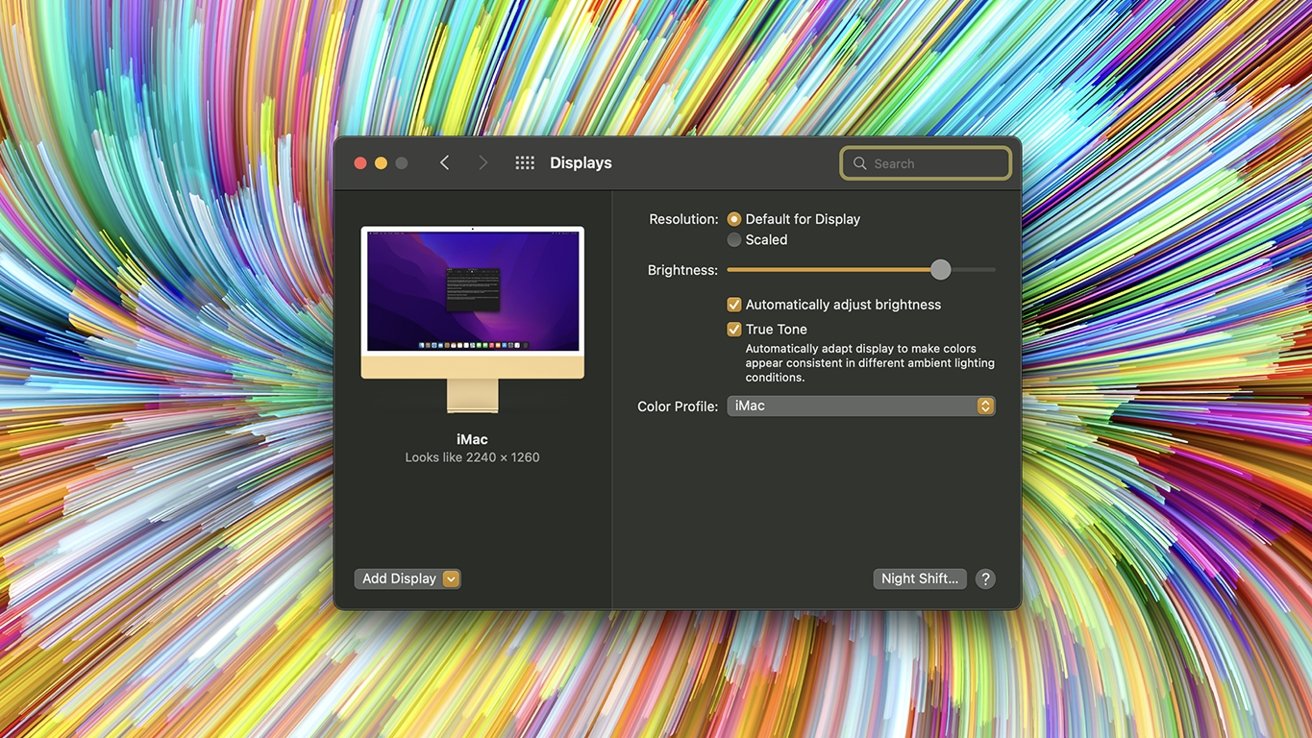 Increase Text Size Apple Notes
https://photos5.appleinsider.com/gallery/45393-88363-jrsfrt-xl.jpg
Can we increase the font size in a note in the iPad Notes app On the Mac I can increase the font size in a note with CMD Is there a way of increasing the font size in a note in the Notes app on the iPad 155 4 Setting font size in Notes I cannot change the font size in Notes I can Bold Underline Italics etc but there is no option to
Templates are pre-designed files or files that can be used for different purposes. They can conserve effort and time by offering a ready-made format and layout for developing various kinds of material. Templates can be utilized for individual or professional tasks, such as resumes, invitations, flyers, newsletters, reports, discussions, and more.
Increase Text Size Apple Notes
How Do I Change The Font Size In Notes Apple Community

Bear Notes Vs Apple Notes Which Note Taking App Should You Choose

Apple Notes As A Second Brain Good Idea Or Not
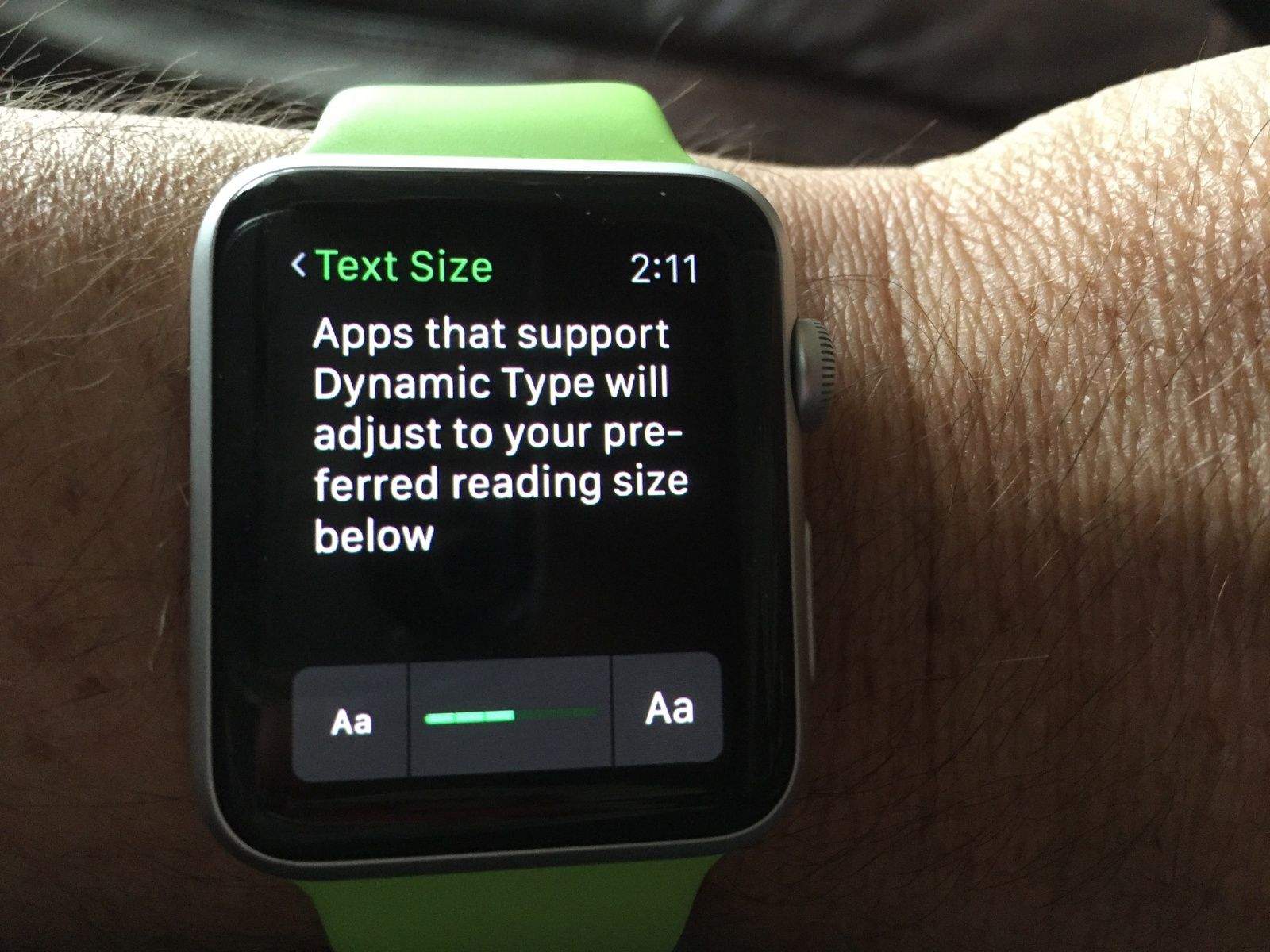
Size Matters How To Increase Text Size On Apple Watch Cult Of Mac

Note taking Apps For Students Best 10 Apps The Entrepreneur Review
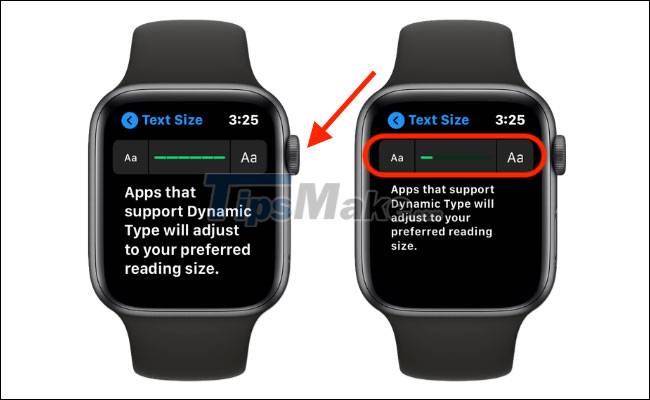
How To Increase Text Size On Apple Watch
Go to Settings Display Brightness Text Size Drag the slider to select the font size you want Make the font even bigger Go to Settings General Accessibility Larger Text

Best answer SparkzTehDragon Level 1 91 points You highlight the font you want to be dilated right click or press control click Go to Size or Font and change the size number Another option is to go up to the top of the notes on the right and click the two A s that are both capitalized but ones bigger than the other and change it that way

You can select text in iCloud notes created in Mac notes application just right click the selected text and click on font click on bigger you click on bigger more than one to create the text size bigger see the article Write and format notes on Mac Apple Support The other way is select the text take cursor on top menu bar Format Font show Fonts move the scroll bar to

Formatting Shortcuts for iPad and Mac If you re using the Notes app on your iPad with an external keyboard or if you re using a Mac formatting notes becomes much faster with the help of keyboard shortcut Title Shift Command T Heading Shift Command H Subheading Shift Command J Body Shift Command B

Step 1 Open the Notes app on your iPhone or iPad Step 2 Open the Note whose font style you want to change Step 3 Long press on the text to select it Step 4 Tap on Format You can
4 points Posted on Dec 22 2020 10 34 AM Ahhh I found my problem I was using notes tied into gmail folder That Aa is not available but when I switch to iCloud folder it shows up So it is an issue when not using iCloud folder Interesting that apple would mess that up View in context Similar questions How to Change Font Size on iPhone Notes Unless you have the latest version of iOS you cannot change the font size for the Notes app in general anywhere on your iPhone Instead you ll have to increase the general font size which will in turn change the font sizes for all apps that use Dynamic Type
Format text In a note select the text you want to format Tap then choose a style such as Heading Monostyled bold or italic font block quote bulleted or numbered list and more Tip To choose a default style for the first line in all new notes go to Settings Notes New Notes Start With Add a checklist