How To Write Subscript In Word Superscript Subscript MS Word 2007 2 YouTube How To Create Superscript And Subscript In MS Word 8 Steps How To Subscript Superscript In Word Super Easy How To Do Subscript In Word How To Insert A Subscript In Microsoft Word Techwalla WEB Mar 13 2024 nbsp 0183 32 Subscript text is a useful typographical feature in Microsoft Word commonly used in mathematical equations chemical formulas footnotes and more However for many users figuring out how to
WEB Oct 23 2021 nbsp 0183 32 This article explains how to use subscript in Microsoft Word Subscript allows you to type special characters that appear slightly below the current line of text which can be helpful when depicting mathematical and chemical formulas as well as other not so common uses WEB Jun 5 2019 nbsp 0183 32 Whether you re discussing chemical or mathematical formulas or citing content that requires footnotes you re going to need to use superscript or subscript text Here s how to format that text in Microsoft Word or PowerPoint
How To Insert A Subscript In Microsoft Word Techwalla How To Write A Superscript And Subscript At The Same Time In Word YouTube How To Insert Subscript In Equation Word 2007 Tessshebaylo How To Type A Subscript In Word 2013 YouTube Word Equation Editor Subscript Superscript Tessshebaylo How To Write Subscript In Excel 2010 YouTube How To Type Subscript In Microsoft Word YouTube Shortcut Key For Subscript And Superscript In Word YouTube How To Create Superscript And Subscript In MS Word 8 Easy Steps
How To Write Subscript In Word
 How To Write Subscript In Word
https://i.ytimg.com/vi/EzMpGvUzVcA/maxresdefault.jpg
WEB Oct 9 2020 nbsp 0183 32 MS Word allows you to enter characters text and numbers in superscript and subscript There are two ways to do this and we will explain both Change typed characters to superscript or subscript Type in characters in superscript or
Pre-crafted templates provide a time-saving solution for developing a varied series of files and files. These pre-designed formats and layouts can be used for different personal and expert tasks, including resumes, invitations, leaflets, newsletters, reports, discussions, and more, streamlining the content production process.
How To Write Subscript In Word
Insert Subscript And Superscript In Microsoft Word 2007 2010 And 2013
How To Write A Superscript And Subscript At The Same Time In Word YouTube
How To Insert Subscript In Equation Word 2007 Tessshebaylo
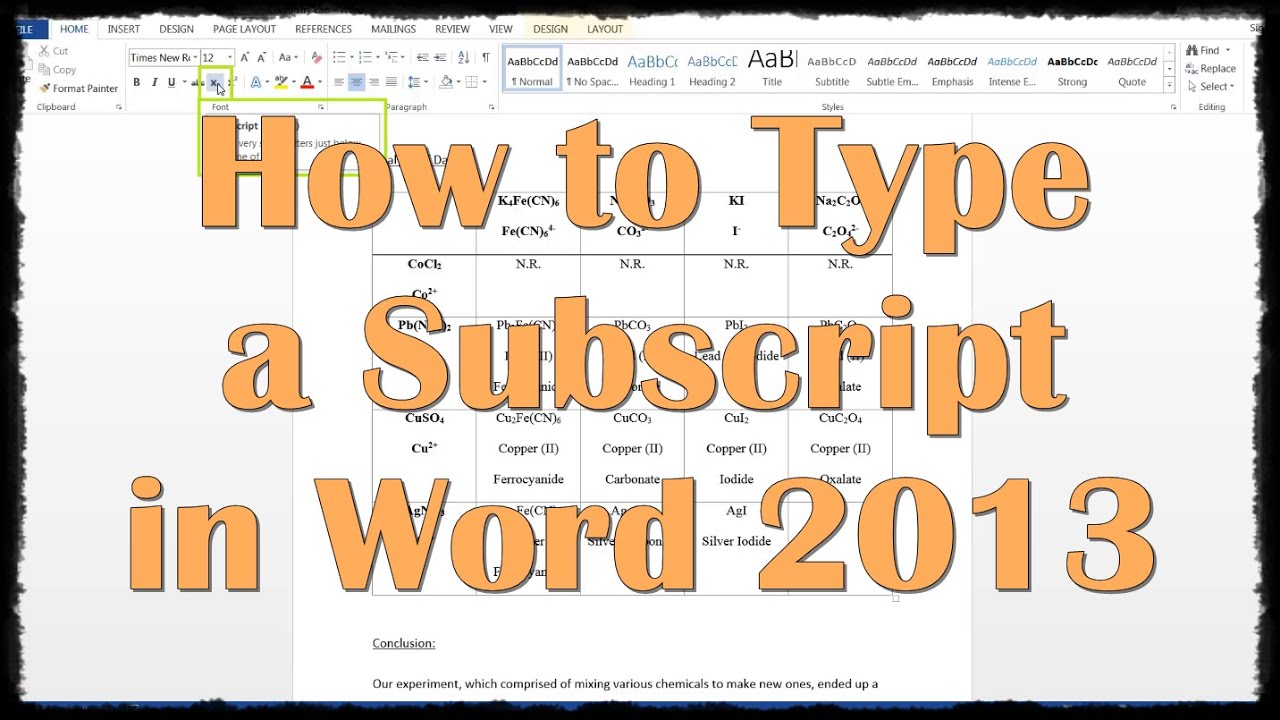
How To Type A Subscript In Word 2013 YouTube
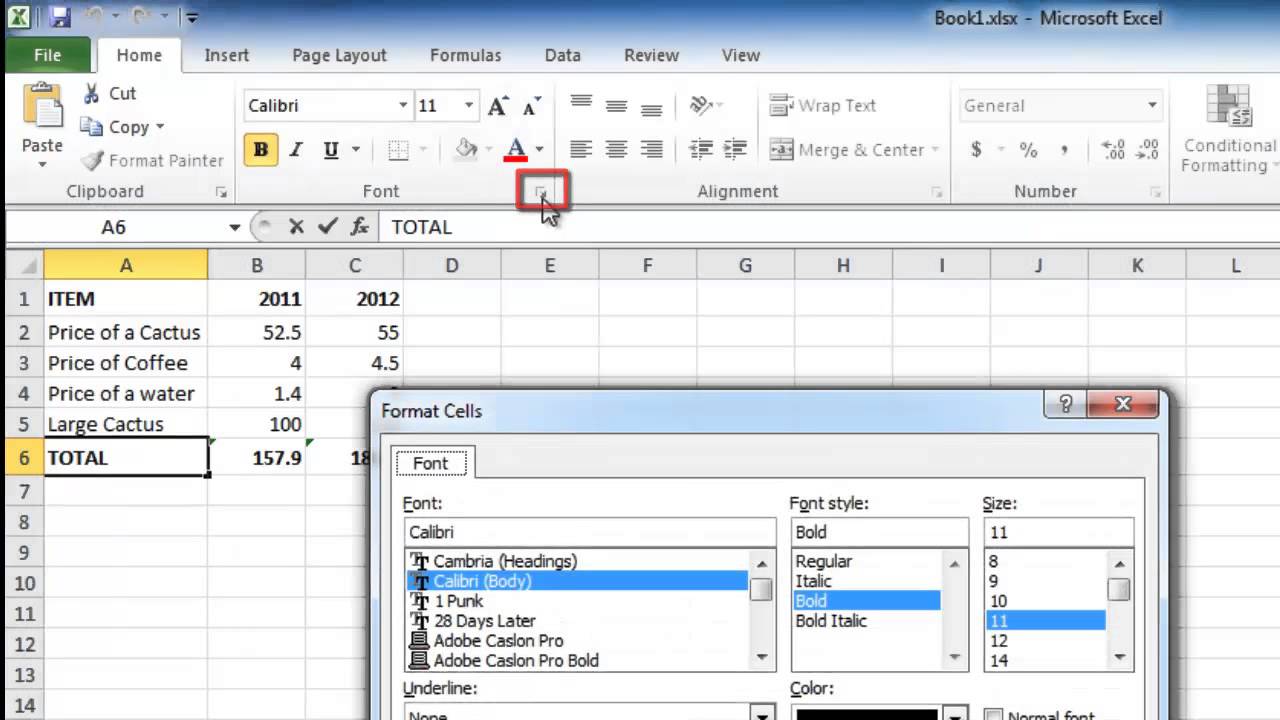
How To Write Subscript In Excel 2010 YouTube
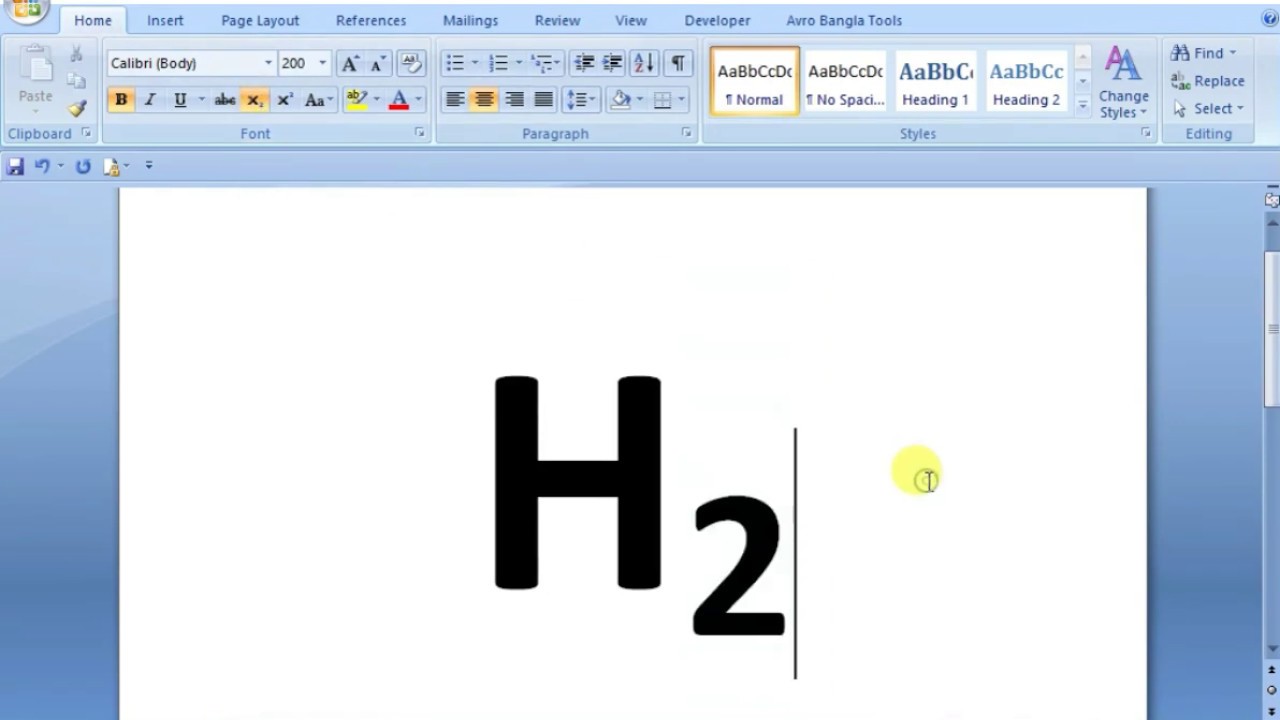
How To Type Subscript In Microsoft Word YouTube
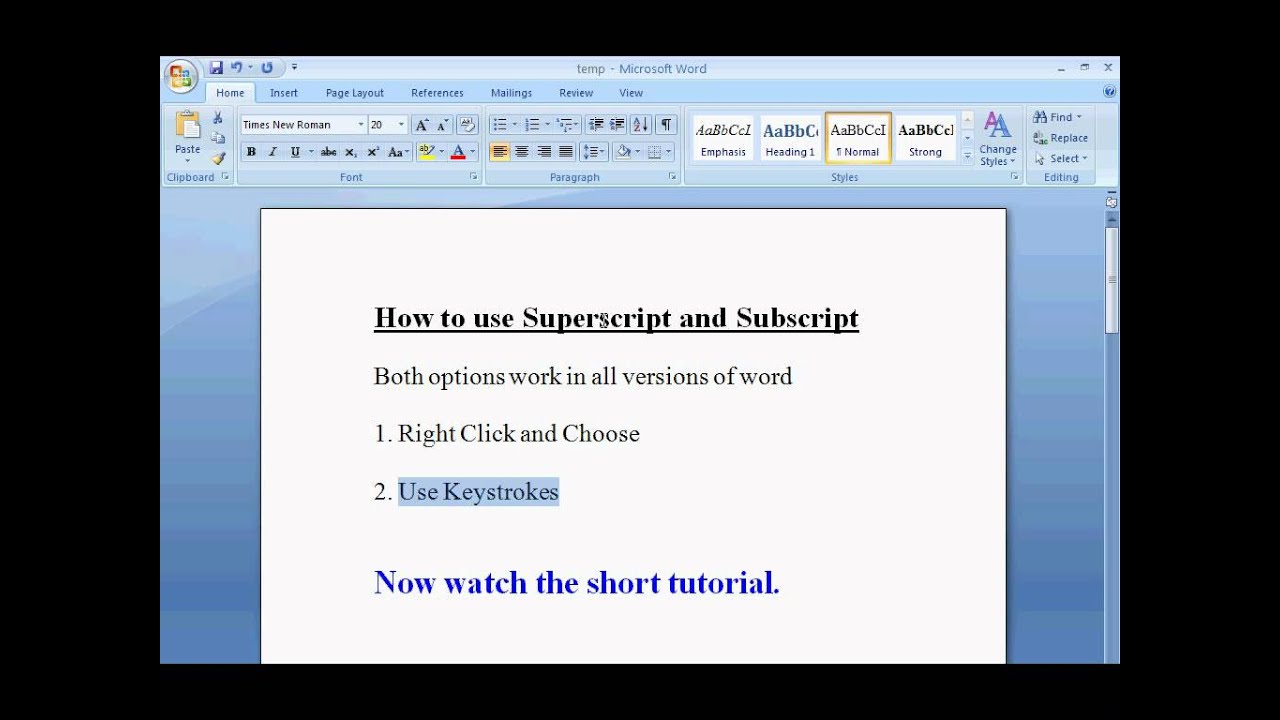
WEB Jan 14 2023 nbsp 0183 32 1 Place your cursor where you want to insert the superscript or subscript Or select the existing text that you want to format as a superscript or subscript 2 Type the keyboard shortcut Superscript Ctrl Shift Control Shift and the plus sign Subscript Crtl Control and the equal sign

WEB Oct 14 2022 nbsp 0183 32 You can apply superscript or subscript in Microsoft Word using keyboard shortcuts buttons on the Ribbon or the Font dialog box If you apply superscript the selected letter number or symbol will be raised slightly

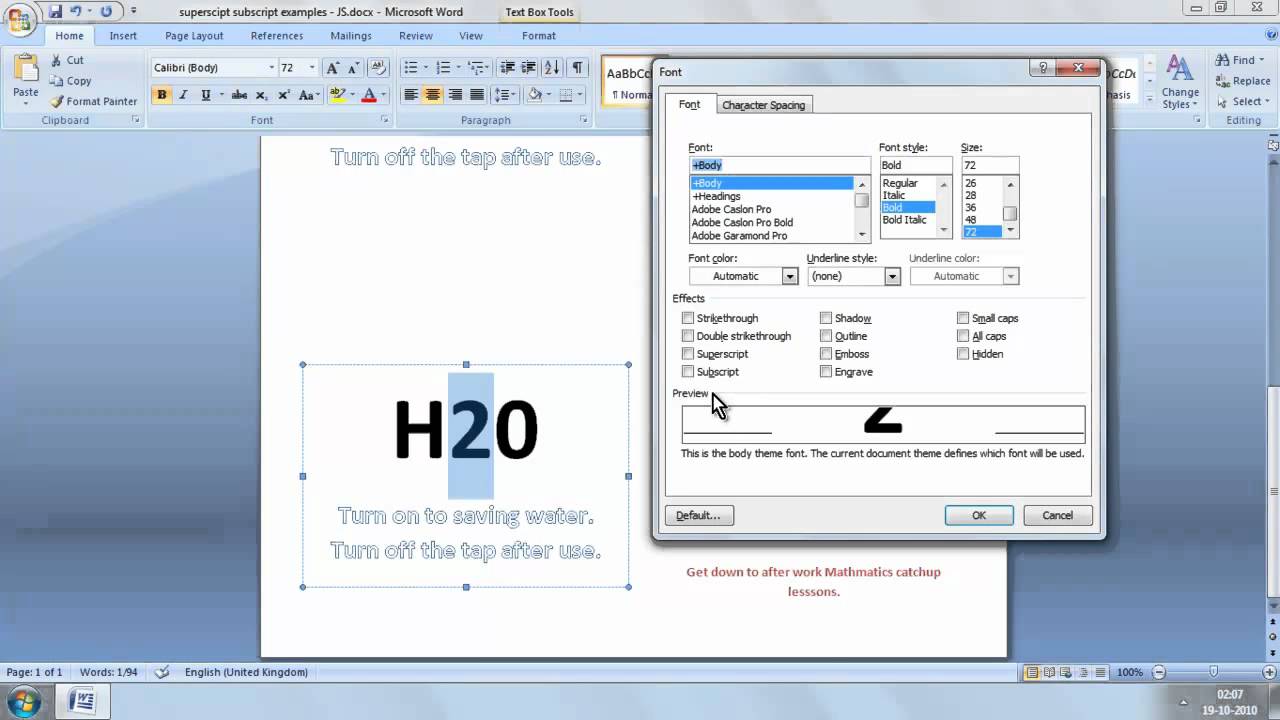
WEB Apply superscript or subscript formatting to text Select the character that you want to format as superscript or subscript On the Home tab in the Font group select the Font Dialog Box Launcher On the Font tab under Effects select the Superscript or

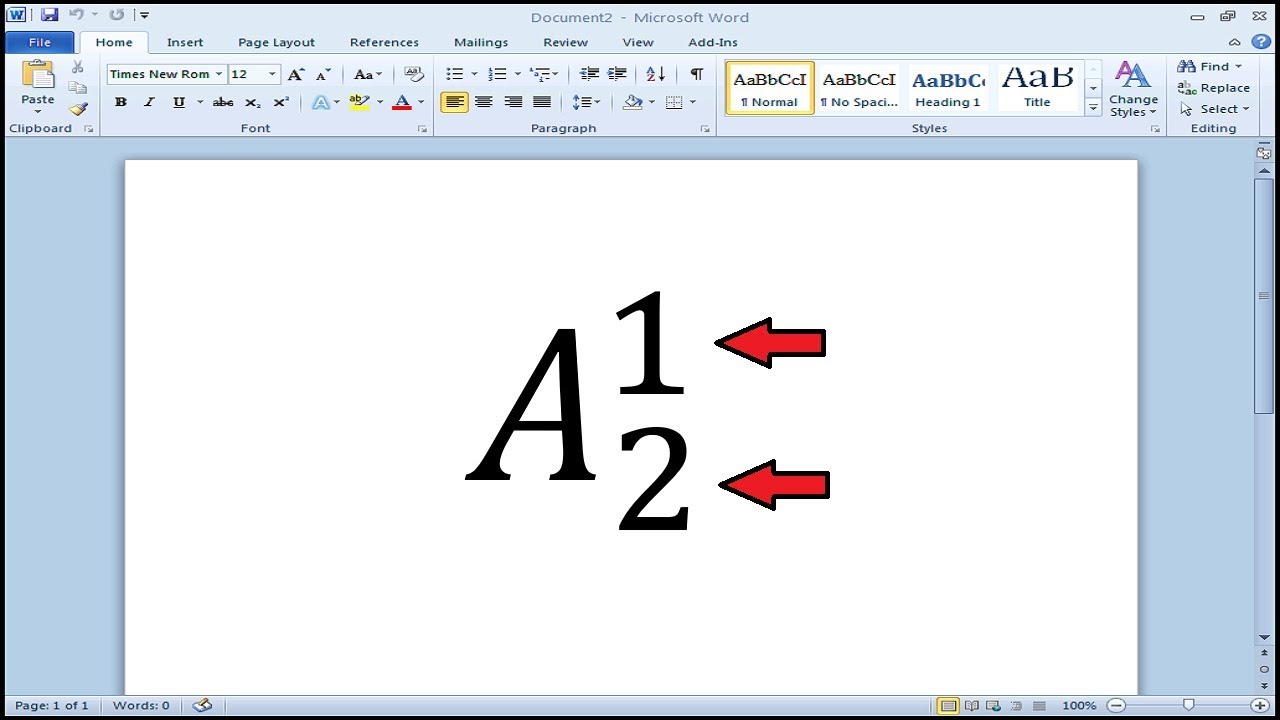
WEB Mar 19 2024 nbsp 0183 32 Superscript and subscript allow you to type characters that appear above or below the normal text line You can easily switch between superscript subscript and normal text in Microsoft Word
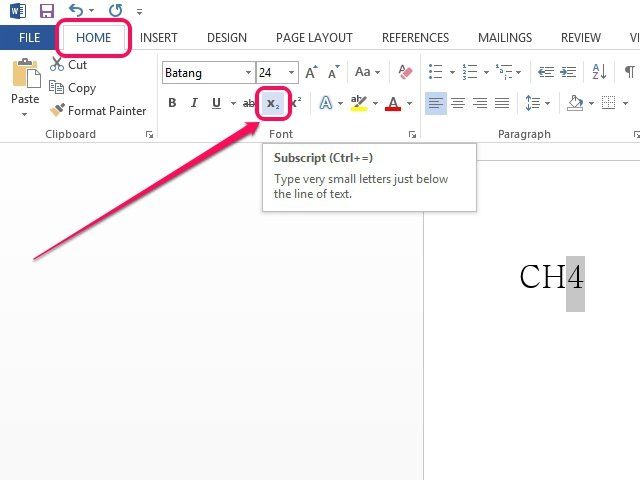
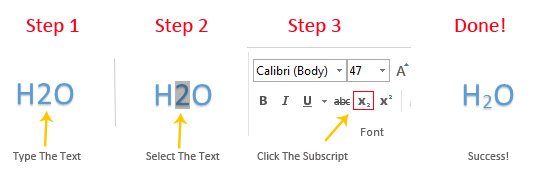
WEB May 14 2021 nbsp 0183 32 You can add a superscript or subscript in Word using the appropriate buttons in the Font section of the Home ribbon You can also use keyboard shortcuts to format text as a superscript or
WEB May 6 2020 nbsp 0183 32 How to apply Superscript or Subscript to your text First select the text then use one of these 3 methods Method 1 Use the ribbon icons 1 Select the Home tab 2 Click the Superscript or Subscript icons in the Font group Method 2 Use font effects WEB You can add a superscript or subscript in Word using the appropriate buttons in the Font section of the Home ribbon You can also use keyboard shortcuts to format text as a superscript or
WEB In this tutorial learn how to write superscript and subscript text in MS Word effortlessly Whether you re creating scientific equations footnotes or chemical formulas mastering these