How To Write Subscript In Word Android How To Write Subscript And Superscript In Word YouTube How To Write Subscript In Excel Chart Title Excel For Mac 2017 Molqymountain How To Write A Subscript And Superscript In Word Betsascse What Is The Shortcut For Subscript In Word Musliholdings Nie o Scully Cudzinec Bsubscrip In Latex Realita Pova ovan Sope n For superscript press Ctrl Shift and the Plus sign at the same time For subscript press Ctrl and the Equal sign at the same time You can also format text as superscript or subscript by selecting options in the Font dialog box as described in the next procedure
This video show How to add Microsoft Word subscript text in Samsung Galaxy S6 or S6 Edge In this tutorial I use Samsung Galaxy S6 Edge SM G925F Internation You can copy and paste any of these Superscripts and Subscripts directly into your Android String Resource Example Trademark
Nie o Scully Cudzinec Bsubscrip In Latex Realita Pova ovan Sope n How To Use Subscript And Superscript In Google Docs Banun tibet How To Create Superscript And Subscript In MS Word 8 Easy Steps Insert Subscript And Superscript In Microsoft Word 2007 2010 And 2013 How To Write Subscript In Matlab Scribus Shortcuts Virarozen How To Write Subscript In Word Equation To Apply Superscript Press Ctrl Shift Equal Sign How To Put A Subscript In Word Online WordOnlineTips How To Write Subscript x In LaTeX Ms Word Subscript Shortcut Mac Lewcoast
How To Write Subscript In Word Android
 How To Write Subscript In Word Android
https://i.ytimg.com/vi/EQwoKeu_Os0/maxresdefault.jpg
Using the superscript and subscript buttons 1 Select the text you want to format as either a superscript or subscript 2 In the ribbon click the Home tab and then click either the Superscript
Pre-crafted templates offer a time-saving option for producing a varied series of files and files. These pre-designed formats and layouts can be used for different individual and professional projects, including resumes, invitations, flyers, newsletters, reports, presentations, and more, enhancing the material production process.
How To Write Subscript In Word Android

Ideallalaf How To Give Subscript And Superscript In Word
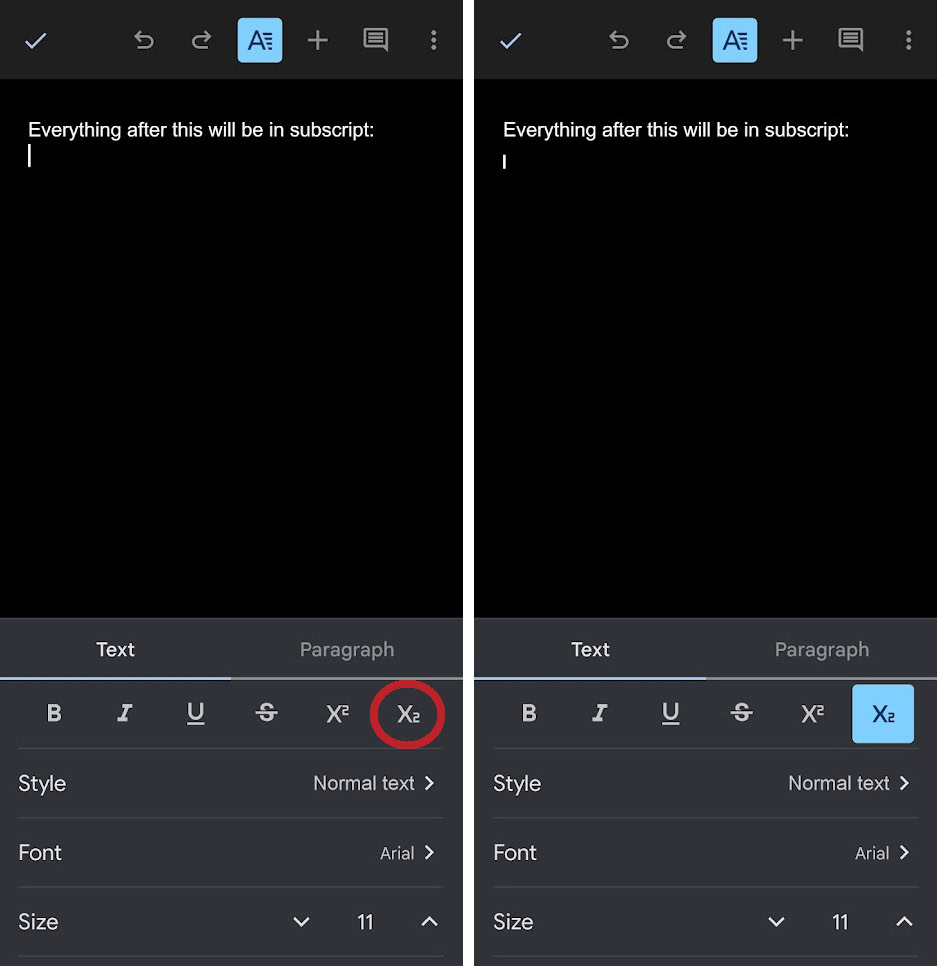
How To Use Subscript And Superscript In Google Docs Banun tibet

How To Create Superscript And Subscript In MS Word 8 Easy Steps
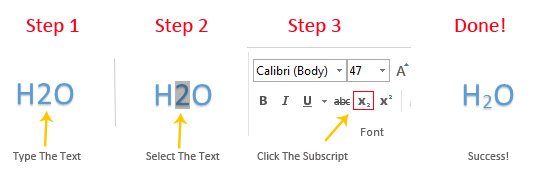
Insert Subscript And Superscript In Microsoft Word 2007 2010 And 2013
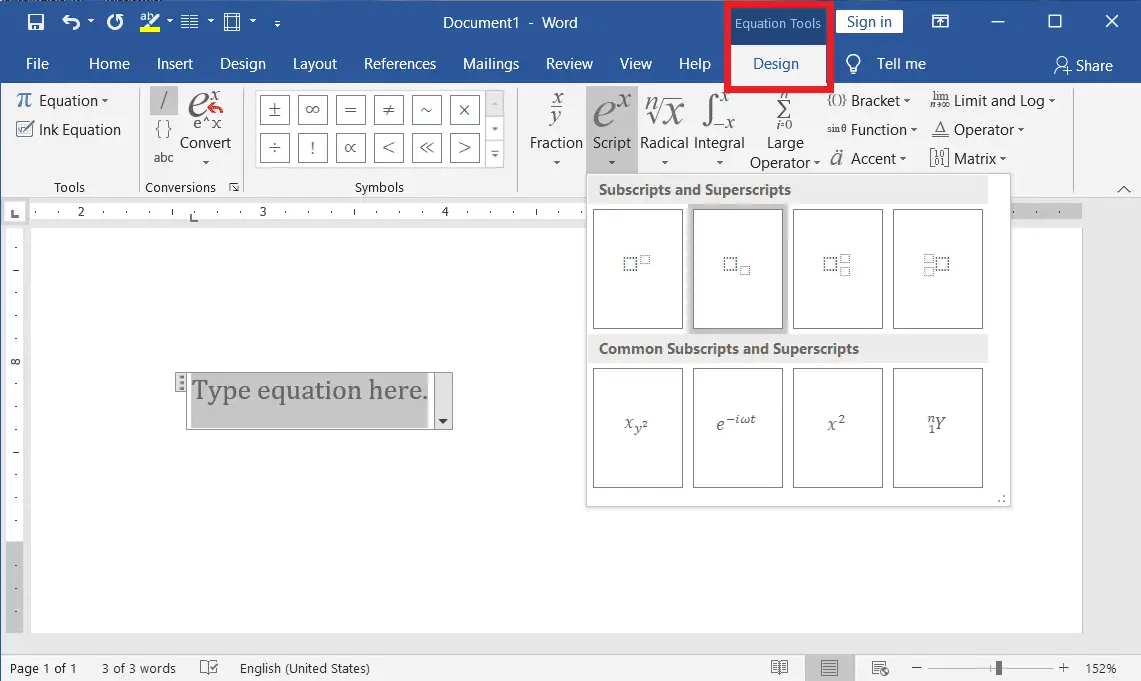
How To Write Subscript In Word Equation To Apply Superscript Press Ctrl Shift Equal Sign

How To Put A Subscript In Word Online WordOnlineTips

This video tutorial is all about How to type Superscript and Subscript Number or Letter in Android Smartphones superscript subscript androidkeyboard Note This video tutorial is only for

If you re working in Word one of the easiest ways to insert subscript and superscript characters into your document is by using the ribbon commands Here are some steps you can take to get started Open the Word document you want to insert subscript or superscript characters into to get started

Use keyboard shortcuts to apply superscript or subscript Select the text or number that you want For superscript press Ctrl Shift and the Plus sign at the same time For subscript press Ctrl and the Equal sign at the same time Do not press Shift
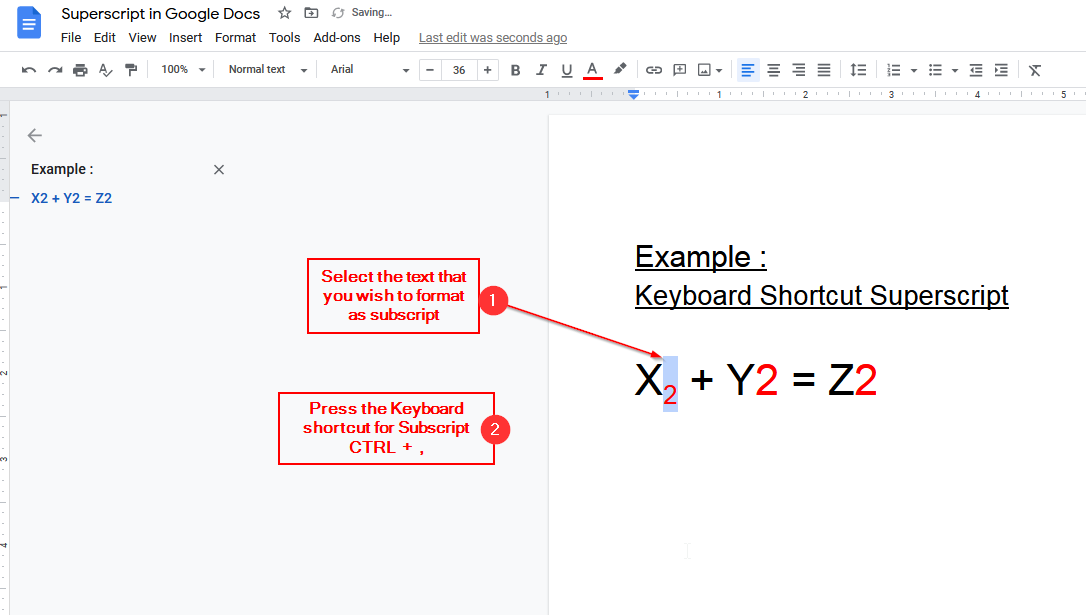
google HowXTThis video tutorial will help you How to type Superscript and Subscript Number or Letter in Android Smartphones Subscribe to my YouTube chann

Alternatively use a keyboard shortcut In Windows press Ctrl equal sign In macOS press Cmd The selected characters appear in subscript format Repeat these steps at any time to reverse the subscript
Select the text character number or symbol to which you want to apply superscript or subscript To apply superscript press Ctrl Shift equal sign To apply subscript press Ctrl equal sign Note We re using the 1 Select the Home tab in the ribbon Figure 1 Home tab 2 Place your cursor where you want to insert the superscript or subscript Or select the existing text that you want to format as a superscript or subscript 3 Select the Superscript or Subscript button in the Font group
Word for Android and Word Mobile supports writing and editing math equations Write your math equations in linear format for example like a2 b2 c2 and Word will convert it into professional display format a b c On iOS devices This feature is available to Office Insiders only right now