How To Setup Git Repository In Vs Code Set Up Git Repository Locally Contributor Guide Microsoft Learn Github How Can I Unlink A Git Repository In Visual Studio Code Parcourir Les R f rentiels Et Comparer Les Branches Et Validations Mengklon Repositori GitHub Dengan VSCode Azure Microsoft Learn Obtener Cambios De Un Repositorio Remoto Documentaci n De GitHub Verkko 31 maalisk 2022 nbsp 0183 32 Install GitLens Free GitLens supercharges the Git capabilities built into VS Code Whether you re a seasoned Git developer or just getting started GitLens makes it easier safer and faster to
Verkko 26 toukok 2023 nbsp 0183 32 Github is an online service that will host your Git repositories in the cloud Easy Install Git in Visual Studio Code Step 1 Download and install visual studio code from the visualstudio Verkko 20 toukok 2020 nbsp 0183 32 Open Vs Code Go to view Click on terminal to open a terminal in VS Code Copy the link for your existing repository from your GitHub page Type git clone and paste the link in addition
Obtener Cambios De Un Repositorio Remoto Documentaci n De GitHub The Git Experience In Visual Studio Microsoft Learn Add Files To Git Repository Cultural Analytics Open Science Guide 6 Create A GitHub Account What Is GIT And GitHub The Ultimate Difference Internet Of Things Setup Git User Open Source Agenda Stefan s Web Weekly 6 DEV Community How To Create A New Git Repository Start A Github Repo Github Private Repository Free Telegraph
How To Setup Git Repository In Vs Code
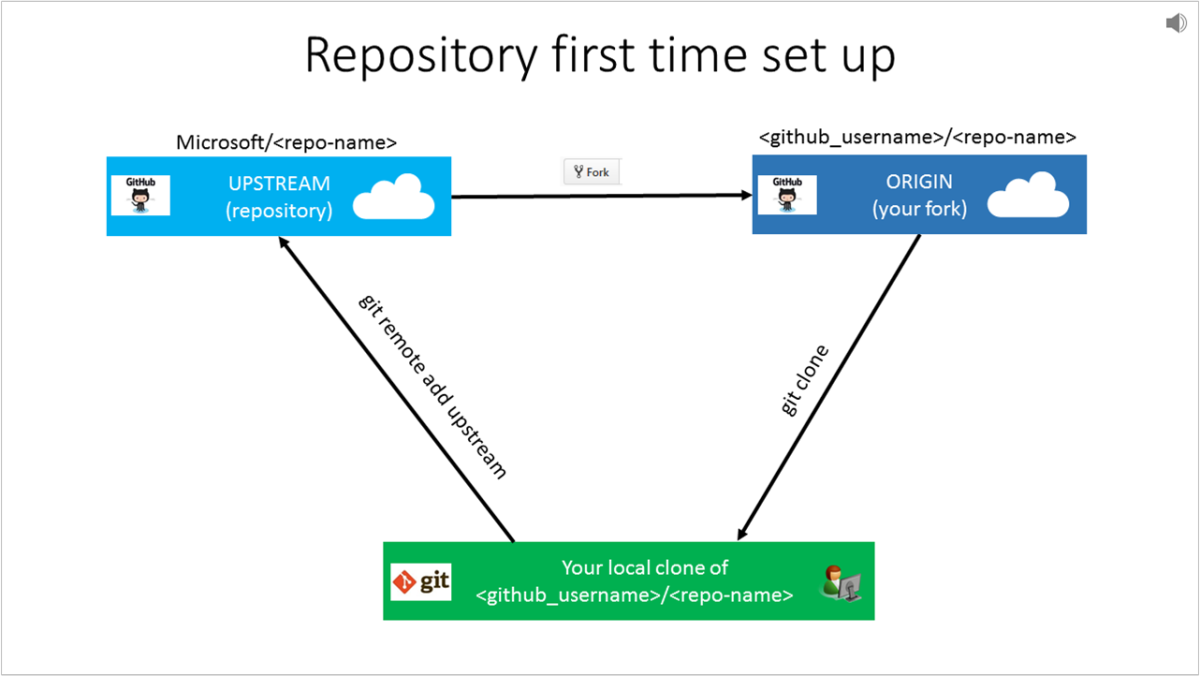 How To Setup Git Repository In Vs Code
https://learn.microsoft.com/en-us/contribute/media/git-and-github-initial-setup.png
Verkko V 171 234 208 223 208 7 225 z 254 4 170 236 184 232 169 4 244 G 178 e 199 197 251 192 195 n 251 221 193 222 163 221 192 186 243 f 168 182 190 191 240 N 186 213 170 oKg 178 182 197 162 250 H 180 205 166 223 v 207 166 216 163 227 162 249 222 186 178 K 215 227 F 223 I 167 4h CV 174 240 193 2 162 m 190 IXr 180 205 249
Templates are pre-designed files or files that can be utilized for different purposes. They can conserve time and effort by offering a ready-made format and design for developing different type of material. Templates can be used for individual or professional projects, such as resumes, invitations, leaflets, newsletters, reports, discussions, and more.
How To Setup Git Repository In Vs Code
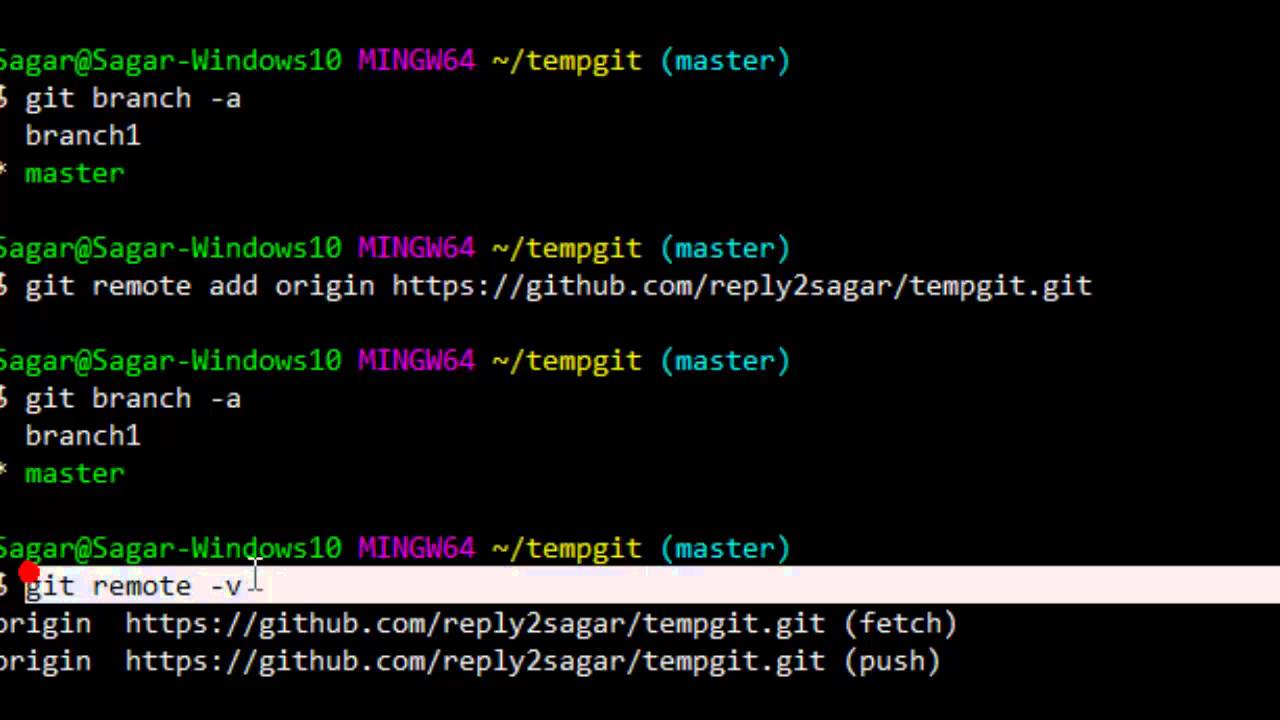
How To Push Local Git Repository To Github YouTube
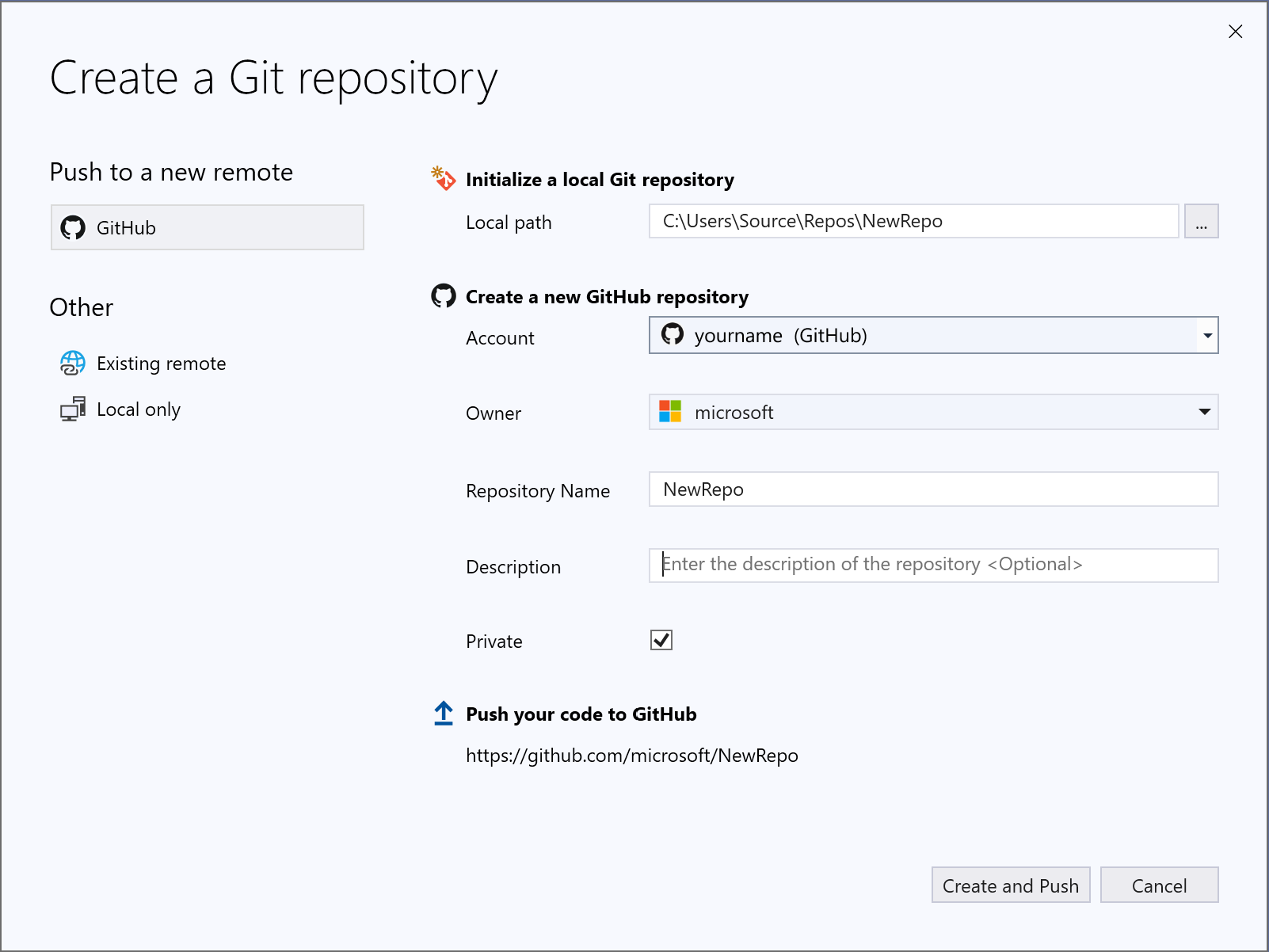
The Git Experience In Visual Studio Microsoft Learn
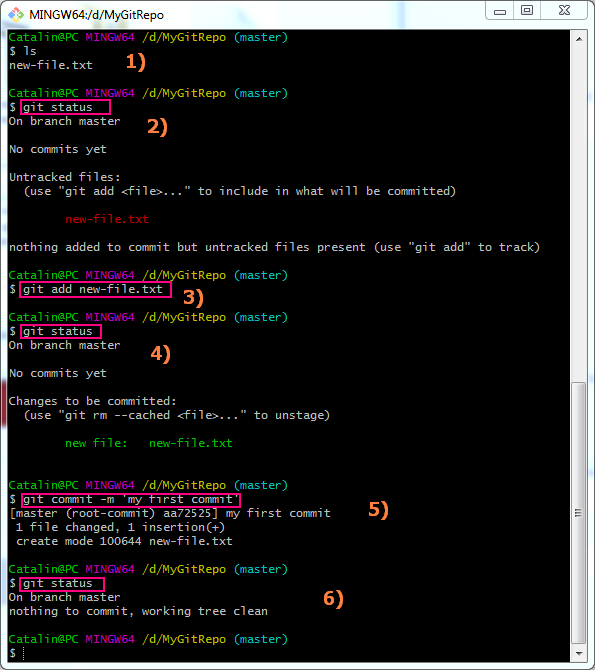
Add Files To Git Repository
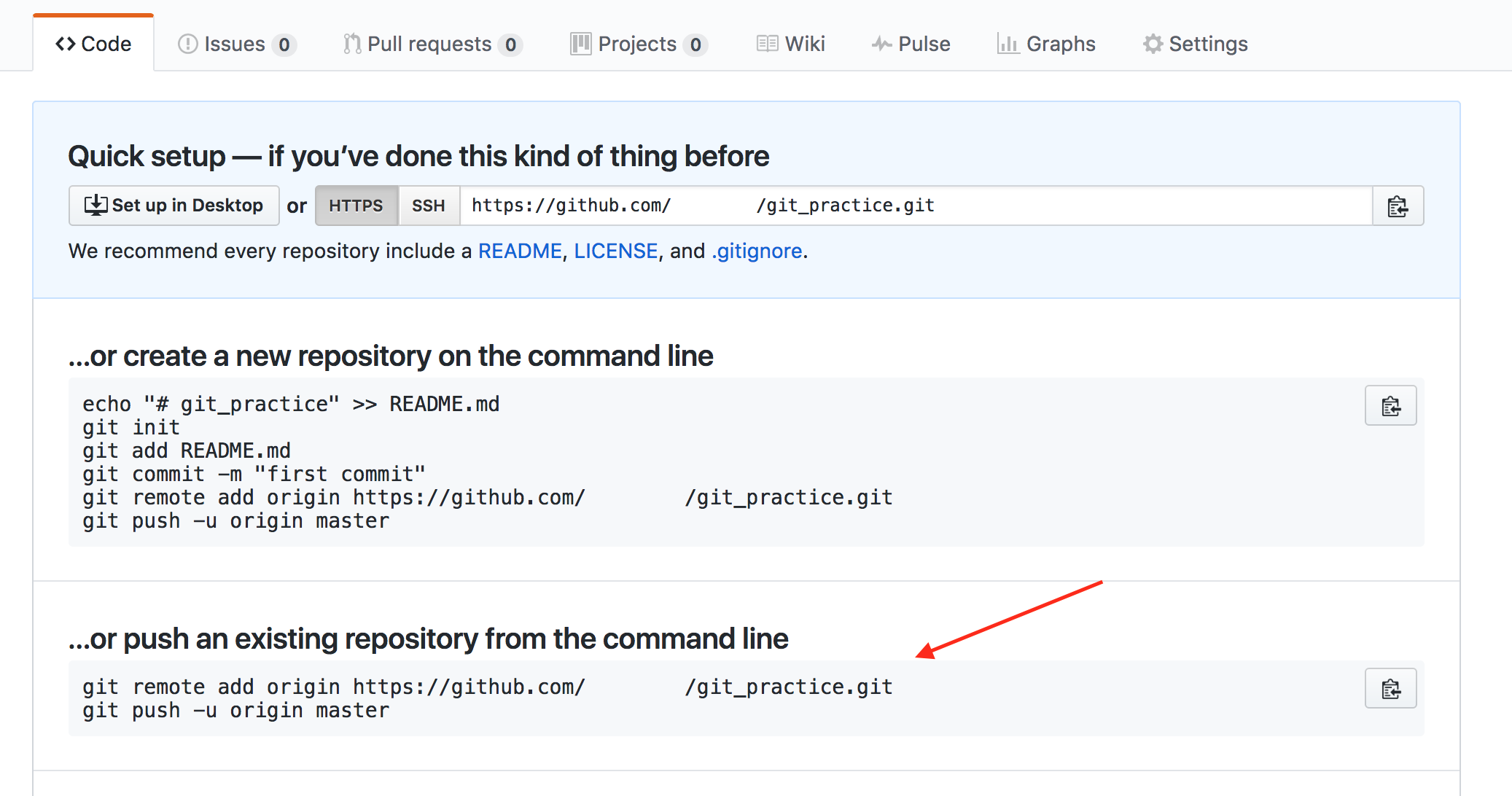
Cultural Analytics Open Science Guide 6 Create A GitHub Account

Setup Git User Open Source Agenda
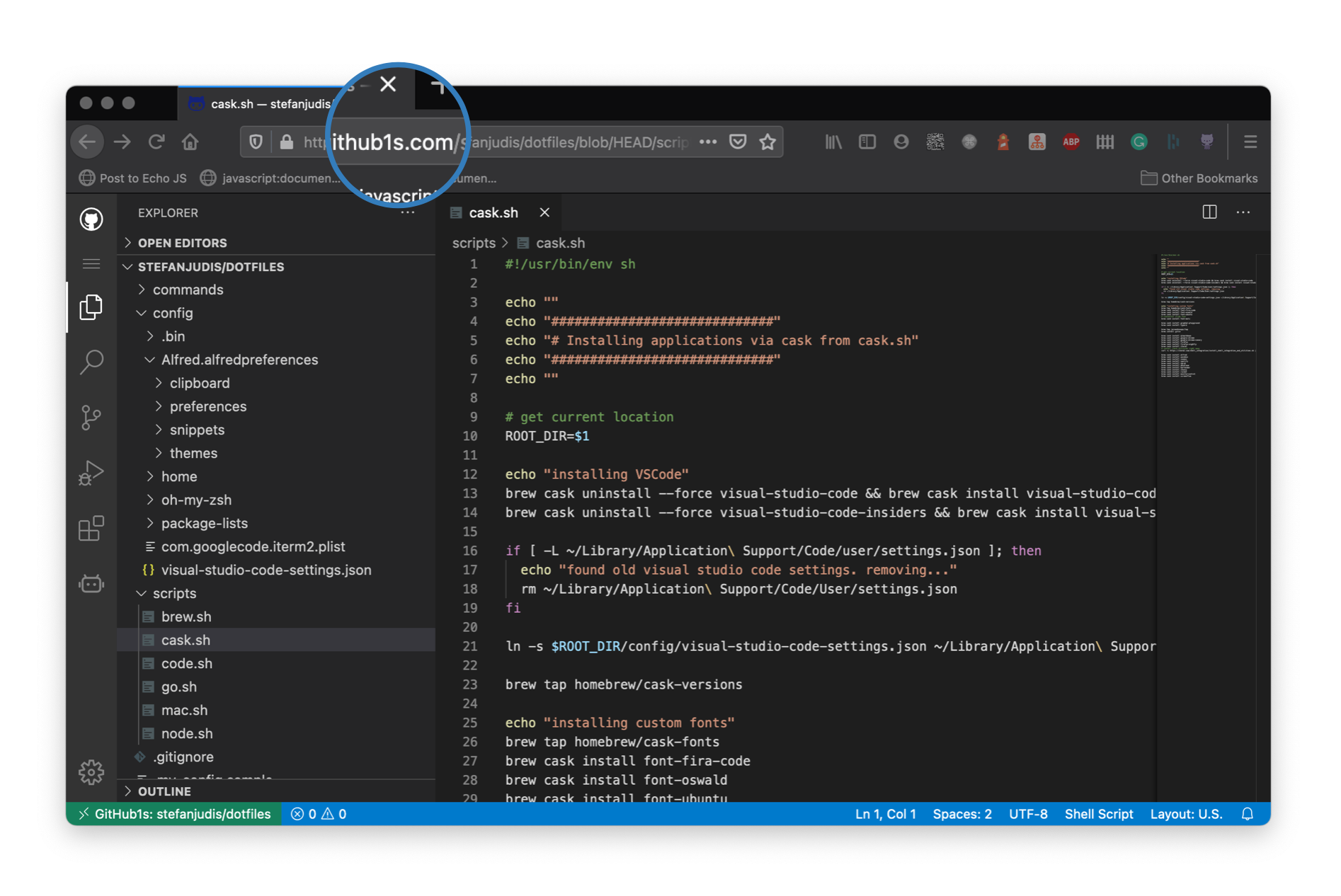
Stefan s Web Weekly 6 DEV Community
Verkko 1 helmik 2022 nbsp 0183 32 Installing Git in Visual Studio Step 1 Download and install Visual Studio Code in your system using the official website Step 2 Download and install git in

Verkko 1 toukok 2020 nbsp 0183 32 The first thing you need to do to take advantage of source control integration is initialize a project as a Git repository

Verkko 12 huhtik 2023 nbsp 0183 32 You can seamlessly code in VS Code and push changes to your GitHub repo It makes life so much easier to do all of it from the same application interface How to add GitHub to VS Code

Verkko 6 p 228 iv 228 228 sitten nbsp 0183 32 Open an existing local repository After you ve created a repo or cloned one Visual Studio detects the Git repository and adds it to your list of Local
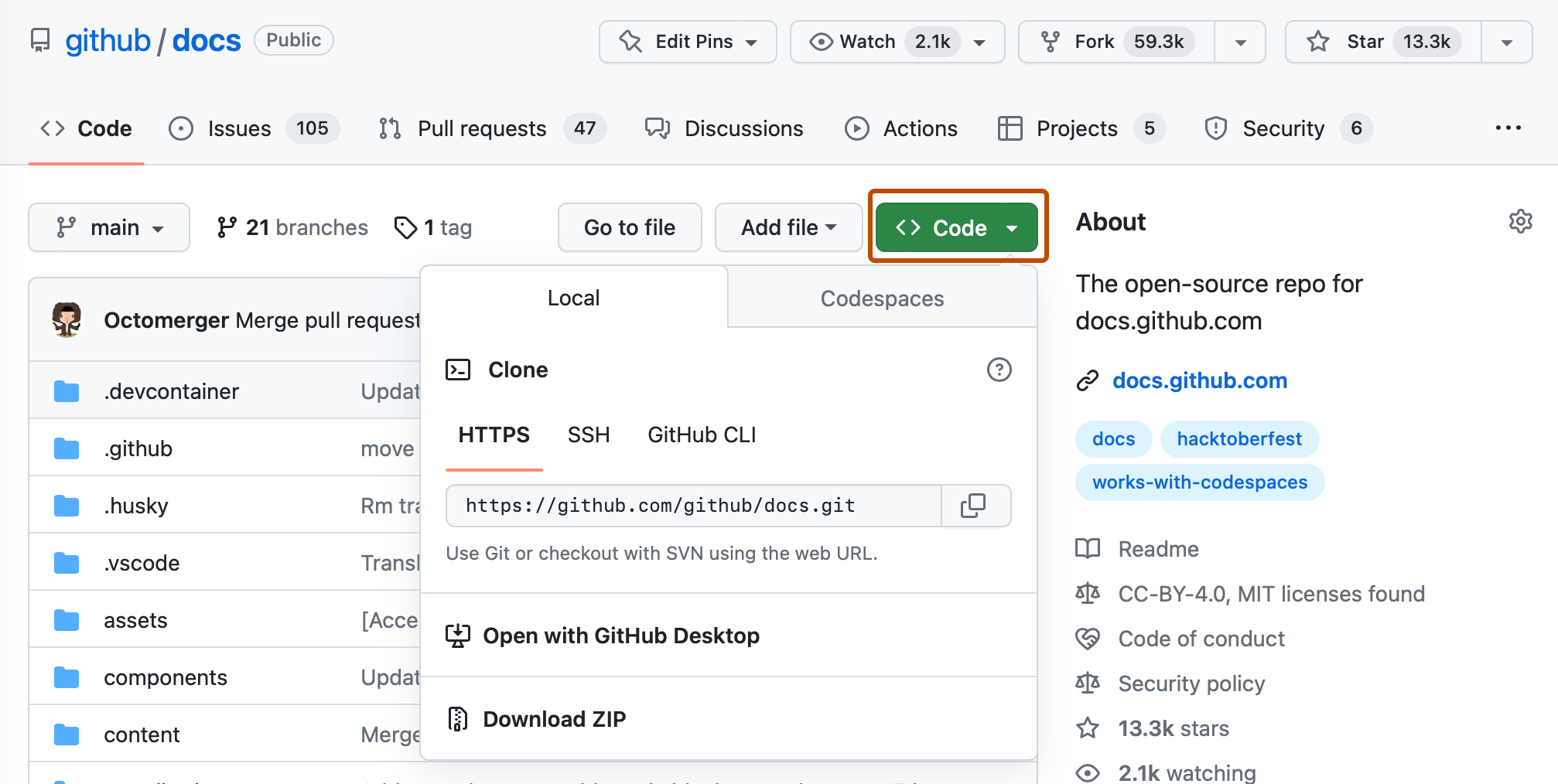
Verkko To get started using Git with Visual Studio If you have a Git repo hosted on a Git provider like GitHub clone the repository to your local machine Otherwise easily create a new Git repository and add your code
Verkko 20 lokak 2023 nbsp 0183 32 If the code is on your local computer and not yet in version control either create a new Git repo in your project or add your code to an existing Verkko 21 tuntia sitten nbsp 0183 32 Development No branches or pull requests 2 participants Search before asking I have searched the YOLOv5 issues and discussions and found no
Verkko 4 p 228 iv 228 228 sitten nbsp 0183 32 With these settings done Git is ready to go Now you can create your repository and make your first commit Conclusion In this tutorial we have gone over