How To Select Two Separate Rows In Excel MS Excel How To Select Different Multiple Cell Columns Rows YouTube How To Group Rows In Excel Automated And Manual Way YouTube How To Unhide Multiple Rows In Excel Quickly And Easily How To Move Over A Row In Excel Quora How To Expand All Rows In Excel SpreadCheaters Web You can quickly locate and select specific cells or ranges by entering their names or cell references in the Name box which is located to the left of the formula bar You can also select named or unnamed cells or ranges by using the Go To F5 or Ctrl G command
Web Nov 30 2023 nbsp 0183 32 PC Shortcut Ctrl Space Mac Shortcut space See All Excel Shortcuts In this Article Excel Shortcuts to Select Rows and Columns Select Entire Row Select Entire Column Select Adjacent Cells Select Non Adjacent Cells Select Non Adjacent Ranges Select Multiple Rows or Columns Select Non Adjacent Rows or Columns Web Jun 6 2018 nbsp 0183 32 Click the first cell in the range you want to select Scroll your sheet until you find the last cell in the range you want to select Hold down your Shift key and then click that cell All the cells in the range are now selected Select or Deselect Independent Cells Outside a Range With the Ctrl Key
How To Expand All Rows In Excel SpreadCheaters Download Switch Rows And Columns In Excel Gantt Chart Excel Template Count The Number Of Rows In Excel QuickExcel How To Delete Blank Rows In Excel How To Insert Rows In Excel SpreadCheaters 15 Excel Shortcuts For Adding Rows And Columns Pixelated Works How To Insert A New Row In Excel Using A Shortcut Pixelated Works How To Separate Data In Excel Bank2home Excel Text To Columns How To Split Data Into Multiple Columns Www
How To Select Two Separate Rows In Excel
 How To Select Two Separate Rows In Excel
https://i.ytimg.com/vi/XdZWuHZ0oQY/maxresdefault.jpg
Web Select the column to the right of the column where you want to place the split and use the Split command You can also split on both a row and a column by selecting the cell below and to the right of where you want the split then click Split
Templates are pre-designed files or files that can be utilized for different functions. They can save time and effort by supplying a ready-made format and layout for creating various sort of content. Templates can be utilized for individual or professional jobs, such as resumes, invitations, leaflets, newsletters, reports, presentations, and more.
How To Select Two Separate Rows In Excel

The Shortcut Key To Insert A Row In Excel Is Alt I R

Download Switch Rows And Columns In Excel Gantt Chart Excel Template

Count The Number Of Rows In Excel QuickExcel

How To Delete Blank Rows In Excel

15 Excel Shortcuts For Adding Rows And Columns Pixelated Works

How To Insert A New Row In Excel Using A Shortcut Pixelated Works
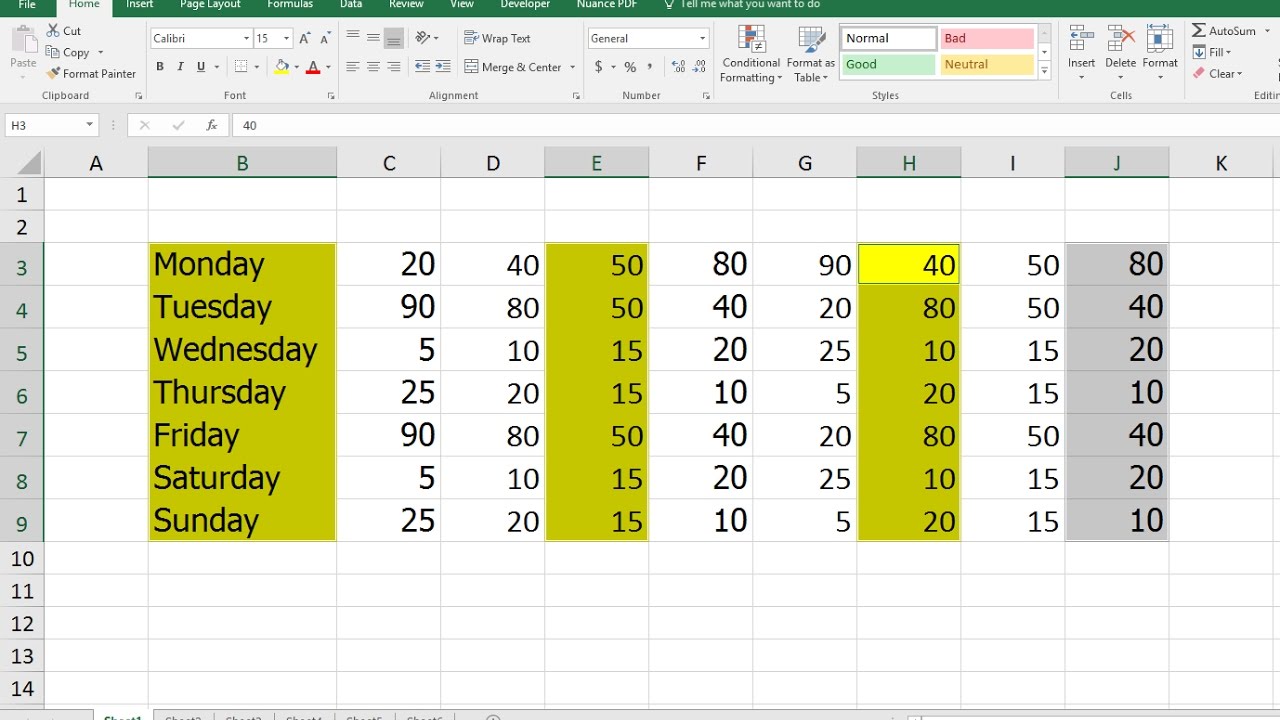
Web Here is how to select non adjacent multiple rows in Excel Place the cursor over row number 2 in the worksheet Hold the Control key on your keyboard Press the mouse left button while your cursor is on row number 2 Leave the mouse button Place the cursor over the next row you want to select row 4 in this case Hold the Control key on your

Web Jul 19 2023 nbsp 0183 32 In Excel you can select nonadjacent ranges by holding down the Ctrl key or Command key on a Mac while selecting individual ranges using the mouse This method allows you to highlight multiple separate areas within a worksheet

Web You can select multiple columns in Excel by clicking on a column header and dragging it over the other columns This works for selecting multiple adjacent columns For non adjacent columns we can select multiple of them using the Ctrl key
Web Jul 24 2023 nbsp 0183 32 Press Ctrl Spacebar together How to select a whole row in Excel Similar to selecting a column selecting a whole row in Excel is straightforward Just click on the row header which displays the row number such as 1 2 or 3 This will highlight the entire row indicating that it is selected
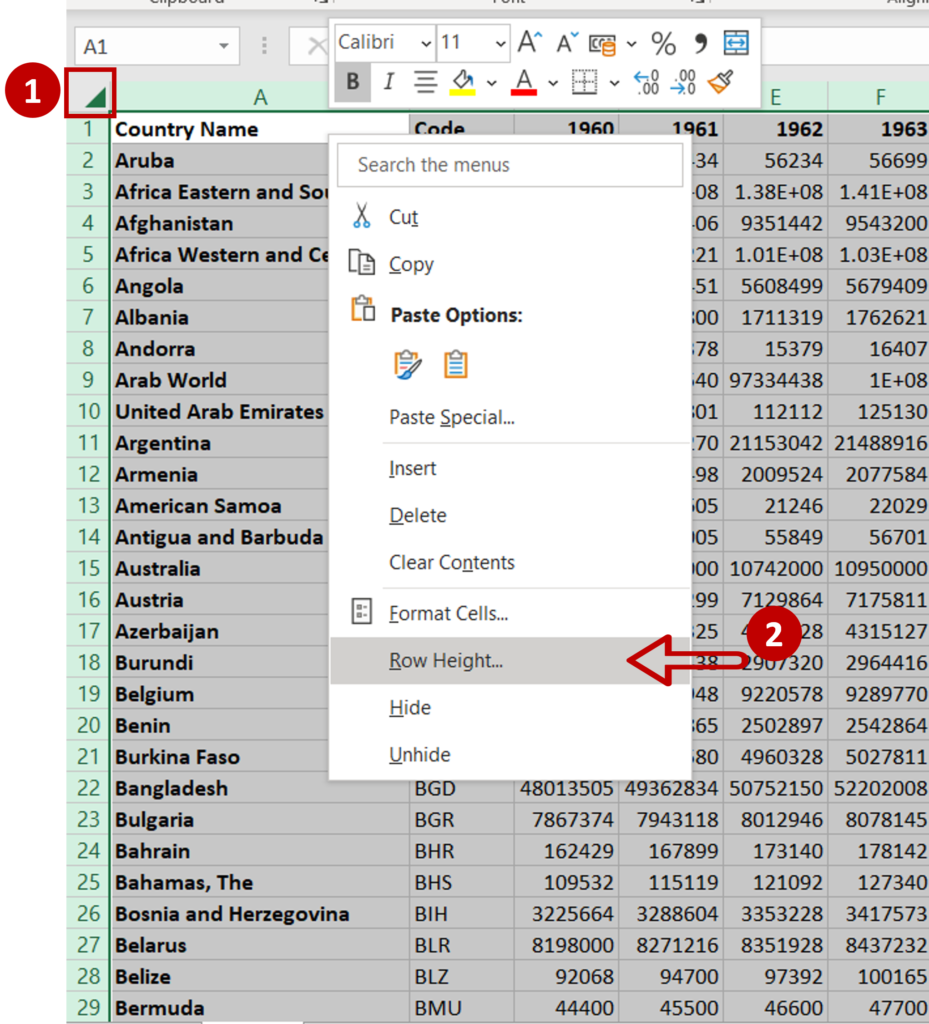
Web May 20 2023 nbsp 0183 32 Step 1 Select the data you want to separate Step 2 Go to the Data tab and click on the Text to Columns button Step 3 Select Delimited and click Next Step 4 Select the delimiter you want to use to separate rows for example Comma or Space and click Next Step 5
Web Oct 28 2022 nbsp 0183 32 Pick quot Group quot in the menu You ll then see your selected rows grouped together ready to be collapsed and expanded when you need them to be How to Collapse a Grouped Row Note the buttons on the left side of your grouped rows You ll use these buttons to collapse and expand your group To collapse the group click the minus sign Web Jun 27 2023 nbsp 0183 32 The quickest and most efficient way to select multiple rows in Excel is by using the keyboard shortcut To do this you should select the first row of the range that you want to select Once the first row is selected hold
Web To extract multiple matches into separate rows based on a common value you can use the FILTER function In the worksheet shown the formula in cell E5 is FILTER name group E4 Where name B5 B16 and group C5 C16 are named ranges The group names in E4 H4 are also created with a formula as explained below