How To Revert A Commit In Git Remote Branch How Do I Revert A Git Repo To A Previous Commit O Reilly How To Revert The Last Commit Locally And Remote In Git Become A Git Revert File Reverting A File To A Previous Commit Git What Are Differences Between Revert Revert Commit And Reset Hot Commit Changes To A Git Repository TestingDocs Web Jul 10 2020 nbsp 0183 32 git reset hard lt commit id gt It s important that you use the hard option because this way your files will also be reset locally Obviously only use this option if you are sure you
Web Oct 19 2022 nbsp 0183 32 How to Revert to a Previous Commit Using the git reset Command In this section we ll go through the process of creating a new file and making three commits You ll then see how you can revert to either the last commit or any other commit using the commit ID To get started I ve created a file called tasks txt The file has this in it 1 code Web Feb 16 2023 nbsp 0183 32 This command works by undoing changes that were made in the specific commit by creating a new commit and not actually removing any previous commits This is ideal for published changes because then the true history of the repo is preserved Here is the command git revert lt hash or ref gt
Commit Changes To A Git Repository TestingDocs Reverting Changes From Remote Branch Mastering Visual Studio 2017 Book How To Undo Changes In Git reset Vs Revert Vs Restore Git Revert Commit Solutions To Git Problems Revert Changes Workflow Help GitLab Hochland Erkl rung Hurrikan How To Roll Back In Git Eisig Vesuv Blendung How Do You Correct A Commit Message In Git O Reilly To Write Git Vrogue Git Revert Multiple Commits Ajit Singh YouTube Revert A Commit In Git Agile Web Development In Washington DC
How To Revert A Commit In Git Remote Branch
 How To Revert A Commit In Git Remote Branch
https://www.oreilly.com/content/wp-content/uploads/sites/2/2020/01/how-do-i-revert-a-git-repo-to-a-previous-commit-d44a29f2bb82503f44e0d253181be072-1024x576.png
Web Jun 19 2018 nbsp 0183 32 Git supplies the reset command to do this for us For example if we want to reset master to point to the commit two back from the current commit we could use either of the following methods git reset 9ef9173 using an absolute commit SHA1 value 9ef9173 or git reset current 2 using a relative value 2 before the quot current quot tag
Pre-crafted templates use a time-saving solution for producing a diverse series of documents and files. These pre-designed formats and layouts can be used for different personal and professional projects, consisting of resumes, invites, flyers, newsletters, reports, presentations, and more, simplifying the content production process.
How To Revert A Commit In Git Remote Branch

Git Revert File Reverting A File To A Previous Commit

Reverting Changes From Remote Branch Mastering Visual Studio 2017 Book
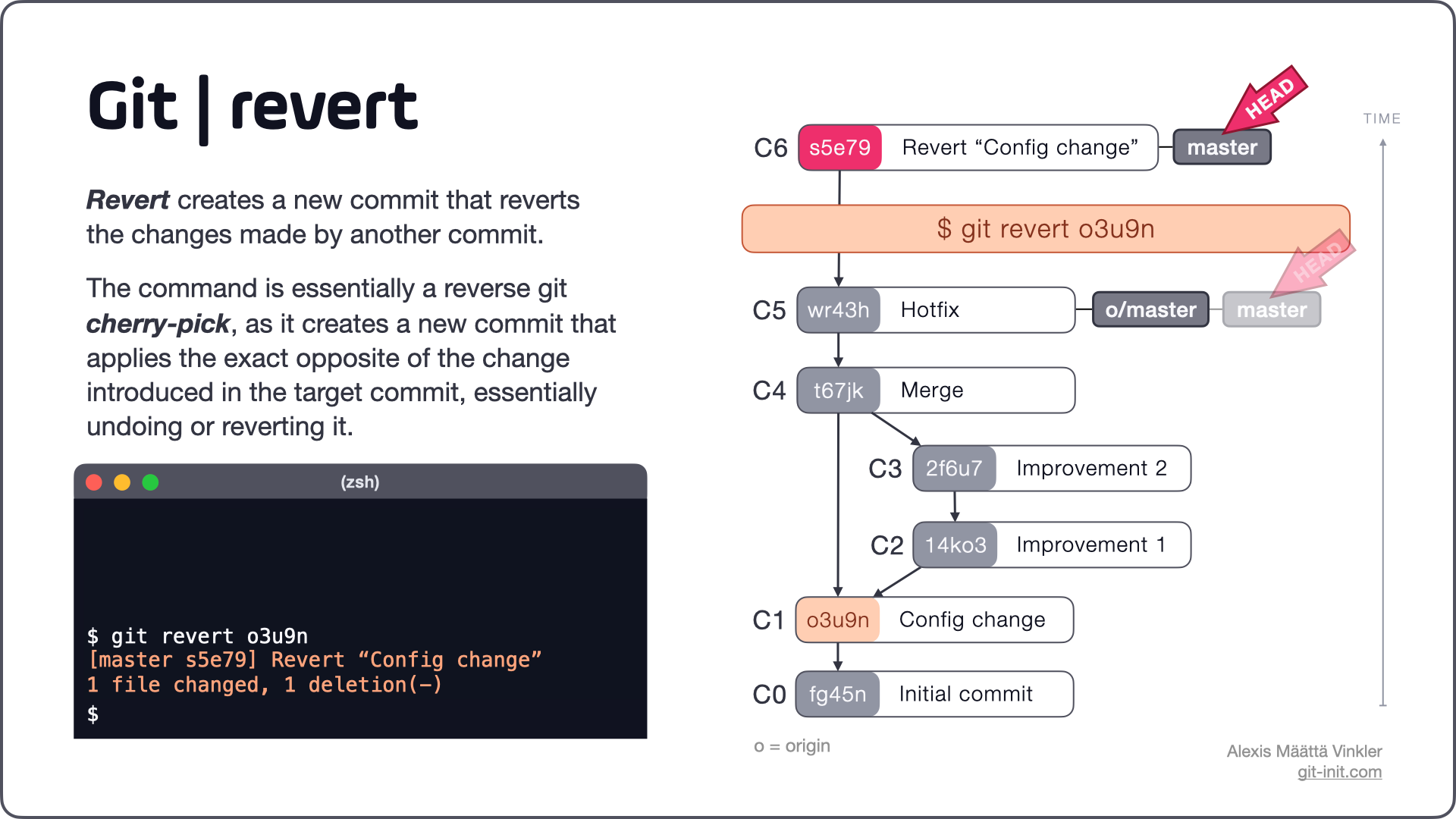
How To Undo Changes In Git reset Vs Revert Vs Restore
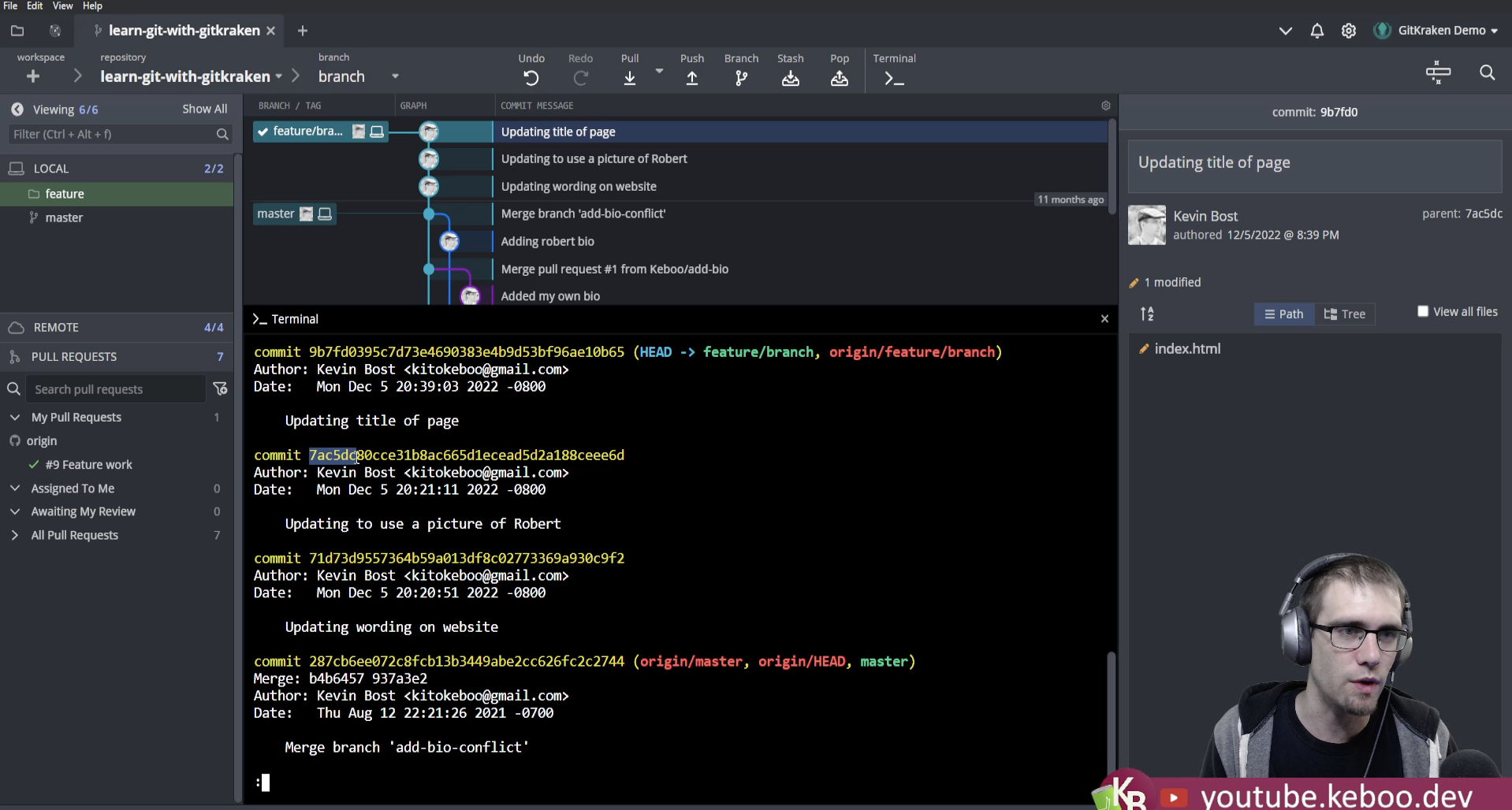
Git Revert Commit Solutions To Git Problems

Hochland Erkl rung Hurrikan How To Roll Back In Git Eisig Vesuv Blendung
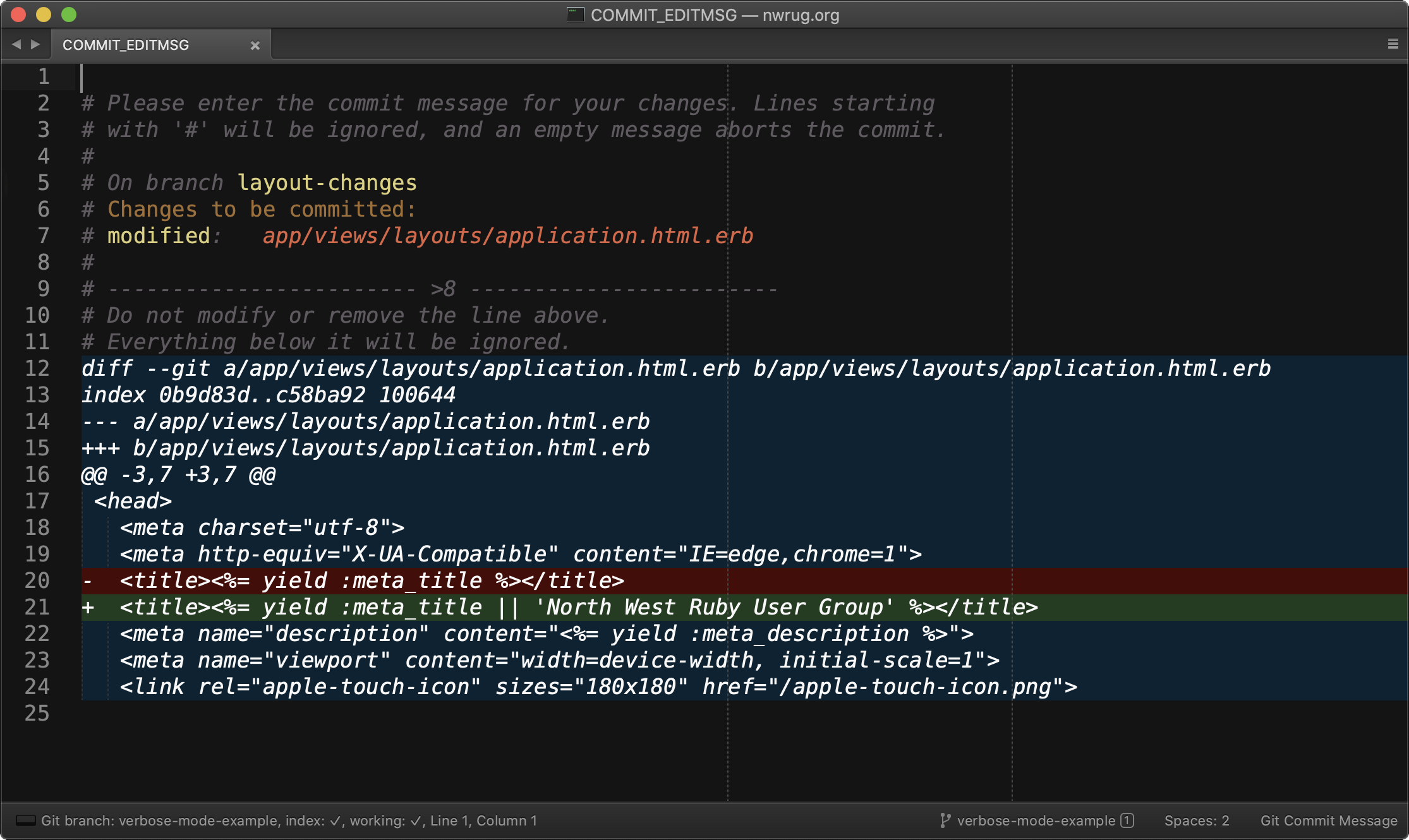
How Do You Correct A Commit Message In Git O Reilly To Write Git Vrogue

Web Apr 28 2011 nbsp 0183 32 You may be able to recover the commit from its hash e g git branch lt name for branch of rescued commit gt lt hash of rescued commit gt Copy the commit s hash tag or if it s the tip its branch name Run a command like git push force lt remote gt lt commit ish gt lt the remote branch gt e g git push force origin
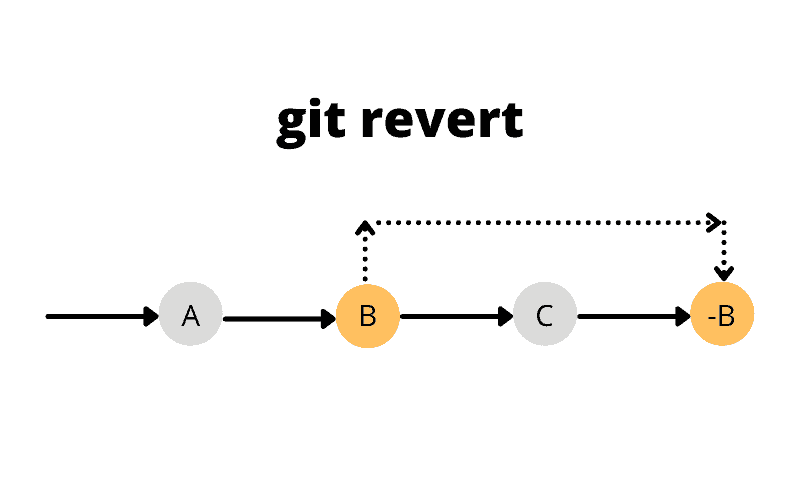
Web Feb 23 2010 nbsp 0183 32 If the commit you want to revert is a merged commit has been merged already then you should either m 1 or m 2 option as shown below This will let git know which parent commit of the merged commit to use More details can be found HERE git revert lt commit gt m 1 git revert lt commit gt m 2

Web git revert n master 5 master 2 Revert the changes done by commits from the fifth last commit in master included to the third last commit in master included but do not create any commit with the reverted changes The revert only

Web Feb 6 2024 nbsp 0183 32 We can revert a commit in Git by using the git revert command It s important to remember that this command isn t a traditional undo operation Instead it inverts changes introduced by the commit and generates a new commit with the
Web A revert is an operation that takes a specified commit and creates a new commit which inverses the specified commit git revert can only be run at a commit level scope and has no file level functionality A reset is an operation that takes a specified commit and resets the quot three trees quot to match the state of the repository at that specified commit
Web How it works The git revert command is used for undoing changes to a repository s commit history Other undo commands like git checkout and git reset move the HEAD and branch ref pointers to a specified commit Git revert also takes a specified commit however git revert does not move ref pointers to this commit Web If you want to revert the last commit you can use git revert head head refers to the most recent commit in your branch The reason you use head 1 when using reset is that you are telling Git to quot remove all changes in the commits after quot reset hard quot the commit one before head quot head 1
Web Dec 1 2021 nbsp 0183 32 The syntax to revert a Git commit and undo unwanted changes is simple All developers need to do is issue the git revert command and provide the ID of the commit to undo git commit c revert example git revert 4945db2 A git revert commit example To really understand how to undo Git commits look at this git revert example