How To Reset Windows Security Using Powershell Guide How To Reset Windows Security Apps In Windows 11 Riset 3 Clever PowerShell Functions After Upgrading To Windows 10 Reset Windows Security Settings To Default Values In Windows 10 Youtube How To Reset Windows 10 Via CMD Command Prompt 1 Tech How To Repair Or Reset The Windows Security App Open Start Search for PowerShell right click the top result and select the Run as administrator option Type the following command to see the Microsoft Defender Antivirus status and press Enter
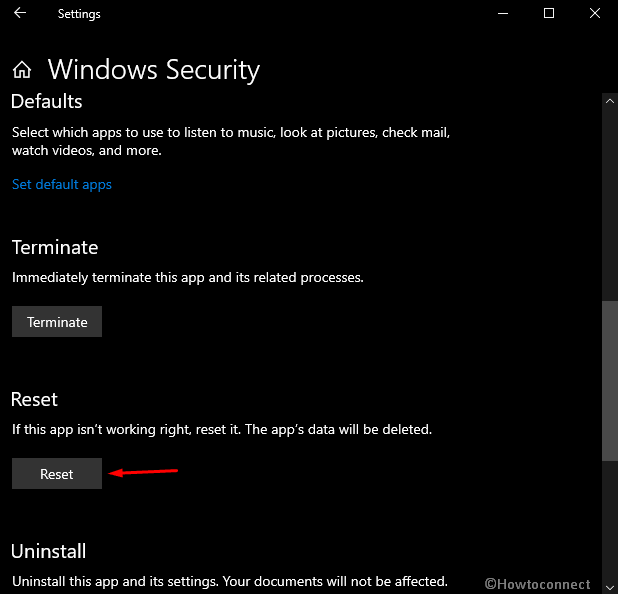
In Settings click on the Reset button Confirm the action by clicking Reset again Keep in mind that this will wipe the Windows Security app s data That means all your preferences and configurations will be gone reverting the app to its default slate If the Windows Security app isn t functioning properly reset it using the steps below Click on Windows Start on the taskbar then search for Windows Security in the search box Then right click on the Windows Security app from the relevant result and click Apps settings When the app s settings open scroll down and click on Reset
How To Repair Or Reset The Windows Security App PowerShell Windows 10 Cpab Reset A Store App In Windows 10 Using PowerShell How To Reset Windows Security App In Windows 10 Tutorials How To Reset Windows Security In Windows 11 How To Reset A Windows 10 PC To Factory Settings Windows Central Cara Reset Windows Security Di Windows 10 11 Mastertipsorialindo How To Reset Windows Security App In Windows 11 Vrogue Reset Windows Security App In Windows 10
How To Reset Windows Security Using Powershell
 How To Reset Windows Security Using Powershell
https://i.ytimg.com/vi/FzF4MmcXmRg/maxresdefault.jpg
In this video you will learn how to reset Windows Security app Microsoft Defender in Windows 1100 00 Reset Windows Defender using the Settings app01 10 Rese
Pre-crafted templates provide a time-saving solution for developing a varied series of files and files. These pre-designed formats and designs can be utilized for numerous personal and professional tasks, including resumes, invitations, flyers, newsletters, reports, presentations, and more, improving the material production process.
How To Reset Windows Security Using Powershell
Comment R initialiser L 39 application De S curit Windows Dans

PowerShell Windows 10 Cpab

Reset A Store App In Windows 10 Using PowerShell

How To Reset Windows Security App In Windows 10 Tutorials
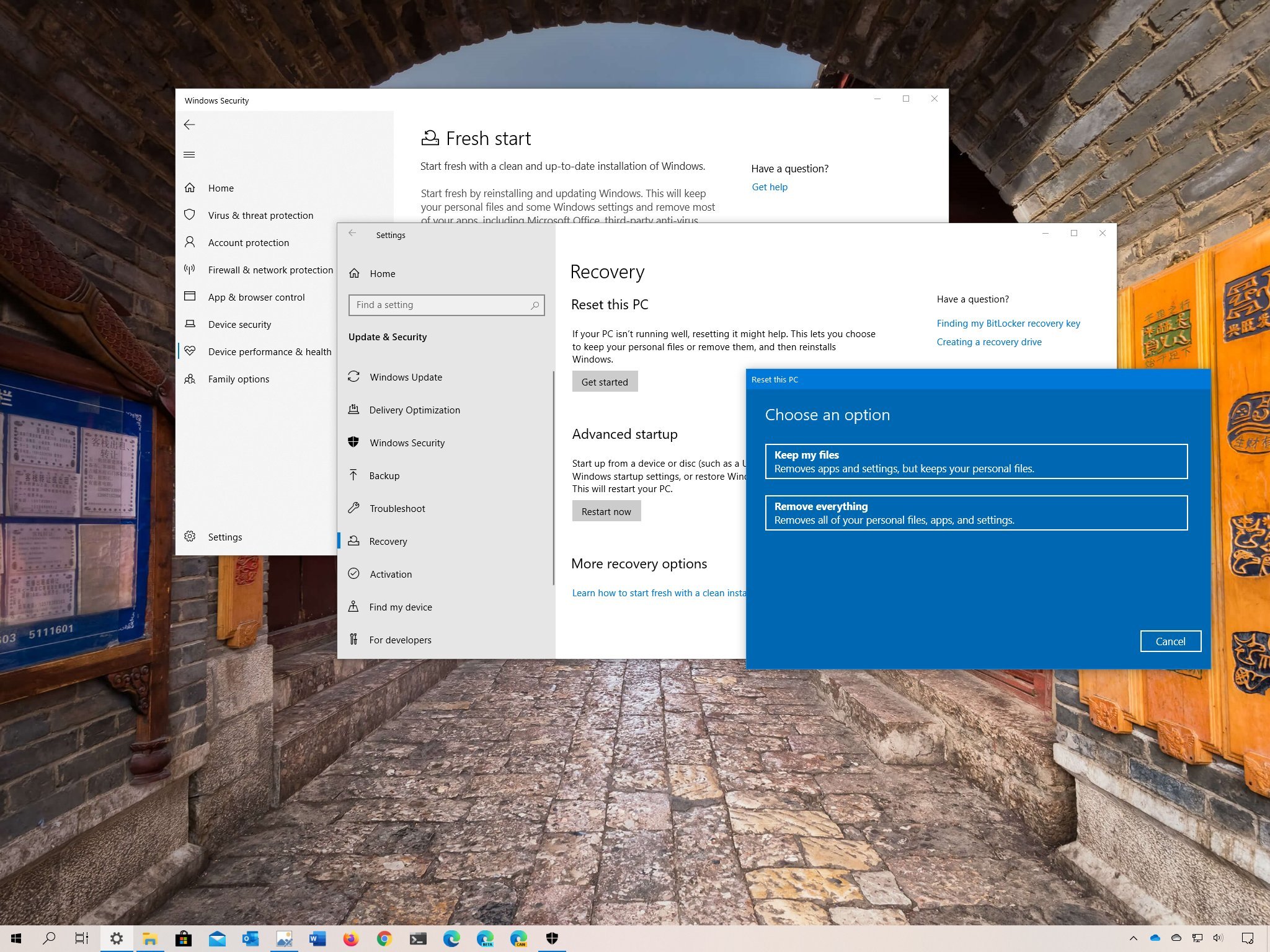
How To Reset A Windows 10 PC To Factory Settings Windows Central

Cara Reset Windows Security Di Windows 10 11 Mastertipsorialindo

1 Open Windows Terminal and select Windows PowerShell 2 Copy and paste the command below into PowerShell and press Enter see screenshot below Get AppxPackage Microsoft SecHealthUI Reset AppxPackage 3 You can now close Windows Terminal if you like Option Three Reset Windows Security app for All Users in PowerShell
Click Windows Powershell Admin Copy and paste the command below and hit Enter Add AppxPackage Register DisableDevelopmentMode C Windows SystemApps Microsoft Windows SecHealthUI cw5n1h2txyewy AppXManifest xml Once you enter that command restart your computer and check the Windows Defender

1 Open a command prompt 2 Copy and paste the command below into the command prompt and press Enter see screenshot below Code PowerShell ExecutionPolicy Unrestricted Command manifest Get AppxPackage Microsoft Windows SecHealthUI InstallLocation AppxManifest xml Add AppxPackage DisableDevelopmentMode Register manifest
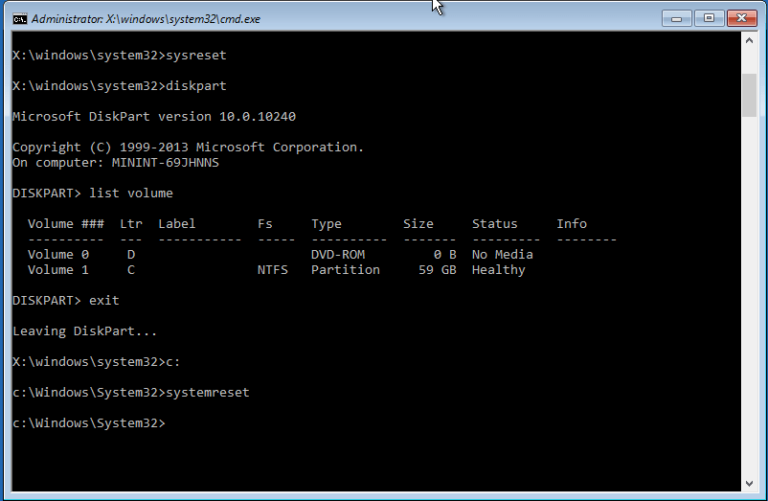
How to Reset the Windows Security App Using Windows PowerShell If you re an experienced Windows user familiar with the command line tools then you can use PowerShell to reset the Windows Security app Here s how to do it Open the Start Menu by pressing the Win key

Method 1 Reset the Windows Security App Through The Taskbar Method 2 Restore All Settings Within The Windows Defender Firewall Using Control Panel Method 3 Reset The Windows Security Using Windows PowerShell Method 4 Reset The Windows Defender Firewall Using Command Prompt Method 1 Reset the Windows Security App Through The Taskbar
Another way to reset Windows Defender is through Settings If Settings opens fine for you you don t need to bother with a PowerShell command Instead go to Settings Apps Installed apps Windows Security three dots Advanced options Reset When to Reinstall Windows Defender Permanently Turn Off Microsoft Defender on Windows 11 or 10 Change Microsoft Defender Settings with PowerShell Updating Microsoft Defender Signatures using PowerShell Scan for Malware with PowerShell How to Reset Microsoft Defender to Default Managing Microsoft Defender Using PowerShell
The most convenient way to reset Windows Security is from the Settings application Interestingly there are few other options than just resetting the program So let s discuss them first Terminate Terminating will simply bring Windows Security to an end Basically it ends the process running with or without your knowledge