How To Remove Space In Table Google Docs How To Add A Row To A Table In Google Docs Solvetech Add A Row To Table Google Docs Mac Rabbitpilot How To Add A Row To A Table In Google Docs Solvetech Intimate Sure Blind Remove Spaces In String Python Almost Magician Pedagogy How To Add A Row To A Table In Google Docs Solvetech To remove extra spaces between lines in Google Docs follow the steps below Open the document on Google Docs Select the text that needs to be fixed
Step 1 Sign into your Google Drive and open the Google Docs file containing the columns to modify Step 2 Click the Format tab at the top of the window 50 10K views 6 months ago This video will show you how to remove the space at the top of a Google Doc You need to use the page formatting feature and
How To Add A Row To A Table In Google Docs Solvetech How To Remove Space In Excel Before Text WPS Office Academy How To Rotate Text In Table Google Docs Brokeasshome How To Remove Space In Excel Before Numbers 3 Ways ExcelDemy How Do I Insert A Table In Google Docs Brokeasshome How To Move Table Lines In Word Brokeasshome How To Remove Space In Excel Before Numbers 3 Easy Ways How To Remove Space After Paragraph In Word Online WordOnlineTips How To Remove Space Between Rows In Excel 5 Methods ExcelDemy
How To Remove Space In Table Google Docs
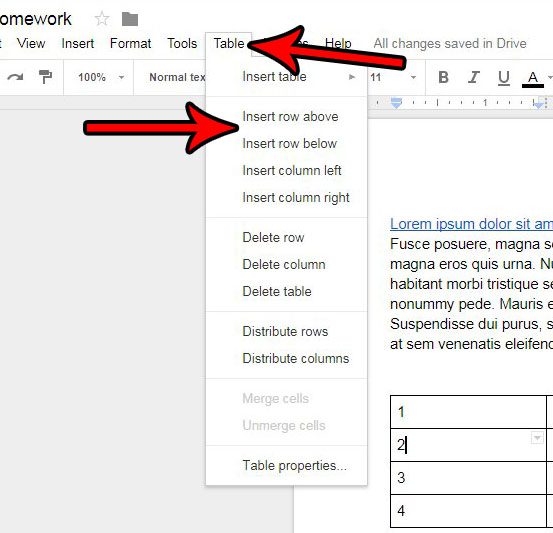 How To Remove Space In Table Google Docs
https://v8r5x7v2.rocketcdn.me/wp-content/uploads/2018/02/how-insert-row-in-table-google-docs-2.jpg
How to Change Line Spacing in Google Docs By Sandy Writtenhouse Published May 1 2022 Choose single double or something in between Quick Links Adjust the Line Spacing in Google Docs Add
Templates are pre-designed files or files that can be used for numerous functions. They can save effort and time by supplying a ready-made format and design for creating different kinds of content. Templates can be used for personal or expert tasks, such as resumes, invites, leaflets, newsletters, reports, presentations, and more.
How To Remove Space In Table Google Docs
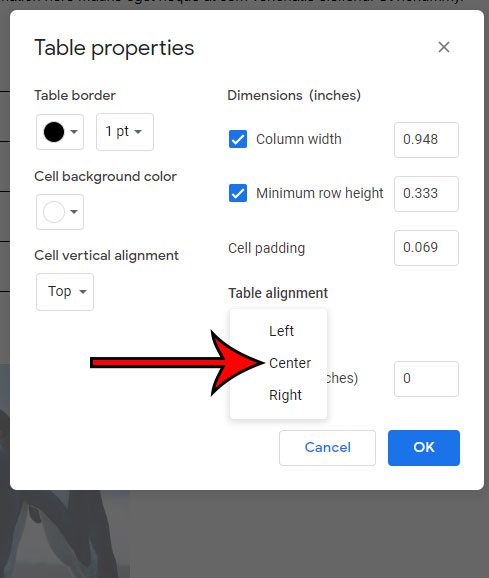
How To Center A Table In Google Docs 5 Quick Steps Solveyourtech
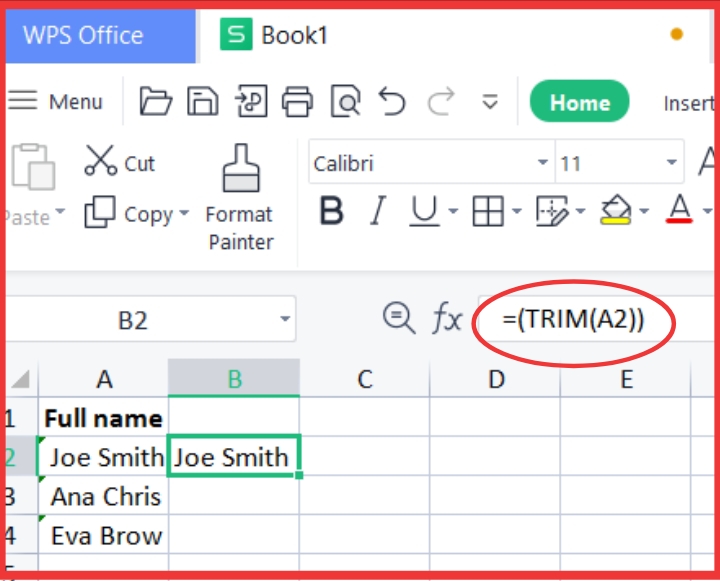
How To Remove Space In Excel Before Text WPS Office Academy
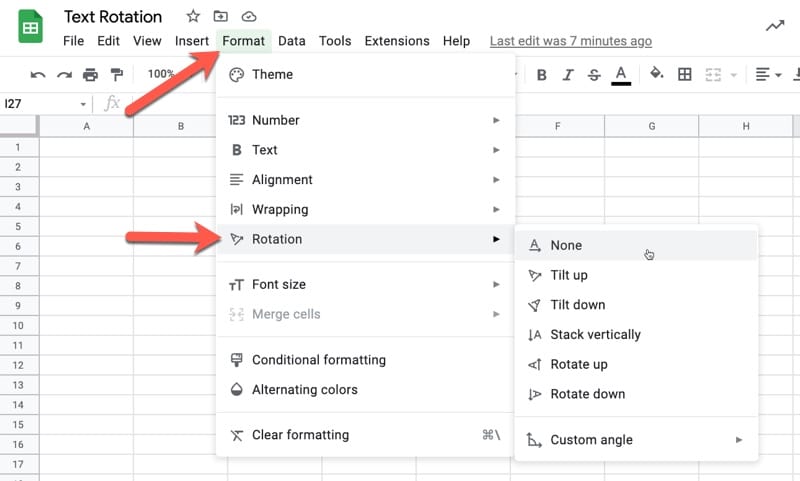
How To Rotate Text In Table Google Docs Brokeasshome

How To Remove Space In Excel Before Numbers 3 Ways ExcelDemy
How To Move Table Lines In Word Brokeasshome
How To Remove Space In Excel Before Numbers 3 Easy Ways

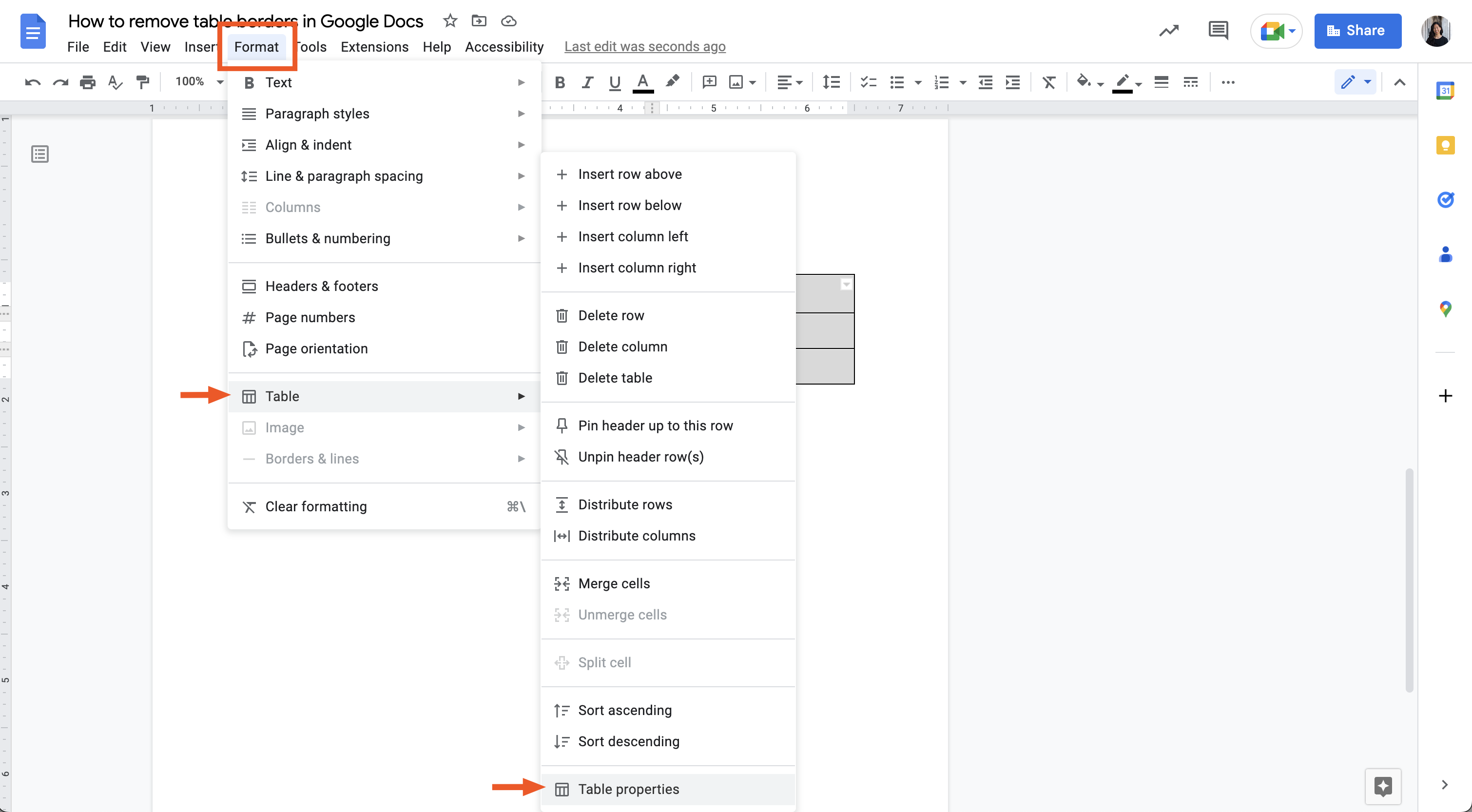
Increasing or decreasing cell spacing in Google Docs 1 To change the default cell spacing of your table first highlight the whole table You can also click any cell on the table

You hover your mouse over the border and move it only to realize that it is not adjusting Here s how to solve the problem of empty space in tables in Google Docs Right click the table

Go to a cell in the table where you want to either add or remove a column or row Right click and you ll see the Insert and Delete options for both columns and
In this tutorial I have explained How to remove spaces before a table in Google Docs so just follow this step by step and lean how its works

If you don t like the extra whitespace just delete any extra carriage returns after the table of contents object For example select some text within the first line after
Do you want to remove the dead space at the top or bottom of a cell in Google Docs Find out how to adjust the cell padding the line spacing and the paragraph spacing in this A fast way to delete a table in Google Docs is to right click on one of the table cells then choose the Delete table option However many people have trouble
This help content information General Help Center experience Search Clear search