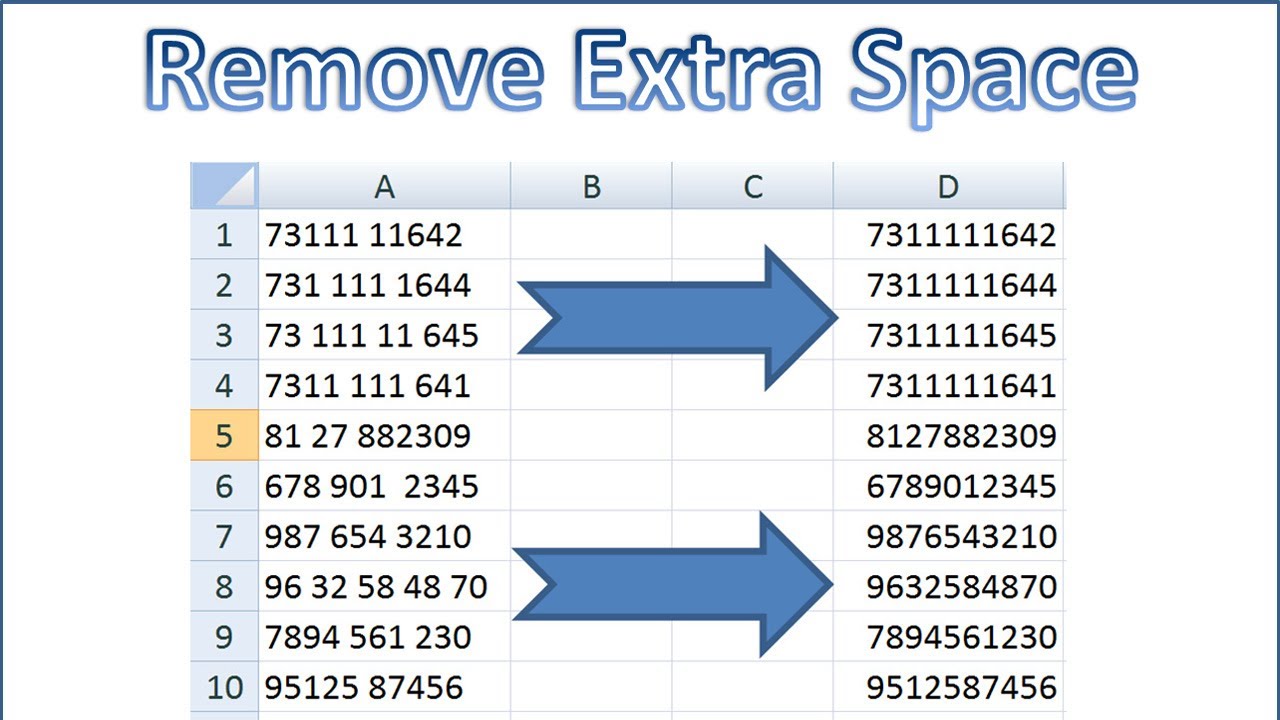
How To Remove Extra Spaces In Google Docs How To Remove Extra Spaces In Google Docs Google Docs Tips Google Drive Tips How To Remove Extra Spaces In Word Between Lines Hansamu Mas How To Remove Extra Spaces In Mobile Numbers Contact List YouTube Remove Extra Spaces From A Cell Excel Formula How To Delete A Page In Google Docs HBS Time How to remove extra spaces in Google Docs YouTube Hello Friends In this video I will show you how to remove extra spaces in Google Docs You can also follow the below article for the same
Remove extra spaces On your computer open a spreadsheet in Google Sheets Select the data range that you d like to remove extra leading trailing or excessive spaces in At the This tutorial also shows you how to mass remove line breaks extra spaces indentations as well as solve some other stubborn Google Docs formatting issues more more Almost yours 3
How To Delete A Page In Google Docs HBS Time How To Remove Extra Spaces In Excel Without A Formula How To Remove Extra Spaces And Spaces In Word How To Remove Extra Spaces In Word Between Lines Hansamu Mas How To Remove Extra Spaces And Spaces In Word How To Remove Extra Spaces In Excel 5 Super Easy Ways LaptrinhX News How To Remove Extra Spaces And Spaces In Word How To Remove Extra Spaces In Excel 4 Methods ExcelDemy How To Remove Extra Space In Excel Cell See Full List On Educba Download PDF EPub
How To Remove Extra Spaces In Google Docs
 How To Remove Extra Spaces In Google Docs
https://docstips.com/wp-content/uploads/2023/07/How-to-remove-extra-spaces-in-Google-Docs.jpg
How to Get Rid of Extra Space in a Google Document Fortunately there is an easy way to do this In this blog post we ll show you how to remove space between paragraphs in Google Docs Step 1 The first step is
Templates are pre-designed documents or files that can be utilized for various purposes. They can save effort and time by providing a ready-made format and design for creating different type of content. Templates can be used for personal or expert jobs, such as resumes, invites, leaflets, newsletters, reports, presentations, and more.
How To Remove Extra Spaces In Google Docs
How To Remove Extra Spaces In Excel String How To Use The TRIM Formula In Excel Tutorial
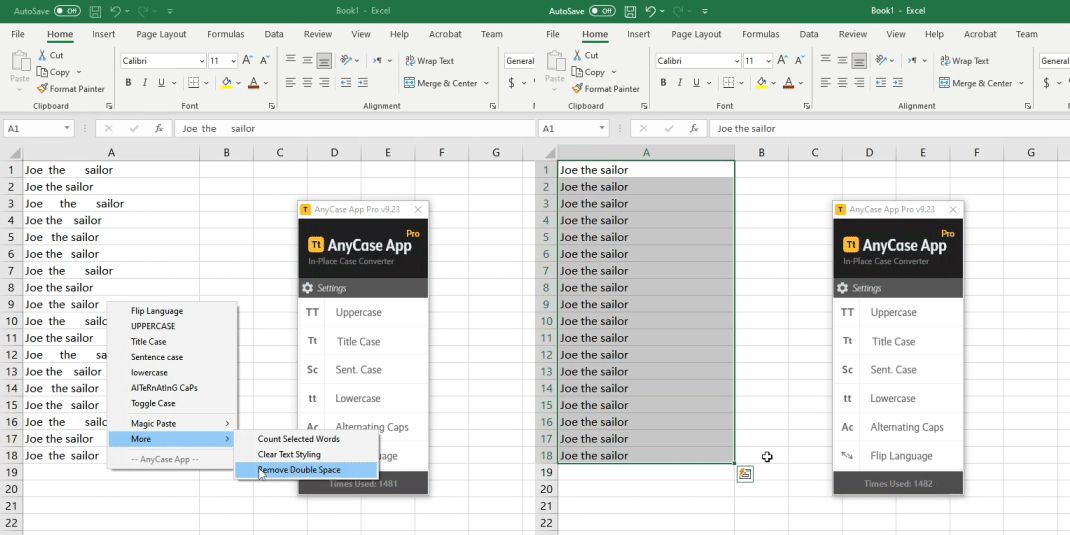
How To Remove Extra Spaces In Excel Without A Formula
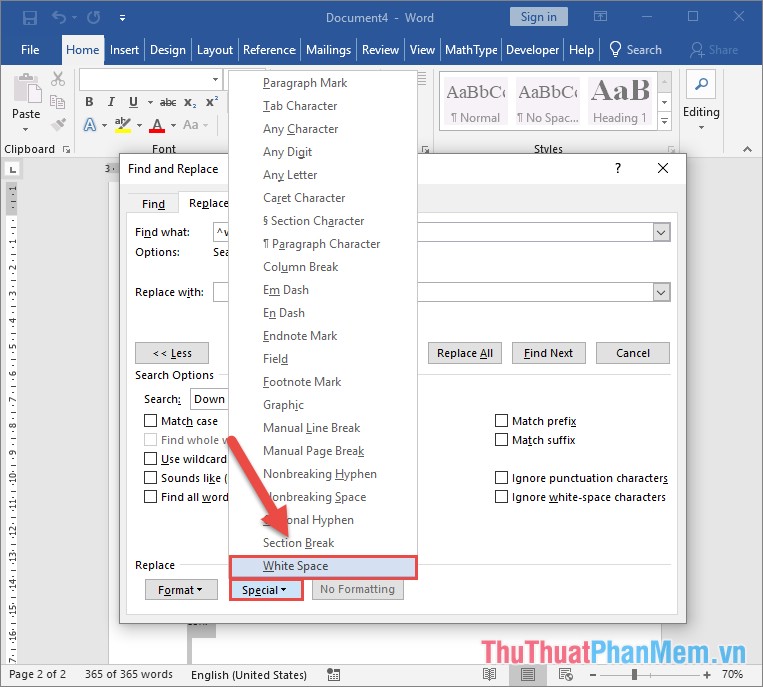
How To Remove Extra Spaces And Spaces In Word

How To Remove Extra Spaces In Word Between Lines Hansamu Mas

How To Remove Extra Spaces In Excel 5 Super Easy Ways LaptrinhX News
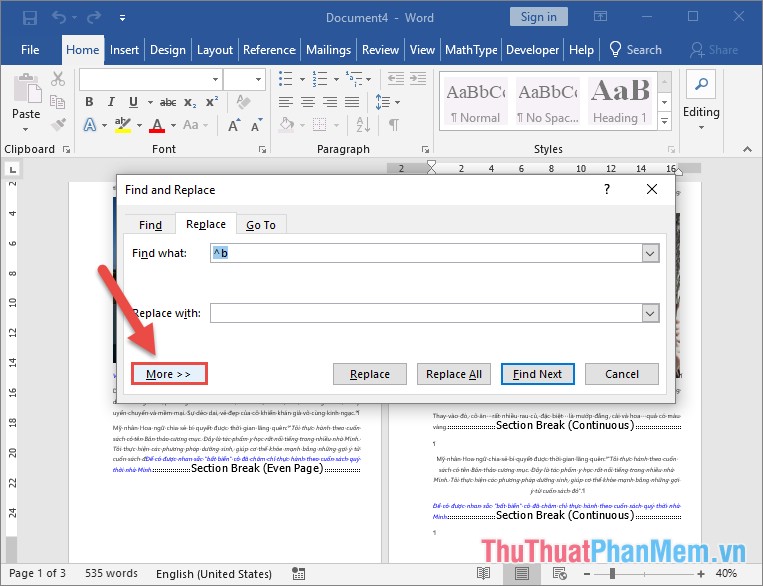
How To Remove Extra Spaces And Spaces In Word

This help content information General Help Center experience Search Clear search

One way to get rid of big spaces in Google Docs is to use the Line Spacing feature To do this select the text you want to modify and go to the Format menu Then select Line Spacing and choose the smaller size you want You can also adjust the spacing in the Paragraph settings which can be found in the same menu
Click the Line Paragraph Spacing button in the toolbar or select Format Line Paragraph Spacing in the menu You ll then see a few preset options you can pick from including Single 1 15 1 5 and Double Select the one you want to use and you re set You can use different line spacing throughout your document as well

By default the Line spacing used on new documents in Google Docs is 1 15 and this works fine in most cases If you use a font with more spacing you can try setting the Line spacing to Single to remove weird spaces on your document

Q How do I remove extra space in Google Docs A To remove extra space in Google Docs you can follow these steps 1 Highlight the area where you want to remove the extra space 2 Go to the Format menu at the top of the page 3 Select Line Spacing 4 Choose the desired line spacing option such as Single or Double 5
[desc-11] [desc-12]
[desc-13]