How To Make A Macro Automatically Update How To Make A Macro Available In All Workbooks PickupBrain Be Smart Focal Length In Reverse Lens Macro Technique How To Run A Macro Automatically When Workbook Opens In Excel rez vegh z Engedheti Meg Mag nak Macro Run Automatically When Excel rez vegh z Engedheti Meg Mag nak Macro Run Automatically When Excel Web Jul 30 2018 nbsp 0183 32 I want to write a macro or VBA code which can help me save daily weekly and monthly report On sheet1 I will be pasting data for 150 rows for above 9 columns on daily basis and I want out of that to save 5 columns 1 SNO 2 Bank name 3 po amount 4 Global Funds Transfer Count 5 prepared users to save automatically to sheet2
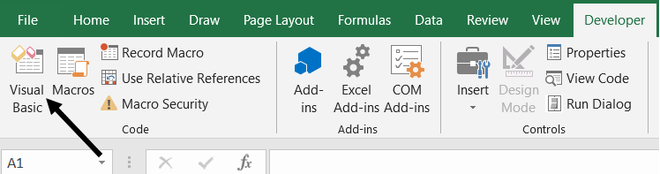
Web Click Developer gt Visual Basic In the VBA Project Explorer on the left hand side expand the VBA Project folder for your workbook then double click the ThisWorkbook module If you don t see the Project Explorer you can go to View gt Project Explorer or press Ctrl R In the module window that opens on the right insert the following code Web Users can create macros to update data automatically with a single click of a button Before creating or enabling a macro it is important to understand the basics of macros in Excel and properly enable macros in the workbook To create a macro users can use the macro recorder tool and save it in a module
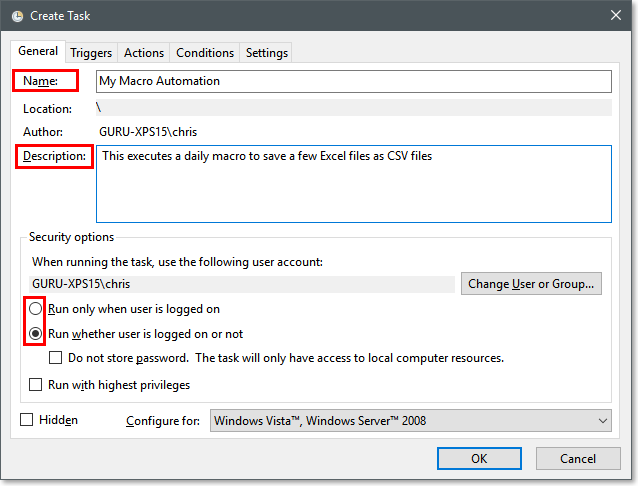
rez vegh z Engedheti Meg Mag nak Macro Run Automatically When Excel How To Make A Macro Bowl Vegan Ice Cream GIVEAWAY The Colorful Kitchen How To Run A Macro Automatically Before Workbook Close In Excel So F hren Sie Ein Makro Automatisch Aus Bevor Die Arbeitsmappe In VBA Macro To Copy Data From Another Workbook In Excel Como Executar Uma Macro Automaticamente Quando A Pasta De Trabalho How To Make A Macro V2 Razer YouTube Vba Run A Macro Automatically Every Minutes Stack Overflow How To Run A Macro Automatically When Opens Excel File In Hindi
How To Make A Macro Automatically Update
 How To Make A Macro Automatically Update
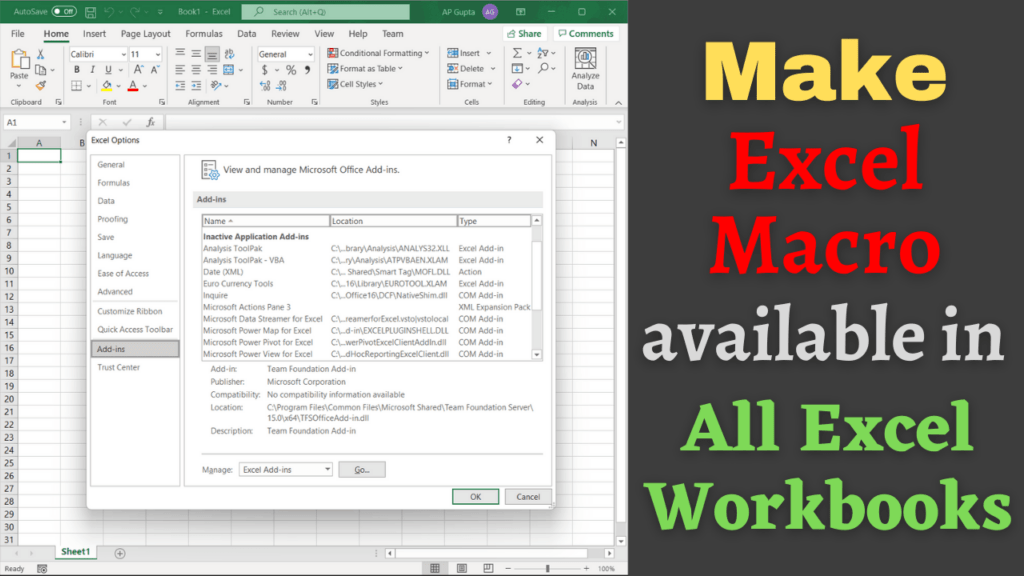
https://www.pickupbrain.com/wp-content/uploads/2021/09/Make-excel-available-for-all-workbooks-1-1024x576.png
Web Jul 9 2018 nbsp 0183 32 Sheet1 Where I insert the new data and press update This will send values to Sheet 2 Sheet 2 Data are updated here I would like to for example go back to the middle of this list and edit one of them for example jo s entry excel vba
Pre-crafted templates use a time-saving option for developing a diverse range of files and files. These pre-designed formats and designs can be used for different personal and professional projects, consisting of resumes, invites, flyers, newsletters, reports, discussions, and more, enhancing the material production procedure.
How To Make A Macro Automatically Update
rez vegh z Engedheti Meg Mag nak Macro Run Automatically When Excel

How To Make A Macro Bowl Vegan Ice Cream GIVEAWAY The Colorful Kitchen

How To Run A Macro Automatically Before Workbook Close In Excel

So F hren Sie Ein Makro Automatisch Aus Bevor Die Arbeitsmappe In

Como Executar Uma Macro Automaticamente Quando A Pasta De Trabalho
How To Make A Macro V2 Razer YouTube
Web Jul 26 2015 nbsp 0183 32 This simply watches for one cell In my case K22 to be updated and then kills any hyperlink in that cell Private Sub Worksheet Change ByVal Target As Range Dim KeyCells As Range The variable KeyCells contains the cells that will cause an alert when they are changed

Web Jan 6 2021 nbsp 0183 32 Last Updated January 6 2021 This wikiHow will teach you how to run macros in Excel automatically when you open a specific workbook or how to create a macro that opens all your workbooks when you open Excel Before you start make sure you have the developer tab showing on the editing ribbon Method 1

Web Jul 22 2011 nbsp 0183 32 One option is to create a dynamic named range and to refer to the named range in the macro See http support microsoft kb 830287 and http www contextures xlnames01 html Dynamic for more info about dynamic ranges Another option is to let the macro figure out the last row e g Dim lngRow As Long
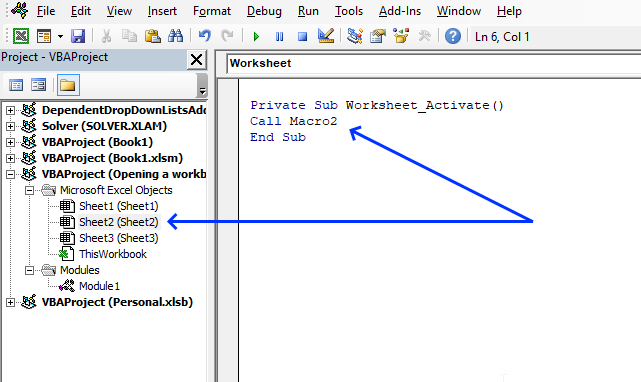
Web 1 Open VBA Editor under VBA Project YourWorkBookName xlsm open Microsoft Excel Object and select the Sheet to which the change event will pertain 2 The default code view is quot General quot From the drop down list at the top middle select quot Worksheet quot
Web Oct 19 2015 nbsp 0183 32 1 I am attempting to use VBA to set chart axis parameters based on data This is for work and I am going to lock the spreadsheet as a template so others can fill in data but the chart will be made for them Depending on the test they are running the axes may need to be different
Web Nov 3 2023 nbsp 0183 32 Using macros in Excel allows for automated updates which saves time and effort for users By setting up macros to open refresh and close workbooks users can ensure that their data is always up to date and accurate Knowing the basic syntax and terminology of VBA is crucial for creating and executing macros in Excel Web To run a macro click the button on the Quick Access Toolbar press the keyboard shortcut or you can run the macro from the Macros list Click View gt Macros gt View Macros In the list under Macro name click the macro you want to run
Web May 5 2022 nbsp 0183 32 To create the Visual Basic macro Right click the Sheet1 tab and then click View Code The module sheet behind Sheet1 is opened Type the following code into the module sheet Copy