How To Code A Toggle Button In Excel How To Create A Toggle Button On The Excel Ribbon HowtoExcel How To Add Insert Button In Excel Riset How To Create Toggle Button On Excel VBA UserForm ExcelDemy Excel Macro Tutorial Toggle Button In Excel Let s Excel In Excel How To Change Cell Value Using Toggle Button In Excel If you re having trouble accessing a Google product there s a chance we re currently experiencing a temporary problem You can check for outages and downtime on the Google Workspace
Official Google Play Help Center where you can find tips and tutorials on using Google Play and other answers to frequently asked questions Important Before you set up a new Gmail account make sure to sign out of your current Gmail account Learn how to sign out of Gmail From your device go to the Google Account sign in
How To Change Cell Value Using Toggle Button In Excel How To Change Cell Value Using Toggle Button In Excel How To Show and Hide Invisible Characters Like Paragraph Marks In Animated Menu In Excel Driven By Toggle Button YouTube How To Create Toggle Button On Excel VBA UserForm ExcelDemy How To Change Cell Value Using Toggle Button In Excel Copy And Paste From Word WordPress Help How To Change Cell Value Using Toggle Button In Excel How To Change Cell Value Using Toggle Button In Excel
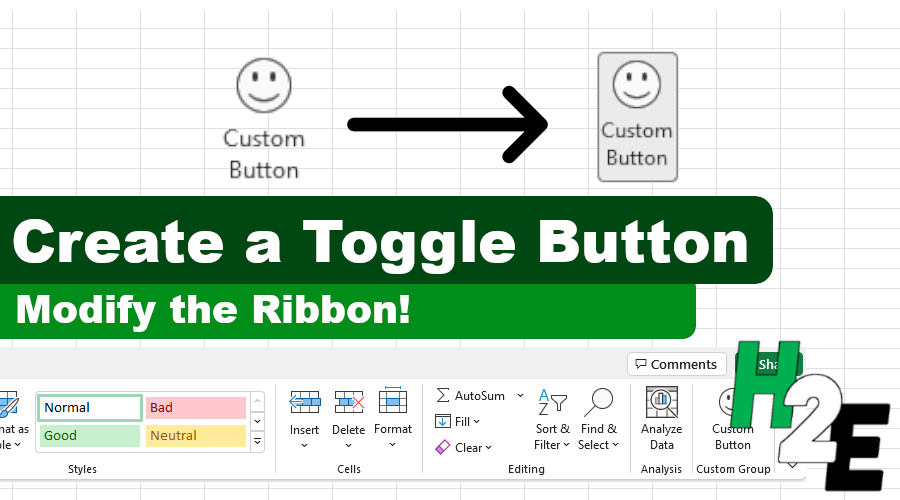
How To Code A Toggle Button In Excel
 How To Code A Toggle Button In Excel
https://howtoexcel.net/wp-content/uploads/2021/12/H2Etogglebutton.png
Analytics Academy on Skillshop is a collection of free e learning courses designed by Analytics experts to help users get the most out of Google Analytics Google Analytics currently offers 4
Templates are pre-designed files or files that can be utilized for different purposes. They can save effort and time by supplying a ready-made format and design for producing different kinds of material. Templates can be used for individual or professional projects, such as resumes, invitations, leaflets, newsletters, reports, presentations, and more.
How To Code A Toggle Button In Excel

How To Use Push Button As A Toggle Switch And Multi state With Arduino

How To Change Cell Value Using Toggle Button In Excel

How To Show and Hide Invisible Characters Like Paragraph Marks In

Animated Menu In Excel Driven By Toggle Button YouTube

How To Change Cell Value Using Toggle Button In Excel

Copy And Paste From Word WordPress Help
How to install Chrome Important Before you download you can check if Chrome supports your operating system and other system requirements
Official Google Chrome Help Center where you can find tips and tutorials on using Google Chrome and other answers to frequently asked questions

You can get directions for driving public transit walking ride sharing cycling flight or motorcycle on Google Maps If there are multiple routes the best route to your destination is blue All other

If you forgot your password or username or you can t get verification codes follow these steps to recover your Google Account That way you can use services like Gmail Pho

By adding utm campaign parameters to the destination URLs you use in referral links and ad campaigns you can see which campaigns refer traffic When a user clicks a referral link the
[desc-11] [desc-12]
[desc-13]