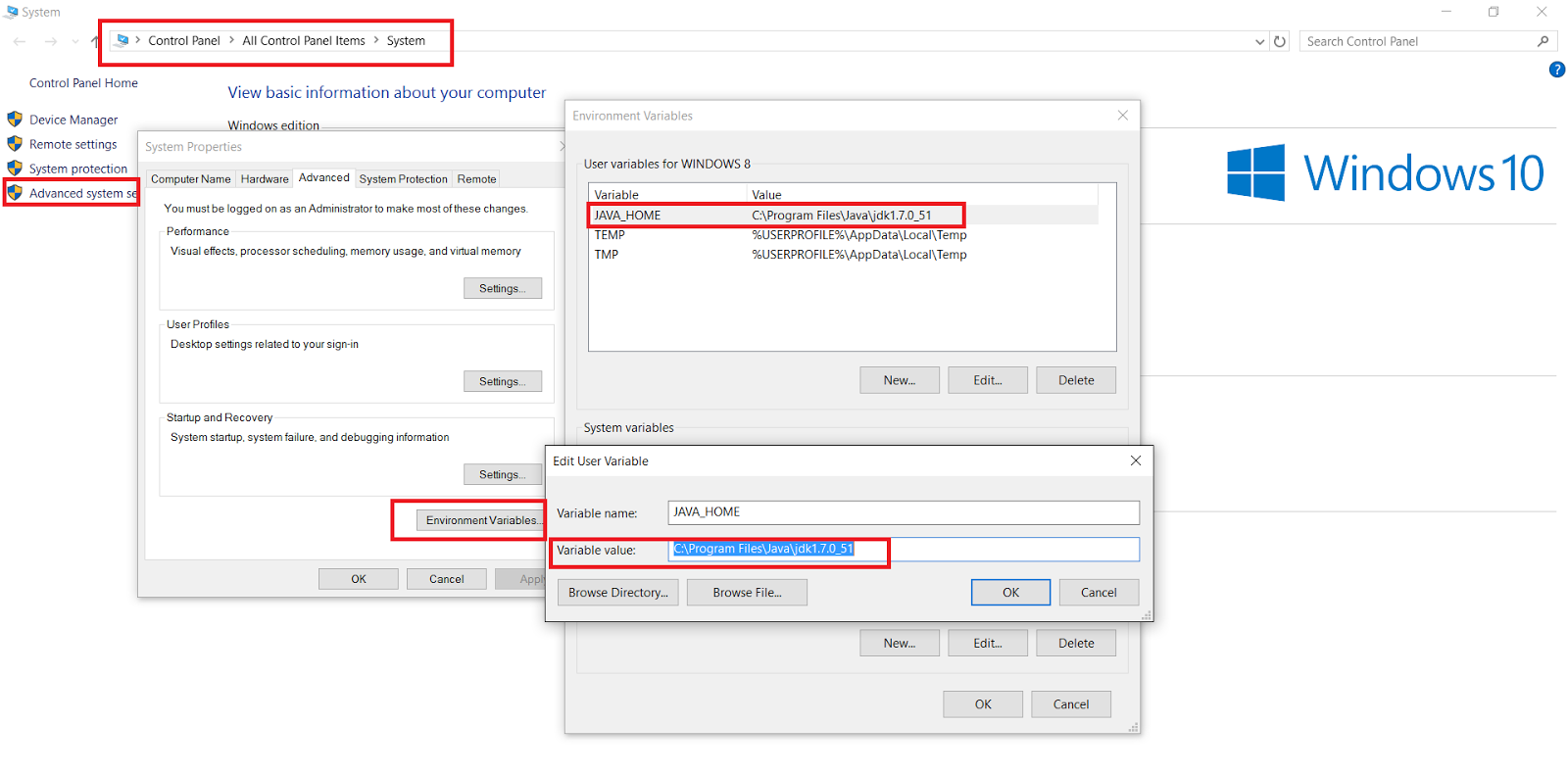
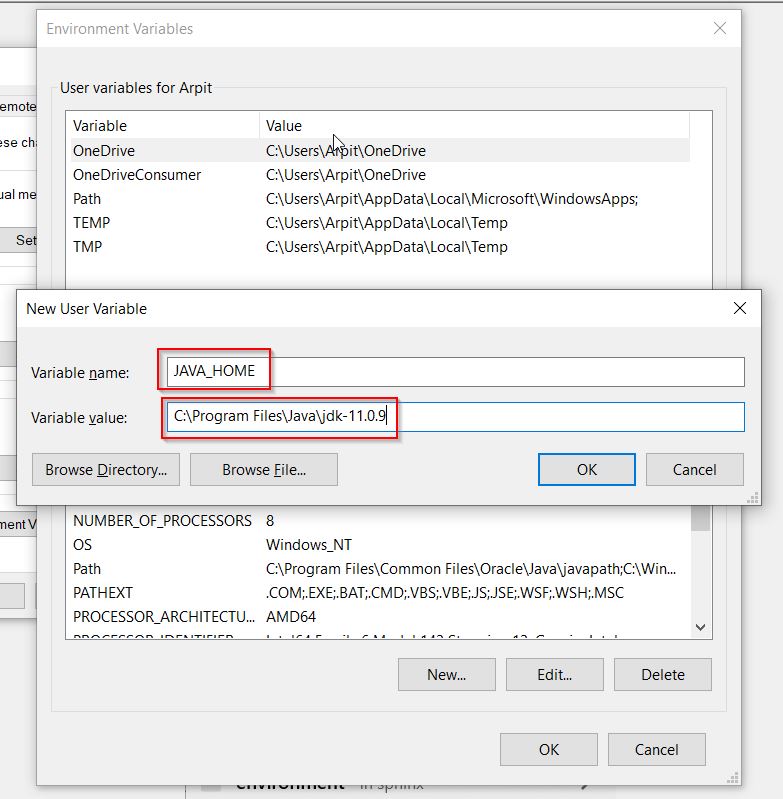
How To Add Java Path Variable In Windows 10 Environment Variable Simple 7 Steps To Add Java To Environment How To Set Java Path On Windows 10 64bit YouTube How To Set Java Variable Path In Windows 10 Compiling Java Program Vrogue How To Install Jdk And Update Path Environment Variable On Windows Vrogue How To Set Java Path In Windows 10 Java2Blog Web Jul 31 2022 nbsp 0183 32 In the Edit System Variable give the Variable name as JAVA HOME and Variable value as the path to your JDK directory Click on OK Now go back to the
Web Oct 28 2020 nbsp 0183 32 I ll explain to you how to set Java path variable on Windows macOS and Ubuntu Linux I ve prepared awesome examples of how to set Java Home via Web Dec 19 2018 nbsp 0183 32 For javac you will likely want to highlight your Path variable under System variables then Edit it and add an entry like C Program Files Java jdk x x x bin to the
How To Set Java Path In Windows 10 Java2Blog How To Set Java Jdk Path In Windows 10 Youtube ThemeLower What Is PATH And CLASSPATH In Java Path Vs ClassPath Example Java67 How To Set The Java Path Environment Variable In Windows 10 StackHowTo Step By Step Java Environment Variables Setup JDK Installation Guide How To Set JAVA HOME In Windows 10 Techndeck How To Set Java Path In Windows 10 Java2Blog FOUND JAVA How To Set Path In Java Foundjava How To Run Eclipse Under Different Version Of JDK Or JRE
How To Add Java Path Variable In Windows 10
 How To Add Java Path Variable In Windows 10
https://3.bp.blogspot.com/-jFUhZxWc9Kw/W3EbGxbGZOI/AAAAAAAABBo/t0qTQri6ruk1c3USvcrUjk8OZYnL6ovxQCLcBGAs/s640/LavanyaTesting.jpg
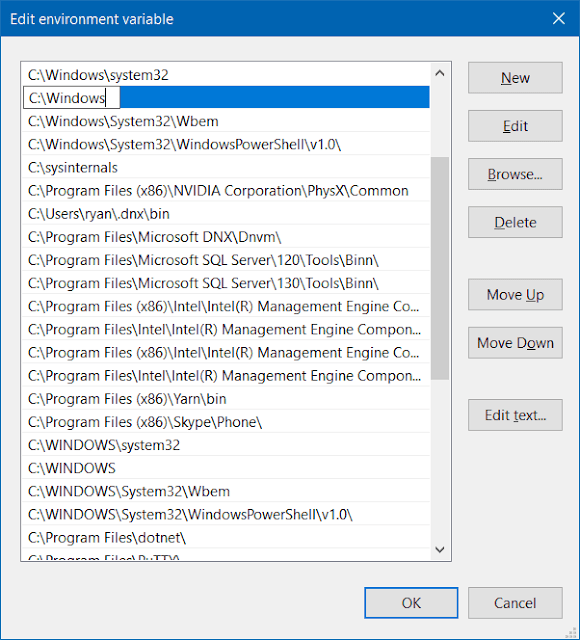
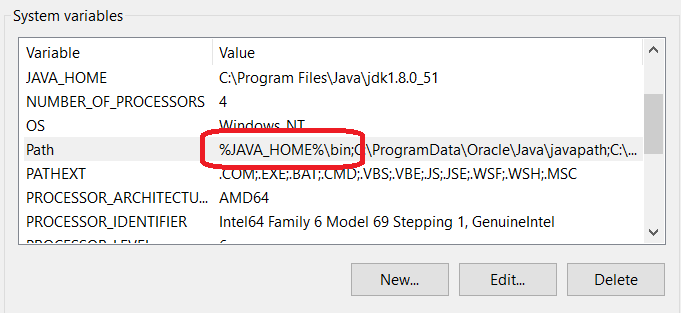
Web Jan 11 2021 nbsp 0183 32 Double click on the empty row and add JAVA HOME bin Here symbol is used to locate JAVA HOME environemt variable and bin provides location for
Templates are pre-designed files or files that can be utilized for numerous purposes. They can conserve effort and time by offering a ready-made format and layout for developing different kinds of material. Templates can be used for personal or expert tasks, such as resumes, invitations, flyers, newsletters, reports, presentations, and more.
How To Add Java Path Variable In Windows 10
How To Set Environment Variables In Windows Youtube

How To Set Java Jdk Path In Windows 10 Youtube ThemeLower
What Is PATH And CLASSPATH In Java Path Vs ClassPath Example Java67
How To Set The Java Path Environment Variable In Windows 10 StackHowTo
How To Set JAVA HOME In Windows 10 Techndeck
How To Set Java Path In Windows 10 Java2Blog
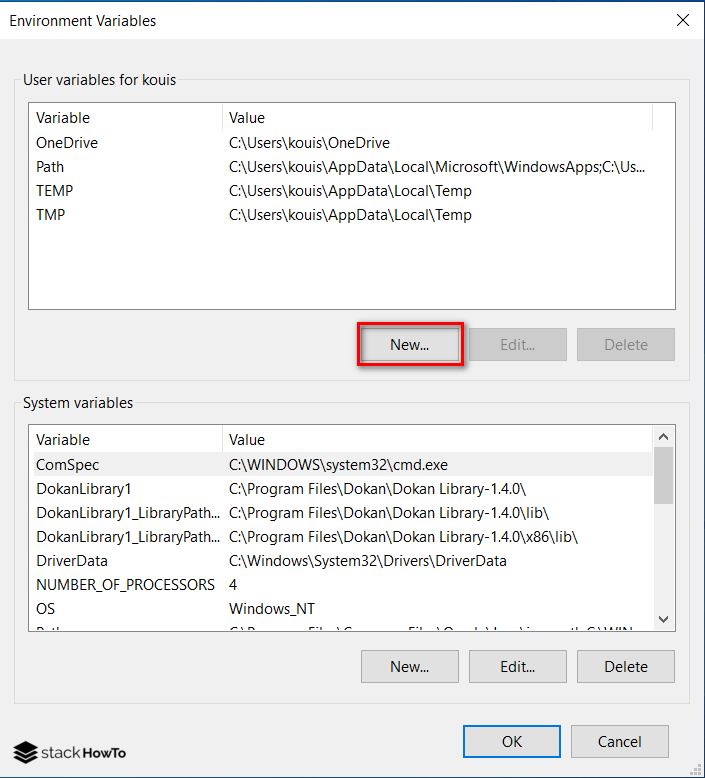
Web Jul 23 2023 nbsp 0183 32 Create the JAVA HOME environment variable by clicking the New button at the bottom In the New System Variable form enter the name and value as follows Click OK and you will see the JAVA HOME
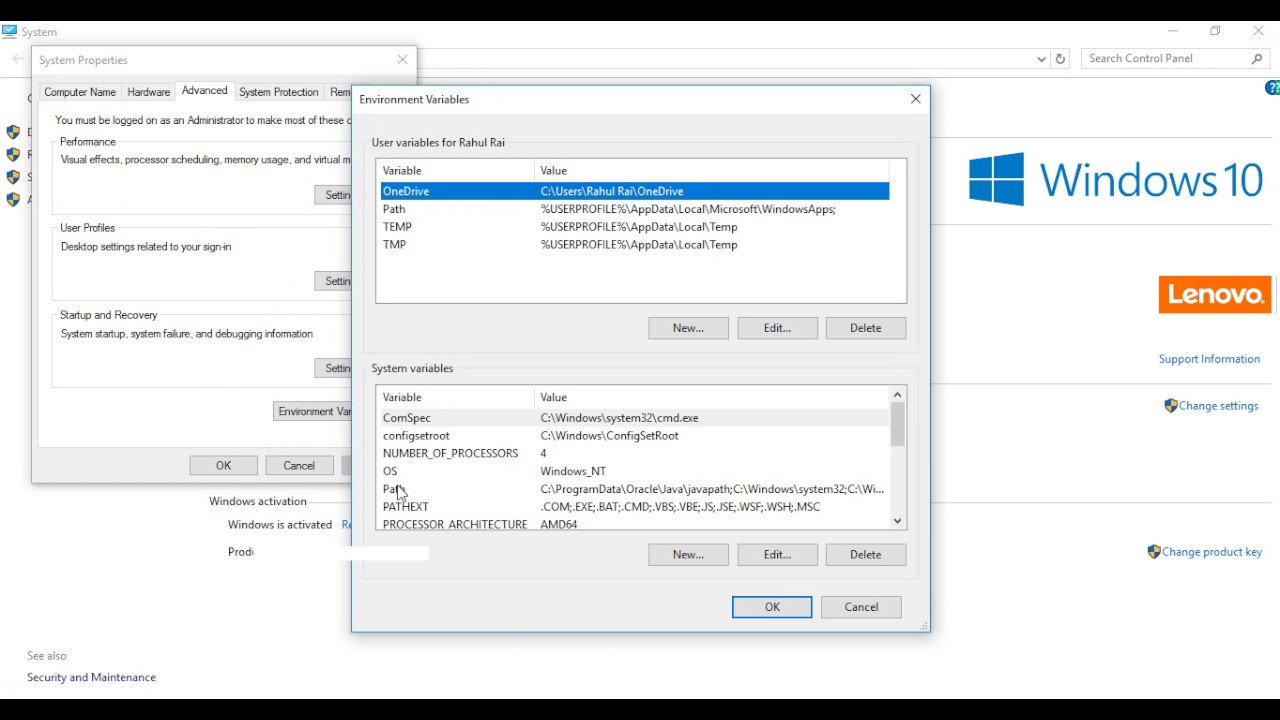
Web May 25 2021 nbsp 0183 32 Define the environment variable permanently To set the Java environment variable permanently 1 Access to your computer then right click on an empty space and click Properties 2 Click on
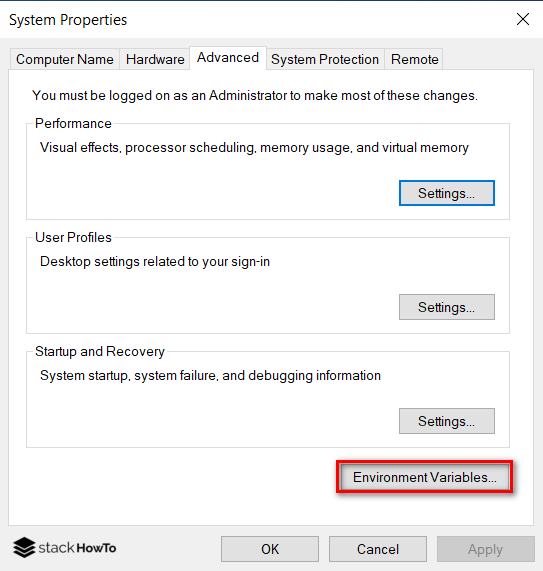
Web Windows 10 and Windows 8 In Search search for and then select System Control Panel Click the Advanced system settings link Click Environment Variables In the

Web Aug 4 2016 nbsp 0183 32 4 Set Environment variable using Command Prompt in easy two steps Example of windows SET command Step 1 Print the PATH environment variable
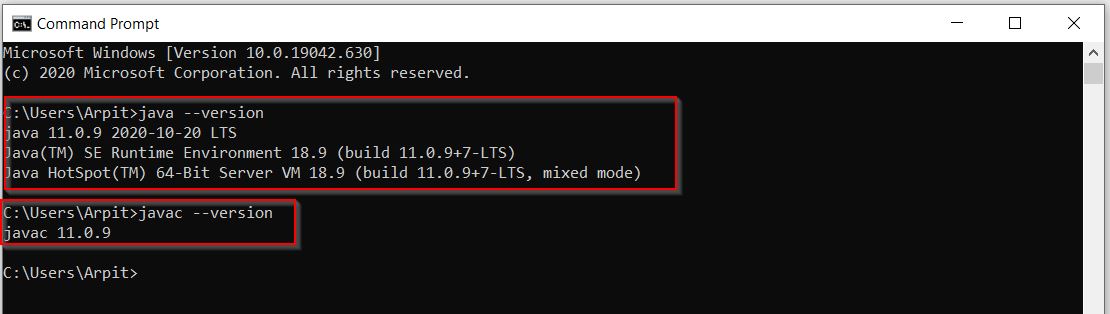
Web Jul 1 2021 nbsp 0183 32 In the System variables section look for the PATH variable Click on it and select Edit In the Edit Environment Variables screen click on the New button to add a
Web It is useful to set the PATH environment variable permanently so it will persist after rebooting To make a permanent change to the PATH variable use the System icon in Web Jul 10 2021 nbsp 0183 32 Choose the new button to add a new system variable Give a new name as JAVA HOME and give its value as the location where Java is kept like C Program
Web This tutorial teaches you how to set up Path Environment variable of Java in Windows 10 to run the java program from the command line