How To Install Java Runtime Environment In Windows 10 How To Install Java JRE On Windows 11 Thecoderworld How To Install Java 17 On Windows Tutorials24x7 Quick Guide On How To Install Java Runtime Environment JRE On Windows 10 JavaScript Runtime Environment Web API Task Queue And Event Loop How To Manually Install WebView2 Runtime Office Timeline Add in Open Command Prompt window under administrator privilege and type the following command setx m JAVA HOME C Program Files Java jdk 11 7 If the PATH environment variable does not contain an entry to JAVA HOME bin type the following command setx m PATH JAVA HOME bin PATH
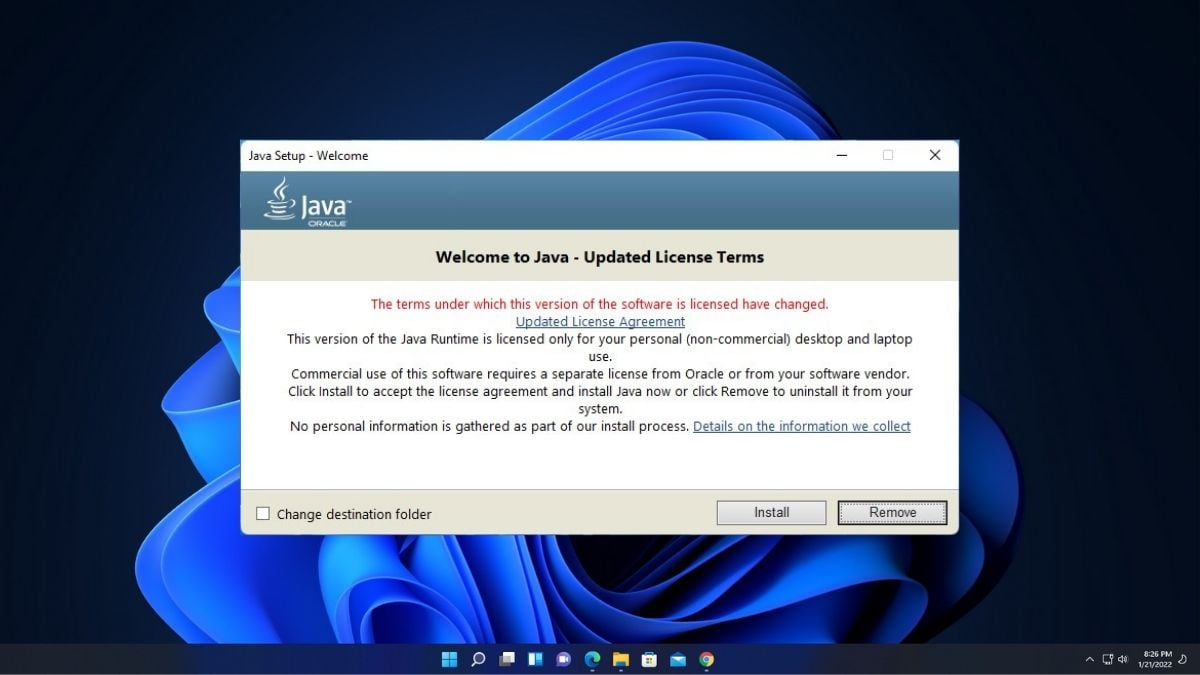
Installing the JRE consists of two main steps Downloading the Installer Running the Installer You have a choice of the following kinds of JRE installers that you can download Windows x86 Online windows i586 iftw exe mean install from the web Windows x86 Offline windows i586 exe windows x64 exe Java Runtime Environment Download and Install for Windows 10 11 By Ariel Follow Last Updated September 6 2023 English A great many users are confused about the Java Runtime Environment JRE Now this post of MiniTool explains the definition and provides a Java Runtime Environment download install guide
How To Manually Install WebView2 Runtime Office Timeline Add in How To Install JRE Java Runtime Environment On Windows 10 YouTube Como Definir Uma Vari vel De Ambiente No Windows 10 WindoQ How To Download And Install Java JRE Java Runtime Environment On Install Java On Windows 11 With These 5 Simple Steps How To Install Java Runtime Environment JRE And Set JRE Path In Images Of Java Runtime Environment JapaneseClass jp Download Java Runtime Environment 1 7 0 51 64 bit For PC How To Install Java 13 On Windows 10 Java Environment Setup Youtube
How To Install Java Runtime Environment In Windows 10
 How To Install Java Runtime Environment In Windows 10
https://www.thecoderworld.com/wp-content/uploads/2022/02/How-to-Install-Java-JRE-on-Windows-11.jpg
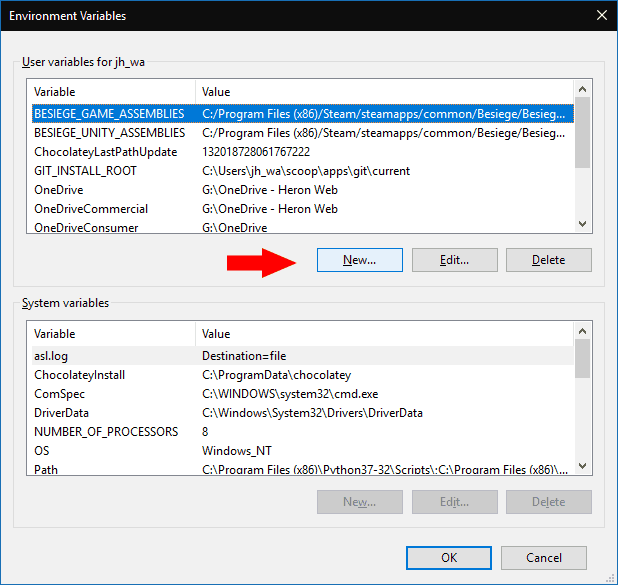
Windows In the System Properties window click on the Environment Variables button In the System Variables section click on the New button Set the Variable name as JAVA HOME In the Variable value field enter the path to the JDK installation directory
Templates are pre-designed files or files that can be utilized for various purposes. They can conserve time and effort by providing a ready-made format and layout for producing various sort of material. Templates can be utilized for individual or professional tasks, such as resumes, invitations, flyers, newsletters, reports, presentations, and more.
How To Install Java Runtime Environment In Windows 10

Download Java Runtime Environment 2023 For Windows 10 8 7 File

How To Install JRE Java Runtime Environment On Windows 10 YouTube
Como Definir Uma Vari vel De Ambiente No Windows 10 WindoQ
How To Download And Install Java JRE Java Runtime Environment On

How To Install Java Runtime Environment JRE And Set JRE Path In
Images Of Java Runtime Environment JapaneseClass jp

Open the registry editor Win R then type in regedit Navigate to HKEY LOCAL MACHINE SOFTWARE JavaSoft Java Runtime Environment 1 x here x is the jre version Verify the paths values of the JavaHome key under each folder of 1 x whether they are actually present under the given directory

In this tutorial we ll walk through the detailed steps to install Java JRE Java Runtime Environment on a Windows 10 system The Java Runtime Environment is essential for running

1 Type cmd in the Windows search bar 2 Open the command prompt 3 Enter the following command to check the Java version in Windows java version In this example the message states that Java is not recognized as an internal or external command which indicates that Java is not installed
When you install JDK 20 and then install JRE 8 and then run the java version command 1 8 0 is displayed in the output instead of 20 This is because the javapath is placed before JDK 20 location in the user environment path This is a bug with the JRE 8 installer

Trying to install the Java SE Runtime Environment on a non supported version of Microsoft Windows or on a machine that doesn t have a sufficiently up to date Service Pack will cause the installer to generate this warning We recommend that you do not install this Java platform for the following reasons This Java platform does not support the o
Installation Instructions Release Notes Documentation License JDK 21 Licensing Information User Manual includes third party licenses Certified System Configurations Readme Script friendly Download URLs The URLs listed above will remain the same for update releases to allow their use in scripts Learn more about automating these downloads How to Download and Install Java JRE Java Runtime Environment on Windows 10 If you have not installed java JDK 11 install it by going to the tutorial belo
In this video I will show you how to install Java Runtime Environment on Windows 10 Download Java JRE 8 for Windows here https bit ly 2XO62vjWe will down