How To Add Comments In Databricks Notebook Azure Databricks New Capabilities At Lower Cost Mashford s Musings Databricks Notebook Azure Data Factory Azure Synapse Introduction To Azure Databricks Notebook Analytics Vidhya Connect To Azure Databricks From Excel Python Or R Microsoft Learn Multiple Line Comment Python Web Add markdown comments to data objects using Catalog Explorer Catalog Explorer displays comments for catalogs schemas tables and other assets below the object name If no comment exists an Add comment option is shown You can toggle comment display with the Hide comment and Show comment options
Web If you want to add an AI generated comment for a table or table column managed by Unity Catalog see Add AI generated comments to a table Catalogs shares recipients and providers are supported in Unity Catalog only To set the comment of a table column use ALTER TABLE In this article Syntax Parameters Examples Related articles Syntax Web Creating a new Notebook Click the triangle on the right side of a folder to open the folder menu Select Create gt Notebook Enter the name of the notebook the language Python Scala R or SQL for the notebook and a cluster to run it on
Multiple Line Comment Python Databricks Notebooks Vs Jupyter Data Science Notebooks Databricks Tutorial 14 Databricks Variables Widget Types Databricms How To Add Comments In HTML Data Mesh Architecture Databricks Enhance Your Databricks Workflow Menziess Blog Azure Fetch Databricks SQL Notebook Result In Power Automate Stack Delete All Rows From Table Databricks Sql Server Uses Brokeasshome Data Analytics And Data Virtualization With Azure Databricks And
How To Add Comments In Databricks Notebook
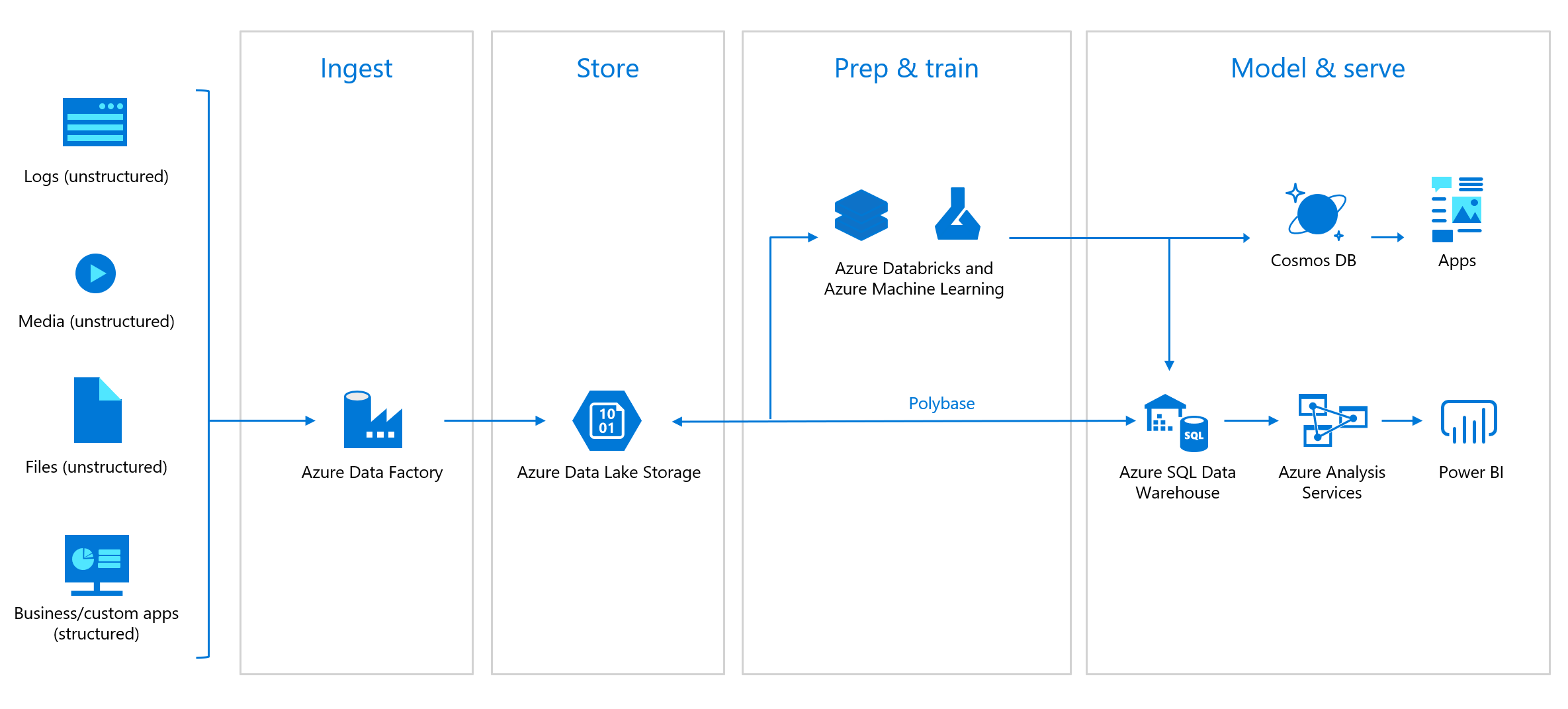 How To Add Comments In Databricks Notebook
https://blog.mashfords.com/wp-content/uploads/2019/03/b55db3f1-30d4-48fe-a613-f9e104ceff96.png
Web Mar 1 2024 nbsp 0183 32 To add a comment to a command Highlight the command text and click the comment bubble Add your comment and click Comment To edit delete or reply to a comment click the comment and choose an action Feedback
Pre-crafted templates use a time-saving solution for producing a diverse variety of files and files. These pre-designed formats and designs can be used for numerous individual and expert projects, consisting of resumes, invites, leaflets, newsletters, reports, discussions, and more, simplifying the content creation procedure.
How To Add Comments In Databricks Notebook

Introduction To Databricks YouTube
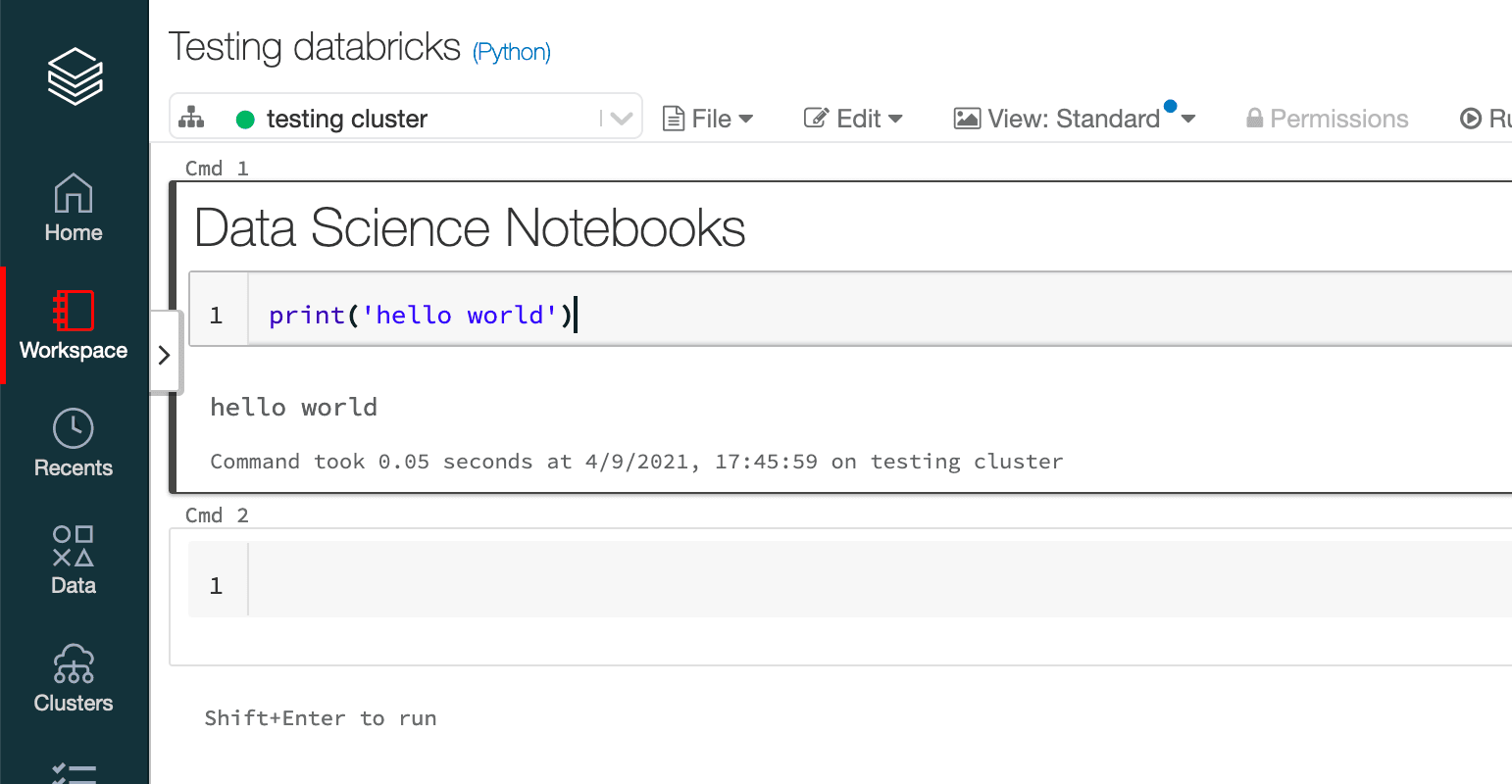
Databricks Notebooks Vs Jupyter Data Science Notebooks

Databricks Tutorial 14 Databricks Variables Widget Types Databricms
How To Add Comments In HTML
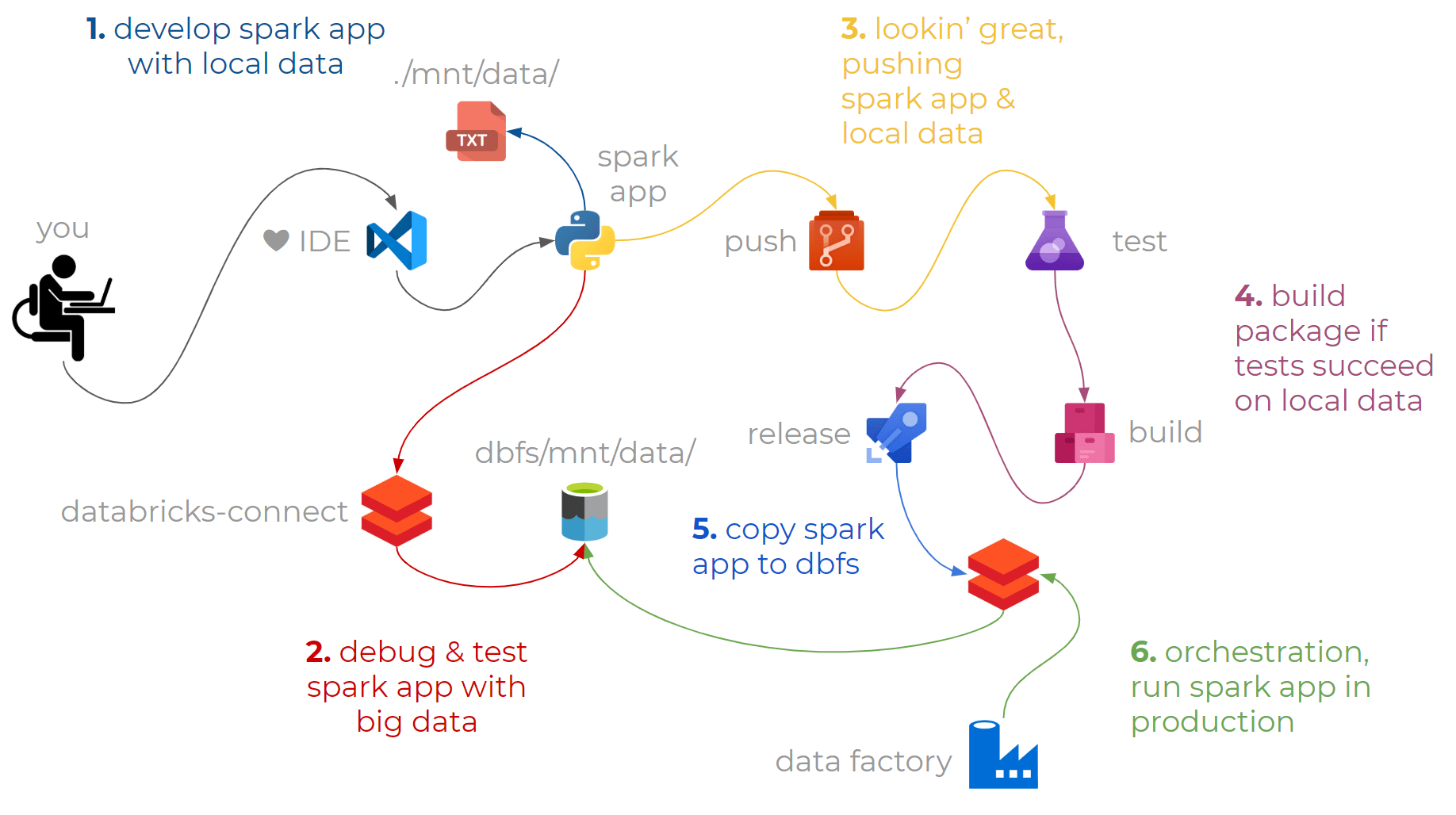
Enhance Your Databricks Workflow Menziess Blog

Azure Fetch Databricks SQL Notebook Result In Power Automate Stack

Web To add a comment to code in a cell highlight the code To the right of the cell a comment icon appears Click the icon to open the comment box To move a cell up or down click and hold outside the upper left corner of the cell and drag the cell to the new location You can also select Move up or Move down from the cell actions menu

Web Nov 28 2019 nbsp 0183 32 Logging in most cases we should have a framework for outputting log information to a central location via Application Insights or even just a SQLDB table Comments probably the most important thing to include in all code is the comments This should not be text for the sake of it
.png?w=186 "Introduction To Azure Databricks Notebook Analytics Vidhya")
Web To toggle the Comments sidebar click the Comments icon in the notebook s right sidebar Highlight the command text and click the comment bubble Add your comment and click Comment Learn how to collaborate using Databricks notebook and how to use comments in a notebook

Web DB02 Databricks Notebook Markdown Cheat Sheet Databricks
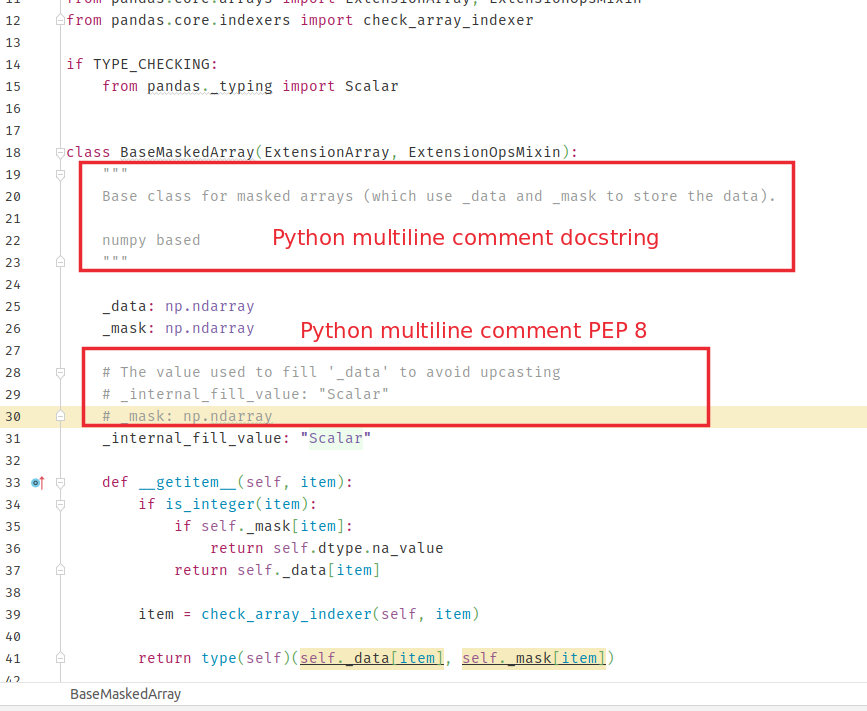
Web Feb 19 2018 nbsp 0183 32 Add a comment 5 Answers Sorted by 9 Yep highlight a cell and click on the quot Cell quot dropdown menu and go to quot Cell Type quot and choose quot Markdown quot Then you can type any markdown text you d like and it will render as such
Web Tracking Accessing version history Databricks Notebook Adding Comments To add a comment to the most recent version follow these steps First select the latest version entry Next click on quot Save Now quot A dialog will appear prompting you to input your comment text Web Databricks notebooks maintain a history of notebook versions allowing you to view and restore previous snapshots of the notebook You can perform the following actions on versions add comments restore and delete versions and clear version history
Web You can add comments to SQL code before after and within statements Comments are ignored by Databricks unless they are recognized as hints The following forms of comments are supported In this article Simple comments Bracketed comments Syntax