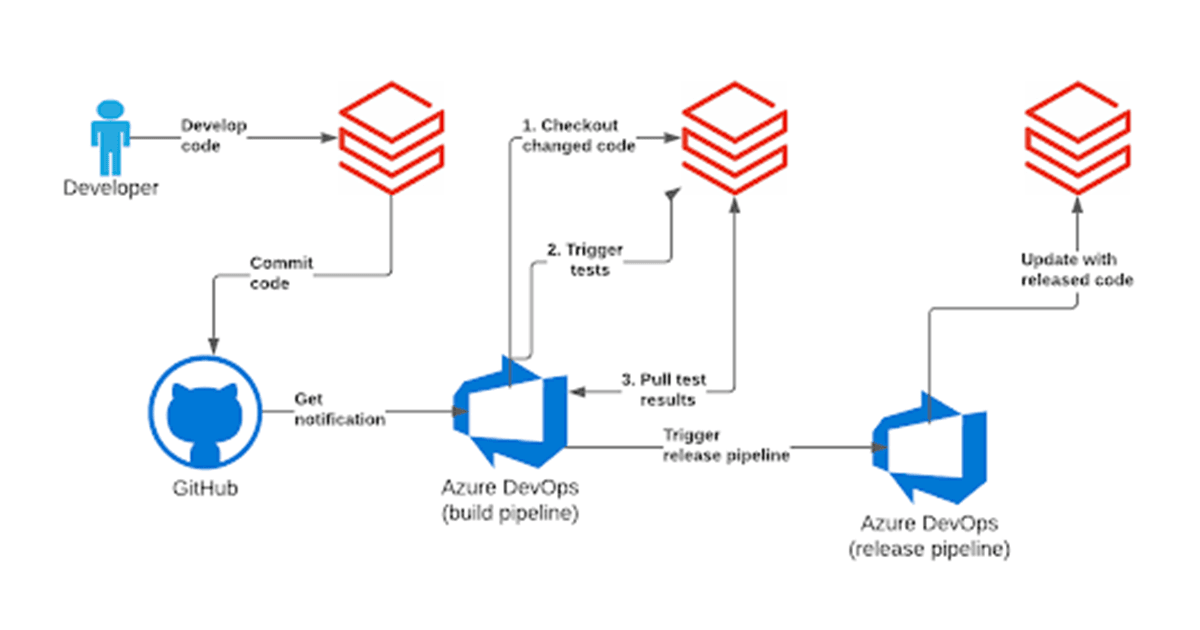
How To Add Comments In Azure Databricks Notebook Transform Data With Databricks Notebook Azure Data Factory Azure Azure Databricks Malware Prediction Introduction To Azure Databricks Notebook Analytics Vidhya Azure Databricks Concepts Azure Databricks Microsoft Learn How To Implement CI CD On Databricks Using Databricks Notebooks And [desc-7]
[desc-6] [desc-8]
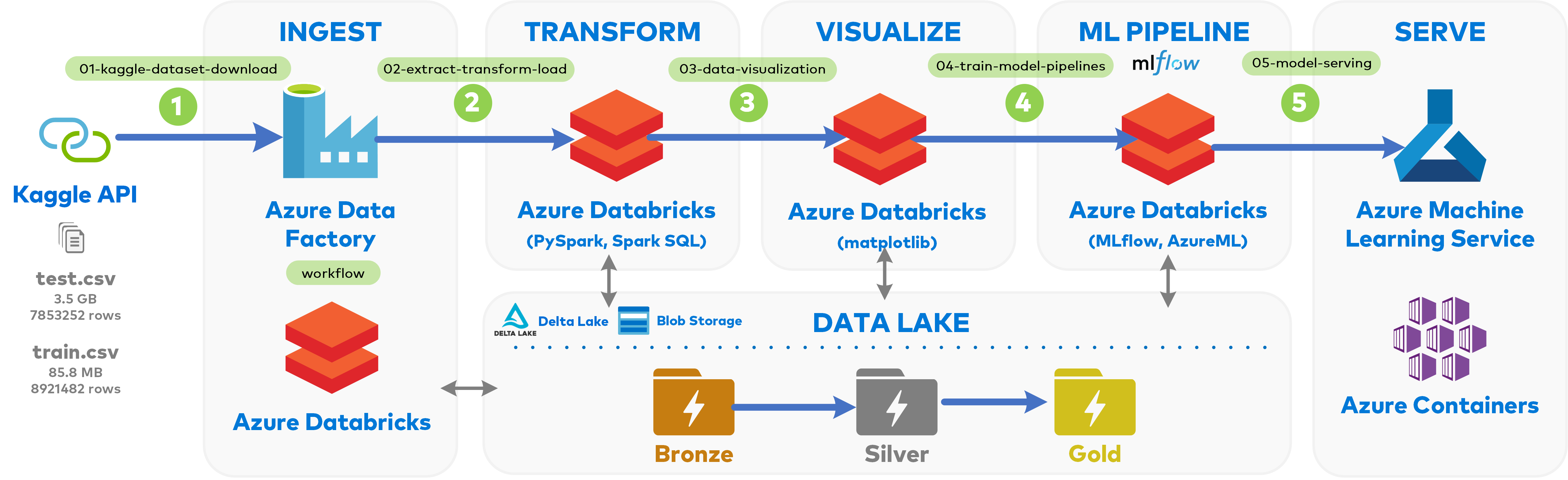
How To Implement CI CD On Databricks Using Databricks Notebooks And Azure Databricks Azure Architecture Center Azure Databricks Now Supports RStudio And Data Lake Storage Gen2 Databricks Full Logo Transparent PNG StickPNG Data Analytics And Data Virtualization With Azure Databricks And Batch Scoring Of Spark Models On Azure Databricks Azure Reference Populating Delta Lake Tables In Azure Databricks With Azure Data Enhance Your Databricks Workflow Menziess Blog Integrating Azure Databricks With Azure Data Factory
How To Add Comments In Azure Databricks Notebook
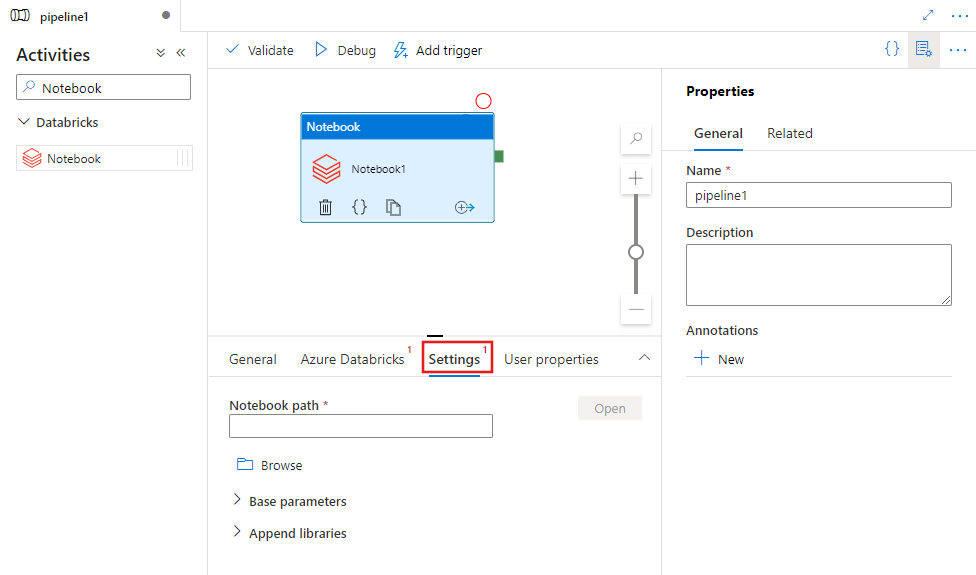 How To Add Comments In Azure Databricks Notebook
https://learn.microsoft.com/en-us/azure/data-factory/media/transform-data-databricks-notebook/notebook-settings.png
[desc-9]
Templates are pre-designed files or files that can be utilized for different functions. They can save time and effort by supplying a ready-made format and layout for creating different kinds of material. Templates can be used for individual or expert projects, such as resumes, invitations, flyers, newsletters, reports, presentations, and more.
How To Add Comments In Azure Databricks Notebook
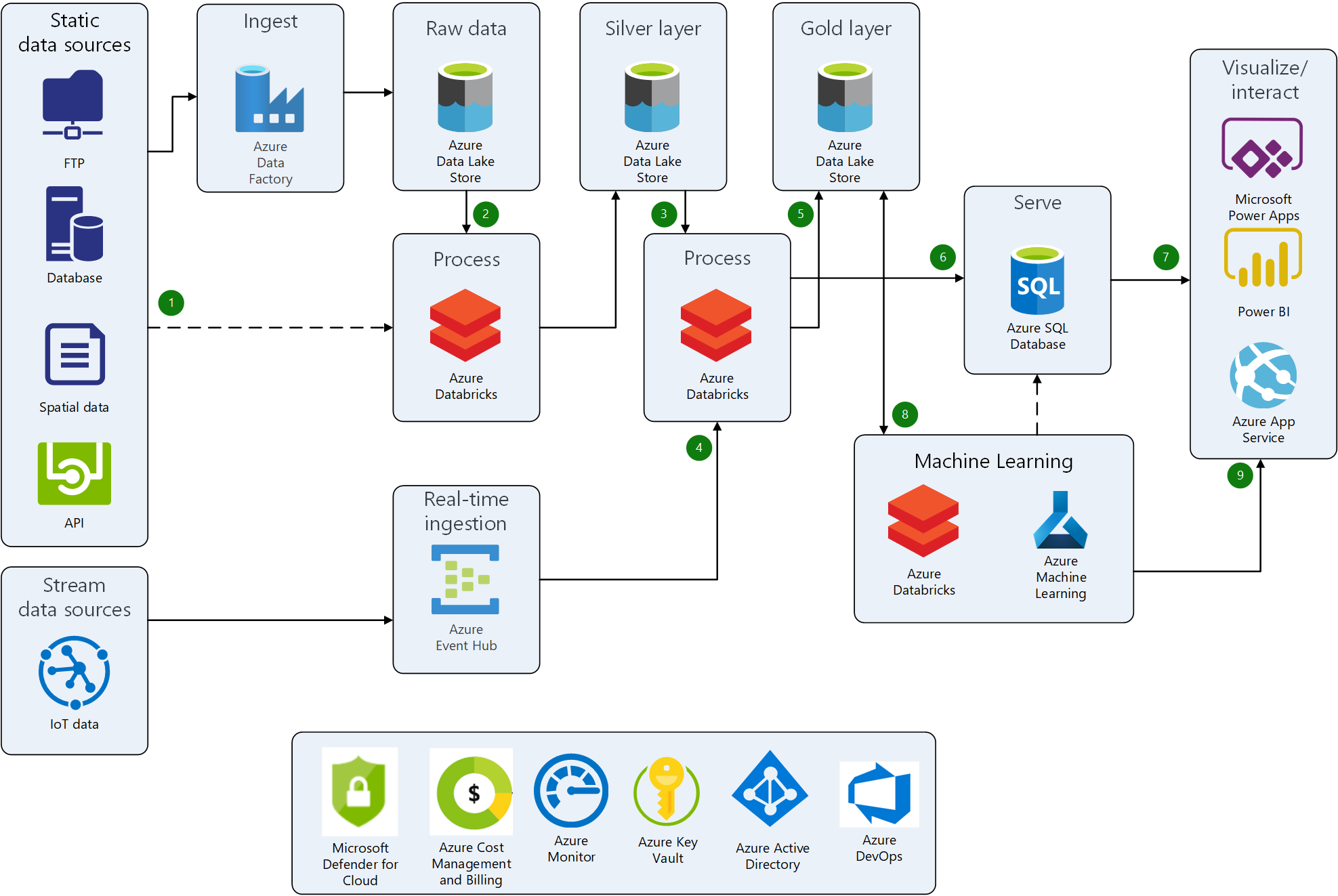
Sports Analytics On Azure Azure Architecture Center Microsoft Learn
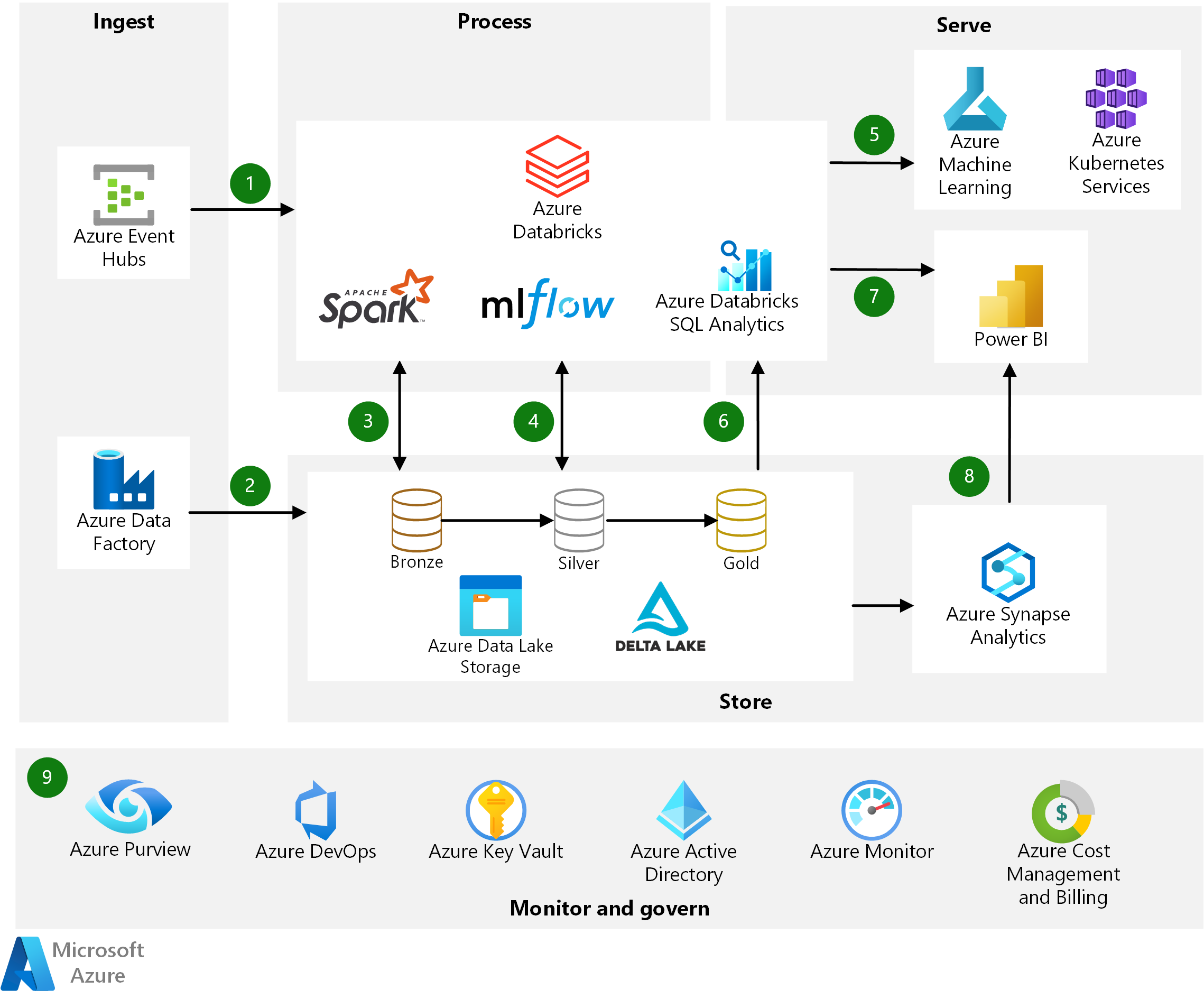
Azure Databricks Azure Architecture Center

Azure Databricks Now Supports RStudio And Data Lake Storage Gen2

Databricks Full Logo Transparent PNG StickPNG
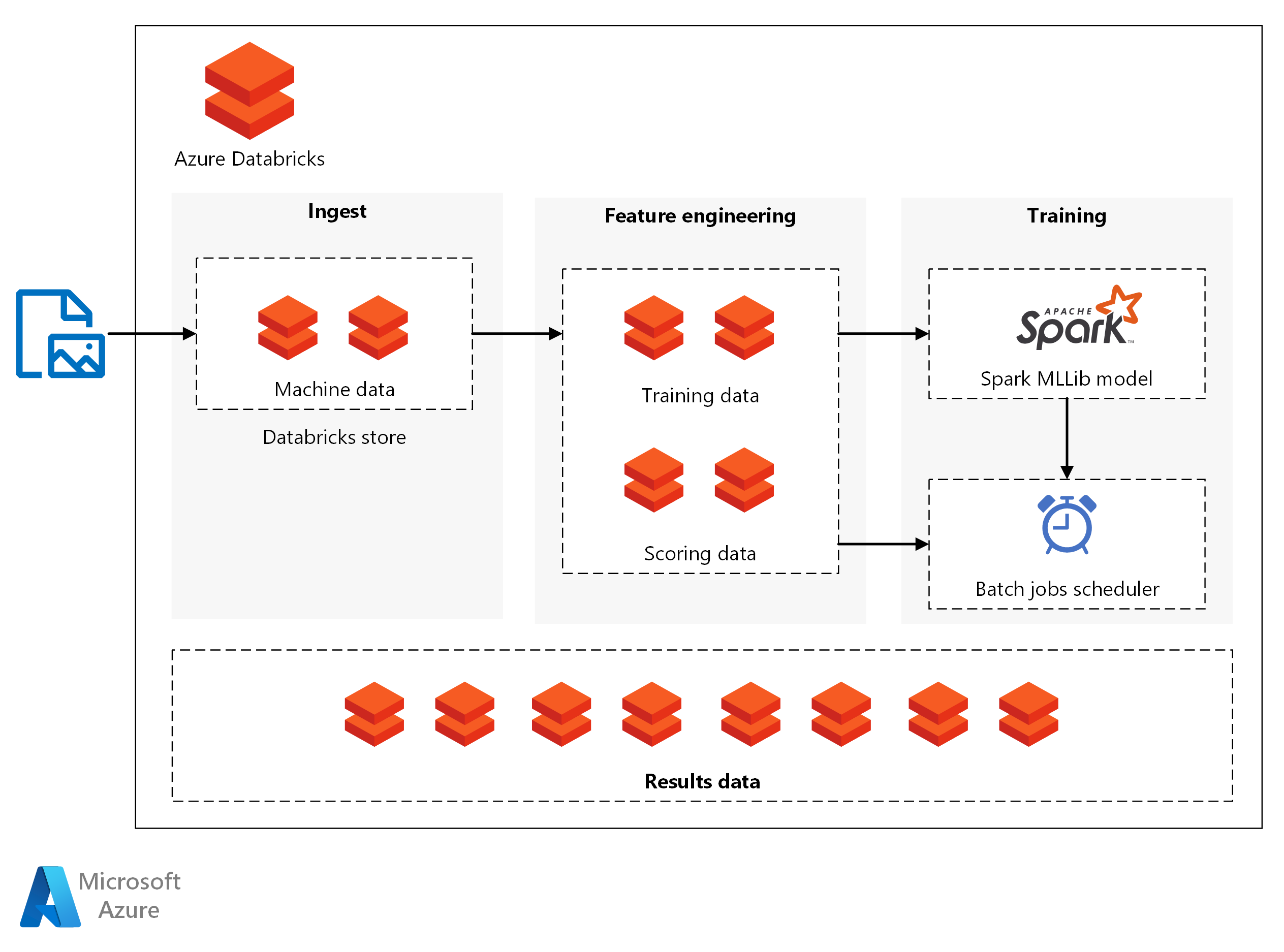
Batch Scoring Of Spark Models On Azure Databricks Azure Reference
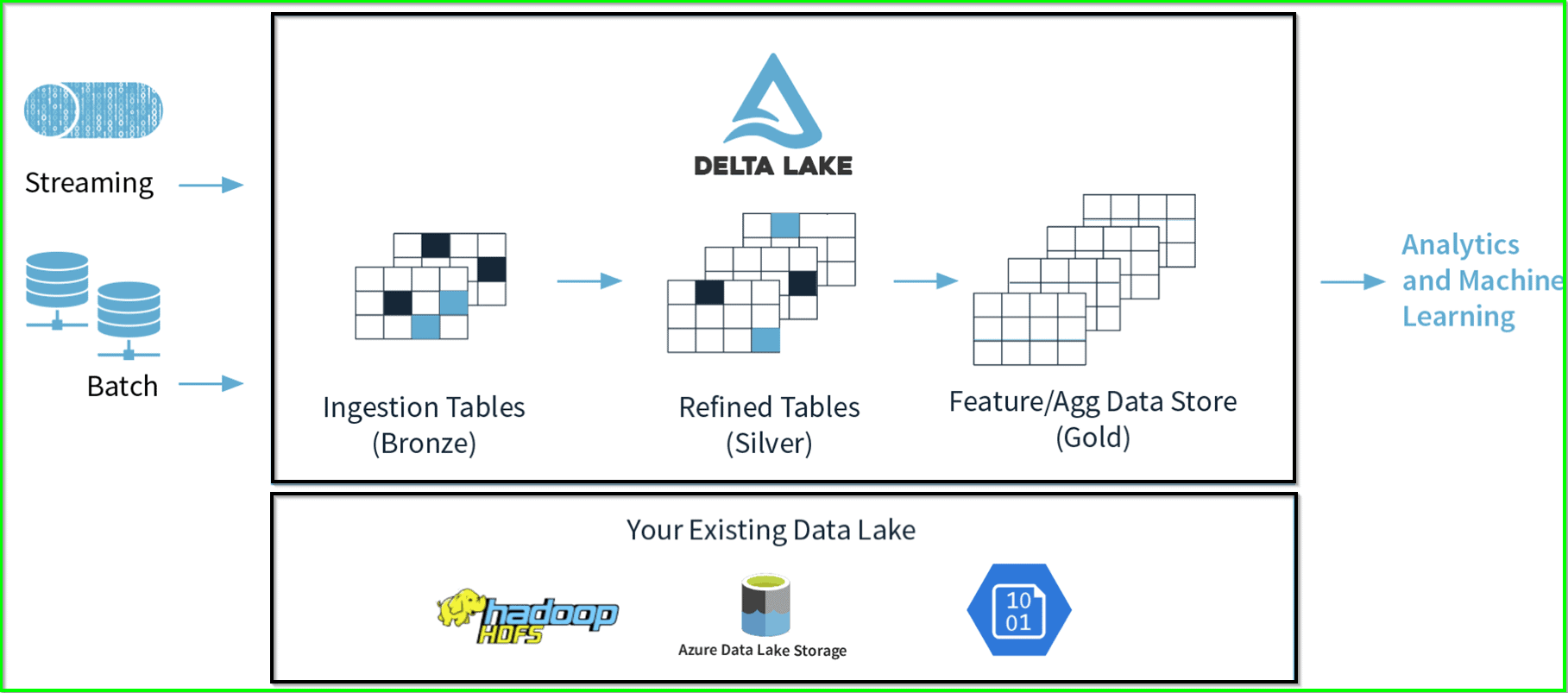
Populating Delta Lake Tables In Azure Databricks With Azure Data

[desc-1]
[desc-2]
.png?w=186 "Introduction To Azure Databricks Notebook Analytics Vidhya")
[desc-3]

[desc-4]
[desc-5]
[desc-11] [desc-12]
[desc-13]