How Does The Home Button Work Home Button Disappearing FIX GooglePixel How The IPhone 8 Virtual Home Button Will Probably Work How To Get The Home Button Back On Your IPad Or IPhone Jeremy Nicholas How To Add A Home Button On Smartphones Do Dental Websites Still Need The Golden Proportions Marketing Verkko 2 huhtik 2022 nbsp 0183 32 The home button on your iPhone can also be used to dim the screen brightness and make the iPhone easier to use with one hand So whether you re
Verkko 7 syysk 2016 nbsp 0183 32 Instead of a button that physically moves the new home button will use Apple s quot taptic engine quot to click back at users Vibrations delivered through the home Verkko The new iPhone 7 and 7 Plus both come with a new home button that simulates clicks but doesn t actually move It also has a couple of quirks Here s what you should know
Do Dental Websites Still Need The Golden Proportions Marketing How To Disable The Home Button Press To Unlock In IOS 10 Why Is My IPad Home Button Not Working 2022 Fixed 2022 Mobile Automation IPhone X Home Button How Would It Work YouTube RStudio Is Not Saving My Work Rstudio Posit Community Spotify Not Working On IPhone Here s The Fix On Twitter the Home Button In The Year Of 2023 Https t co The Home Button Beautiful Women Videos Funny Gif Funny Memes
How Does The Home Button Work
 How Does The Home Button Work
https://external-preview.redd.it/i4Gc4-RQpDeuy3dzhj07Sn0KAOmQakflf8mQA9AjBKY.jpg?auto=webp&s=e0c15893694ec9a512fef6f747dfd681488d762d
Verkko 4 maalisk 2022 nbsp 0183 32 Touch ID is a brand name created by Apple It stands for the home button or power button s fingerprint sensor and the technology used to read and recognise fingerprints Apple s premise
Templates are pre-designed documents or files that can be used for different functions. They can save effort and time by providing a ready-made format and design for creating various sort of material. Templates can be used for individual or expert projects, such as resumes, invites, leaflets, newsletters, reports, discussions, and more.
How Does The Home Button Work
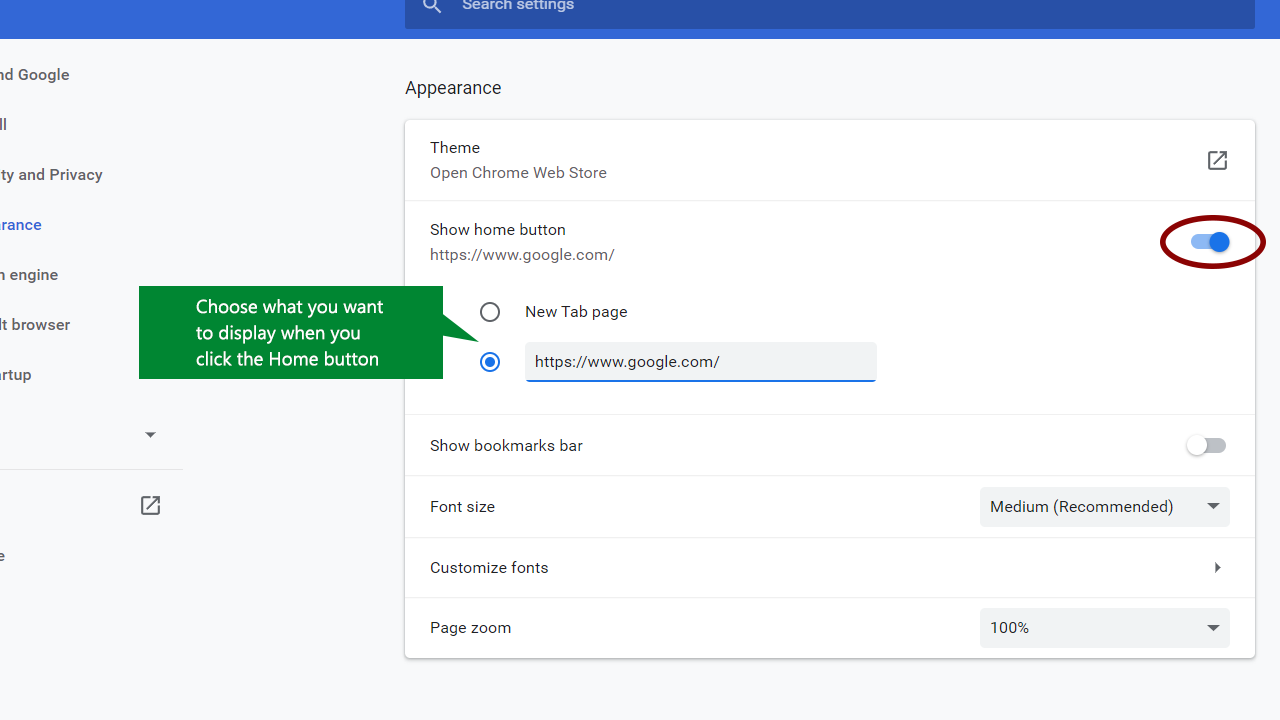
How To Add Home Button To Chrome

How To Disable The Home Button Press To Unlock In IOS 10
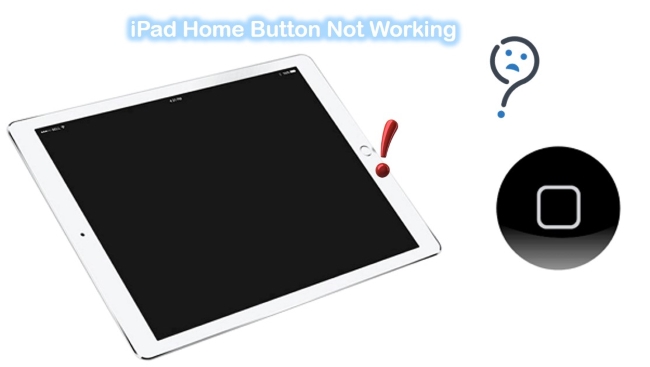
Why Is My IPad Home Button Not Working 2022 Fixed 2022

Mobile Automation

RStudio Is Not Saving My Work Rstudio Posit Community
Spotify Not Working On IPhone Here s The Fix

Verkko 15 marrask 2023 nbsp 0183 32 1 Side button Use the side button to turn off your iPhone and to lock your iPhone 2 Home button with Touch ID Use the Home button to unlock

Verkko 28 huhtik 2022 nbsp 0183 32 Apple Explained 1 37M subscribers 248K views 1 year ago The iPhone SE is one of Apple s best selling smartphones with more units sold in 2021 than the flagship

Verkko 27 syysk 2023 nbsp 0183 32 Whichever iPhone you have here are your options if the home button no longer works or isn t working properly Option 1

Verkko 28 kes 228 k 2020 nbsp 0183 32 The Home button is used for all kinds of apps and actions including Access Siri Holding down the Home button will launch Siri Multitasking Double

Verkko Go to Settings gt Accessibility then tap Side Button on an iPhone with Face ID or Home Button on other iPhone models Set any of the following Click Speed Choose the
Verkko 21 elok 2021 nbsp 0183 32 Toggle on AssistiveTouch Once you ve enabled AssistiveTouch a gray button will appear on your screen Tap this button to open a menu of touch options Verkko Home Button and the Placement The Home key refers to a control key By pressing this one it helps to return the text cursor to the beginning of the line It means the
Verkko 8 helmik 2022 nbsp 0183 32 In 2017 Apple removed the home button from their flagship iPhone X but you may ve noticed a virtual home button that still exist today I ll explain why