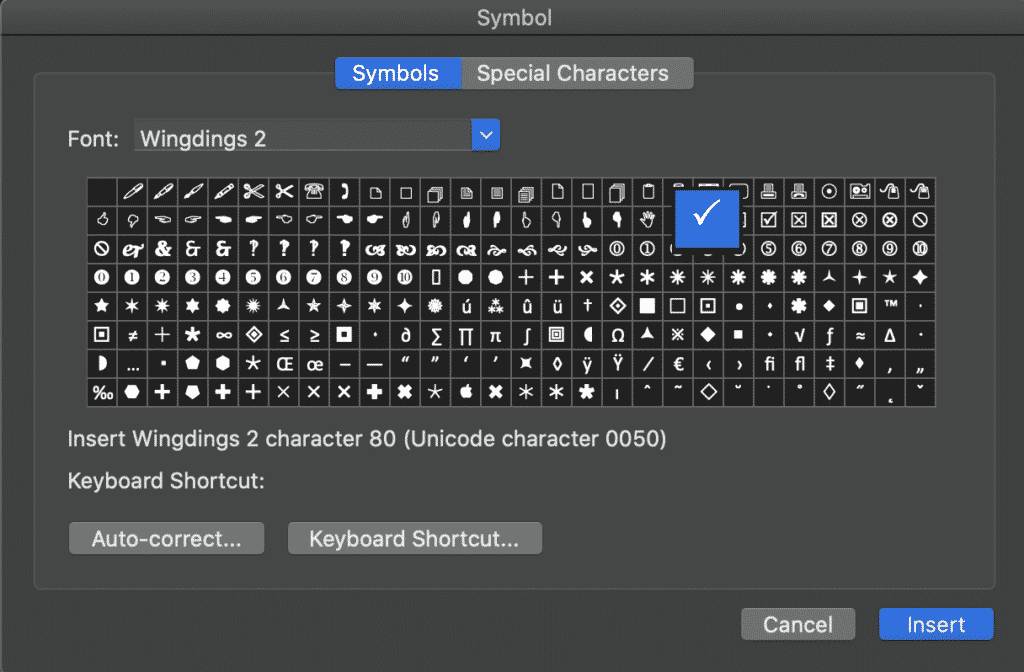
How Do I Type A Tick Symbol How To Type A Tick Symbol On PCs And Macs The Big Tech Question How To Type A Tick Symbol On PCs And Macs The Big Tech Question How To Type A Tick Symbol On PCs And Macs The Big Tech Question How To Add Degree Symbol On Mac SHO NEWS Shortcut For Tick Symbol In Word Fastest Way To Get Check Mark In Word 2021 YouTube Web Go to Insert gt Symbol Select a checkmark symbol to insert or do the following Select More Symbols Scroll up or down to find the checkmark you want to insert Different font sets often have different symbols Use the Font selector above the symbol list to pick the font you want Double click the symbol to insert it into your document
Web Dec 10 2021 nbsp 0183 32 0 00 1 23 How to add a Tick Symbol in a PDF fill and sign using adobe acrobat pro dc PDF Editor 2 62K subscribers Subscribe 215 102K views 1 year ago Adobe Acrobat Pro Dc Hello everyone Web Jul 31 2023 nbsp 0183 32 Click on the option for quot Insert symbol quot or quot Insert special character quot and choose the checkmark style you want to display in your document The symbol appears on the spot you place the cursor and you can also copy and paste the symbol into other places in the document Related How to Show Proficiency in Microsoft Office on a
Shortcut For Tick Symbol In Word Fastest Way To Get Check Mark In Word 2021 YouTube How To Insert A Tick Symbol In Word PresentationSkills me Free Tick Symbol Download Free Tick Symbol Png Images Free ClipArts On Clipart Library Autor Symbol Chrast tko Dollar Keyboard Shortcut K Meditaci P vab Chceteli Zak zat How To Type Musical Notes On Windows 7 Insert Tick In Word How Do I Type A Degree Symbol The Big Tech Question Degree Symbols On Keyboard Magazinesgagas Where Is Degree Symbol On Apple Keyboard
How Do I Type A Tick Symbol
 How Do I Type A Tick Symbol
https://i0.wp.com/bigtechquestion.com/wp-content/uploads/2019/05/Tick.png?resize=990%2C558&ssl=1
Web Oct 11 2023 nbsp 0183 32 Step 3 Type WingDings 2 in Font Box of Symbol and Select the Checkmark Symbol Note Ensure you ve selected either the Wingdings or Wingdings 2 font in the Symbols dialog to find the checkmark icon Scroll through the symbols list to locate the desired tick symbol s You can simplify your search by using the Font drop down box
Templates are pre-designed documents or files that can be utilized for different functions. They can save time and effort by providing a ready-made format and design for producing various sort of material. Templates can be utilized for personal or expert jobs, such as resumes, invites, leaflets, newsletters, reports, presentations, and more.
How Do I Type A Tick Symbol

How To Insert Check Mark Symbol On Keyboard TechPlip

How To Insert A Tick Symbol In Word PresentationSkills me

Free Tick Symbol Download Free Tick Symbol Png Images Free ClipArts On Clipart Library

Autor Symbol Chrast tko Dollar Keyboard Shortcut K Meditaci P vab Chceteli Zak zat
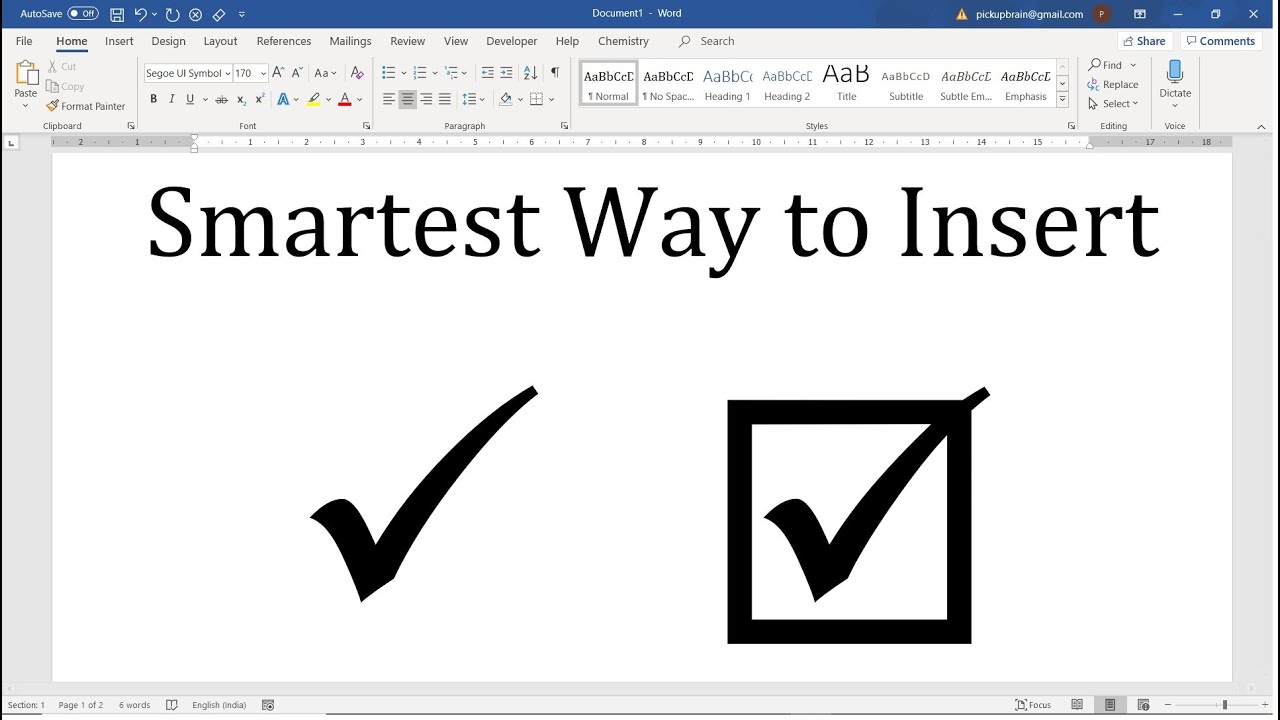
Insert Tick In Word

How Do I Type A Degree Symbol The Big Tech Question

Web Sep 20 2020 nbsp 0183 32 Ways to insert Tick in Box or Tick Symbol in Word Method 1 Insert gt Symbols Select Symbol Tab gt Wingdings Font and double click on desired symbol i e or Method 2 Alt Code Requires dedicated Number pad keys To insert symbol type corresponding Alt Code using Number pad Method 3

Web Jul 13 2021 nbsp 0183 32 According to https www alt codes check mark symbols php I should be able to type the text 2 7 0 5 select it and then hit Alt X However this hasn t worked in any program I ve tried In Notepad for example it wants to close the current file and in Google Chrome it does nothing

Web Feb 3 2022 nbsp 0183 32 How to insert a tick or cross symbol in Microsoft Word and Excel Method 1 Copy and Paste Method 2 Font Shortcuts The most common method is to use either the quot Wingdings 2 quot font or the quot Webdings quot font This Method 3 Symbol command You can also use the symbol command

Web May 15 2019 nbsp 0183 32 The processes below are therefore a tad clunky So if you re just after a quick tick or cross symbol copy and paste the symbols below Light tick Heavy tick Green tick Tick in a box Light cross Heavy cross Light italic cross
Web May 1 2021 nbsp 0183 32 1 Alt or Option Code Shortcuts Windows and Mac Below table is the list of alt code keyboard shortcuts for various check mark symbols in Windows and Mac You may see some symbols showing as square box or question mark in browser however you can see the proper symbol when using in your documents
Web Oct 25 2021 nbsp 0183 32 What to Know Character codes Open a Microsoft doc Place the cursor where you want a check mark Type 221A press and hold the Alt key and type X Autocorrect Select Insert gt Symbol gt More symbols Choose a font Select the check mark in the symbols list Then select AutoCorrect Web Feb 18 2015 nbsp 0183 32 How do I type tick and backtick on Windows typing Share Improve this question edited Feb 18 2012 at 3 19 Tamara Wijsman 57 2k 27 186 256 asked Mar 6 2011 at 22 58 Andry 1 474 3 11 14 2 What keyboard layout do you have For US QWERTY the backtick is they key to the left of the numeral quot 1 quot
Web Oct 26 2017 nbsp 0183 32 Follow the below instructions on how to use these Alt key shortcuts Press and Hold any of the ALT key and then press the numbers one by one Make sure Numeric lock is switched on Shortcut keys with numbers will only work with ALT and the number pad keys as shown in the below keyboard picture