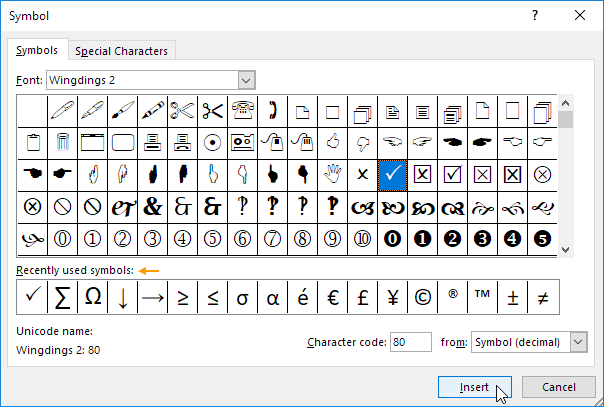
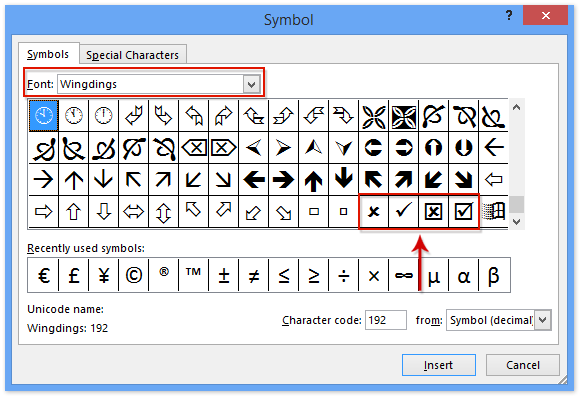
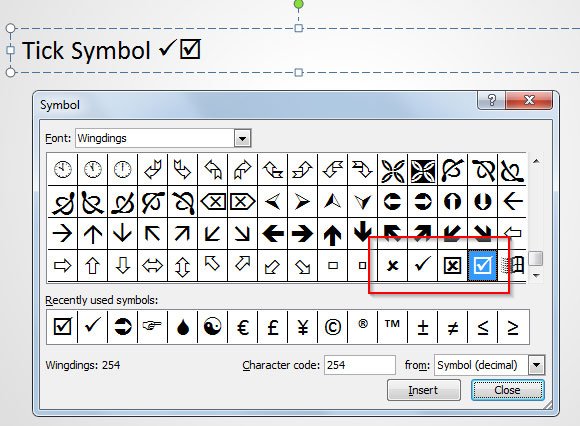
How Do I Insert A Tick Symbol How To Insert A Checkmark In Word Table Design Talk How To Make A Tick Symbol On Microsoft Word Design Talk How Do I Put A Tick Symbol In Word Design Talk Insert Tick Mark Word Spaceslasopa Insert Tick Box Symbols In Google Docs YouTube Verkko 5 lokak 2022 nbsp 0183 32 Click on Symbol and choose More Symbols Change the font to Wingdings in the Font select box Scroll to the bottom and you ll find two different styles of ticks and crosses Choose the symbol you
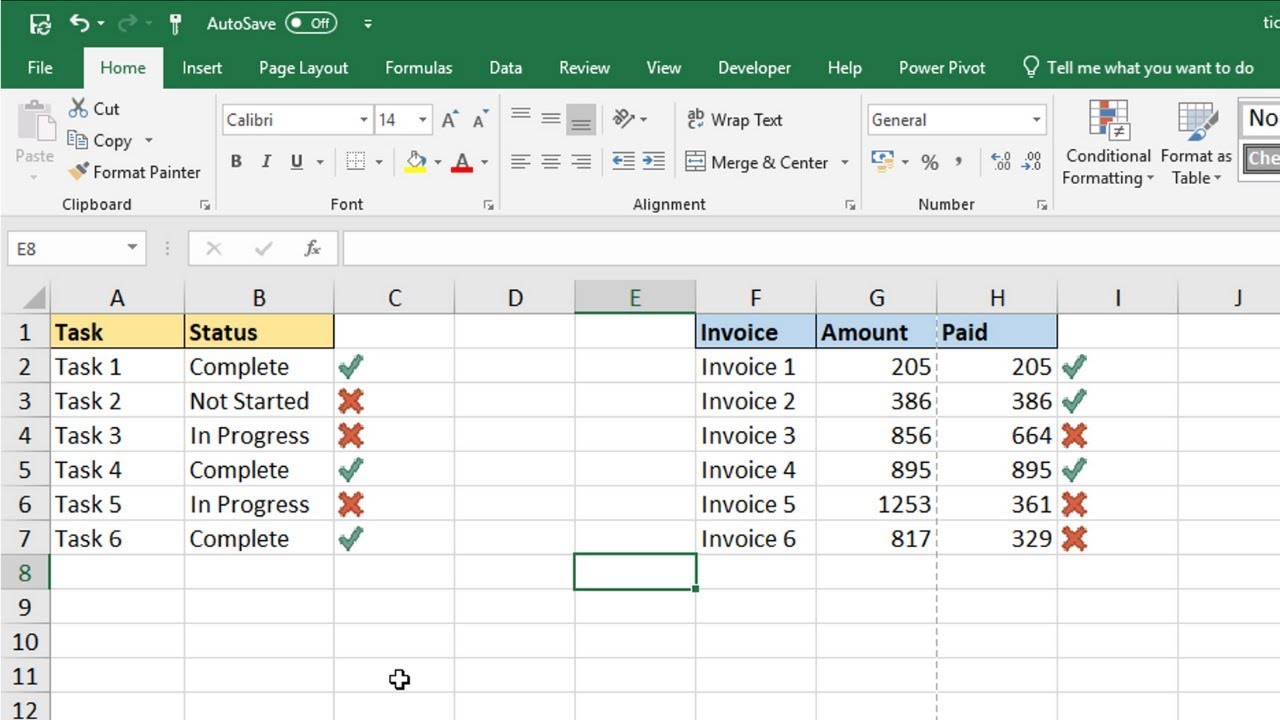
Verkko 7 maalisk 2023 nbsp 0183 32 From Word s ribbon at the top select the quot Insert quot tab and choose Symbol gt More Symbols You ll see a quot Symbol quot window Here select the quot Font quot drop down menu and choose quot Wingdings quot this Verkko Simply paste the check mark Control V Once you have the check mark in Excel you can copy it and paste it as many times as you want This method is suited when you want to copy paste the check mark in
Insert Tick Box Symbols In Google Docs YouTube Add Check Mark In Excel Free Template PPT Premium Download 2020 Insert A Tick Symbol In Excel 5 Examples YouTube How To Insert Check Mark Symbols In Excel Insert A Tick Mark In Microsoft Word And Excel How To How To Insert A Tick Symbol In PowerPoint Pin On Professional Powerpoint Templates How To Insert Tick Symbol In Powerpoint Free Printable Template Wunder Rabatt Moralische Erziehung Keyboard Shortcut For A Tick Reiben
How Do I Insert A Tick Symbol
 How Do I Insert A Tick Symbol
https://www.lifewire.com/thmb/fFmlrzKHalSwL4Qp3_8LoZVJFuc=/1500x0/filters:no_upscale():max_bytes(150000):strip_icc()/Main-fbfc919a03124d96a074b93c26a8de2f.png
Verkko 15 toukok 2022 nbsp 0183 32 Wingdings and Alt Code You can also insert a check mark in Excel by changing the font to Wingdings in the Excel screen and then typing the 252 character directly into a cell In the Ribbon choose
Pre-crafted templates provide a time-saving service for developing a varied variety of documents and files. These pre-designed formats and layouts can be made use of for various individual and expert tasks, including resumes, invitations, leaflets, newsletters, reports, discussions, and more, enhancing the material development procedure.
How Do I Insert A Tick Symbol

How To Insert A Check Mark In Excel 9 Steps with Pictures
Add Check Mark In Excel Free Template PPT Premium Download 2020
Insert A Tick Symbol In Excel 5 Examples YouTube
How To Insert Check Mark Symbols In Excel
How To Insert A Tick Symbol In PowerPoint

Pin On Professional Powerpoint Templates

Verkko 4 helmik 2022 nbsp 0183 32 Method 1 Copy and Paste To copy and paste a tick or cross highlight one of the ticks or crosses below then copy and paste it to your destination

Verkko 20 syysk 2020 nbsp 0183 32 Learn four different ways to insert tick symbol or or tick in box symbol in Microsoft Word Use Insert gt Symbols Alt Code Autocorrect or Alt X

Verkko Learn how to insert a checkmark symbol in your Word document using the Symbol dialog box Choose from different fonts sizes and styles of checkmarks and copy
Verkko 5 lokak 2016 nbsp 0183 32 Learn six different ways to insert a tick symbol or cross mark x in Excel such as using the Symbol command the
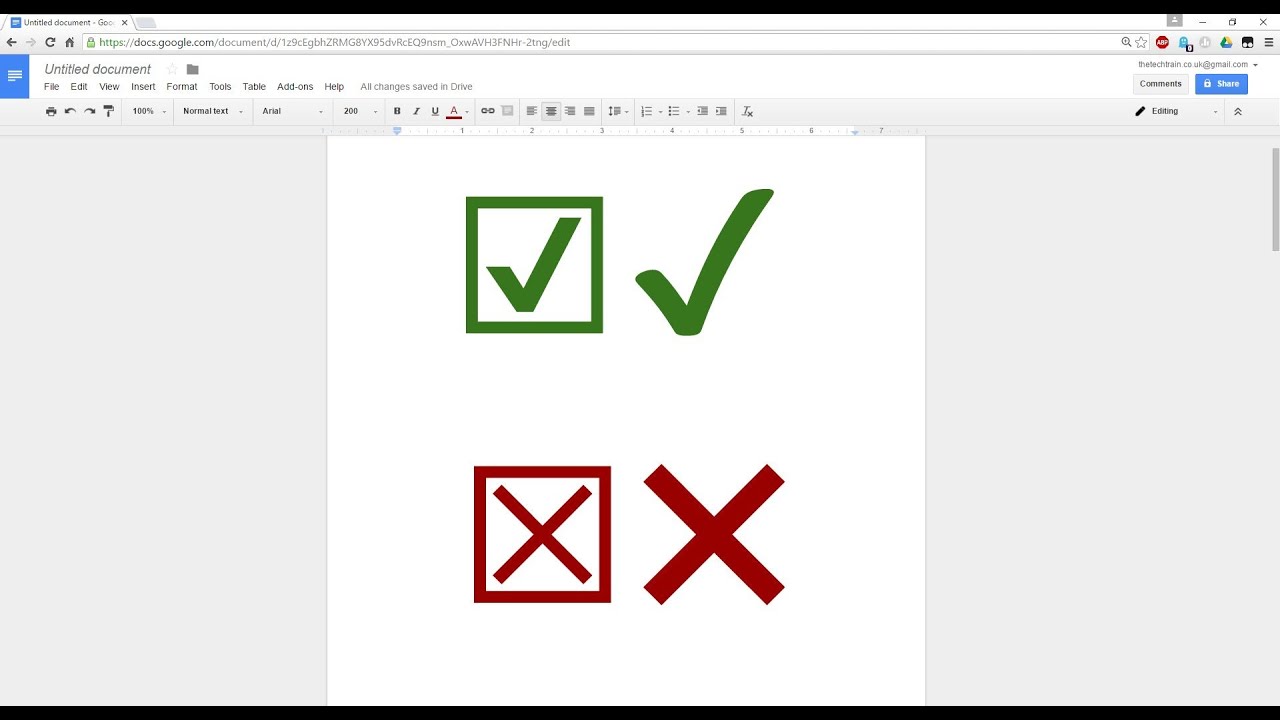
Verkko Place your cursor at the spot where you want to insert the symbol Go to Insert gt Symbol Select a checkmark symbol to insert or do the following Select More
Verkko 15 toukok 2019 nbsp 0183 32 Ta da If you re not blessed with a number pad select the Insert tab within Word PowerPoint Excel click on the Insert symbol More Symbols and Verkko Go to Insert gt Symbol Pick a symbol or choose More Symbols Scroll up or down to find the symbol you want to insert Different font sets often have different symbols in
Verkko 17 helmik 2015 nbsp 0183 32 How do I type tick and backtick on Windows Share Improve this question edited Feb 18 2012 at 3 19 Tamara Wijsman 57 2k 27 187 256 asked Mar