Git Pull New Branch From Remote New Pull Git Pull New Branch Lifecoach Git Push Local Branch To Remote How To Publish A New Branch In Git Git Fetch Vs Git Pull Explained With Examples GoLinuxCloud Git Create And Track Remote Branch SS DOTS GIT Branch And Its Operations An Easy Understanding Digital Varys Web Common Options git pull lt remote gt Fetch the specified remote s copy of the current branch and immediately merge it into the local copy This is the same as git fetch remote followed by git merge origin current branch git pull
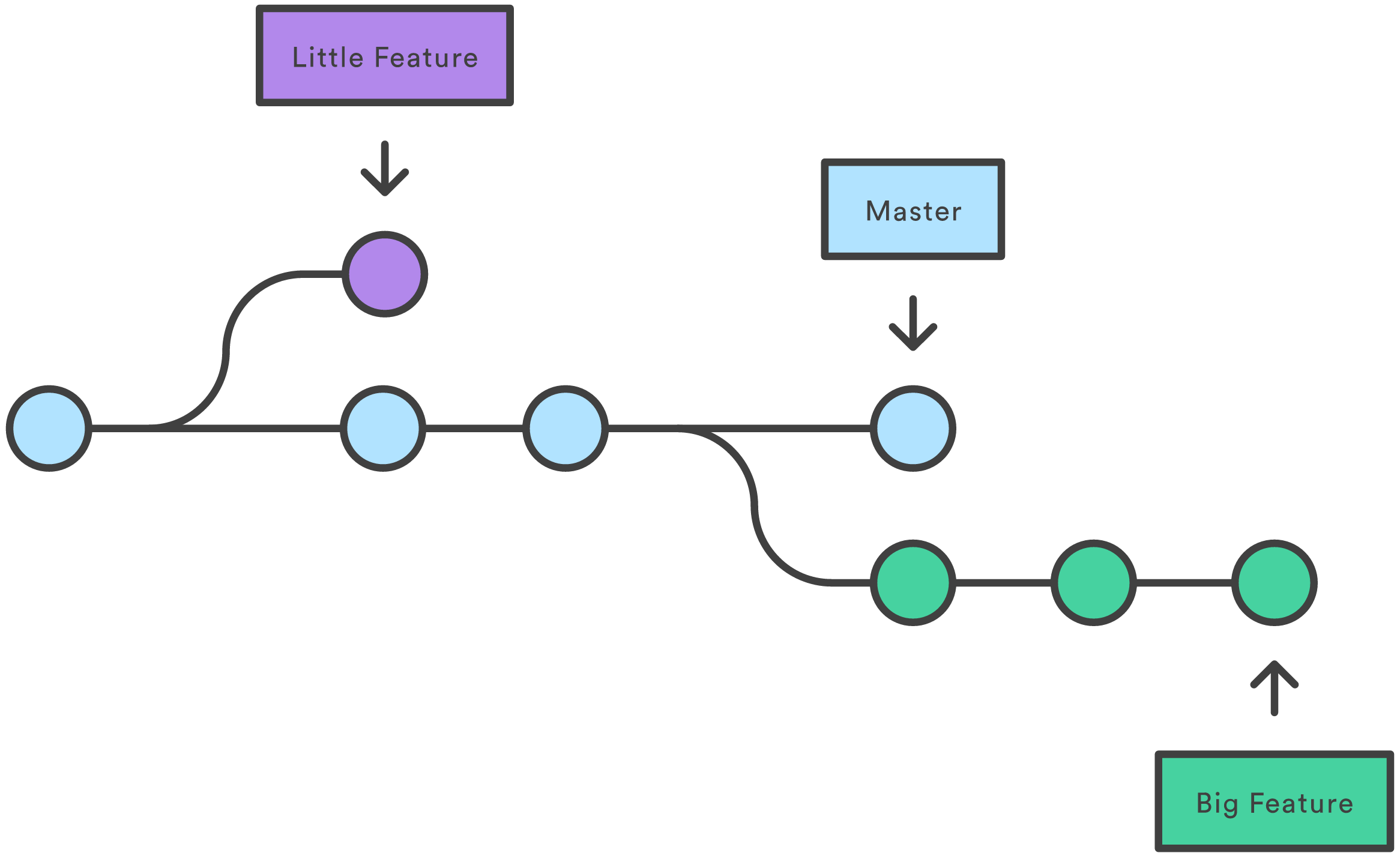
Web DESCRIPTION Incorporates changes from a remote repository into the current branch If the current branch is behind the remote then by default it will fast forward the current branch to match the remote Web Jan 12 2021 nbsp 0183 32 To create and use a new branch you use the following command in your terminal in the project directory create a new branch git branch branch name change environment to the new branch git checkout branch name On this new branch you can create the new changes Then when you re done you can merge them with the master
GIT Branch And Its Operations An Easy Understanding Digital Varys T m N p C c Commit l nh Git Fetch Trong Git Minh Quan Doan Create A Git Branch TestingDocs GitHub GIT Tutorial My Journey From SVN To Git Easily Perform Git Checkout Remote Branch Step by Step Github How Do You Pull From A Different Branch Than The Master Using Push Changes To Git Remote Repository TestingDocs Git Create Branch From Remote Hohpaai
Git Pull New Branch From Remote
 Git Pull New Branch From Remote
https://www.mondosonoro.com/wp-content/uploads/2018/04/New-Pull-1.jpg
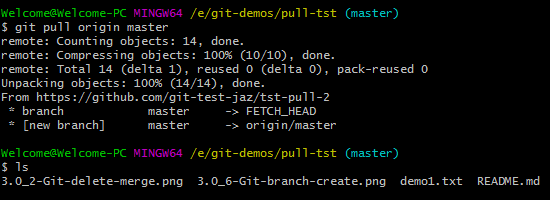
Web If your current branch is set up to track a remote branch see the next section and Git Branching for more information you can use the git pull command to automatically fetch and then merge that remote branch into your current branch
Pre-crafted templates offer a time-saving option for producing a diverse series of files and files. These pre-designed formats and layouts can be used for different individual and professional jobs, including resumes, invites, leaflets, newsletters, reports, discussions, and more, streamlining the material creation process.
Git Pull New Branch From Remote
How To Pull Git Remote Branch 3 Examples Of Command GUI
T m N p C c Commit l nh Git Fetch Trong Git Minh Quan Doan

Create A Git Branch TestingDocs
GitHub GIT Tutorial
Easily Perform Git Checkout Remote Branch Step by Step

Github How Do You Pull From A Different Branch Than The Master Using
Web Jul 25 2022 nbsp 0183 32 A simple solution to get new branch from remote to local fetching the remote branch git fetch xyz switch to that branch locally git switch xyz finally check if xyz appears on your local branches by running git branch

Web Nov 8 2014 nbsp 0183 32 If you want a local branch with the same name as the remote branch you should create it first One way to do this is git checkout b frontend git pull origin frontend You should read up on the differences between a

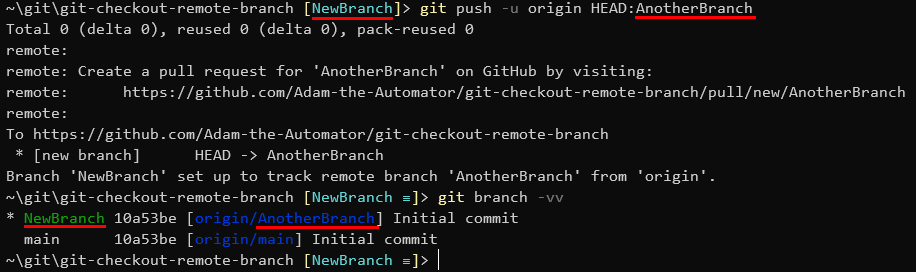
Web Assuming your remote is called origin your friend s branch is called Friend Remote and you want to name the branch locally as Friend Local Create a new branch and name is Friend Local git checkout b Friend Local Then pull the remote branch to your local one git pull origin Friend Remote

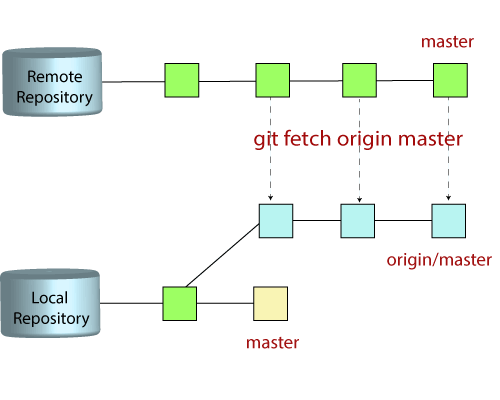
Web Use git fetch to retrieve new work done by other people Fetching from a repository grabs all the new remote tracking branches and tags without merging those changes into your own branches

Web May 4 2023 nbsp 0183 32 If you want to fetch remote branches and merge them with your work or modify your current work you can use the git pull command To achieve this use the following command git pull all You can then run the git branch r to verify if the remote repository has been added Wrapping Up
[desc-11] [desc-12]
[desc-13]