Git Pull Current Branch From Remote How To Pull A Remote Branch In Git Git Merge Into Current Branch Pull Latest Changes From Git Remote Repository To Local Branch Delft Git Create Branch From Remote Branch Shedvvti Git Create Branch Tracking Remote Nasadinsights New to Git but I figured out how to clone a colleague s repo in Eclipse They made updates and now I want to pull those updates but I m getting a merge conflict conflict with files then it lists several files I m ok with overwriting any local changes I made just want it to be the same as the Git repo
I pushed all commit at my office now in my home I want to git pull origin mybranch and get these last 10 commits But since I am the maintainer and not the owner of repository and also have no permission to merge I can t merge these issues and after git pull origin mybranch these last 10 commit not pull to the home local only the commits Note1 My Gitlab server is running on local server so it doesn t have any public URL or public IP address to connect with Note2 Gitlab Community Edition does not offer Pull direction so this option is also not available for us If anyone has any solution to overcome this issue please let me know github gitlab
Git Create Branch Tracking Remote Nasadinsights Git Rebase Git Topics Help GitLab Renaming A Git Branch How To Rename The Current Branch In Git Git Create Branch From Terminal Lasopachristian Visual Studio Git Microsoft Learn GIT Git Tips Notes DUzun Me Git Pull Remote Branch How To Fetch Remote Branches In Git Ignore Local Changes When Pulling From Remote Repository Delft Stack
Git Pull Current Branch From Remote
 Git Pull Current Branch From Remote
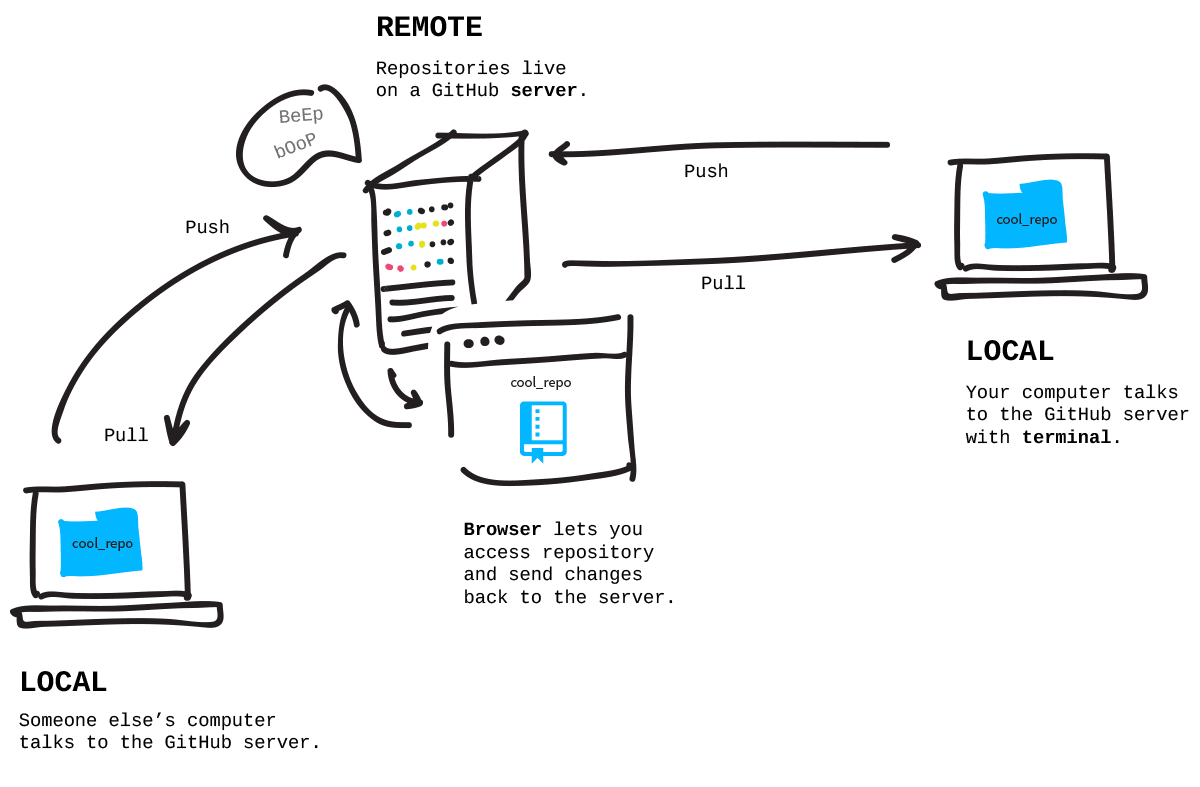
https://www.theuptide.com/content/images/2022/12/git-pull-remote-branch.webp
You can fetch all branches from all remotes like this git fetch all It s basically a power move fetch updates local copies of remote branches so this is always safe for your local branches BUT fetch will not update local branches which track remote branches if you want to update your local branches you still need to pull every branch fetch will not create local branches which
Pre-crafted templates provide a time-saving service for developing a varied series of documents and files. These pre-designed formats and designs can be used for different individual and professional projects, consisting of resumes, invitations, leaflets, newsletters, reports, discussions, and more, improving the material production procedure.
Git Pull Current Branch From Remote
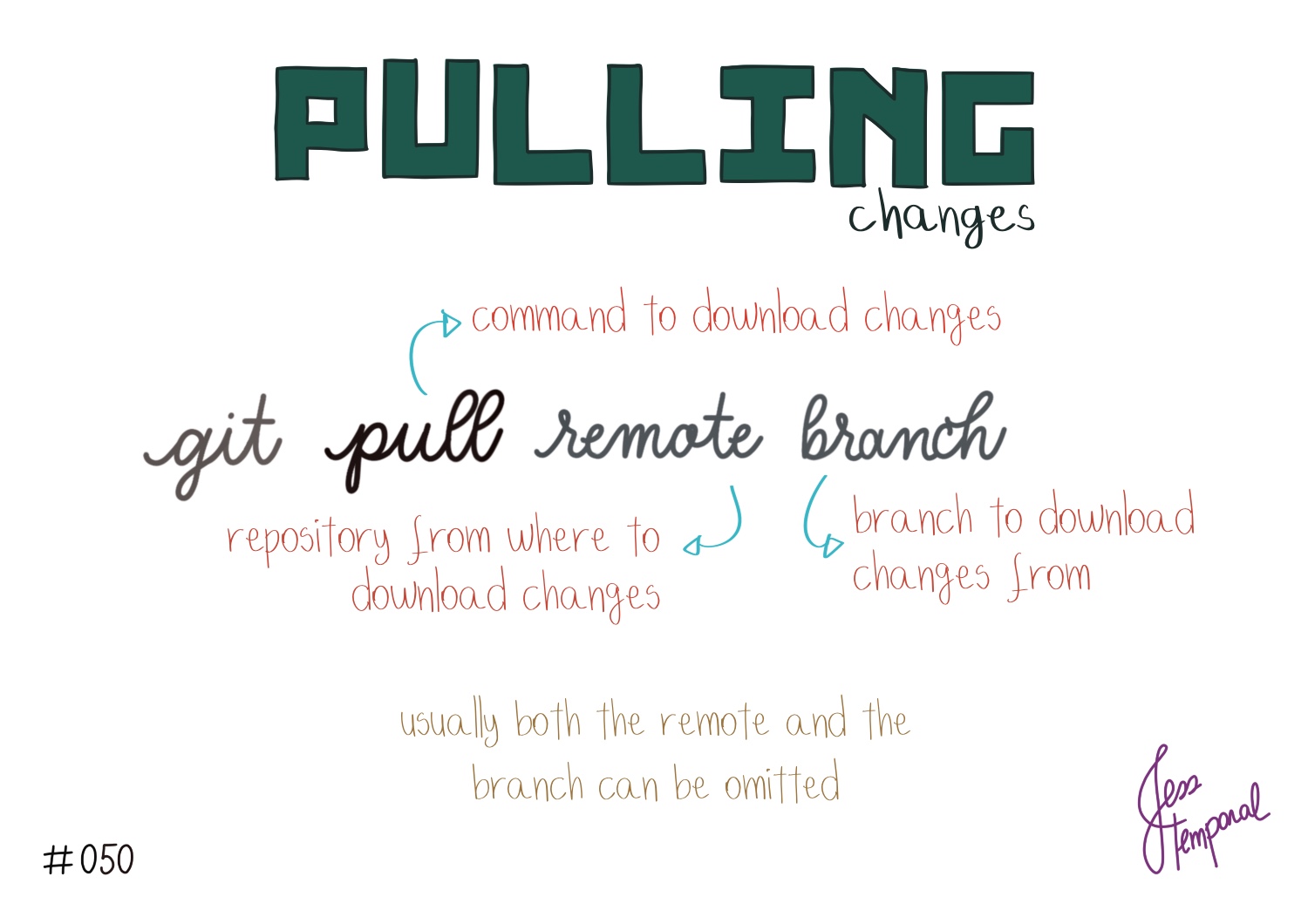
050 Git Pull Remote Branch GitFichas
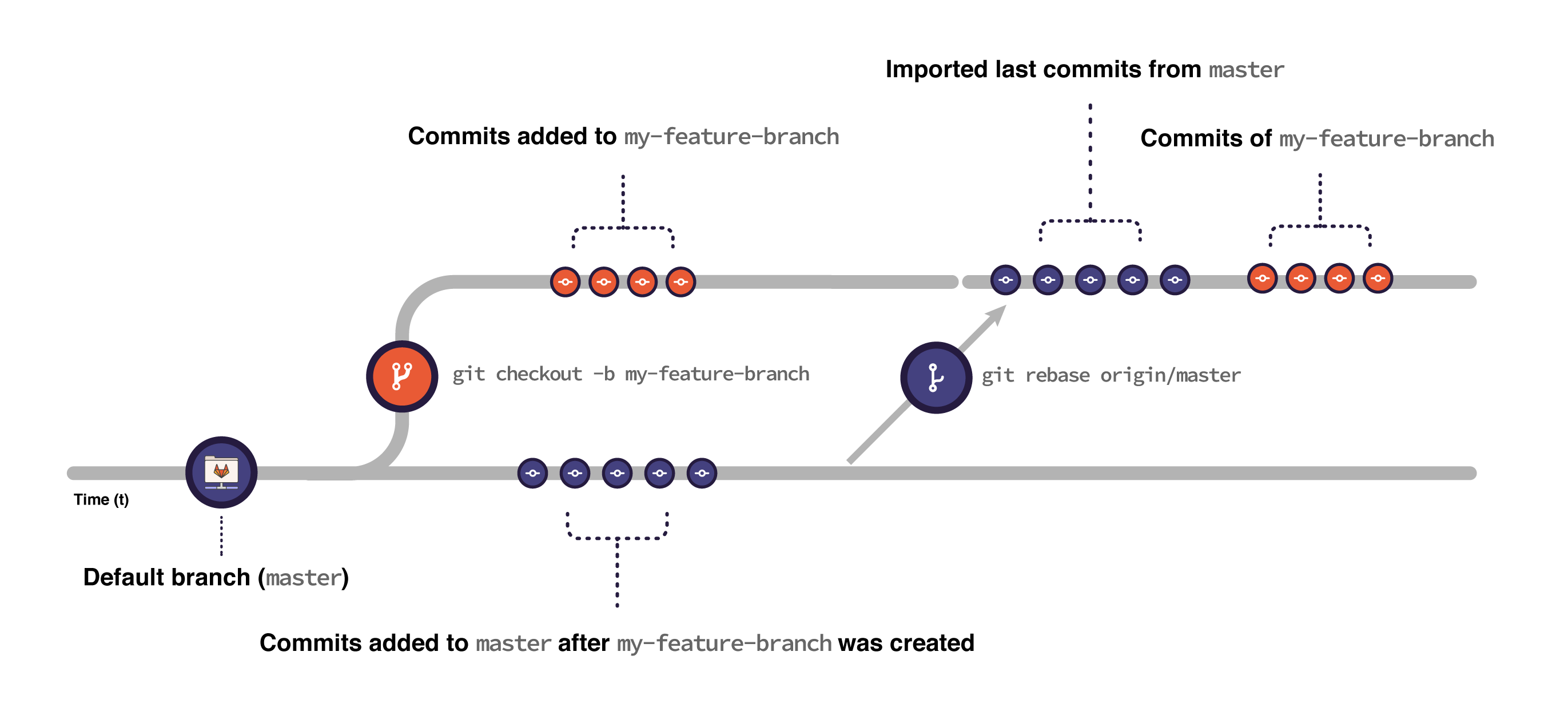
Git Rebase Git Topics Help GitLab
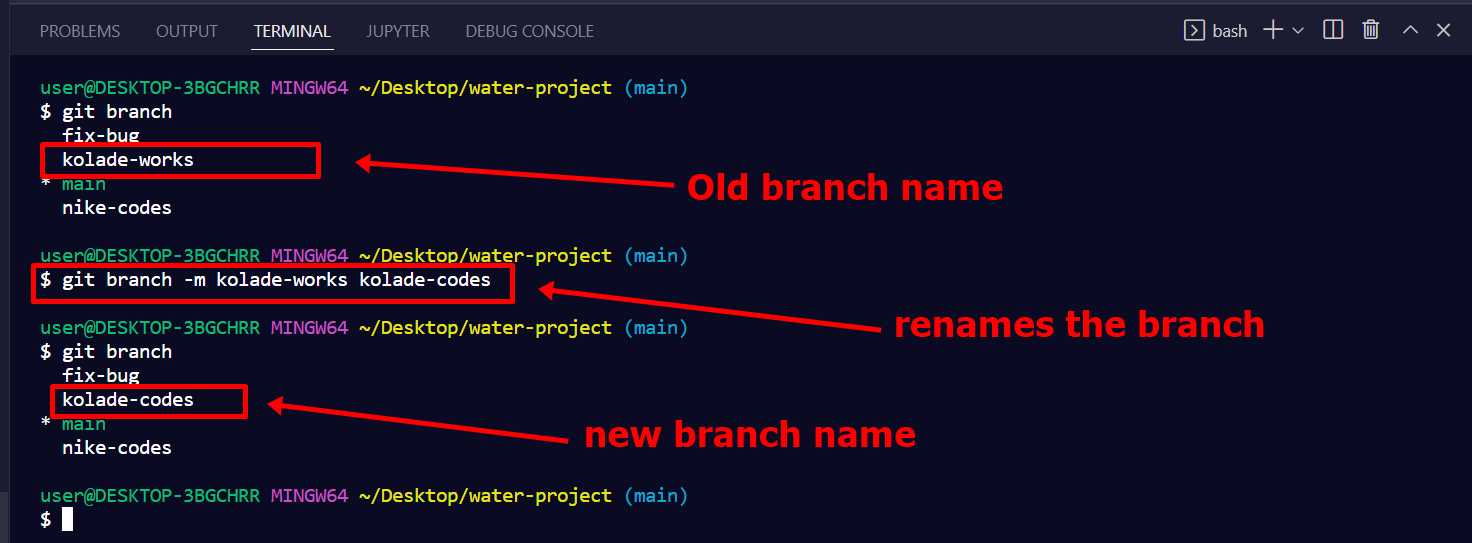
Renaming A Git Branch How To Rename The Current Branch In Git

Git Create Branch From Terminal Lasopachristian
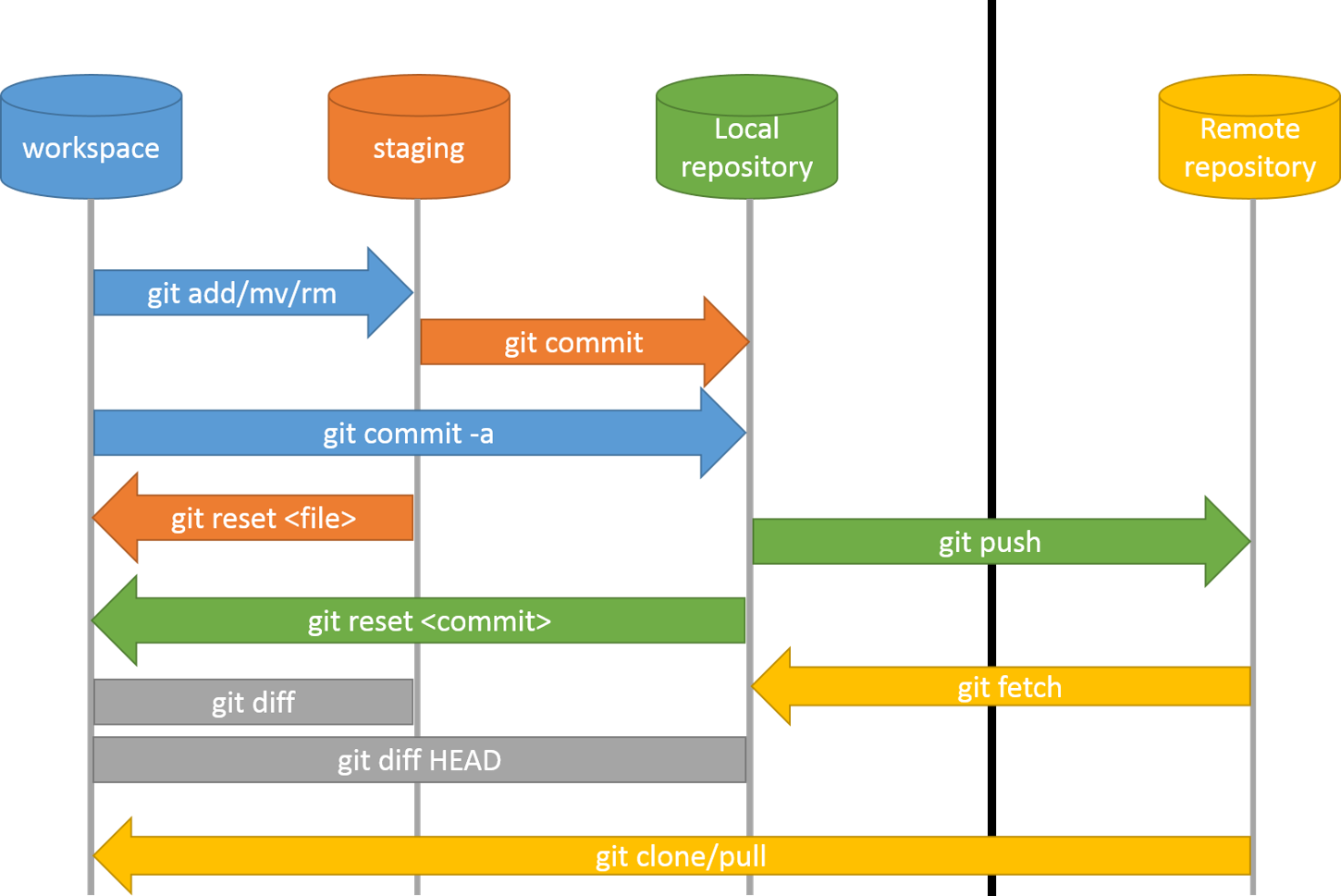
GIT
Git Tips Notes DUzun Me

Under Owner select the dropdown menu and click an owner for the forked repository By default forks are named the same as their upstream repositories Optionally to further distinguish your fork in the Repository name field type a name Optionally in the Description field type a description of your fork
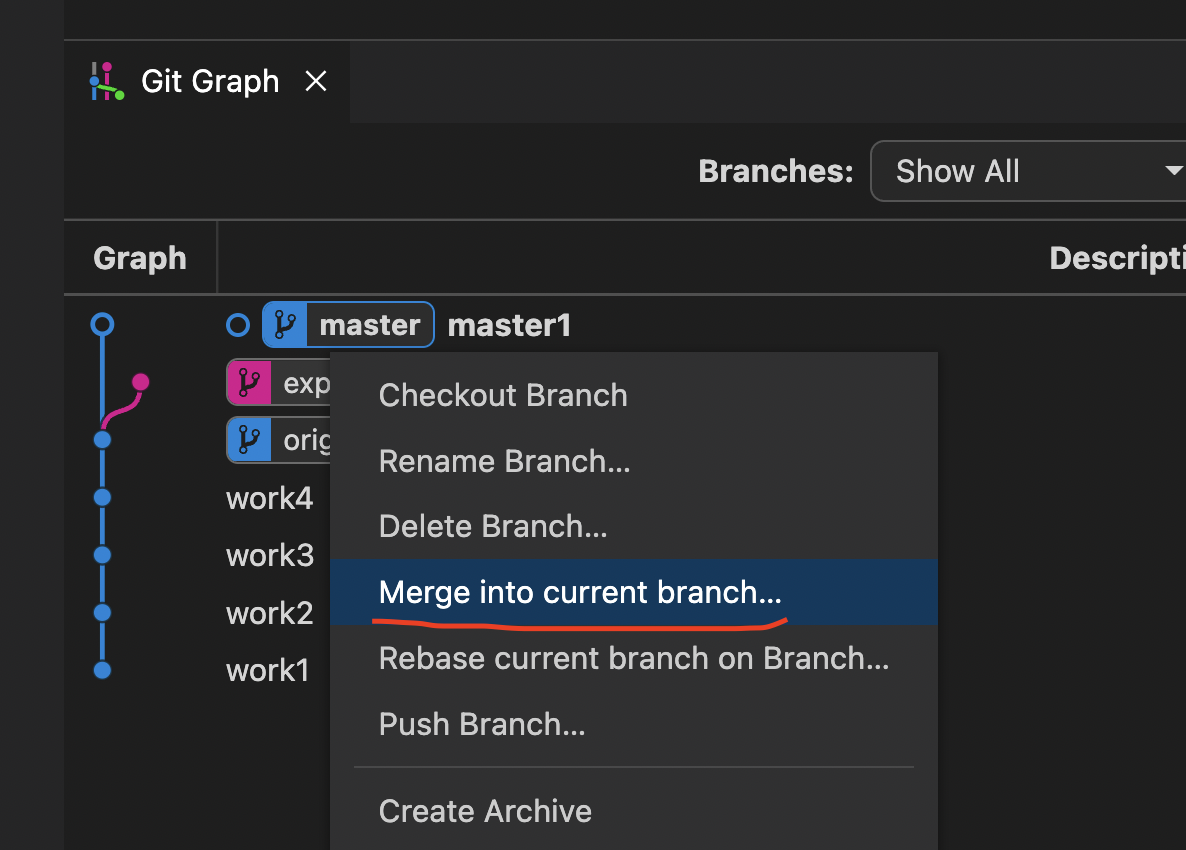
Not pictured First run git fetch to synchronize your local repo with the remote Search for the develop branch or whatever branch you are rebasing on to Right click on origin develop and select rebase your local branch onto origin develop From command line git fetch all git rebase origin branchname

I went to a github repository edited a file and committed my changes Now I m at this Comparing changes screen I don t want to create a pull request yet because I want to add additional changes and I want to do it locally as opposed to on the github UI To do that I need the URL of my fork and or my branch

When I push my branch and create a PR I see This branch has conflicts that must be resolved I am familiar with this message and understand that I need to merge rebase the new branch from the main branch I have done this and used git mergetool to deal with all the conflicts I have committed the results and pushed them

Method 1 check out the dev branch and pull FROM main branch and the commit and push Method 2 Check out the dev branch and merge the main branch to it and then commit and push What is the difference between them git bitbucket intellij 14 Share Follow asked 1 min ago user3586286 331 1 4 9 Add a comment 26075 20383 Load 7 more related questions
To update a local branch with the changes from a remote branch you can use a git command and hit Enter Now to bring the remote changes into your newly created local branch you need to pull from the remote branch copy paste the following command and press Enter git pull origin master Next if you see any conflicts make the changes Move between branches git branch git checkout git switch restore old files git checkout git restore git rebase git cherry pick working with others git pull git push git fetch git remote making commits git commit configuring git git config git remote code archaeology git blame git log FILENAME git log S SEARCh git show
The git remote command lets you create view and delete connections to other repositories These commands all have their own syncing responsibilities which can be explored on the corresponding links Records registered through the git remote command are used in conjunction with the git fetch git push and git pull commands