Git Push Current Branch To Remote Git Create Branch Tracking Remote Nasadinsights Solved Git Push Current Branch Shortcut 9to5Answer Git Rebase Git Topics Help GitLab Renaming A Git Branch How To Rename The Current Branch In Git Git Fatal The Current Branch Has No Upstream Branch Web When neither the command line nor the configuration specify what to push the default behavior is used which corresponds to the simple value for push default the current branch is pushed to the corresponding upstream branch but as a safety measure the push is aborted if the upstream branch does not have the same name as the local one
Web Apr 26 2021 nbsp 0183 32 The general form of the command is this git push lt remote gt lt branch gt By default Git chooses origin for the remote and your current branch as the branch to push If your current branch is main the command git push will supply the two default parameters effectively running git push origin main Web 24 6k 33 105 151 Is there a particular reason you don t want to merge it locally into origin and then push that to the remote bhamby Mar 24 2011 at 18 15 I think galador means merge locally into master but it s a valid point If it s stable enough for origin s master branch then surely it s stable enough for your master branch Cascabel
Git Fatal The Current Branch Has No Upstream Branch Git Will Remote URL For Fetch And Push Be Different Stack Overflow Git Push Branch To Remote Example Java Code Geeks Apuntes De Git David Poza GIT Branch And Its Operations An Easy Understanding Digital Varys How To Push Local Branch To Remote Branch With Different Name In Git Git Unable To Push Git Commit No Changes Detected ITecNote Pycharm Git Merge The Analytics Engineering Guide Git Workflow
Git Push Current Branch To Remote
 Git Push Current Branch To Remote
https://s3.ap-south-1.amazonaws.com/s3.studytonight.com/tutorials/uploads/pictures/1623294975-103268.png
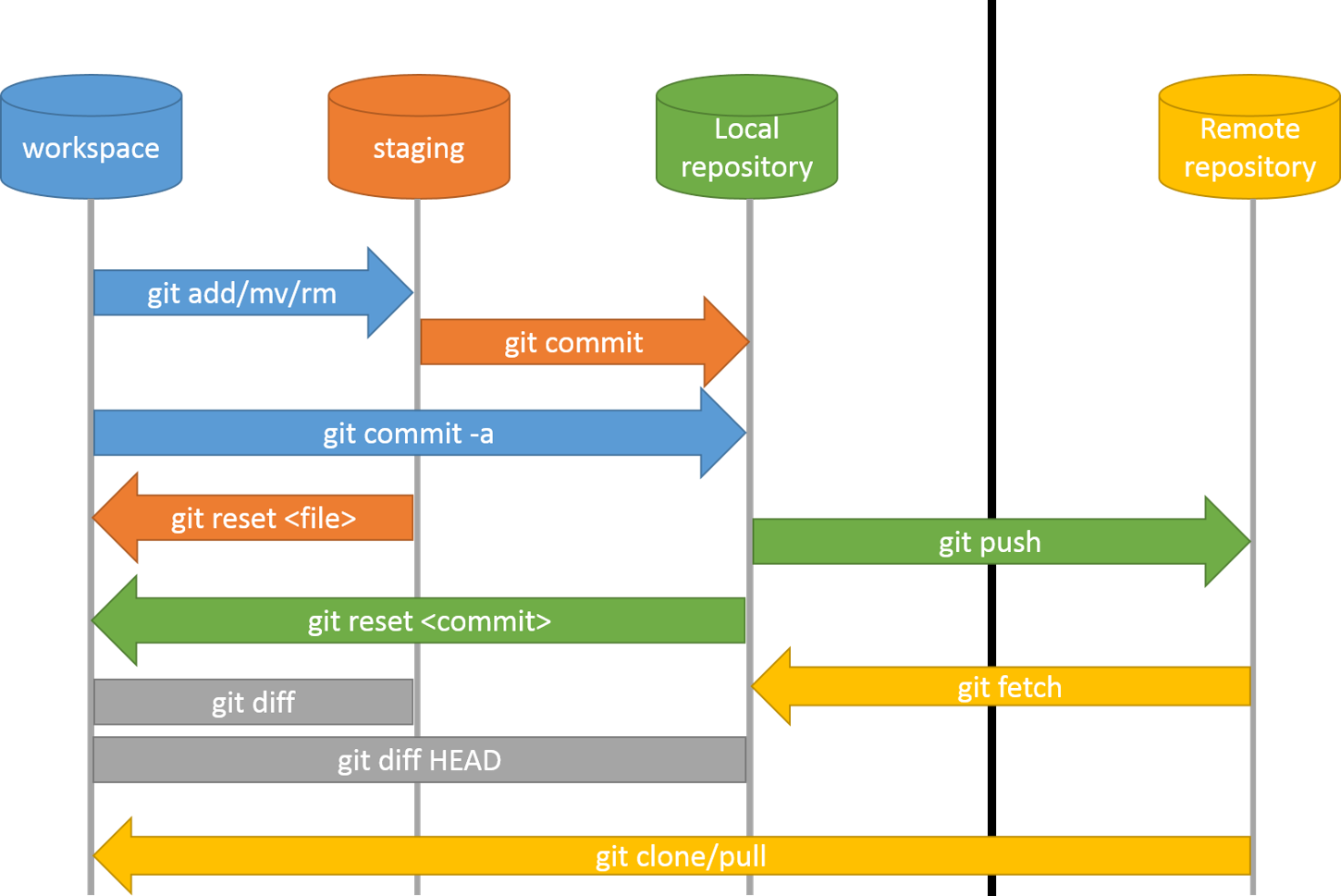
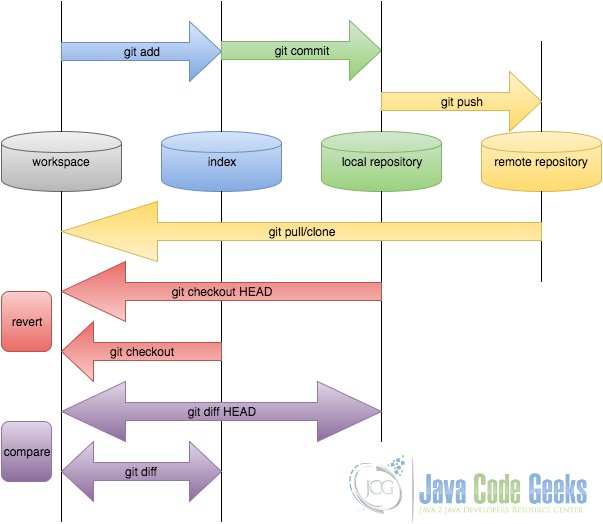
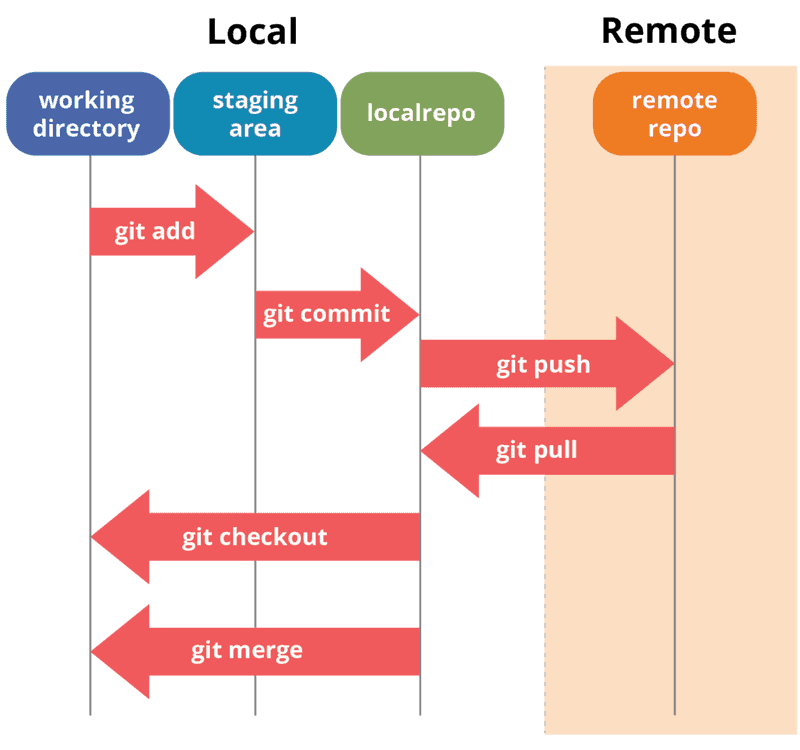
Web What Does git push Do git push updates the remote branch with local commits It is one of the four commands in Git that prompts interaction with the remote repository You can also think of git push as update or publish By default git push only updates the corresponding branch on the remote
Pre-crafted templates use a time-saving service for producing a varied series of documents and files. These pre-designed formats and layouts can be made use of for different individual and expert tasks, consisting of resumes, invitations, flyers, newsletters, reports, discussions, and more, simplifying the content production procedure.
Git Push Current Branch To Remote
GIT

Git Will Remote URL For Fetch And Push Be Different Stack Overflow
Git Push Branch To Remote Example Java Code Geeks
Apuntes De Git David Poza
How To Push Local Branch To Remote Branch With Different Name In Git

Git Unable To Push Git Commit No Changes Detected ITecNote

Web git push origin feature is correct If you do just git push it will probably say something like this fatal The current branch feature has no upstream branch To push the current branch and set the remote as upstream use git push set upstream origin feature

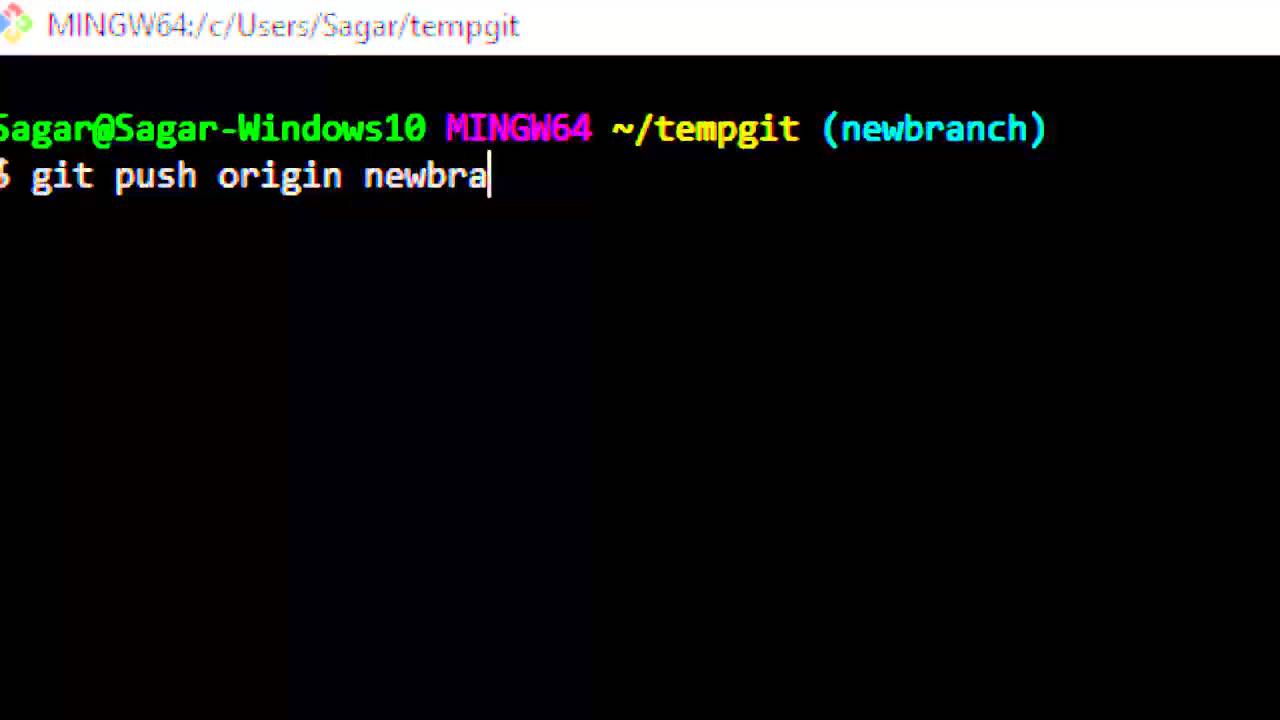
Web Sep 9 2022 nbsp 0183 32 To push the branch to the remote server run git push u origin lt branch name gt In my case the name of that branch is bug fixes So I have to run git push u origin bug fixes To confirm that the branch has been pushed head over to GitHub and click the branches drop down You should see the branch there Conclusion

Web The git push command takes two arguments A remote name for example origin A branch name for example main For example git push REMOTE NAME BRANCH NAME As an example you usually run git push origin main to push your local changes to your online repository

Web Aug 24 2016 nbsp 0183 32 git push lt remote name gt lt branch name gt Where lt remote name gt is typically origin the name which git gives to the remote you cloned from Your colleagues would then just pull that branch and it s automatically created locally Note however that formally the format is git push lt remote name gt lt local branch name gt lt remote branch

Web Feb 15 2020 nbsp 0183 32 In order to push your branch to another remote branch use the git push command and specify the remote name the name of your local branch as the name of the remote branch git push lt remote gt lt local branch gt lt remote name gt As an example let s say that you have created a local branch named my feature
[desc-11] [desc-12]
[desc-13]