Excel Vba Copy Cell Value To Another Workbook Excel VBA Copy Cell Value And Paste To Another Cell ExcelDemy Excel VBA Copy Cell Value And Paste To Another Cell ExcelDemy Excel VBA Copy Cell Value And Paste To Another Cell ExcelDemy Excel VBA Copy Cell Value To Clipboard 4 Methods ExcelDemy Excel VBA Copy Cell Value And Paste To Another Cell ExcelDemy To copy a cell or a range of cells to another worksheet you need to use the VBA s Copy method In this method you need to define the range or the cell using the range object that you wish to copy and then define another worksheet along with the range where you want to paste it Copy a Cell or Range to Another Worksheet
I m guessing you want a formula and not instructions on copy and paste Cell references can be made using the following format Workbook Name SheetName CellAddress Example you have two workbooks open Book1 and Book2 Book1 Sheet1 Cell A1 Book2 Sheet1 A1 1 Copy a Sheet Data from Another Workbook without Opening with Excel VBA We can copy data from a sheet by following the VBA code below For this we need to go through the below steps STEPS Firstly go to the Developer tab from the ribbon After that click on Visual Basic to open the Visual Basic Editor
Excel VBA Copy Cell Value And Paste To Another Cell ExcelDemy Excel VBA Copy Cell Value To Clipboard 4 Methods ExcelDemy VBA Macro To Copy Data To Another Workbook YouTube Excel VBA Copy Cell Value To Clipboard 4 Methods ExcelDemy Excel Formula To Copy Cell Value To Another Cell ExcelDemy Excel Formula To Copy Cell Value To Another Cell ExcelDemy VBA Macro To Copy Data From Another Workbook In Excel YouTube Excel VBA Copy Cell Value To Clipboard 4 Methods ExcelDemy Excel VBA Copy Cell Value To Clipboard 4 Methods ExcelDemy
Excel Vba Copy Cell Value To Another Workbook
 Excel Vba Copy Cell Value To Another Workbook
https://www.exceldemy.com/wp-content/uploads/2022/06/Excel-VBA-Copy-Cell-Value-and-Paste-to-Another-Cell-2-722x350.png
Excel VBA Copy Cell Value and Paste to Another Cell Quick View Sub Copy Single Cell Value Copy Sheet Sheet1 Copy Cell B4 Paste Sheet Sheet2 Paste Cell B4 Worksheets Copy Sheet Range Copy Cell Copy Worksheets Paste Sheet Range Paste Cell PasteSpecial Paste xlPasteAll End Sub
Templates are pre-designed files or files that can be used for various functions. They can save effort and time by supplying a ready-made format and layout for developing different type of content. Templates can be used for individual or expert tasks, such as resumes, invites, leaflets, newsletters, reports, presentations, and more.
Excel Vba Copy Cell Value To Another Workbook
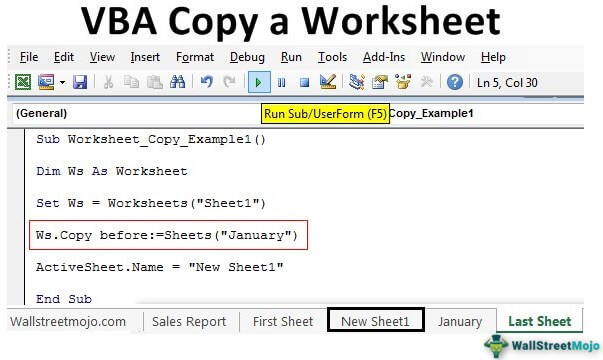
VBA Copy Worksheet How To Use Worksheet Copy

Excel VBA Copy Cell Value To Clipboard 4 Methods ExcelDemy
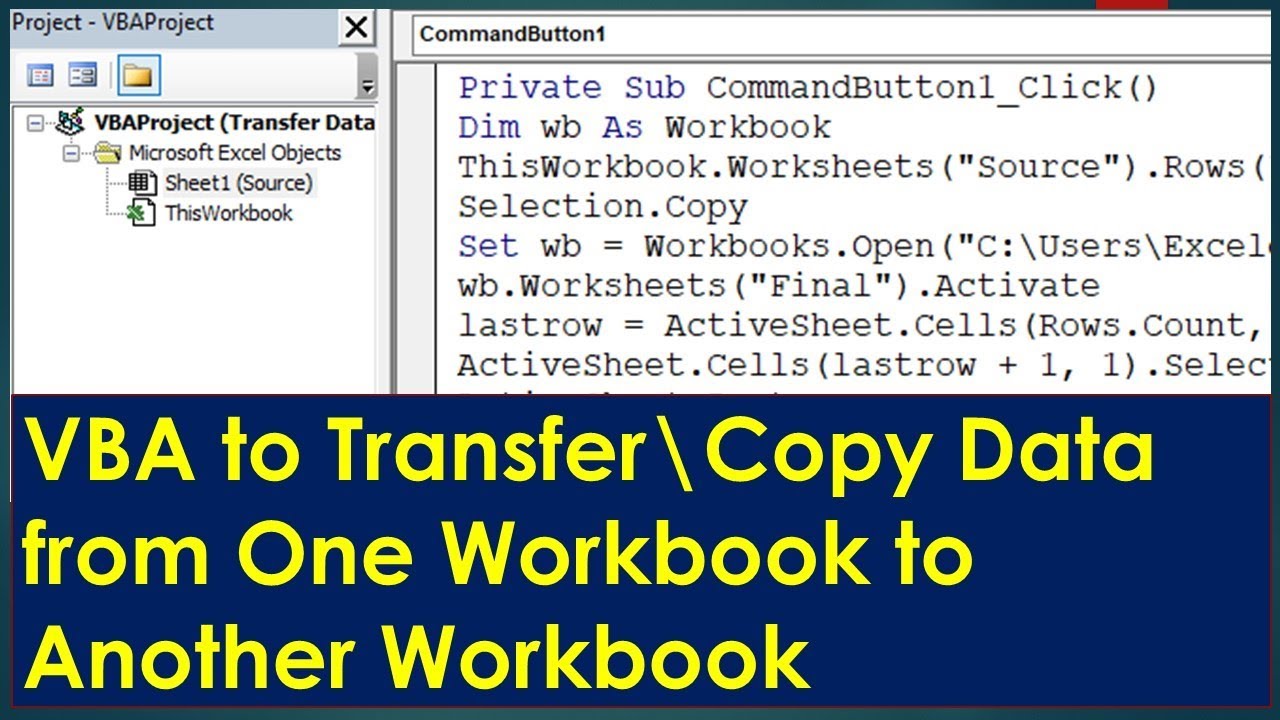
VBA Macro To Copy Data To Another Workbook YouTube

Excel VBA Copy Cell Value To Clipboard 4 Methods ExcelDemy

Excel Formula To Copy Cell Value To Another Cell ExcelDemy
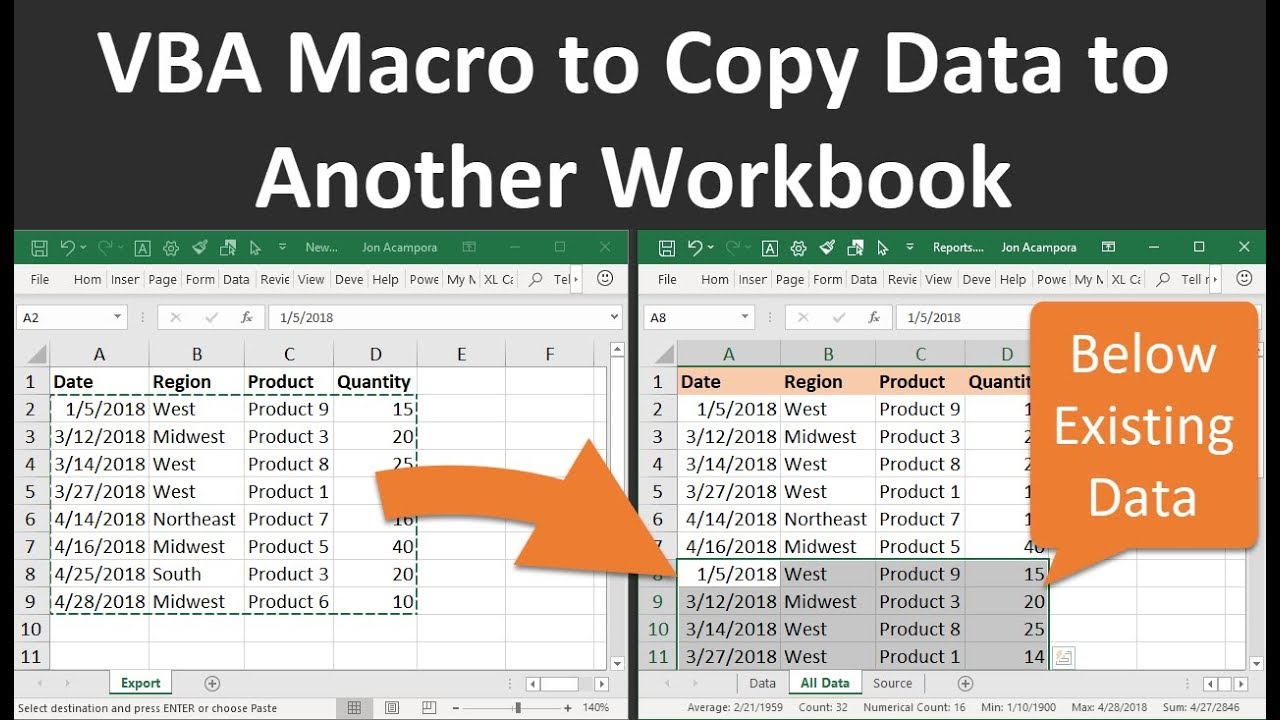
VBA Macro To Copy Data From Another Workbook In Excel YouTube

Viewed 13k times 1 I am trying to copy the value from cell b from the active row on sheet SupplierTracking when the text send survey is clicked in column BA and paste this in cell A2 on my other workbook Supplier Survey on the Data sheet

202 comments Bottom line Learn 3 different ways to copy and paste cells or ranges in Excel with VBA Macros This is a 3 part video series and you can also download the file that contains the code Skill level Beginner Copy Paste The Most Common Excel Action Copy and paste is probably one of the most common actions you

The best and easiest way to copy data from a workbook to another is to use the object model of Excel Option Explicit Sub test Dim wb As Workbook wb2 As Workbook Dim ws As Worksheet Dim vFile As Variant Set source workbook Set wb ActiveWorkbook Open the target workbook vFile Application GetOpenFilename

Which Excel VBA Copy and Filter method is the fastest section 6 What the professionals know and how you can use it to your advantage How to pick the best Excel VBA copy method for each task section 7 miss this and you re wasting countless hours of your time

Developing the Macro to Copy Range to Another Workbook Using Excel VBA We ve seen the step by step analysis of the code to copy a range from one workbook to another using VBA Now let s see how to develop a Macro to run the code Step 1 Opening the VBA Window Press ALT F11 on your keyboard to open the
1 To get an error because of very long macro means you have a huge macro Especially as a beginner you should record small segments of your project and then make sure you understand what you have done before going on to the next With regard to using Select read through the thread on How to avoid using Select in Excel VBA What I want to do is to have the code read a cell value in the masterworkbook and use this cell value as the cell that it copies from If I type B3 in the masterworkbook cell A1 and run the macro the macro will copy data from the originsheet B3 into the first cell of the masterworkbook
Open both the workbook that contains the macro you want to copy and the workbook where you want to copy it On the Developer tab click Visual Basic to open the Visual Basic Editor In the Visual Basic Editor on the View menu click Project Explorer