Excel Prevent Text To Columns Excel Tutorial Text To Columns YouTube EXCEL PRO TIP Splitting Text To Columns YouTube How To Split Text Into Multiple Columns Using Text To Column In Excel 7 Amazing Things Excel Text To Columns Can Do For You In 2021 Excel How To Use Text To Columns In Excel 1 Text To Columns remembers your last parse settings but you can only run it on a nonempty range Follow these steps to reset the parse settings Enter foo into an unused cell say Z1 With Z1 selected click Text To Columns from the Data ribbon and choose Delimited Uncheck each delimiter and click Finish
As noted in the comments by Nick Russo the delimiter s used for Data Text to Columns seem to be applied to pasting data as well At least since Excel 2007 The way to reset the default behavior is Select a non empty cell Do Data Text to Columns Make sure to choose Delimited Sorted by 56 This seemed to work but is a bit involved Enter data into a cell Select the Text to Columns feature Make sure Delimited is selected and choose Next Uncheck the check next to Space or the delimiter you want to disable Click Finish Share
How To Use Text To Columns In Excel Split Text To Columns In Excel Online How To Use Text To Columns In Excel YouTube How To Use Text To Column In Excel Earn Excel Download Microsoft Excel Split Cells Gantt Chart Excel Template Prevent Duplicate Entries In Excel Prevent Duplicate Text Entries In Microsoft Text To Columns In Excel YouTube Text To Columns Excel YouTube Vba How Do I Convert User Entered String Dates Into An Excel Format
Excel Prevent Text To Columns
 Excel Prevent Text To Columns
https://i.ytimg.com/vi/PetiUFJfxc8/maxresdefault.jpg
In Excel 2010 or any other version probably if I enter in a cell a long single line text that is longer than the width of the cell Excel sometimes render the text across the next adjacent cells some other times it gets cut off at the boundary with the adjacent cell to the right
Pre-crafted templates provide a time-saving option for creating a varied variety of documents and files. These pre-designed formats and designs can be used for numerous individual and expert tasks, including resumes, invites, flyers, newsletters, reports, presentations, and more, streamlining the material creation procedure.
Excel Prevent Text To Columns

Text To Columns In Excel Get Perfect YouTube
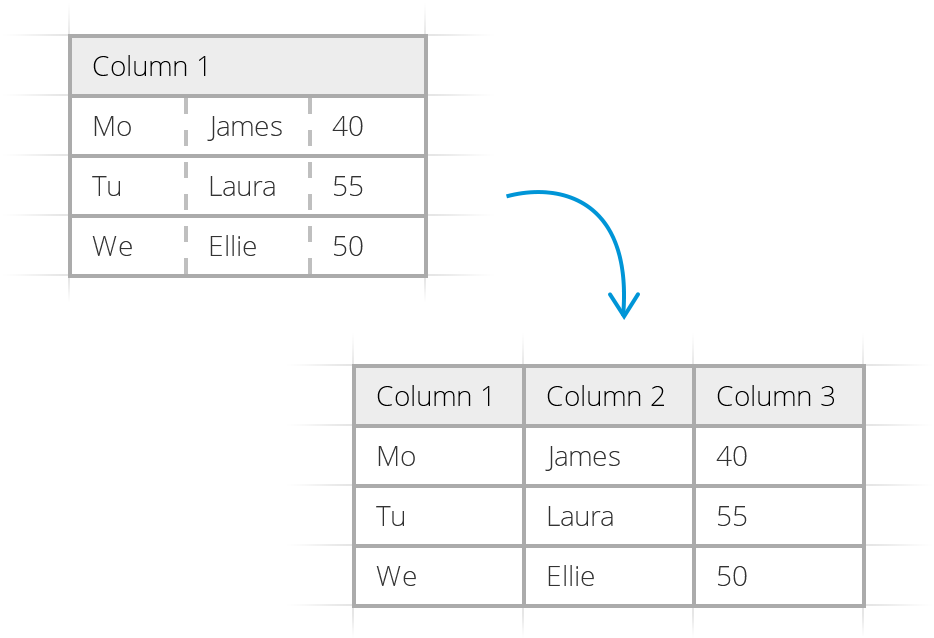
Split Text To Columns In Excel Online
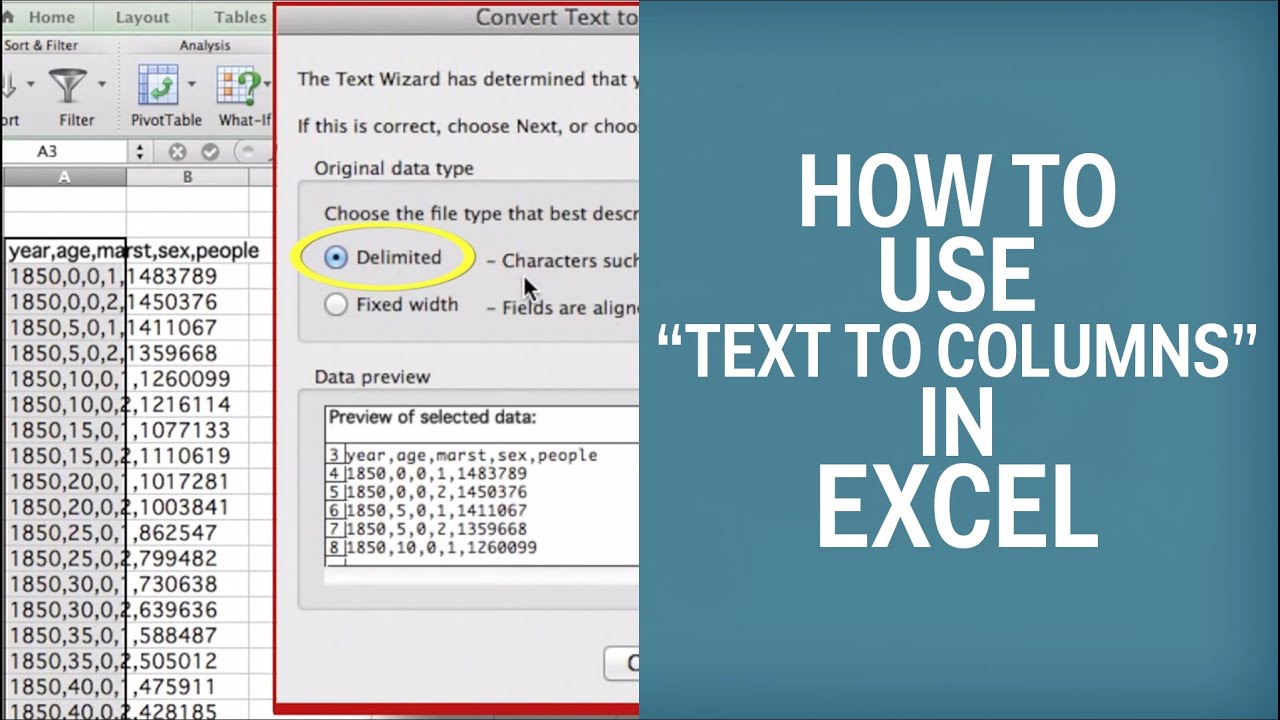
How To Use Text To Columns In Excel YouTube

How To Use Text To Column In Excel Earn Excel
Prevent Duplicate Entries In Excel Prevent Duplicate Text Entries In

Microsoft Text To Columns In Excel YouTube

Start Text to Columns or Alt D E Choose delimited or Alt D Hit Enter Unselect every checkbox Click Finish or Alt F Close the workbook do not save Now the helpful behavior will be prevented when you paste again In code Differs from Walkenbach in that he just populated A1 if empty did this on A1 restored A1

Select the cells you wish to stop from spilling over On the Home tab in the Cells group click Format Row Height The Row Height box will appear showing the current height of the selected cells Click OK without changing anything just to confirm your present row height
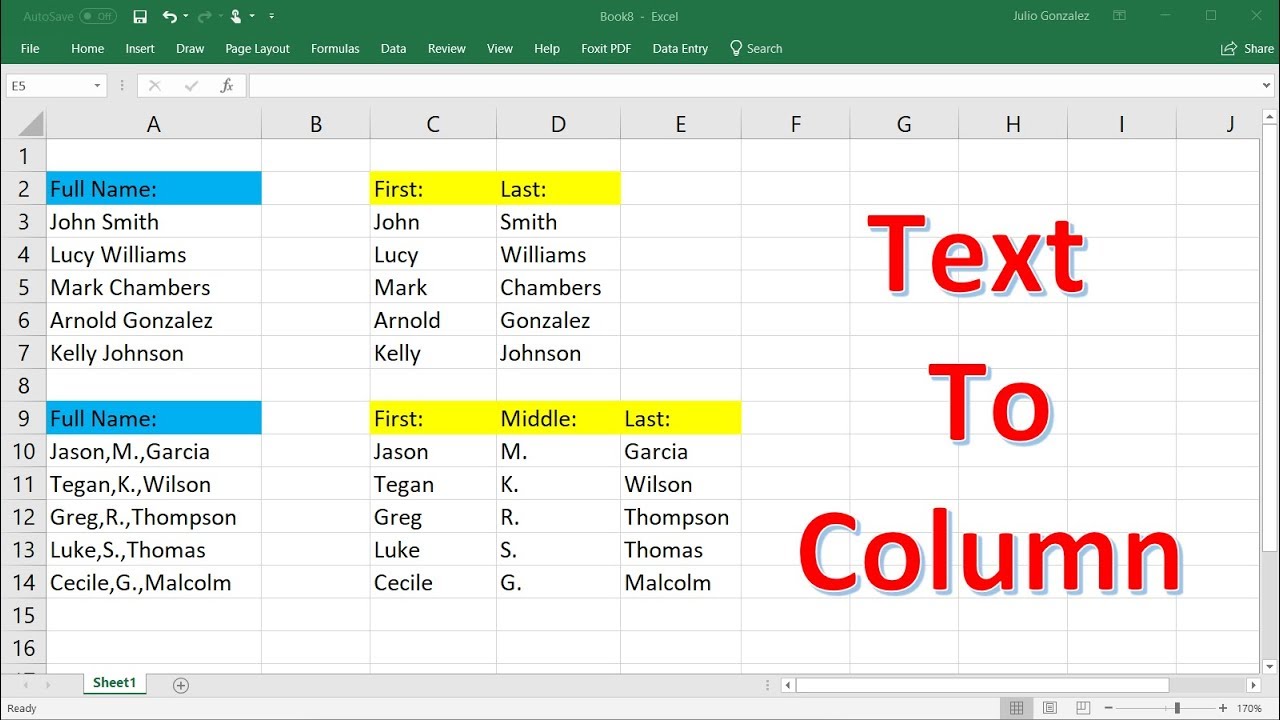
Sorted by 8 Select any cell with a value and run Data Text to Columns Delimited Turn off all delimiters and click Finish Subsequent pasting of information into a worksheet will not use remembered delimiters since there are none Share Improve this answer

1 Answer If you have concerns about how Excel will open your file don t double click it to open it Instead use Data Get Transform Data From Text CSV In that wizard you can select the delimiter you prefer to use for that file The files are usually opened directly from other programs or web interfaces

1 Just select a blank cell then type any data in it then select it and click Data Text to Columns See screenshot 2 In the Text to Columns dialog check Delimited option and click Next to go to next step then in next step dialog keep all options unchecked in Delimiters section See screenshot 3 Click Finish
3 Undo Text to Columns by Applying VBA Code in Excel If you need to undo text to columns in many Excel worksheets then VBA is the best option We can write just a few lines of VBA code and this will do the job within seconds Follow the steps below to do this Steps First go to the Developer tab and select Visual Basic What happens is that EXCEL remembers how DATA Text to columns had been used earler in the same EXCEL session So to be helpful next time EXCEL automatically uses the setup that had been earlier used in the session Follow these easy steps to disable AdBlock 1 Click on the icon in the browser s toolbar 2 Click on the icon in the browser
How to fix Excel and prevent it from converting copy pasted or imported strings to dates even when cells are formatted as text 2 Convert a text string with a leading dash to a negative number