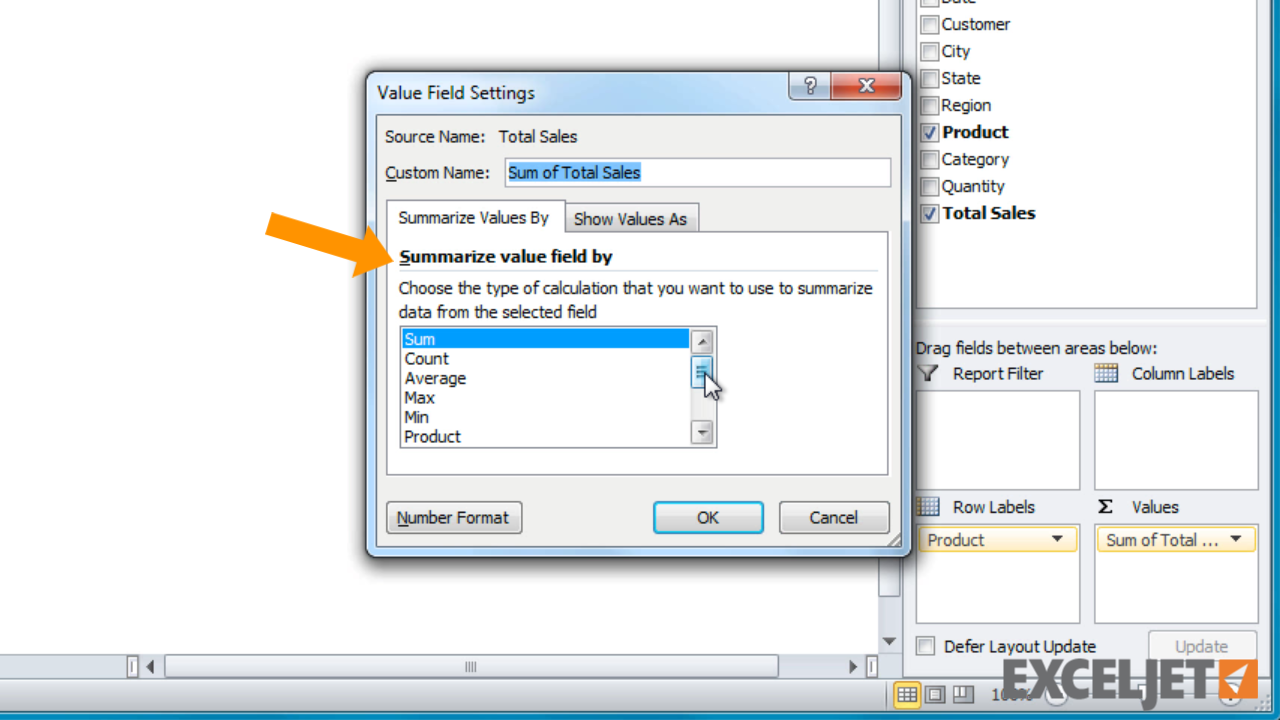
Excel Pivot Table Settings Excel Advanced Training Course 308 pivot table value field settings Top 5 Excel Pivot Table Settings YouTube 3 Hidden Pivot Table Option Settings YouTube Microsoft Excel Playlist TechTAR Solutions Excel Tutorial How To Access Field Settings In A Pivot Table Since a worksheet in Excel is made up for cells if you want to become proficient in Excel you need to know how to best work with cells and ranges And this video will teach you exactly that
Excel for the web is a free lightweight version of Microsoft Excel available as part of Office on the web which also includes web versions of Microsoft Word and Microsoft PowerPoint 2 days ago nbsp 0183 32 Now if you are looking to learn Microsoft Excel from basic to advanced then this free Excel tutorial is designed for you Here you will learn Excel from basic functions to
Excel Tutorial How To Access Field Settings In A Pivot Table Pivot Chart Settings LaptrinhX News Conditional Formatting Of Pivot Table Advanced Pivot Table Settings In Microsoft Excel Pivot Table Settings Android SDK Excelpivot Table Home Design Ideas Excel 2013 Thecrownvise Create And Edit Pivot Tables ONLYOFFICE
Excel Pivot Table Settings
 Excel Pivot Table Settings
https://i1.wp.com/ezylearnonline.com.au/wp-content/uploads/2017/03/Excel-Advanced-Training-Course-308-pivot-table-value-field-settings.png?fit=1024%2C510&ssl=1
Learn and practice dozens of Excel functions and tools online for free from beginners to pro level without the need to download any files
Pre-crafted templates use a time-saving solution for developing a varied series of files and files. These pre-designed formats and designs can be utilized for various individual and expert jobs, consisting of resumes, invitations, leaflets, newsletters, reports, presentations, and more, simplifying the content development procedure.
Excel Pivot Table Settings

How To Set Default Number Format In Excel Pivot Table Acetopoker
Pivot Chart Settings LaptrinhX News
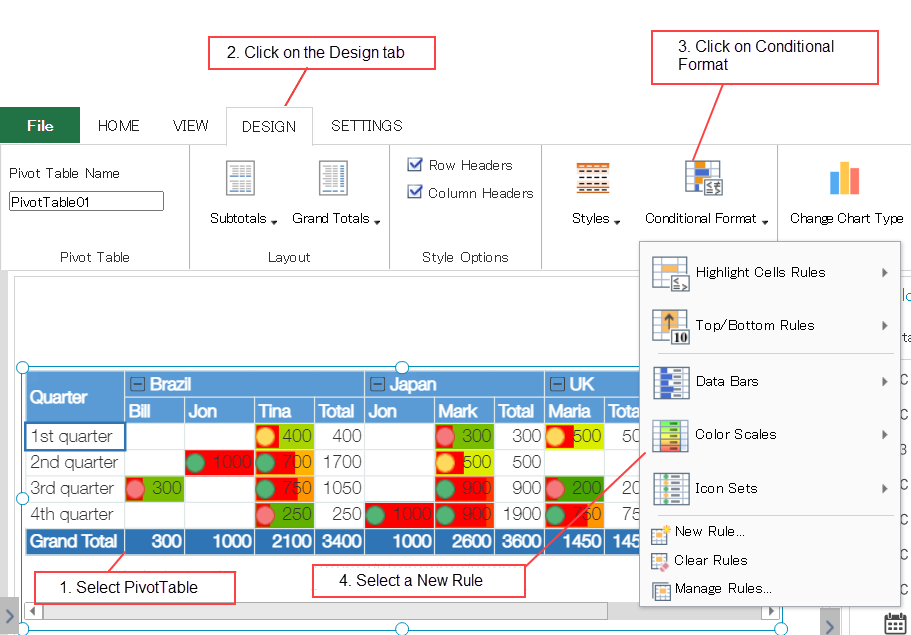
Conditional Formatting Of Pivot Table
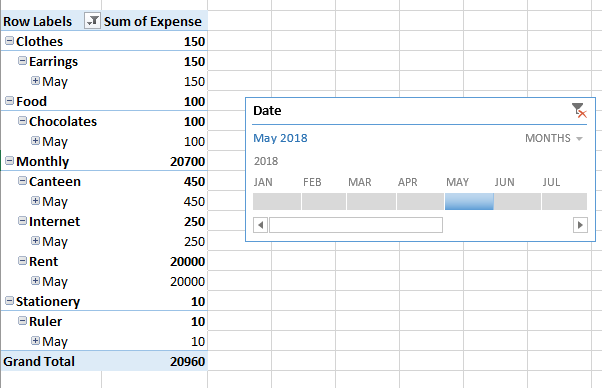
Advanced Pivot Table Settings In Microsoft Excel

Android SDK
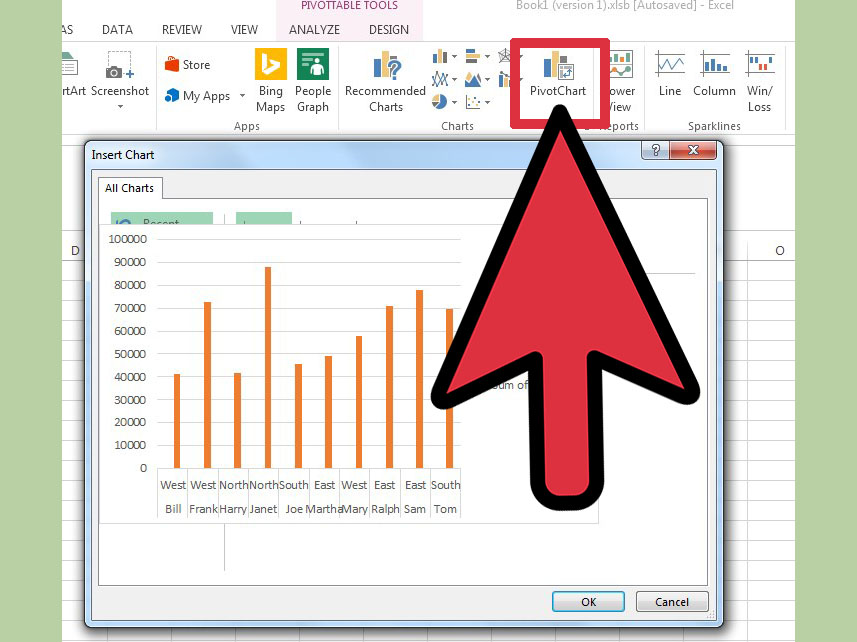
Excelpivot Table Home Design Ideas

Microsoft Excel is the industry leading spreadsheet software program a powerful data visualization and analysis tool Take your analytics to the next level with Excel

The Excel spreadsheet and budgeting app lets you create view edit and share files charts and data Excel s built in file editor lets you manage your finances with on the go budget and

Dec 2 2024 nbsp 0183 32 Excel is now part of the Microsoft 365 package giving you access to a powerful cloud integrated version with real time collaboration features This means you can work on
Collaborate for free with online versions of Microsoft Word PowerPoint Excel and OneNote Save documents spreadsheets and presentations online in OneDrive
Find Microsoft Excel help and learning resources Explore how to articles guides training videos and tips to efficiently use Excel
[desc-11] [desc-12]
[desc-13]