Excel Pivot Table Options How To Create A Pivot Table How To Excel Pivot Table Week Session 1 What Are Pivot Tables How To Excel At Excel 7 Pivot Table Shortcuts In Excel To Save You Time How To Arrange Rows In Pivot Table Brokeasshome Automate Excel Pivot Table With VBA Configure Pivot Table Options Learn Excel with high quality video training Our videos are quick clean and to the point so you can learn Excel in less time and easily review key topics when needed
Excel for the web is a free lightweight version of Microsoft Excel available as part of Office on the web which also includes web versions of Microsoft Word and Microsoft PowerPoint With Microsoft 365 for the web you can edit and share Word Excel PowerPoint and OneNote files on your devices using a web browser
Automate Excel Pivot Table With VBA Configure Pivot Table Options Adjust Pivot Table Layout Brokeasshome How To Combine Multiple Pivot Tables Into One Graph Printable Forms What Is A Field List In Pivot Table Brokeasshome Do Professional Excel Dashboard Pivot Table Charts Analysis Hot Sex PDF Fungsi Dalam Excel Dan Pivot Table DOKUMEN TIPS The 5 Best Excel Pivot Table Shortcuts You Need To Know How To Make A Pivot Table Vba Brokeasshome Excel Use IF Statement In Pivot Table Calculated Field
Excel Pivot Table Options
 Excel Pivot Table Options
https://i1.wp.com/www.howtoexcel.org/wp-content/uploads/2017/05/Step-005-How-To-Create-A-Pivot-Table-PivotTable-Field-List-Explained.png
Feb 25 2025 nbsp 0183 32 Microsoft Excel is a software that you can use to organize data for your work and everyday life Learn about formulas functions and more that you can apply when using Excel
Pre-crafted templates provide a time-saving solution for creating a diverse series of documents and files. These pre-designed formats and layouts can be made use of for numerous individual and expert jobs, consisting of resumes, invites, leaflets, newsletters, reports, discussions, and more, improving the material development process.
Excel Pivot Table Options
Excel Tips Create Your First Pivot Table
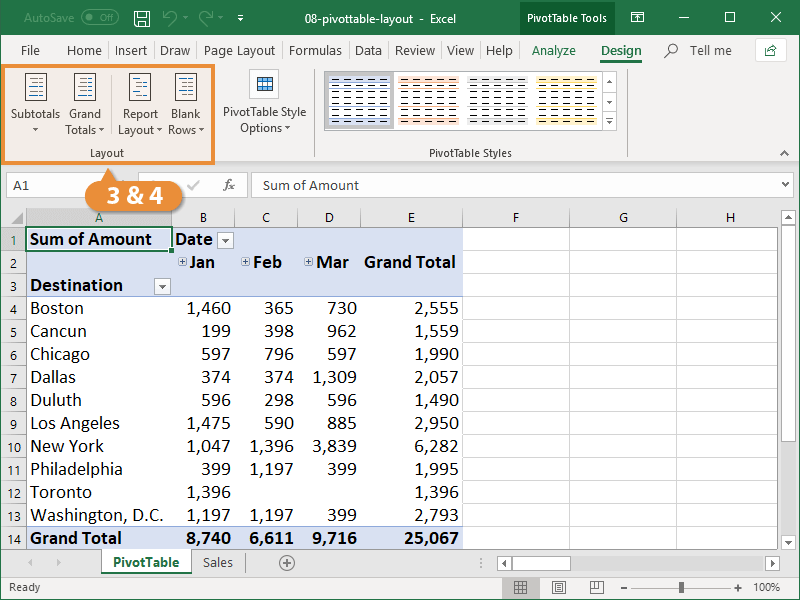
Adjust Pivot Table Layout Brokeasshome

How To Combine Multiple Pivot Tables Into One Graph Printable Forms

What Is A Field List In Pivot Table Brokeasshome

PDF Fungsi Dalam Excel Dan Pivot Table DOKUMEN TIPS

The 5 Best Excel Pivot Table Shortcuts You Need To Know

Microsoft Excel is the industry leading spreadsheet software program a powerful data visualization and analysis tool Take your analytics to the next level with Excel

Dec 2 2024 nbsp 0183 32 Excel is now part of the Microsoft 365 package giving you access to a powerful cloud integrated version with real time collaboration features This means you can work on your spreadsheets from anywhere on any device and always see the latest version

Collaborate for free with online versions of Microsoft Word PowerPoint Excel and OneNote Save documents spreadsheets and presentations online in OneDrive

The Excel spreadsheet and budgeting app lets you create view edit and share files charts and data Excel s built in file editor lets you manage your finances with on the go budget and expense tracking integration We make it easy to review and analyze data edit templates and more

Find Microsoft Excel help and learning resources Explore how to articles guides training videos and tips to efficiently use Excel
[desc-11] [desc-12]
[desc-13]