Excel Formula Absolute Cell Reference Abstract Just Do Cane How To Set Absolute Cell Reference Lock Assume Autobiography MS Excel 2007 Calculate A Weighted Value Based On Number Of Months How To Enter A Formula In Excel Using An Absolute Cell Reference Ovocn Sad Patent Choroba Excel Fixed Cell Reference Odevzdat Odezn t Bounty How Do You Copy Formulas In Excel Flores Bradoet Ryan Dube Updated on March 14 2021 What to Know To calculate multiple items based on cells elsewhere and keep the row or column constant use an absolute cell reference In this
1 How to use AutoFill to copy a formula When a formula is used in a table column you only need to write one formula in the first cell then copy it down 1 Write the formula in A 1 An absolute reference for the range A1 A10 looks like this A 1 A 10 Example In the example shown the formula in D5 will change like this when copied down column D C5 C 2
How Do You Copy Formulas In Excel Flores Bradoet Absolute And Relative Cell Reference Excel 2013 Lopteray How To Use Absolute Cell Reference In Excel YouTube Vlookup In Excel 2016 With Absolute Reference Bapcourt Find References Excel How Do You Reference Cells In An Excel Worksheet Relative Cell Reference Excel 2010 Definition Lasoparoute Spreadsheet Converter How To Mark Cell As Constant Lasopadigital Absolute Reference Excel Qlerolanguage
Excel Formula Absolute Cell Reference
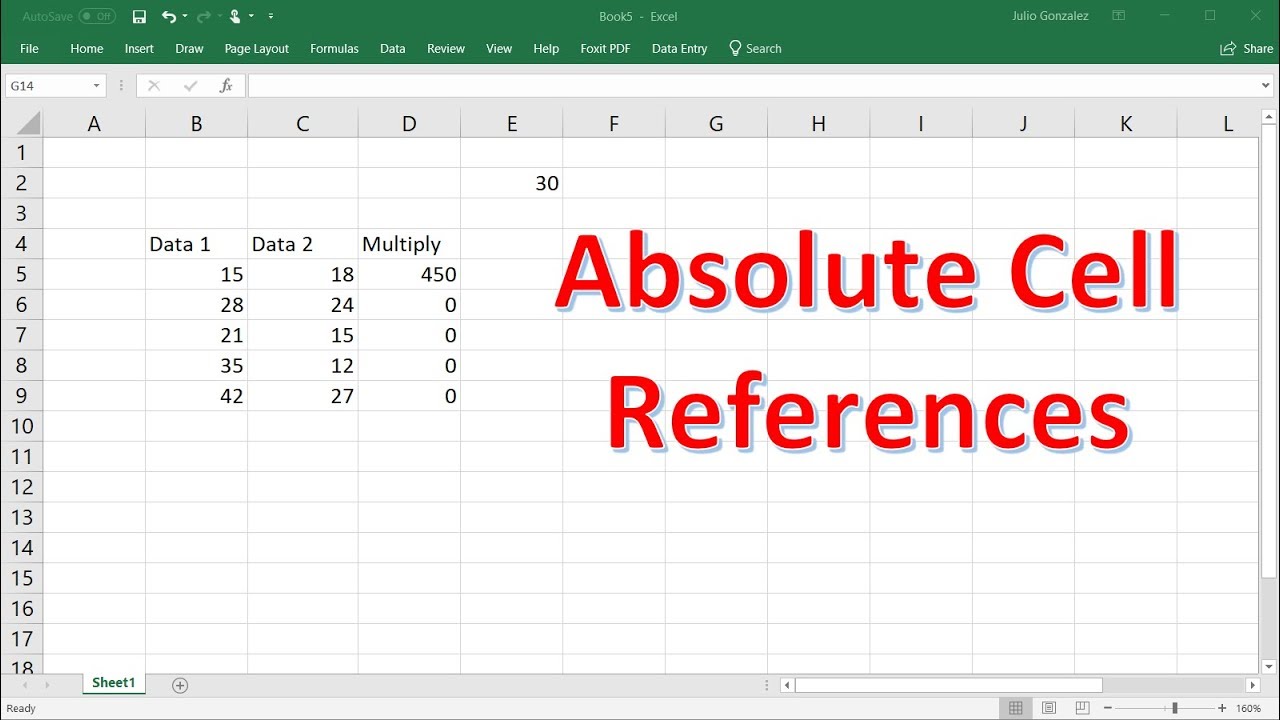 Excel Formula Absolute Cell Reference
https://i.ytimg.com/vi/Yx52CYvR5ao/maxresdefault.jpg
Select the cell that contains the formula In the formula bar select the reference that you want to change Press F4 to switch between the reference types The
Pre-crafted templates use a time-saving service for developing a diverse series of documents and files. These pre-designed formats and layouts can be used for different personal and expert jobs, consisting of resumes, invites, leaflets, newsletters, reports, discussions, and more, enhancing the material development procedure.
Excel Formula Absolute Cell Reference
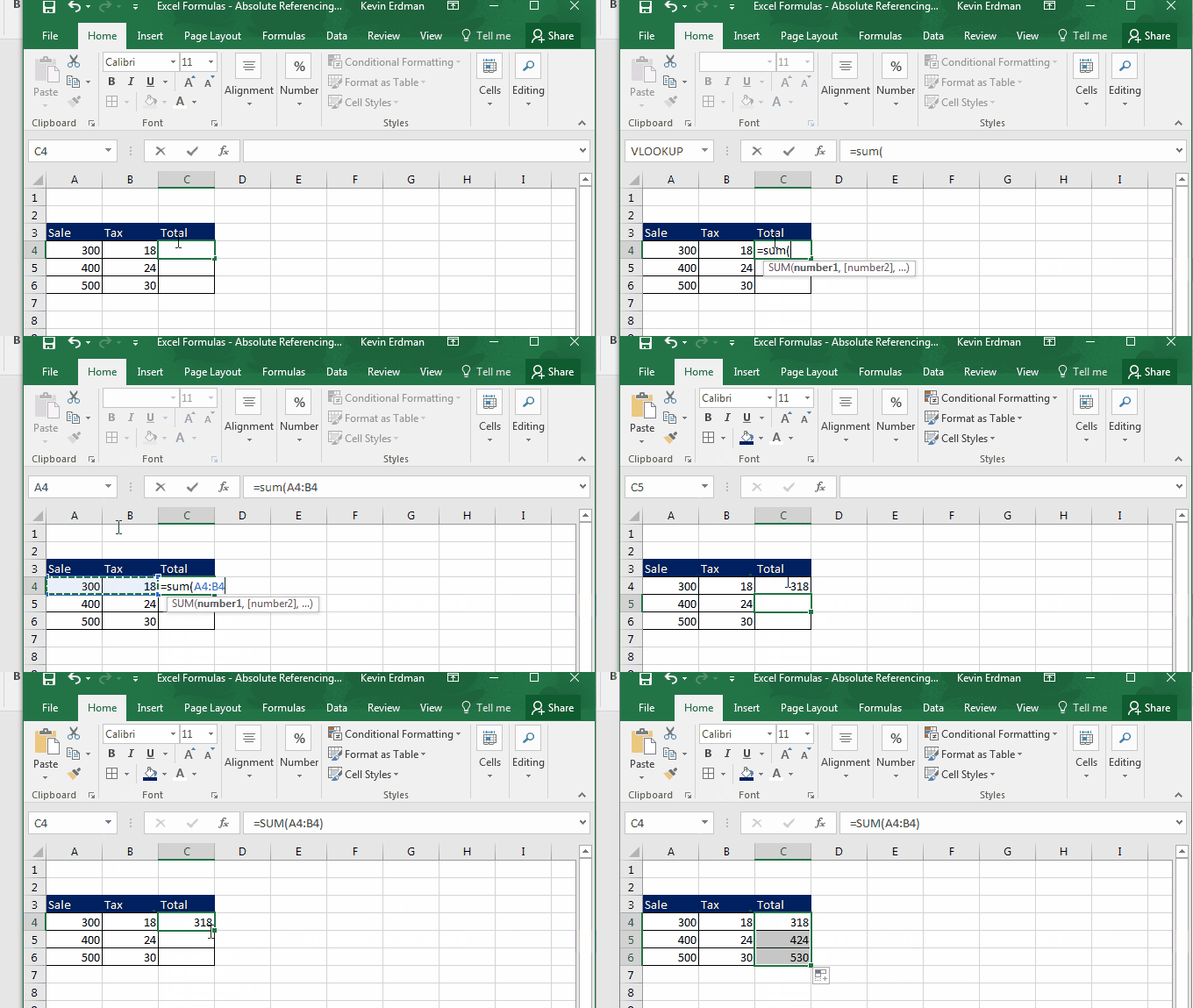
Excel Formula Tricks Absolute Reference Learn Excel Now
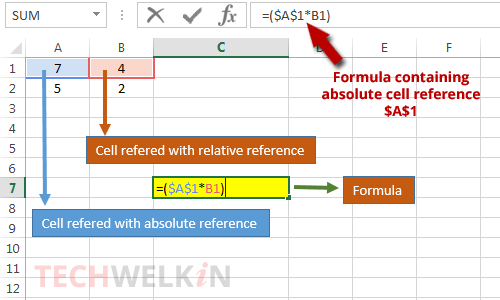
Absolute And Relative Cell Reference Excel 2013 Lopteray

How To Use Absolute Cell Reference In Excel YouTube
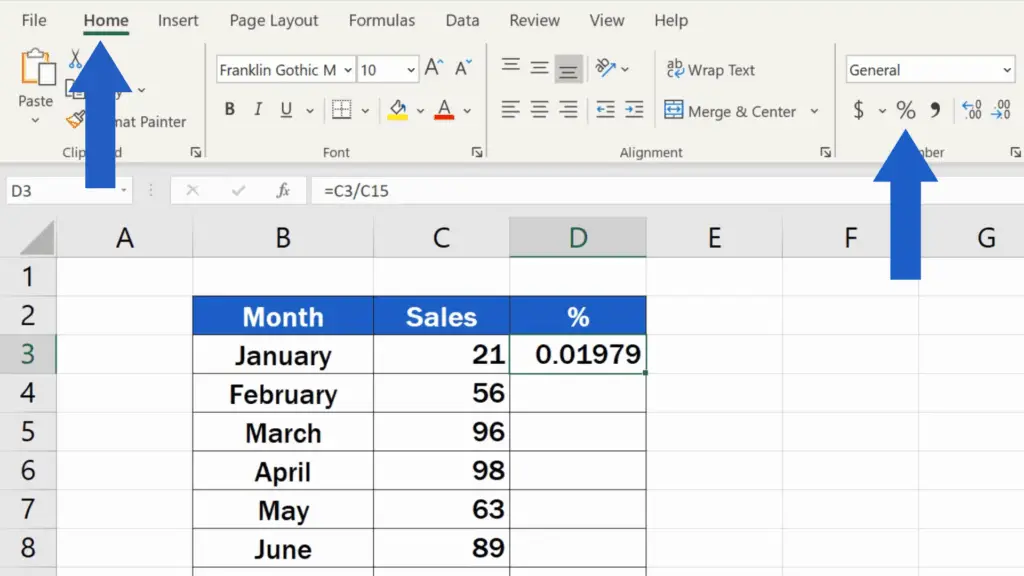
Vlookup In Excel 2016 With Absolute Reference Bapcourt
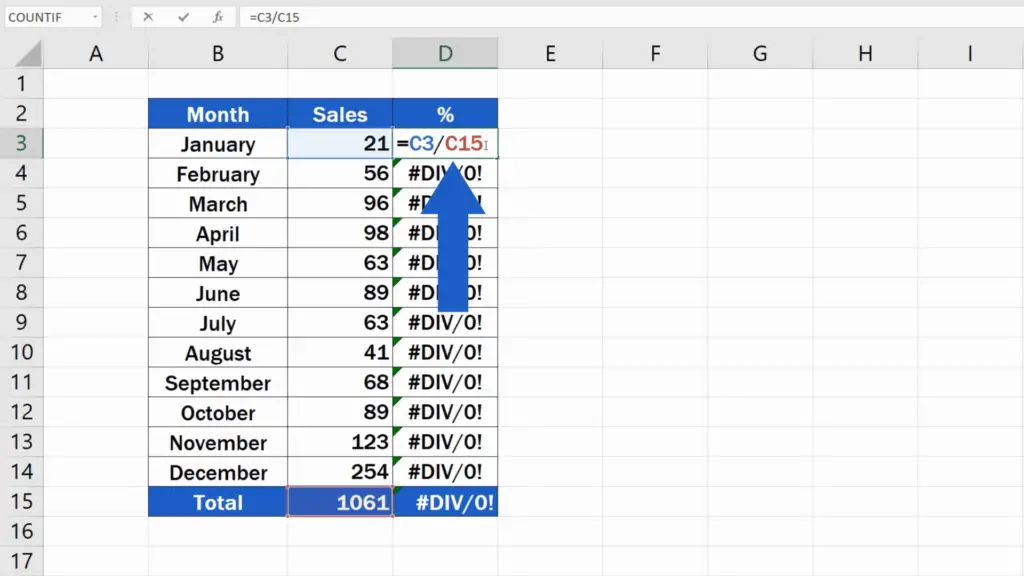
How Do You Reference Cells In An Excel Worksheet
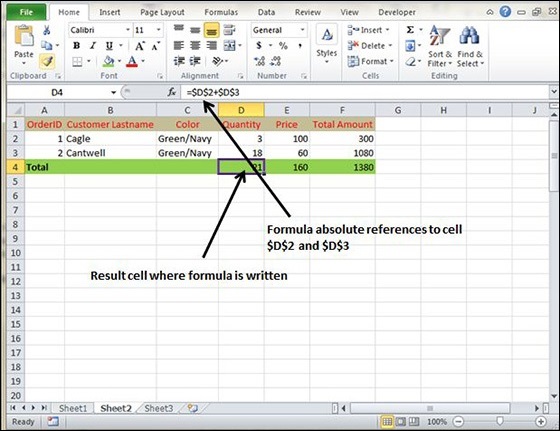
Relative Cell Reference Excel 2010 Definition Lasoparoute
For a formula being copied If the reference is It changes to A 1 absolute column and absolute row A 1 the reference is absolute A 1 relative column and absolute row C 1 the

December xlsx In Excel cell references pinpoint specific locations in a worksheet crucial for creating dynamic formulas Absolute references stay

An absolute reference is designated in a formula by the addition of a dollar sign before the column and row If it precedes the column or row but not both it s known as a mixed reference

If you want to maintain the original cell reference when you copy it you lock it by putting a dollar sign before the cell and column references For example
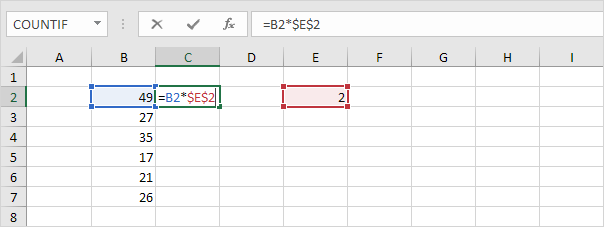
Excel absolute cell reference with sign An absolute reference in Excel is a cell address with the dollar sign in the row or column coordinates like A 1 The dollar sign fixes
An absolute reference in Excel formula ensures a cell reference remains static when moving or copying it into another cell worksheet or even a workbook The Excel cell references can be relative absolute or mixed to achieve specific outcomes in formulas Relative references change when copied to
Absolute cell references are useful when you want to maintain a fixed point of reference in your formula For instance when you want to