Enable Rdp Via Command Line Windows 10 How To Install Program From Command Line Windows 10 Steps Techs Shutdown And Reboot Remote PCs RDP Via The Command Prompt HeelpBook Activate Windows Command Line Astrobtc How To Enable RDP With Command Line Detailed 2023 Guide Remote Desktop mstsc exe Command Line Arguments 01 Nov 2022 How to Enable or Disable Windows Security in Windows 10 The Windows Security app is a client interface on Windows 10 version 1703 and later that makes it is easier for you to view and control the security protections you choose and better understand the security features already protecting you on your Windows 10 device
Mar 22 2020 nbsp 0183 32 To Enable or Disable Sound Output Device in Settings Device properties This option is only available in Windows 10 1 Open Settings and click tap on the System icon 2 Click tap on Sound on the left side select the sound output device ex speakers under Output on the right side and click tap on the Device properties link see 01 Jul 2020 How to Enable or Disable Personal Vault in OneDrive and Windows 10 OneDrive is a cloud based storage service where you can view browse upload and share the files you saved online to OneDrive OneDrive runs on the trusted Microsoft cloud which has many security measures in place to keep your files safe
Remote Desktop mstsc exe Command Line Arguments Allow Remote Desktop On Windows 10 11 Detailed How to Guide Windows Admin Making The Switch Linuxmint Is RDP Enabled Enable And Disable Remote Desktop In Windows 10 For All Group Policy Enable Remote Desktop Registry Enable RDP Via Intune Microsoft Q A Enable RDP From Powershell PoshDB How To Enable RDP Remote Desktop Protocol On Windows 10 Remote How To Enable Or Disable Always Prompt For Password Upon Remote Desktop
Enable Rdp Via Command Line Windows 10
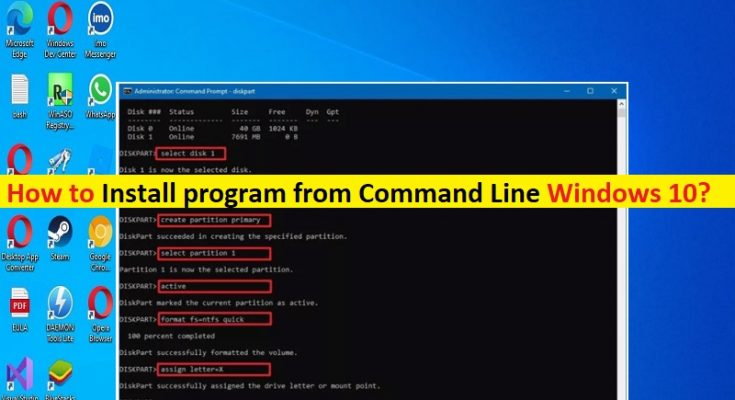 Enable Rdp Via Command Line Windows 10
https://techsgizmo.com/wp-content/uploads/2022/04/Install-program-from-Command-Line-Windows-10_-735x400.jpg
Mar 4 2019 nbsp 0183 32 Enable or Disable Saving History in Microsoft Edge in Local Group Policy Editor The Local Group Policy Editor is only available in the Windows 10 Pro Enterprise and Education editions All editions can use Option TWO below
Pre-crafted templates use a time-saving option for producing a varied variety of documents and files. These pre-designed formats and layouts can be made use of for numerous individual and professional projects, consisting of resumes, invites, leaflets, newsletters, reports, presentations, and more, enhancing the content production procedure.
Enable Rdp Via Command Line Windows 10

How To Enable Remote Desktop In Windows 10 Home RDP Via

Allow Remote Desktop On Windows 10 11 Detailed How to Guide

Windows Admin Making The Switch Linuxmint

Is RDP Enabled Enable And Disable Remote Desktop In Windows 10 For All

Enable RDP Via Intune Microsoft Q A

Enable RDP From Powershell PoshDB

Jun 8 2023 nbsp 0183 32 How to Enable or Disable Touchpad in Windows 10 Published by Shawn Brink Category Hardware amp Drivers 08 Jun 2023 How to Enable or Disable Touchpad in Windows 10 If your Windows 10 PC ex laptop has a built in touchpad you may want to enable or disable on demand This tutorial will show you how to enable or disable the touchpad in

Jan 25 2020 nbsp 0183 32 Enable or Disable MultiFinger Gestures for Synaptics Touchpad from Touchpad Notification Icon 1 Click tap on the touchpad notification icon on the taskbar if you have the icon set to show see screenshots below 2 Click tap on Enable Gestures to toggle it to be checked enable or off unchecked disable for what you want

Nov 3 2020 nbsp 0183 32 How to Enable or Disable Sign in Options page in Settings in Windows 10 The Sign in options page in Settings gt Accounts allows users to change the following sign in options Windows Hello FaceWindows Hello FingerprintWindows Hello PINSecurity KeyRequir
Dec 7 2020 nbsp 0183 32 How to Enable or Disable Windows Hello Biometrics in Windows 10 Windows Hello biometrics lets you sign in to your devices apps online services and networks using your face iris or fingerprint For more information about Windows Hello biometrics see

May 15 2020 nbsp 0183 32 Enable or Disable Access to All Removable Storage Devices in Local Group Policy Editor In Windows 7 the Local Group Policy Editor is only available in the Professional Ultimate and Enterprise editions In Windows 8 the Local Group Policy Editor is only available in the Pro and Enterprise editions
[desc-11] [desc-12]
[desc-13]