Enable Remote Desktop Windows 10 Command Line How To Fix The Remote Desktop Can t Connect To The Remote Computer Error How To Enable Remote Desktop Windows 10 Efficient Software Tutorials 4 Ways How To Enable Remote Desktop In Windows 11 Remote Desktop Windows 10 Download Lasopaent 5 Ways To Open Remote Desktop Connection In Windows 10 Web Apr 10 2018 nbsp 0183 32 Invoke Command Computername lt computer name gt ScriptBlock Enable NetFirewallRule DisplayGroup quot Remote Desktop quot We are using PowerShell remoting again to execute Enable NetFirewallRule remotely Enable Remote Desktop via WMI If PowerShell remoting is not enabled on the remote machine you can still use
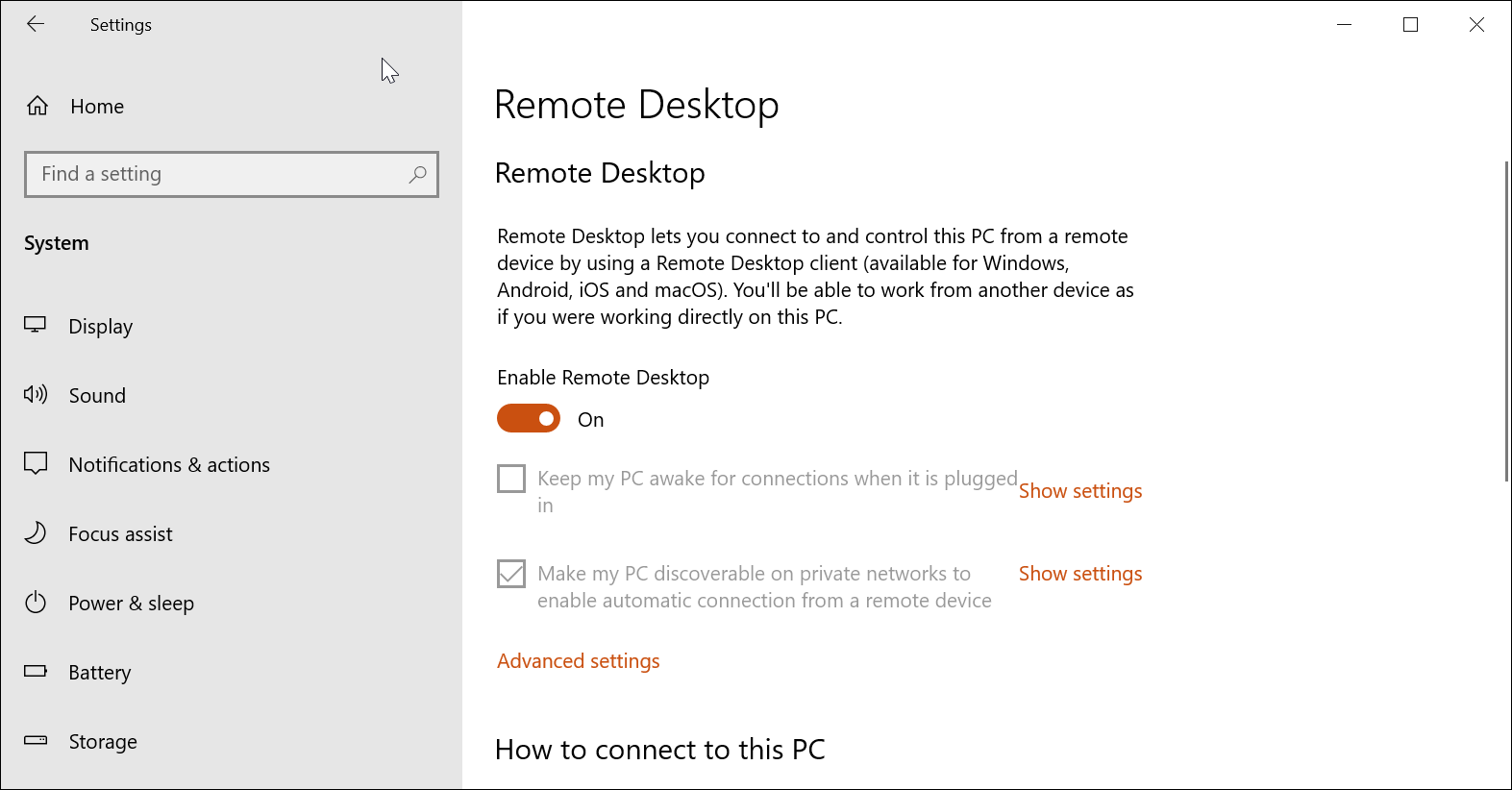
Web Dec 14 2022 nbsp 0183 32 Enable and Disable Remote Desktop Locally The most intuitive way to enable Remote Desktop on Windows 10 and 11 is to use a GUI You can enable RDP From the classic SystemPropertiesRemote control panel run the command SystemPropertiesRemote and enable the Allow remote connections to this computer Web Jan 18 2024 nbsp 0183 32 Windows 10 Fall Creator Update 1709 or later You can configure your PC for remote access with a few easy steps On the device you want to connect to select Start and then click the Settings icon on the left Select the System group followed by the Remote Desktop item Use the slider to enable Remote Desktop
5 Ways To Open Remote Desktop Connection In Windows 10 How To Enable Remote Desktop Windows 10 Via CMD And PowerShell How To Enable Remote Desktop Windows 10 Truegossiper How To Enable Remote Desktop In Windows 10 Or 8 1 Or 7 Simple Fixes Allow Remote Desktop On Windows 10 11 Detailed How to Guide Remote Desktop Connection Manager How To Enable Remote Desktop How To Set Up Remote Desktop On A Windows 10 PC HelloTech How Cara Menggunakan Remote Desktop Windows 10 2021 Enable Remote Desktop Access In Windows 10 To Log Into Your PC From
Enable Remote Desktop Windows 10 Command Line
 Enable Remote Desktop Windows 10 Command Line
https://static1.makeuseofimages.com/wordpress/wp-content/uploads/2021/08/enable-remote-desktop-Windows-10.png
Web Nov 11 2023 nbsp 0183 32 To enable Remote Desktop using PowerShell use the command below This will enable RDP on the local computer Set ItemProperty Path HKLM System CurrentControlSet Control Terminal Server name quot fDenyTSConnections quot value 0
Templates are pre-designed files or files that can be used for numerous purposes. They can conserve time and effort by offering a ready-made format and design for creating various sort of material. Templates can be utilized for individual or expert jobs, such as resumes, invitations, flyers, newsletters, reports, presentations, and more.
Enable Remote Desktop Windows 10 Command Line

The 31 Little Known Truths On How To Setup Windows Remote Desktop
How To Enable Remote Desktop Windows 10 Via CMD And PowerShell

How To Enable Remote Desktop Windows 10 Truegossiper
How To Enable Remote Desktop In Windows 10 Or 8 1 Or 7 Simple Fixes

Remote Desktop Connection Manager How To Enable Remote Desktop
How To Set Up Remote Desktop On A Windows 10 PC HelloTech How
Web Dec 22 2023 nbsp 0183 32 To enable Remote Desktop using Command Prompt and Windows PowerShell follow these steps Open Command Prompt or PowerShell with administrator privilege Set value of fDenyTSConnections REG

Web Dec 2 2022 nbsp 0183 32 To enable Remote Desktop via the command line follow the steps below Open the Windows 10 Start menu Search Command Prompt and right click the first result that appears Select Run as Administrator To enable remote desktop via CMD enter the following command and hit Enter reg add
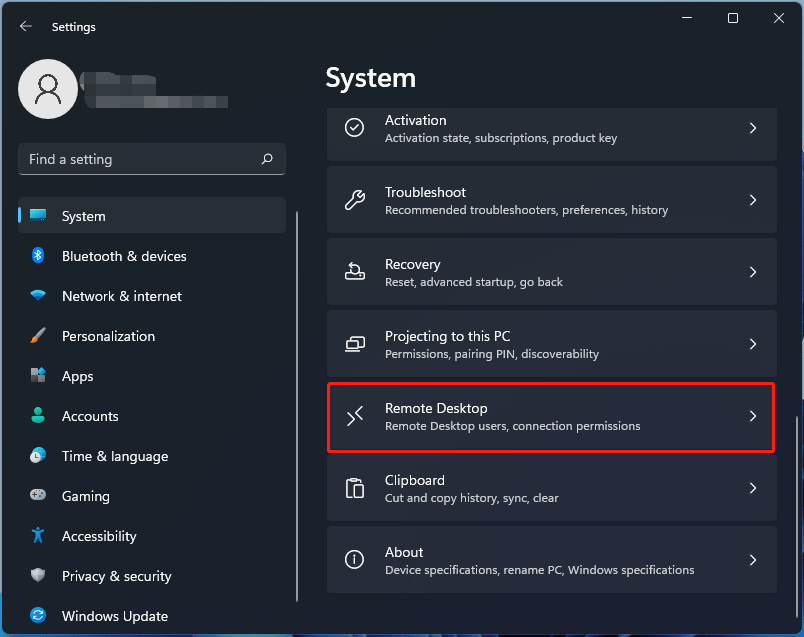
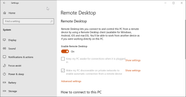
Web Dec 22 2021 nbsp 0183 32 1 Open Settings and click tap on the System icon 2 Do step 3 disable or step 4 enable below for what you want 3 To Disable Remote Desktop Connections A Click tap on Remote Desktop on the left side and turn off Enable Remote Desktop on the right side see screenshot below

Web Nov 5 2022 nbsp 0183 32 What is RDP Used For RDP is used to establish high quality connections which then can be used in different forms within a server by the admin to create either a direct computer to computer connection or even a shared server These variations include shared servers dedicated servers remote access and even hosting with RDP

Web Oct 2 2010 nbsp 0183 32 Open registry editor by running regedit from Run Go to the node HKEY LOCAL MACHINE SYSTEM CurrentControlSet Control Terminal Server Change the data of the value fDenyTSConnections to 0 We can enable remote desktop from windows command line by running the following command
Web Mar 29 2020 nbsp 0183 32 Let s run the command prompt as administrator and follow the article to enable remote desktop with command line 1 Type the below command to enable remote desktop reg add quot HKEY LOCAL MACHINE SYSTEM CurrentControlSet Control Terminal Server quot v Web Oct 30 2018 nbsp 0183 32 Just open Run from start menu and type mstsc in the text box next to open and press enter This command mstsc can be used from command line too A system running Windows 7 Windows 10 allows only one remote desktop connection at a time means only one remote user can work on it any time
Web Nov 17 2022 nbsp 0183 32 You can enable Remote Desktop in Windows 10 by simply searching the Start Menu for quot Remote Desktop settings quot and flipping quot Enable Remote Desktop quot to quot On quot Remote Desktop is disabled by default in Windows but it s easy enough to turn on if you want your PC to be remote control requests from the network Today we ll cover how to