Do Not Open Pdf In Browser Internet Explorer Do Not Open Pdf In Browser Samsung Bn68 02163A 00 Users Manual Casio CTK451 G cover1 CTK451 DE Do Not Open Waarschuwingslabel Kopen OR2480 B Do Not Open Until Blue Personalized Christmas Ornament Web 27 dec 2022 nbsp 0183 32 Shortly here are the steps to follow so as to stop Safari from opening PDFs Click quot Safari quot top left corner Select quot Settings quot Click quot download location quot Hit quot Other quot and make your selection This is the quickest way to stop Safari from opening PDFs on Mac Fixed PDF not opening in Chrome
Web 16 mrt 2023 nbsp 0183 32 To make sure that PDF files always open in Adobe Acrobat Reader instead of the browser you can try the following steps Open Adobe Acrobat Reader Go to Edit gt Preferences In the Categories section on the left select quot General quot Under quot Basic Tools quot click on quot Select Default PDF Handler quot Web 3 mei 2020 nbsp 0183 32 Step 1 Launch Chrome on your PC and click on the three dot at the top Then select Settings Alternatively click on chrome settings Step 2 Click on Privacy and security from the left bar On
OR2480 B Do Not Open Until Blue Personalized Christmas Ornament Extech Instruments Hw30 Users Manual Heat Watch Vendor Version Casio PX200 g PX200 DE PDF Reader In Microsoft Edge Microsoft Learn Lenovo 11E 4Th Gen And Yoga Chromebook Ug De ThinkPad Und Undark Podcast Episode 9 The Flint Water Crisis How To Open Pdf In Browser In Firefox YouTube How To Securely Open PDF In Browser Using NET Core CoreProgram How To Set Pdf Default Windows 10 Mokasinpatrol
Do Not Open Pdf In Browser
 Do Not Open Pdf In Browser
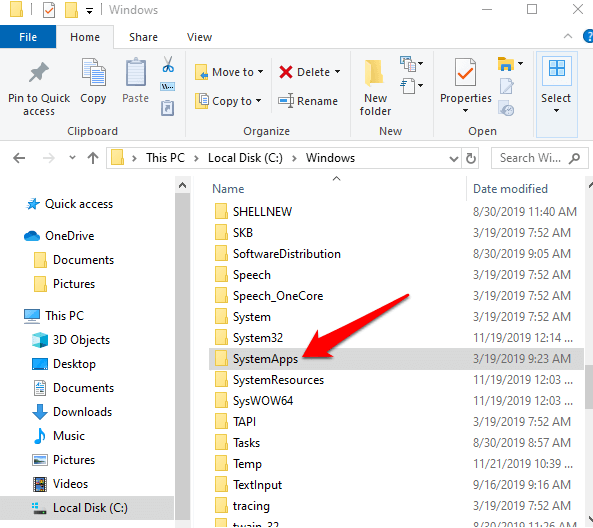
https://www.online-tech-tips.com/wp-content/uploads/2019/11/block-internet-explorer-edge-automatically-opening-file-explorer-this-pc-path.png
Web Frequently asked questions Why are my PDFs opening in a browser A few common reasons could explain why your PDF opens in a browser instead of a PDF reader Possibly you have yet to download a PDF reader or similar software The easiest way to rectify this is to download Acrobat Reader which is free
Templates are pre-designed files or files that can be used for numerous purposes. They can conserve time and effort by providing a ready-made format and design for producing different type of material. Templates can be utilized for individual or expert tasks, such as resumes, invites, leaflets, newsletters, reports, discussions, and more.
Do Not Open Pdf In Browser
Siemens X005 Users Manual Industrial Ethernet SCALANCE

Extech Instruments Hw30 Users Manual Heat Watch Vendor Version

Casio PX200 g PX200 DE
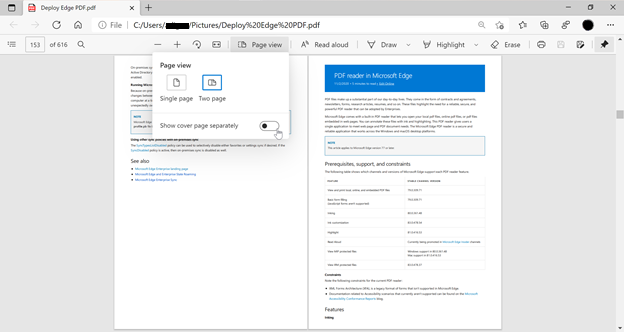
PDF Reader In Microsoft Edge Microsoft Learn

Undark Podcast Episode 9 The Flint Water Crisis

How To Open Pdf In Browser In Firefox YouTube

Web 28 mrt 2019 nbsp 0183 32 1 Choose Edit gt Preferences 2 Select the Internet category from the list on the left 3 To display the PDF in the browser check quot Display in browser quot 4 To open PDFs from the web directly in Acrobat uncheck quot Display in browser Refer here https answers microsoft en us windows for Do let me know if you require any
Web 17 nov 2022 nbsp 0183 32 Follow these steps to prevent Adobe Acrobat Reader from opening PDFs within your web browser Open Adobe Acrobat Reader and select Edit gt Preferences in the menu bar You can also bring up the preferences menu with the keyboard shortcut Ctrl K or Command K for Mac

Web 23 aug 2022 nbsp 0183 32 Look for PDF and click on it Then choose the preferred app to open PDF files In addition to this you should change the default apps for pdxml and pdx files You can also change the default app from file explorer Follow these steps to do so Right click on any PDF file Click on Open with and select Choose another app

Web 19 feb 2023 nbsp 0183 32 Press Windows key i and go to Applications Click Default Applications Click Choose default apps by file type Click on PDF and change the application to Adobe Reader Now open Edge and go to Settings Click Cookies and site permissions in the menu on the left of the screen Scroll down and click on PDF Documents

Web 16 mei 2022 nbsp 0183 32 What to Know In the Chrome browser select the three vertical dots in the upper right corner Choose Settings gt Advanced gt Privacy and security Select Site Settings gt PDF documents Use the toggle switch next to Download PDF files instead of automatically opening them in Chrome to turn the feature on and off
[desc-11] [desc-12]
[desc-13]