Diskstation Restart Command Line How To Restart Windows In To Safe Mode Using The Command Prompt 4iT Restart Program With Windows Command Line Data Cornering Restart IIS Command Prompt Hello Dynamics AX How To Shut Down Your Windows 10 PC Using Command Prompt Iandroid eu How To Restart Windows From The Command Line QBit Networking Web How There are many ways to switch off or restart a DiskStation and they all do the same manually via software from DSM from DS finder app via SSH manually via hardware not for virtual DSM long press power button
Web Nov 9 2022 nbsp 0183 32 The Answer We can use systemctl command Basic usages Start Restart Stop services systemctl start servicename systemctl restart servicename Web Terminal Enabling options at Control Panel gt Terminal amp SNMP gt Terminal allows your Synology NAS to support Telnet and SSH command line interface services You can
How To Restart Windows From The Command Line QBit Networking Shutdown Restart Computer Using Command Prompt How To Start A Service During A Server Restart On Linux Systran Box How To Remotely Restart A Windows Machine Through Command Line Command Line How Do I Shutdown Restart Logoff Windows Via A Bat How To Restart Debian Linux From Command Line Linux Reboot Restart Command Linuxize Technicians Notes Tutorial Stop Start And Restart Print Spooler Via Top 3 Ways To Restart Remote Computer Command Line
Diskstation Restart Command Line
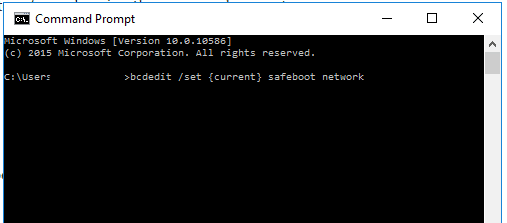 Diskstation Restart Command Line
https://4it.com.au/kb/wp-content/uploads/2016/06/Restart-Safe-Mode-Using-Command-Prompt.png
Web Sep 5 2022 nbsp 0183 32 by Richard Edmonds There may be a time when rebooting your Synology NAS is required This guide will run you through the necessary steps since there are a few ways to go about completing this
Templates are pre-designed documents or files that can be used for numerous functions. They can conserve effort and time by offering a ready-made format and layout for producing various sort of content. Templates can be utilized for personal or expert tasks, such as resumes, invites, flyers, newsletters, reports, discussions, and more.
Diskstation Restart Command Line
Top 3 Ways To Restart Remote Computer Command Line

Shutdown Restart Computer Using Command Prompt

How To Start A Service During A Server Restart On Linux Systran Box

How To Remotely Restart A Windows Machine Through Command Line
How To Restart Debian Linux From Command Line
Linux Reboot Restart Command Linuxize
Web DiskStation gt usr syno sbin synonet set gateway 192 168 15 254 DiskStation gt usr syno sbin synonet set dns 192 168 252 254 The below example will show you

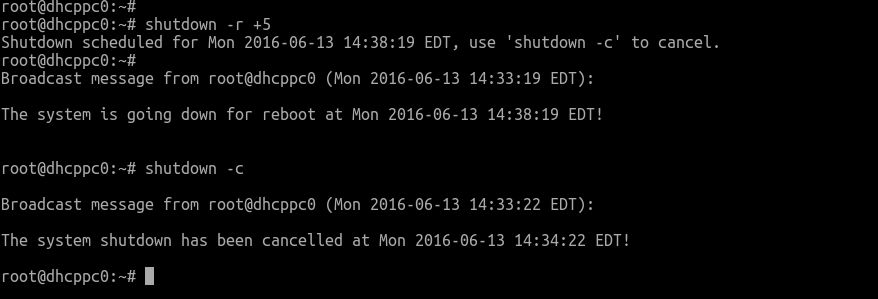
Web Aug 11 2014 nbsp 0183 32 Options r reboot after shutdown h halt or power off after shutdown H halt after shutdown implies h P power off after shutdown implies h c cancel a running

Web Feb 29 2016 nbsp 0183 32 The current windows 10 Version 1803 OS Build 17134 1 has SSH built in With that just enable SSH from the Control Panel Terminal amp SNMP be sure you are using an account in the

Web Feb 3 2022 nbsp 0183 32 To return to root session use the command line exit su xxx Install an IPKG program package Note Install IPKG ipkg install fileName Uninstall an IPKG

Web Apr 4 2017 nbsp 0183 32 There are 4 different command that you can use 1 reboot 2 echo C gt dev ttyS1 3 echo 1 gt dev ttyS1 4 echo 0 gt dev ttyS1 The quot reboot quot command should gracefully reboot your Synology NAS but for me it
Web Aug 18 2017 nbsp 0183 32 To stop and restart any or all of your installed packages simply navigate to the web based interface of your Synology NAS and select the shortcut for the Package Web Jun 16 2020 nbsp 0183 32 Using trigger files also gives other options e g The same DSM script can also check for a quot rebootme quot file and do a r command instead You could also have the
Web Sep 15 2023 nbsp 0183 32 If your Synology NAS does not shut down after pressing and holding down the power button you may have to unplug the power cord After plugging it back in and