Delete Password From Pdf How To Remove Password Protection From A PDF How To Permanently Delete Files From Dropbox CNET PDF How To Remove Password From Pdf In 2022 Ne Job Portal 2023 How To Remove Password From PDF Bank Statement Web How to remove password from PDF 1 Drag amp Drop a PDF file into the box or upload a file by clicking the Add file button Another option is to add it from your Google Drive or Dropbox 2 Click the Unlock PDF button The tool will
Web Jan 17 2021 nbsp 0183 32 How to Use Adobe Acrobat DC to Remove PDF Password Protection Open Adobe Acrobat DC Click Open File Find the file you wish to remove the password from and click Open Enter the password and click OK Click File gt Properties Click Security Click the Security Method drop down menu Click No Web Upload your protected PDF using the upload field or browsing your device or cloud storage Of course you can also provide a link After your document is uploaded enter the password it is protected with This will remove the password form your PDF
2023 How To Remove Password From PDF Bank Statement How To Remove Password From Pdf OBizTools How To Remove Password From PDFs Using Chrome BrainyWit How To Remove Password From PDF File Follow Steps Crowlex How To Remove Password From PDF Computer And Internet Remove Password From Pdf 2 Amazing Unlock Pdf Hacks How To Remove Password From PDF On Mac How To Remove Password From PDF On Google Chrome Android IPhone PDF Password Remover 7 5 0 Free Download With Crack Filecron
Delete Password From Pdf
 Delete Password From Pdf
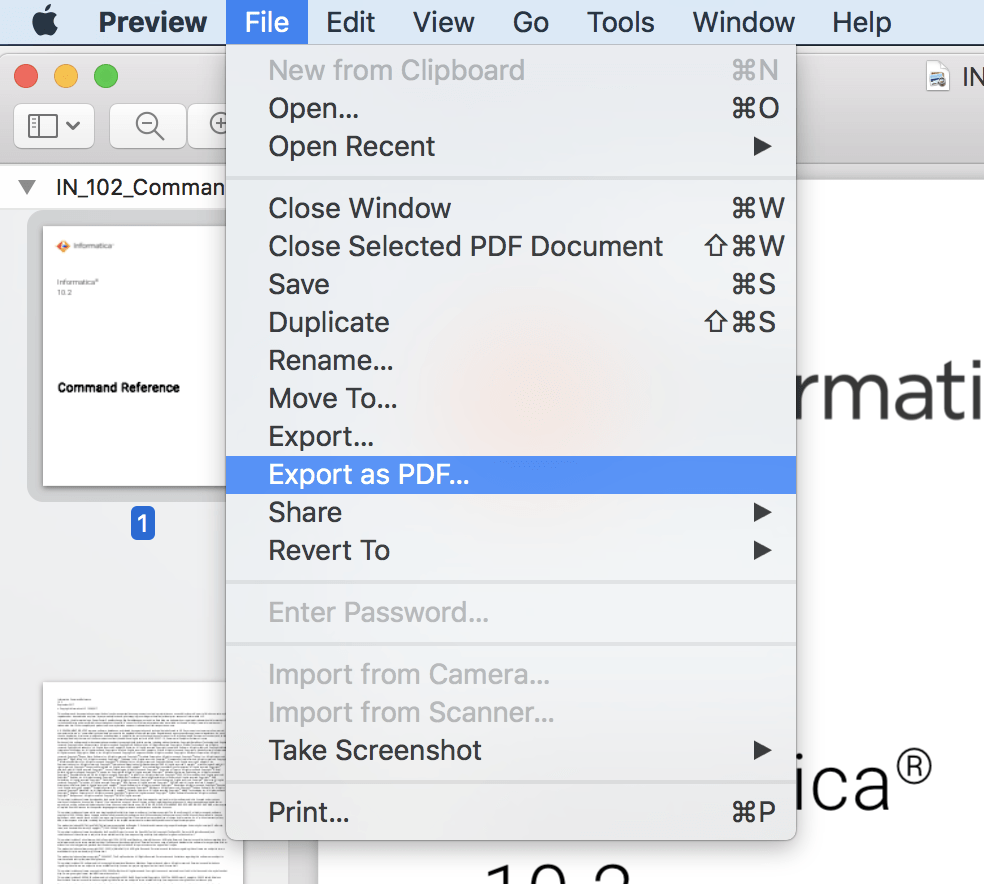
https://www.starzsoft.com/wp-content/uploads/2019/10/export-as-pdf-preview.png
Web Select the PDF to unlock upload the PDF remove password file or files from your computer or from a cloud storage service such as Google Drive or Dropbox You can also drop files directly from your computer Drag and drop PDF files into the box from your computer to begin to remove password and unlock PDF
Pre-crafted templates provide a time-saving service for producing a varied series of files and files. These pre-designed formats and layouts can be utilized for different personal and professional projects, including resumes, invitations, flyers, newsletters, reports, presentations, and more, streamlining the content creation procedure.
Delete Password From Pdf
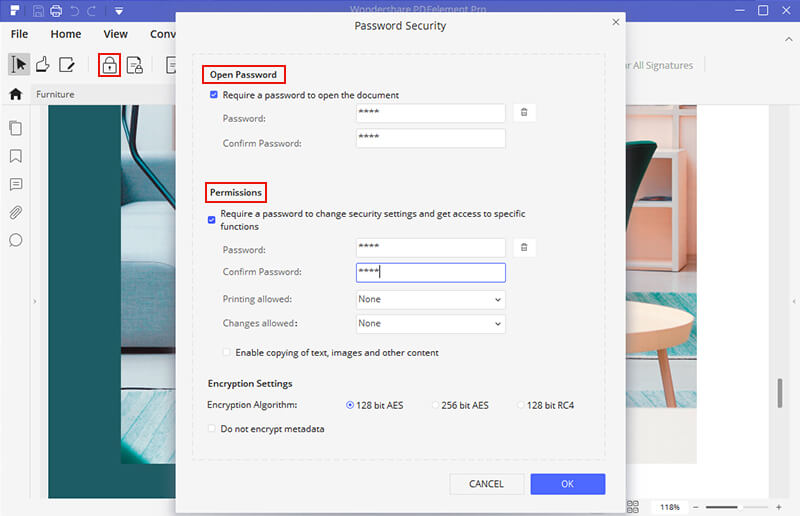
How To Remove Password From PDF File Updated For 2019

How To Remove Password From Pdf OBizTools

How To Remove Password From PDFs Using Chrome BrainyWit
How To Remove Password From PDF File Follow Steps Crowlex

Remove Password From Pdf 2 Amazing Unlock Pdf Hacks
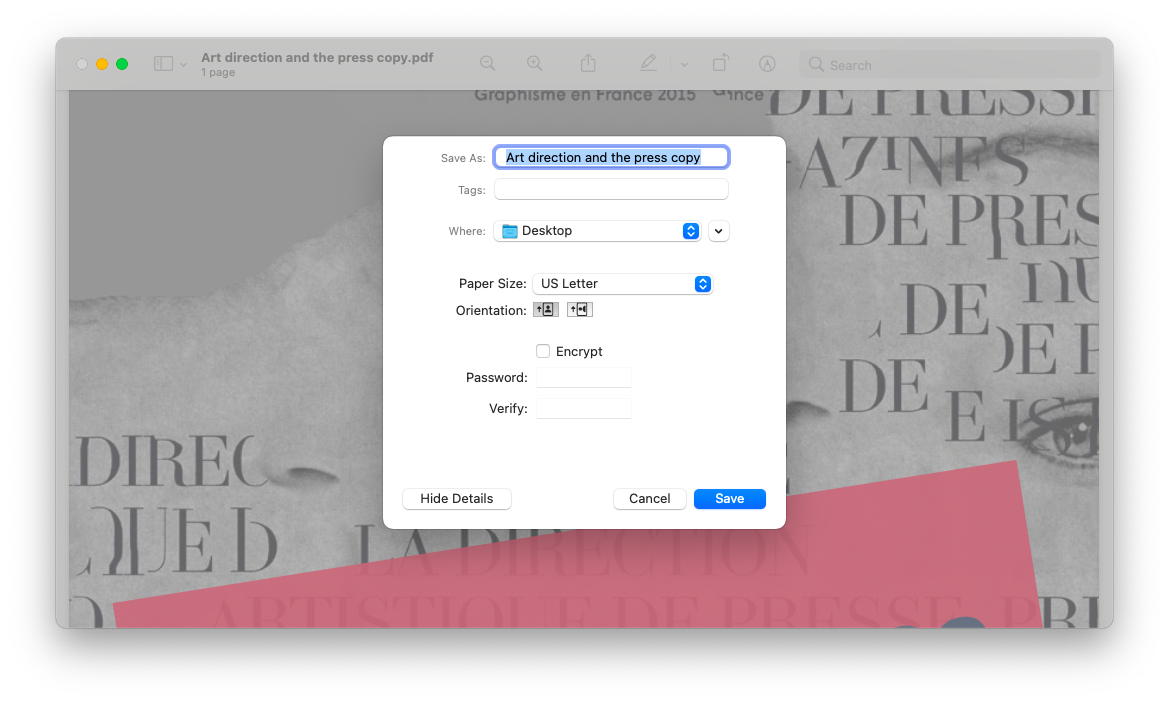
How To Remove Password From PDF On Mac
Web Oct 25 2022 nbsp 0183 32 Click the lock icon at the left side of the window and click quot Permission Details quot You can also click File gt Properties and click the quot Security quot tab Click the quot Security Method quot box select quot No Security quot and click quot OK quot to remove the password Click File gt Save to save your changes
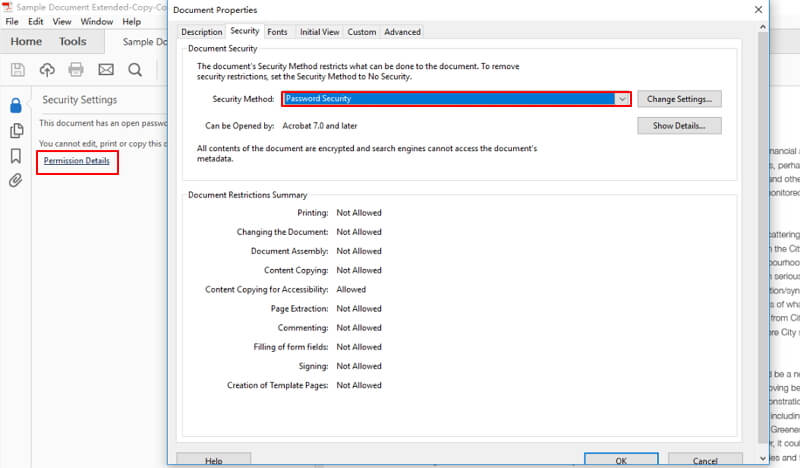
Web How to remove password from PDF files Drag and drop your document in the PDF Password Remover Confirm that you have the right to the file and click Unlock PDF The decryption process should start right away Modify your PDF further or click Download File to save the unlocked PDF
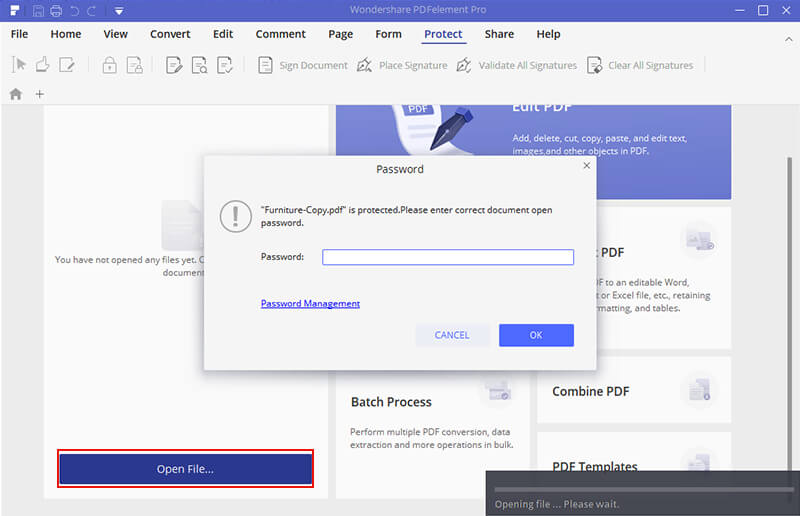
Web How to unlock a PDF to remove password security Open the PDF in Acrobat Use the Unlock tool Choose Tools gt Protect gt Encrypt gt Remove Security Remove Security The options vary depending on the type of password security attached to the document If the document If the document has a

Web How to remove the password from a PDF file in 2 ways You can remove the password from a PDF file if you know the password to your protected PDF If you have Adobe Acrobat Pro open the file s Document Properties remove the security from the file and save it You can also open the PDF in any

Web Then follow these steps 1 Open the PDF in Acrobat Pro on Windows or Mac 2 Choose Tools Encrypt Remove Security 3 If the document has a Document Open password click OK to remove it 4 If the document has a permissions password type the correct password in the Enter Password box and then
[desc-11] [desc-12]
[desc-13]