Remove Password From Pdf Adobe Reader How To Remove A Password From A PDF File Unlock PDF Remove PDF 2022 How To Remove Password Protection From PDF In 7 Ways EaseUS How To Remove Password From Pdf In 2022 Ne Job Portal Remove Password Security From Multiple PDF Files By Adobe Acrobat GadgetSecurity How To Remove Password From PDF 1 Correct answer Sara Forsberg Apr 17 2015 Hi daltxjim If you know the password and have access to Acrobat then you should be able to remove the password security Just choose File Properties after you open the PDF and click the Security tab in the Properties dialog box to change the security settings
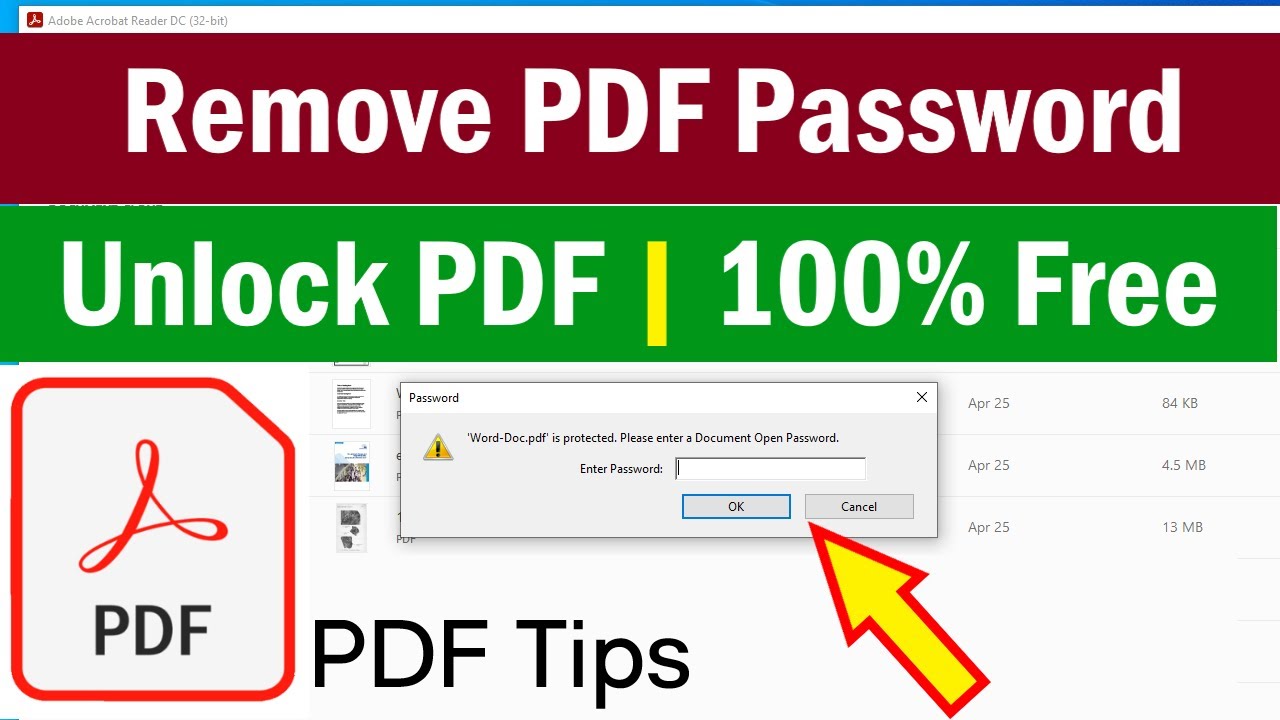
Open the PDF in Adobe Acrobat Pro on your Windows PC or Mac Choose Tools Protect Advanced Options Remove Security If the document has a Document Open password click OK to remove it If the document has a permissions password type the correct password in the Enter Password box and then click OK Open the password protected PDF in Adobe Acrobat Enter the password when directed 2 Click File in the menu bar then choose Properties 3 In the Document
GadgetSecurity How To Remove Password From PDF How To Remove Password From PDF File Follow Steps Crowlex How To Delete Pages From PDF YouTube How To Delete Pages From PDF Files How To Remove Password From PDF How To Remove Password From PDF How To Remove Password From PDF File Updated For 2019 How To Remove Password From PDF File Updated For 2019 How To Remove Password From PDF Adobe Files Reader Best Tricks How To Remove Password From PDF Bank Statement
Remove Password From Pdf Adobe Reader
 Remove Password From Pdf Adobe Reader
https://i.ytimg.com/vi/GWYFPjFxVlU/maxresdefault.jpg
The most common reason to remove a password from protected PDF files is a simple one You no longer need a password for that information Perhaps a document is public and its information is no longer considered sensitive or private It may no longer be shared with anyone or it might just not need to be secure
Pre-crafted templates use a time-saving option for developing a diverse range of files and files. These pre-designed formats and layouts can be made use of for different individual and expert jobs, consisting of resumes, invitations, flyers, newsletters, reports, presentations, and more, simplifying the content production process.
Remove Password From Pdf Adobe Reader

How To Remove Password From PDFs Using Chrome BrainyWit
How To Remove Password From PDF File Follow Steps Crowlex
How To Delete Pages From PDF YouTube
How To Delete Pages From PDF Files
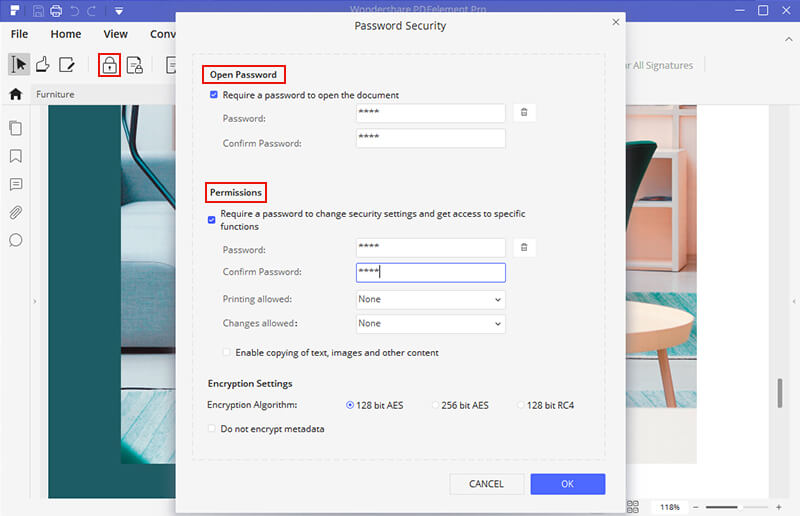
How To Remove Password From PDF File Updated For 2019
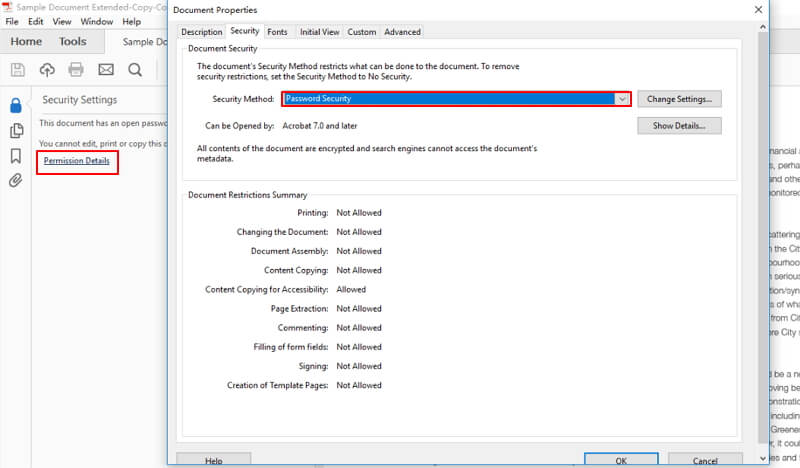
How To Remove Password From PDF File Updated For 2019
1 Open the PDF in Acrobat Pro on Windows or Mac 2 Choose Tools Encrypt Remove Security 3 If the document has a Document Open password click OK to remove it 4
Click the Security Method box select No Security and click OK to remove the password Click File Save to save your changes You can also just close the Adobe Acrobat Pro DC window and you ll be prompted to save your changes Once you have the password will be removed from the original PDF file

Open the PDF in Acrobat Use the Unlock tool Choose Tools Protect Encrypt Remove Security Remove Security The options vary depending on the type of password security attached to the document If the document has a Document Open password click OK to remove it from the document

Open Adobe Acrobat DC Click Open File Find the file you wish to remove the password from and click Open Enter the password and click OK Click File Properties Click Security Click the Security Method drop

How to remove password from PDF files Drag and drop your document in the PDF Password Remover Confirm that you have the right to the file and click Unlock PDF The decryption process should start right away Modify your PDF further or click Download File to save the unlocked PDF Unlock PDF Blog Articles How To Unlock PDF
[desc-11] [desc-12]
[desc-13]