Create Custom Ppt Template Bg Design Border Design Design Elements Graphic Design Powerpoint SIGNUP FREE TO DOWNLOAD CUSTOME DESIGN NOW 3 Easy Ways To Create Custom Page Templates In WordPress YouTube 3D Rising Chart Powerpoint Template PPT Backgrounds Templates PPT Ke SVG 100 Gratis Online Web The Slide Master is the most important tool for creating templates You can find it by clicking View in the PowerPoint menu and then clicking on Slide Master In the window on the left you will find a couple of slides that do not yet have a design
Web Best of all it s completely free Designing is an absolute breeze thanks to its drag and drop features and ready made professional quality templates Everything you need to become a visual communicator is at your fingertips an epic image library beautiful graphs and a one click presentation mode Web Our drag and drop editing tools make it easy for you to customize your template however you want to You can add vectors illustrations images and even music and videos from our media library Upload your own photos and apply page and text animations too It s simply your powerful PowerPoint alternative to supercharge your presentation to
PPT Ke SVG 100 Gratis Online DMAIC PowerPoint Template Business PPT Lupon gov ph Extra Credit Authentication Android PPT Template 21 slide PowerPoint Presentation PPT Flevy Apply A Template To Your Timeline Folio Support Business Style Financial Investment Plan General Ppt Template Google Katalog Bahan Ppt Digital Dekorasi Digital Ilustrasi Ppt Dekorasi Creative Summer Life Ppt Template Google Slide And PowerPoint Template Ppt Ppt PNG
Create Custom Ppt Template
 Create Custom Ppt Template
https://i.pinimg.com/originals/68/eb/a5/68eba570344ac9c461f5be17ffbc40b6.png
Web Select File gt New Choose a template or type a key word or phrase into the Search for online templates and themes field and press Enter When you find the template that you want select it to see the details and then select Create Note If you created templates they may be under the Personal tab Business customers may see a Company tab
Templates are pre-designed documents or files that can be used for different purposes. They can save effort and time by providing a ready-made format and design for developing different sort of content. Templates can be utilized for personal or expert jobs, such as resumes, invites, flyers, newsletters, reports, presentations, and more.
Create Custom Ppt Template
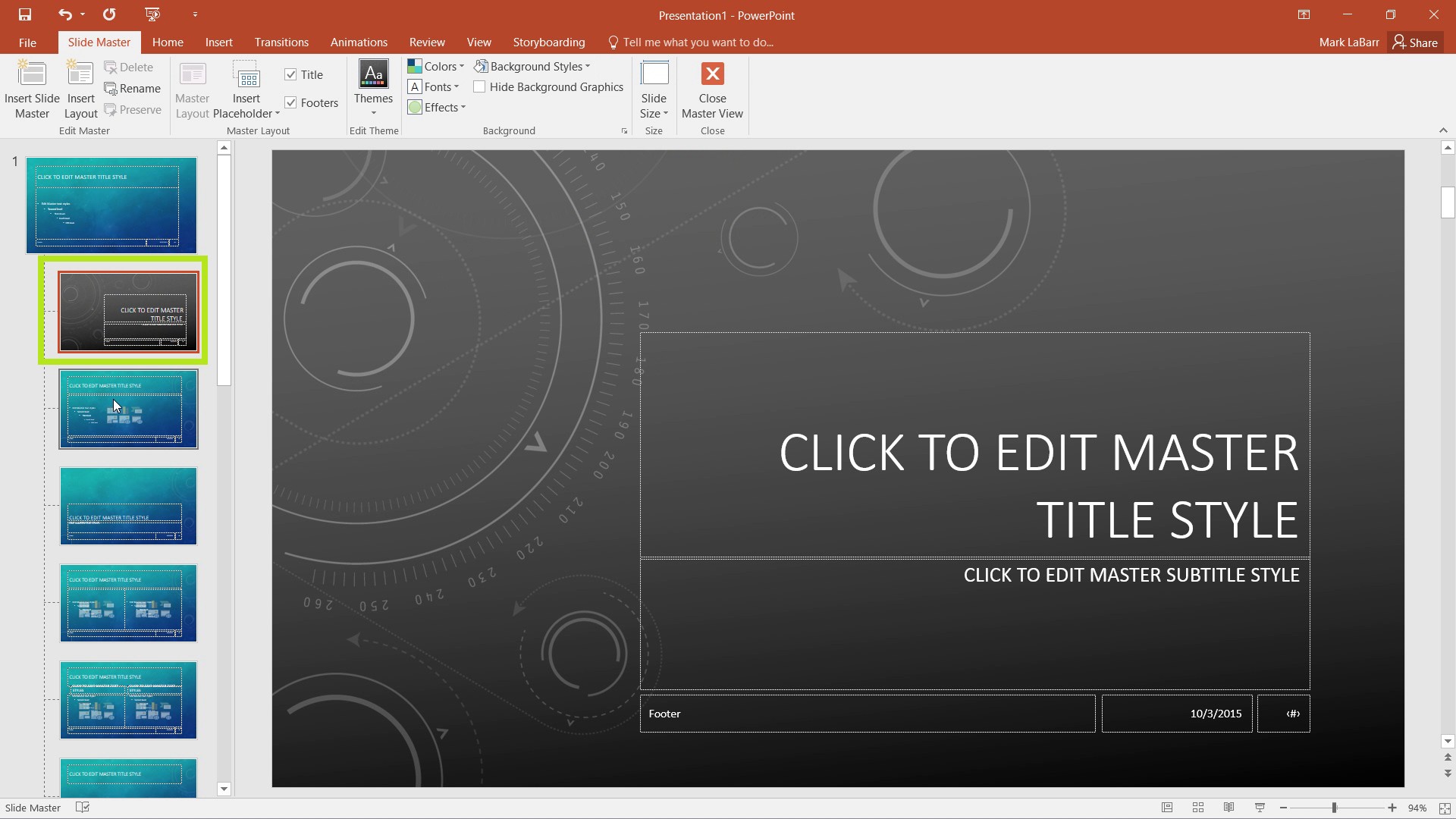
How To Make Custom Themes In PowerPoint 2016 HowTech

DMAIC PowerPoint Template Business PPT Lupon gov ph

Extra Credit Authentication

Android PPT Template 21 slide PowerPoint Presentation PPT Flevy

Business Style Financial Investment Plan General Ppt Template Google

Katalog Bahan Ppt Digital Dekorasi Digital Ilustrasi Ppt Dekorasi

Web Nov 8 2019 nbsp 0183 32 To create a custom PowerPoint template you ll first need to open a blank presentation You can do so by clicking the File tab and then selecting New in the left pane A large library of templates will appear but since that s not what we re looking for go ahead and select the Blank Presentation option

Web Here s how 1 Find the perfect PowerPoint template Search for anything type of template image color or take a look around by 2 Customize your creation Use Microsoft PowerPoint to make your design unique Swap out fonts colors design elements 3 Show it

Web To make a custom theme start with a built in Office theme and modify it by changing any of the colors fonts or effects Change the theme s color font and effect settings Save the settings as a new theme in your theme gallery These steps are described below

Web Use a personal template to create a new PowerPoint presentation On the File tab click New Select Personal or Custom The name varies depending on circumstance Tip If you don t see Personal or Custom then Double click your template and a new presentation will open with your template applied

Web Creating Your PowerPoint Template Slide Backgrounds 1 Set the colors for your template The first step is to select a color scheme for your template You can easily do 2 Set the fonts for your template The next step is to select a font pairing for your template which you can also do 3
Web 1 Start with the perfect template Search for anything style topic image or color or look around the catalog for inspiration You ll find professionally designed templates for whatever you need to create Find your template Web Our designers will create a custom PowerPoint template design you ll love Professional designers all rated and reviewed Custom PowerPoint template design for all budgets Two design options host a contest or work 1 1 with a freelance designer Start a project
Web Create from scratch Show all Create compelling professional presentations Presentation decks can make or break your speech don t risk boring or unprofessional slides distracting from your message Set yourself up for success with free eye catching presentation templates that don t require graphic design skills to use