Command Line Create Branch Create VirtualBox SnapShots From Command Line Paul Ligocki How To Create A Git Branch Learn Git Create New Branch From Current Branch Junos Notes Git Create Branch From Existing Branch Opechome Tutorial Create A Real time Data Streaming Application PubNub LDAP With OpenManage Grant Curell s Dell Projects The name of the branch to create or delete The new branch name must pass all checks defined by git check ref format 1 Some of these checks may restrict the characters allowed in a branch name start point The new branch head will point to this commit It may be given as a branch name a commit id or a tag
Create a New Branch Using the Command Line Working directly in the main branch of a GitHub repository is a very dangerous thing as you stand the risk of pushing buggy code to production To avoid this you should create a branch and work in that Here s how What s a Branch Anyway The git merge tool is used to merge one or more branches into the branch you have checked out It will then advance the current branch to the result of the merge The git merge command was first introduced in Basic Branching Though it is used in various places in the book there are very few variations of the merge command generally just
LDAP With OpenManage Grant Curell s Dell Projects FIX SCCM Task Sequence Run Command Line Create Process Failed Code 0X80070002 HTMD Blog Desktop Github How To Create New Branch Using Git Command ItSolutionStuff Guide To Learn Command Prompt And Command Line F r Android APK Herunterladen Guide To Learn Command Prompt And Command Line F r Android APK Herunterladen Git Create Branch Local Vseraregistry Create Table By Using SQL Statements In Oracle 12c Create A Branch From A Previous Commit In Git Techie Delight
Command Line Create Branch
 Command Line Create Branch
https://www.paulligocki.com/wp-content/uploads/2020/05/TuxLinux.png
1 Create a New Git Branch Here is a list of some useful commands to help you create and manage a new branch Please note that before creating a new branch pull the changes from upstream Your master needs to be up to date Create the branch on your local machine and switch to this branch git checkout b new branch name
Templates are pre-designed files or files that can be used for various functions. They can save time and effort by supplying a ready-made format and design for creating different sort of content. Templates can be used for individual or expert tasks, such as resumes, invitations, leaflets, newsletters, reports, discussions, and more.
Command Line Create Branch
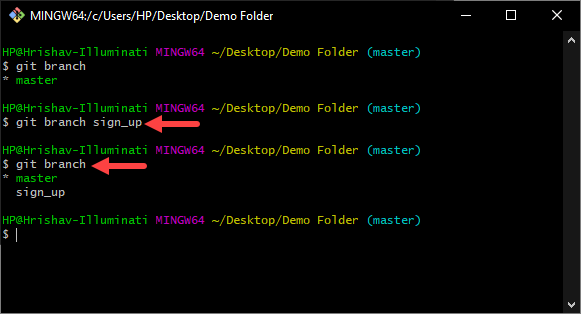
Git Create Branch From A Branch Vseraselling

FIX SCCM Task Sequence Run Command Line Create Process Failed Code 0X80070002 HTMD Blog

Desktop
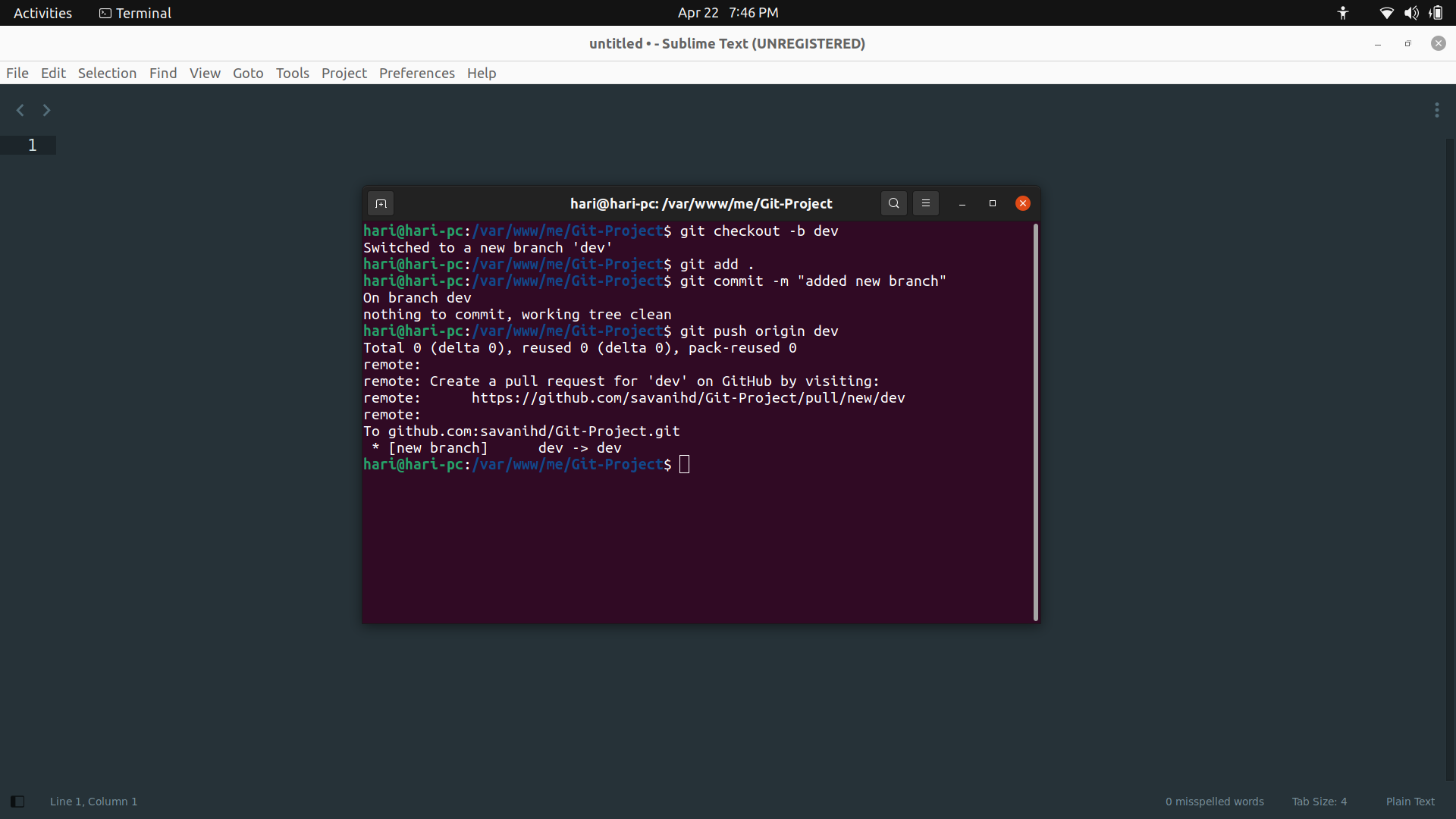
Github How To Create New Branch Using Git Command ItSolutionStuff

Guide To Learn Command Prompt And Command Line F r Android APK Herunterladen
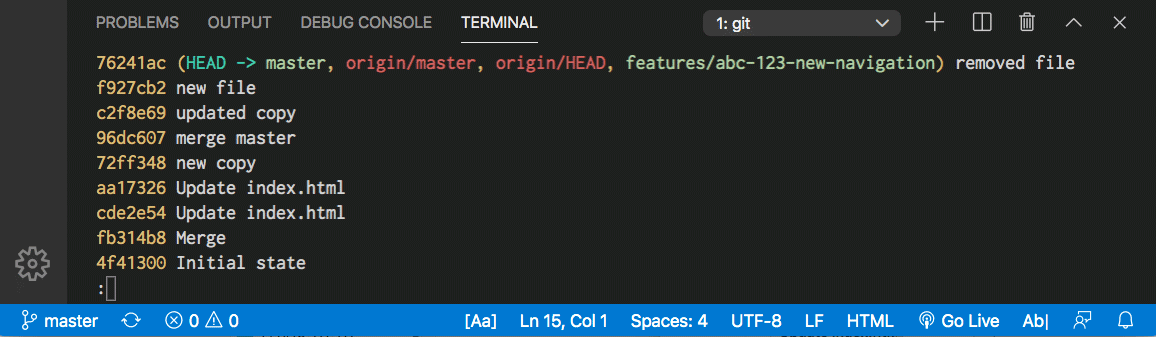
Git Create Branch Local Vseraregistry

Create a branch for a new user story you re working on Do some work in that branch At this stage you ll receive a call that another issue is critical and you need a hotfix You ll do the following Switch to your production branch Create a branch to add the hotfix After it s tested merge the hotfix branch and push to production

You can use git stash to stash your changes and keep them in your memory change your branch to master create another branch from there push that branch and do git stash pop to get your stashed changes back Nicolae Maties Sep 20 2019 at 16 22 Which branch are you currently on Which branch do you want B to branch off of OJ7
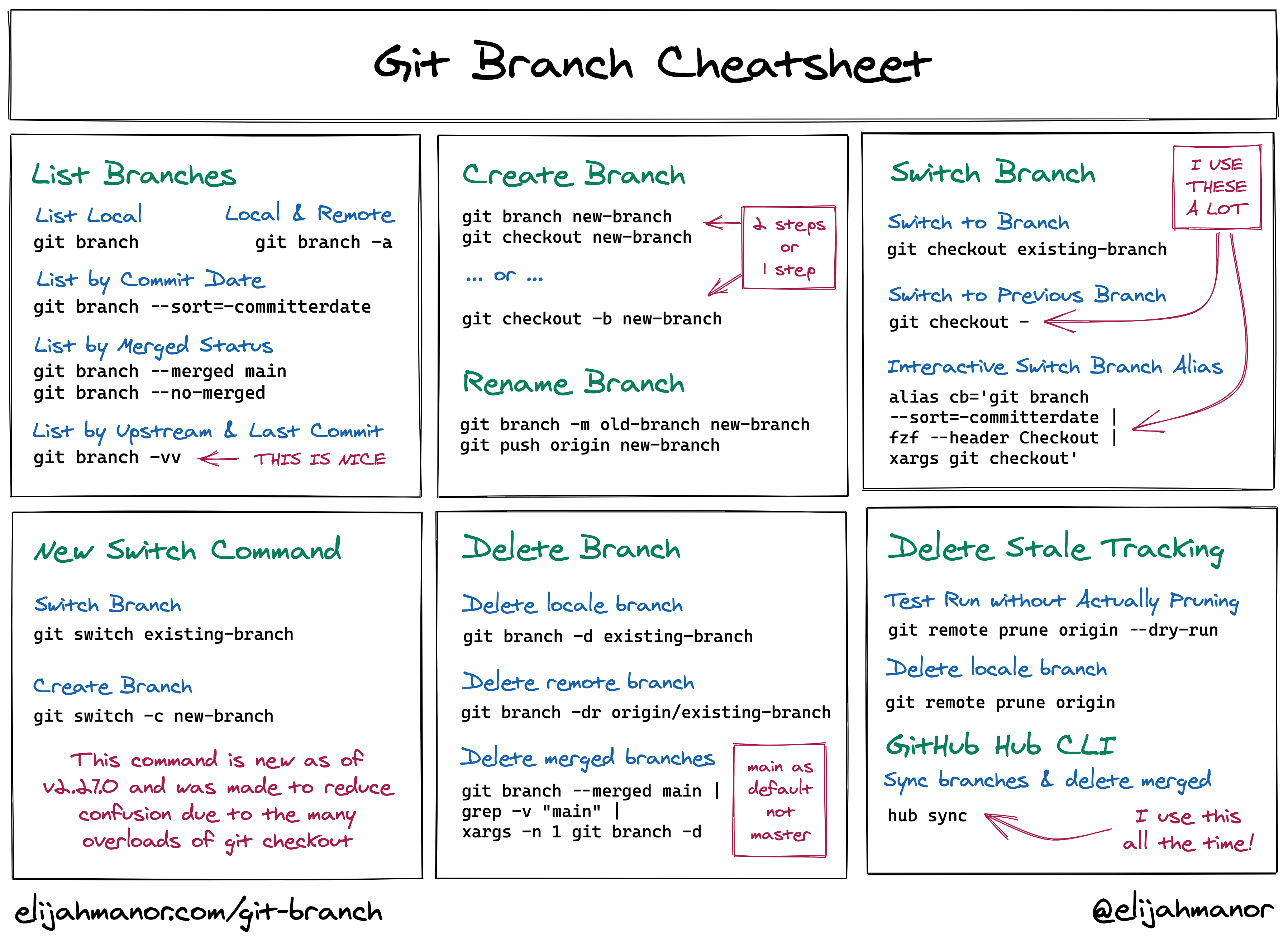
Create a New Git Branch There are many ways to create a new Git branch In most cases it comes down to whether you are creating a branch from the main branch or for example a new commit or tag One common method of creating a new branch is with the command git branch new branch name This doesn t automatically switch to that branch

The easiest way to create a Git branch is to use the git checkout command with the b option for a new branch Next you just have to specify the name for the branch you want to create git checkout b branch name As an example let s say that you want to create a new Git branch from the master branch named feature
The git branch command lets you create list rename and delete branches It doesn t let you switch between branches or put a forked history back together again For this reason git branch is tightly integrated with the git checkout and git merge commands Common options git branch List all of the branches in your repository
Create a branch from a Git tag Sometimes a developer wants to create a branch from a commit that has been tagged as milestone or release To do that simply use the git branch switch and provide the tag name after the new of the new branch to create The following command will create a new Git branch off the M1 tag named charlie branch The git branch command can be used to create a new branch When you want to start a new feature you create a new branch off main using git branch new branch Once created you can then use git checkout new branch to switch to that branch
This is the standard method for creating a branch using the git branch command and specifying the name of the Git branch you want to create git branch branch name For example as we did earlier we can create a branch for pagination by replacing with pagination Here s what that would look like