Command Line Check Folder Size Linux Command Line Check Folder Size Linux World Linux Command Line Check Folder Size Linux World How To Check Folder Size In Windows CMD File Explorer Settings How To Check Folder Size On Windows Gkhan Tips V rifier La Taille Du R pertoire Sous Linux Autre Open Windows 11 s File Explorer Right click a folder you want to check the size of and select Properties Then check the size detail on the General tab You can click OK to exit the folder s properties window Another way you check a folder s size info in File Explorer is to view its tooltip Hover the cursor over a folder for a few
Locate the file or folder whose size you want to view Click the file or folder Press Command I on your keyboard A window opens and shows the size of the file or folder MS DOS and Windows command line users The following instructions contain information on the different methods a user can utilize to view the size of a file or files in MS Use switch A followed by a letter code to display files with specific attributes such as directories hidden files or read only files Run dir in Command Prompt to list all of the files and folders in the current directory Dir also take special arguments to sort and select what kinds of files and folders are displayed
V rifier La Taille Du R pertoire Sous Linux Autre How To Check A Folder s Storage Usage In Windows 11 Linux Command Line Check Folder Size Linux World Linux Command Line Check Folder Size Linux World How To Check Folder Size On Google Drive On PC Or Mac Check Folder Size In Windows 7 Vista Compare Directory Size File Size Show Folder Size Windows 10 How Do I Determine The Total Size Of A Directory folder From The How To Check Folder Size In Windows 10 YouTube
Command Line Check Folder Size
 Command Line Check Folder Size
https://i.pinimg.com/originals/91/30/9f/91309fd074279b6314ca676a516332b5.png
13 Answers Sorted by 1887 The command du summarizes disk usage of each FILE recursively for directories e g du hs path to directory h is to get the numbers human readable e g get 140M instead of 143260 size in KBytes
Templates are pre-designed files or files that can be utilized for different functions. They can save time and effort by offering a ready-made format and layout for developing various sort of content. Templates can be used for individual or expert projects, such as resumes, invitations, leaflets, newsletters, reports, presentations, and more.
Command Line Check Folder Size
How To Check Folder Size In Google Drive 3 Methods
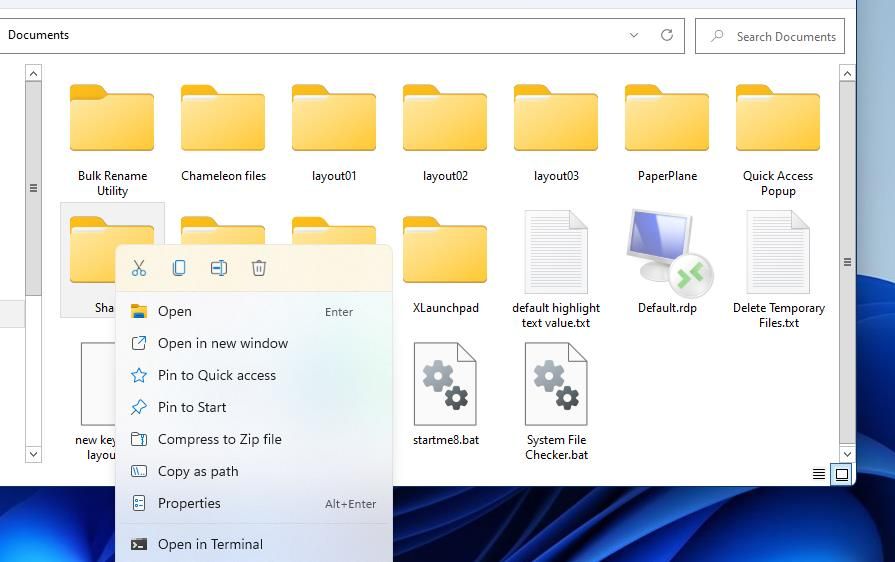
How To Check A Folder s Storage Usage In Windows 11

Linux Command Line Check Folder Size Linux World

Linux Command Line Check Folder Size Linux World
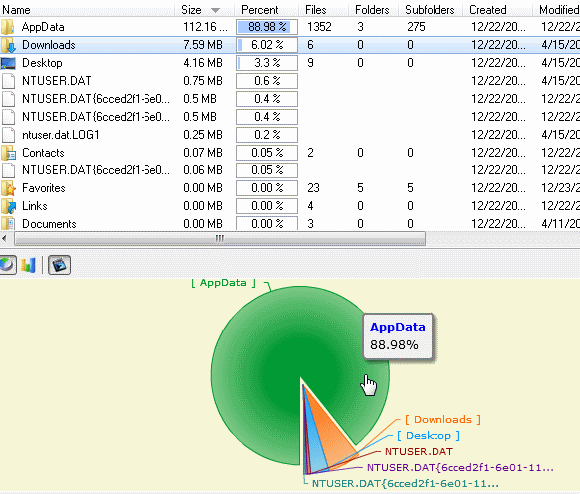
Check Folder Size In Windows 7 Vista Compare Directory Size File Size

Show Folder Size Windows 10

22 Answers Sorted by 164 There is a built in Windows tool for that dir s FolderName This will print a lot of unnecessary information but the end will be the folder size like this Total Files Listed 12468 File s 182 236 556 bytes If you need to include hidden folders add a Share Improve this answer Follow edited Dec 22 2017 at 12 39

There s no Windows built in command to find directory size But there is a tool called diruse exe which can be used to get folder size This tool is part of XP support tools This command can be used to get directory size This command s syntax is given below

The commands shown above allow you to get only the total size of files in the specified directory If there are subfolders in the directory the size of files in the subfolders won t be calculated To get the total size of files in the directory including subdirectories use the Recurse parameter

Press Windows Key R to open Run Type CMD in the field and hit enter Now execute this command in CMD This command will open the Folder options C Windows System32 rundll32 exe shell32 dll Options RunDLL 0 Go to the View tab Now check the Display the size information in folder tips to enable this feature Finally Click on Apply

14 Answers Sorted by 51 If you are inside a batch script you can use argument variable tricks to get the filesize filesize bat echo off echo z1 This gives results like the ones you suggest in your question Type help call at the command prompt for all of the crazy variable manipulation options Also see this article for more information
903 You can do du hs your directory which will give you a brief output of the size of your target directory Using a wildcard like can select multiple directories If you want a full listing of sizes for all files and sub directories inside your target you can do du h your directory You can even use the command prompt to get the file info Using the File Explorer The windows file explorer is a handy tool to access your files on the device It s effortless to see the file sizes using this application Here re the steps to check the file size using the Finder app on Mac In the Finder go to the View Tab and select
Du sh directory path For example to get the total size of the Applications folder you would issue the following command string du sh Applications You can use this to calculate the size of any specified directory and to see the size of containing directories and files as well