Excel Remove Leading And Trailing Space Excel Formula Remove Leading And Trailing Spaces From Text Exceljet How To Remove Excess Leading And Trailing Spaces In MS Excel TheTechGears Remove All Leading Trailing Spaces From Excel Replace Multiple Spaces ASAP Utilities For Excel Blog Tip Get Rid Of Unwanted Spaces In How To Remove Spaces By Excel Trim Function 5 Examples Riset Web 8 feb 2023 nbsp 0183 32 Method 1 Use TRIM Function to Remove Trailing Spaces Method 2 Utilizing SUBSTITUTE Function to Delete Trailing Spaces Method 3 Implementing REPLACE Function Method 4 Removing
Web 19 nov 2016 nbsp 0183 32 In excel TRIM will remove all spaces before and after text while also removing any duplicate spaces in between words Is there a formula or combination thereof that will do the same as TRIM but Web Here this tutorial introduces the smart and easy ways help you to quickly remove leading and trailing spaces Method A Remove all extra spaces from strings with the TRIM function 2 steps Remove all excess spaces
How To Remove Spaces By Excel Trim Function 5 Examples Riset How To Remove Leading And Trailing Spaces In Excel Cells How To Remove Extra Spaces In Excel With Trim Formula Trailing Spaces Excel Formula Remove Leading And Trailing Spaces How To Remove Leading And Trailing Spaces In Excel Cells How To Remove Leading And Trailing Spaces In Excel Cells Remove Extra Trailing And Leading Spaces Excel Google Sheets How To Remove Leading And Trailing Spaces In Excel Cells Remove Excess Spaces In Excel Change Text Case And Format Cell
Excel Remove Leading And Trailing Space
 Excel Remove Leading And Trailing Space
https://exceljet.net/sites/default/files/styles/function_screen/public/images/formulas/remove leading and trailing spaces.png?itok=PNwDW-Yx
Web See screenshot Step 1 Select the cells that you want to modify You can select some columns rows or the entire worksheet Step 2 Click Kutools gt Text Tools gt Remove
Templates are pre-designed documents or files that can be used for numerous functions. They can save effort and time by supplying a ready-made format and design for developing different kinds of content. Templates can be used for individual or professional tasks, such as resumes, invites, leaflets, newsletters, reports, presentations, and more.
Excel Remove Leading And Trailing Space

Remove Leading And Trailing Spaces From Text In Excel
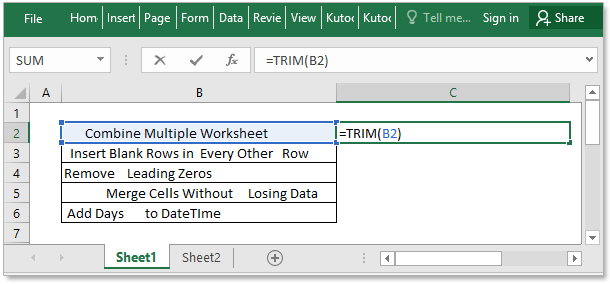
How To Remove Leading And Trailing Spaces In Excel Cells
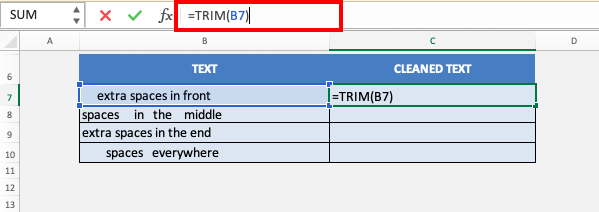
How To Remove Extra Spaces In Excel With Trim Formula Trailing Spaces

Excel Formula Remove Leading And Trailing Spaces

How To Remove Leading And Trailing Spaces In Excel Cells
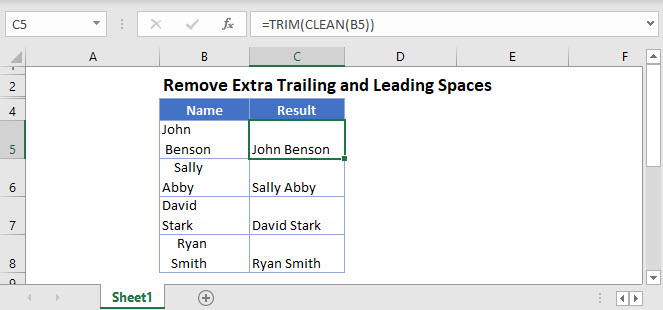
Remove Extra Trailing And Leading Spaces Excel Google Sheets
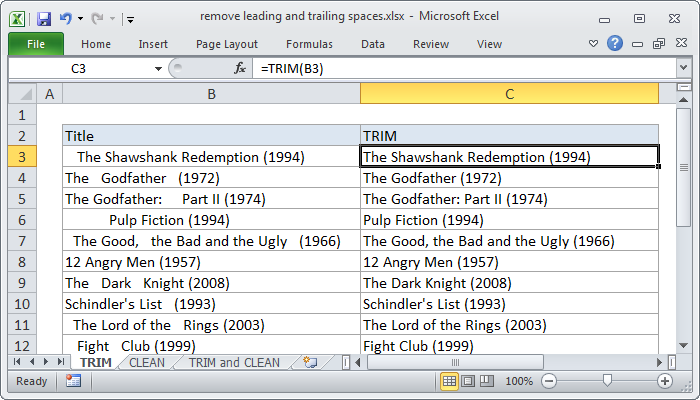
Web 30 nov 2021 nbsp 0183 32 In Excel to remove the leading trailing and extra spaces between words in a particular string use the TRIM function This function deletes all spaces except for single spaces between words To remove

Web 23 nov 2016 nbsp 0183 32 There are several ways to remove spaces from string and this tutorial will help you choose the technique best suited for your particular task and the data type you

Web Description Removes all spaces from text except for single spaces between words Use TRIM on text that you have received from another application that may have irregular
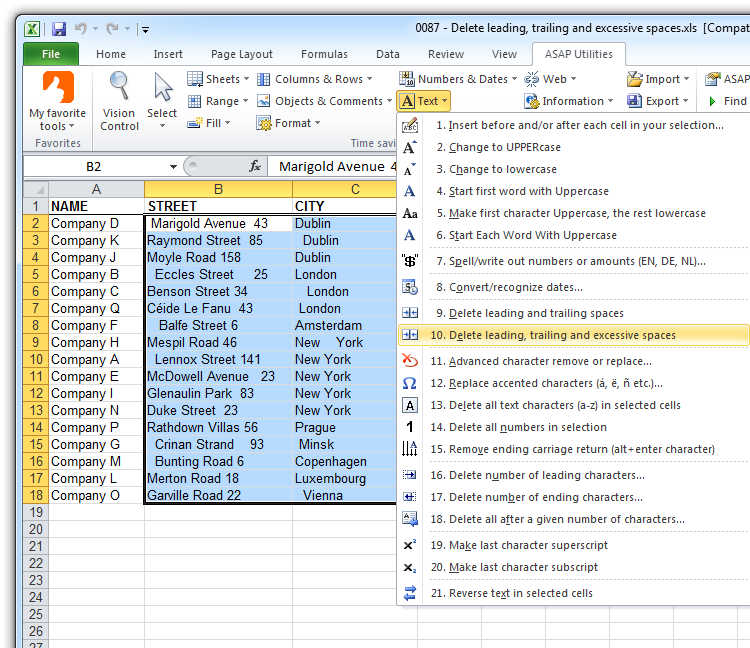
Web Leading spaces refer to spaces that are added at the beginning of text strings or numbers in cells These spaces can make it difficult to analyze and manipulate your data as they may affect sorting filtering and

Web Excel TRIM function removes the leading and trailing spaces and double spaces between text strings For example in the above example to remove spaces from the entire list if first names in A2 A7 use the following
Web 20 jan 2021 nbsp 0183 32 STEP 1 Select the cell range from which you want to remove spaces STEP 2 Go to Home gt Find amp Select gt Replace or Press Ctrl H to open the Find amp Web 22 jun 2019 nbsp 0183 32 1 Can you give a better illustration of the data you have what is happening with the code you re currently using and what you WANT to happen Like data 01
Web 20 mrt 2023 nbsp 0183 32 You use the TRIM function in Excel removes extra spaces from text It deletes all leading trailing and in between spaces except for a single space character