Change Pivot Table Name Changer Source Pivot Table Pivot Table Excel Formula Computer Basics How To Dynamically Update Pivot Table Data Source Range In Excel Www Creating A Pivot Chart Locate And Change Excel Pivot Table Data Source YouTube How To Use Columns In Pivot Table Printable Forms Free Online Answer Right click on the pivot table and then select PivotTable Options from the popup menu When the PivotTable Options window appears enter the new name for the pivot table in the Name field Click the OK button In this example we ve renamed our pivot table to MyFirstPT NEXT Data Columns in Pivot Share on Advertisements
In the Power Pivot window right click the tab that contains the table that you want to rename and then click Rename For columns double click the header of the column that you want to rename or right click the header and Accessing the pivot table tools and using a naming convention are essential steps in naming pivot tables Best practices include avoiding special characters and spaces in pivot table names for easy management Managing named pivot tables involves locating referencing renaming and deleting as needed for efficient data handling
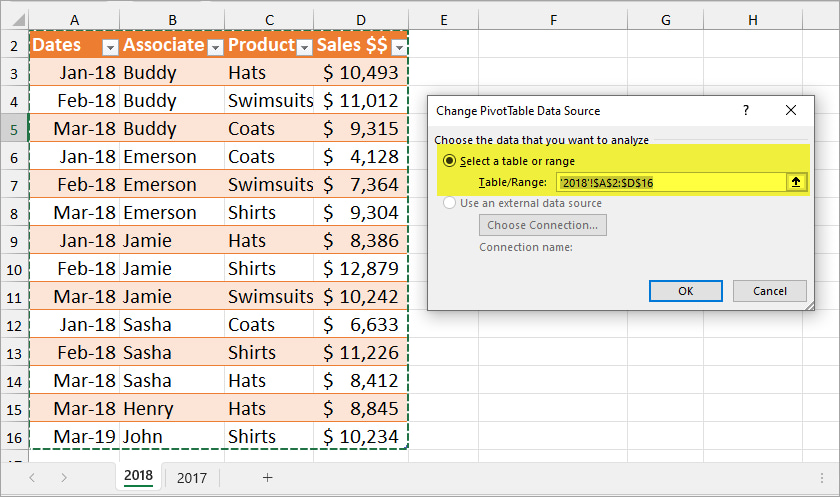
How To Use Columns In Pivot Table Printable Forms Free Online Data Source Of PivotTables In Excel How To See And Change It How Do I Get Rid Of Quarters And Years In Pivot Table Excel How To Sort Pivot Table Custom Sort Pivot Table A Z Z A Order Pivot Table Year Over Year By Month Exceljet Automatic Row And Column Pivot Table Labels Pivot Table Limited To 1000 Rows Per Page Brokeasshome How To Change Title In Pivot Table Brokeasshome How To Change Date Formatting For Grouped Pivot Table Fields Excel Campus
Change Pivot Table Name
 Change Pivot Table Name
https://i.pinimg.com/originals/72/e4/53/72e45396cab5df5b8b827aa098535bd0.png
Step 1 Open the Excel workbook containing the pivot table you want to modify Step 2 Click on the pivot table to select it Selecting the field name to be changed Step 3 Locate the field name in the pivot table that you want to modify Step 4 Right click on the field name to open the context menu
Pre-crafted templates use a time-saving option for creating a varied range of documents and files. These pre-designed formats and designs can be made use of for numerous personal and expert jobs, consisting of resumes, invites, flyers, newsletters, reports, discussions, and more, simplifying the content production procedure.
Change Pivot Table Name

How To Create A Pivot Table How To Excel
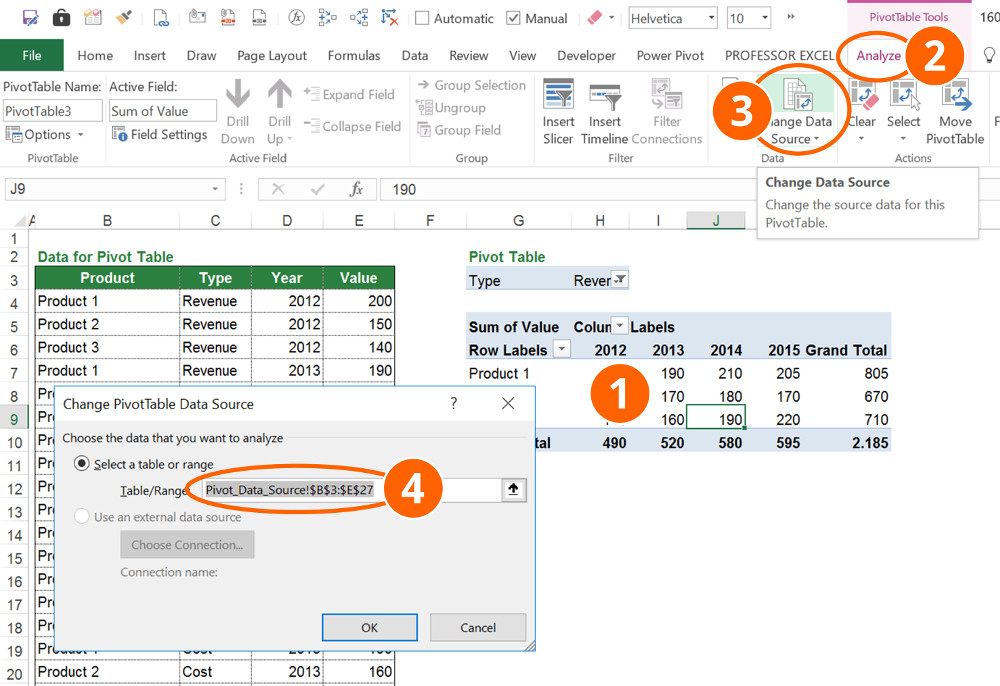
Data Source Of PivotTables In Excel How To See And Change It
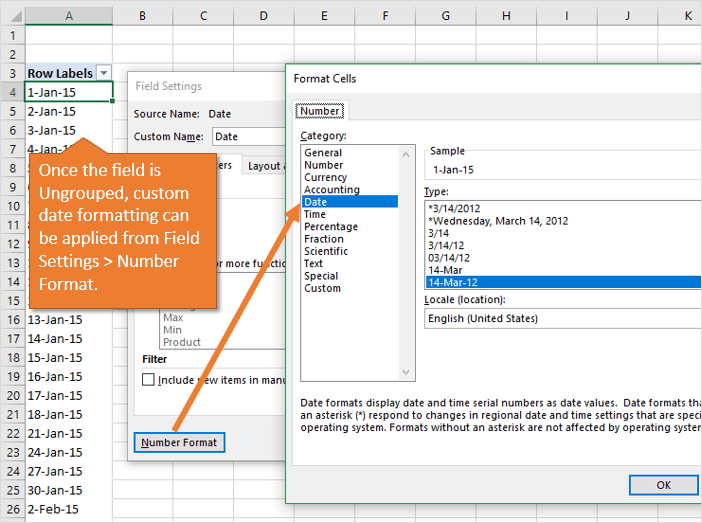
How Do I Get Rid Of Quarters And Years In Pivot Table Excel
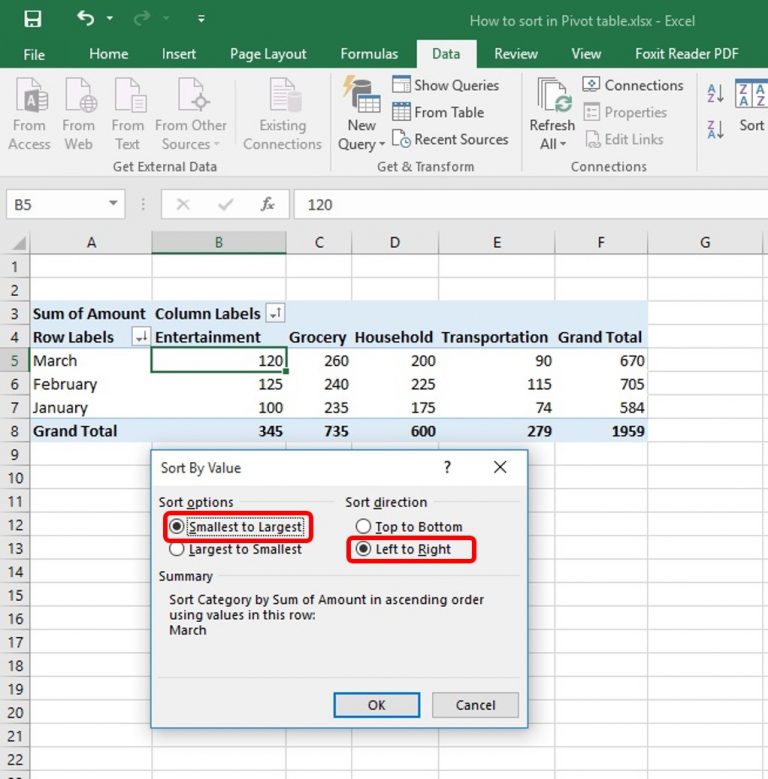
How To Sort Pivot Table Custom Sort Pivot Table A Z Z A Order
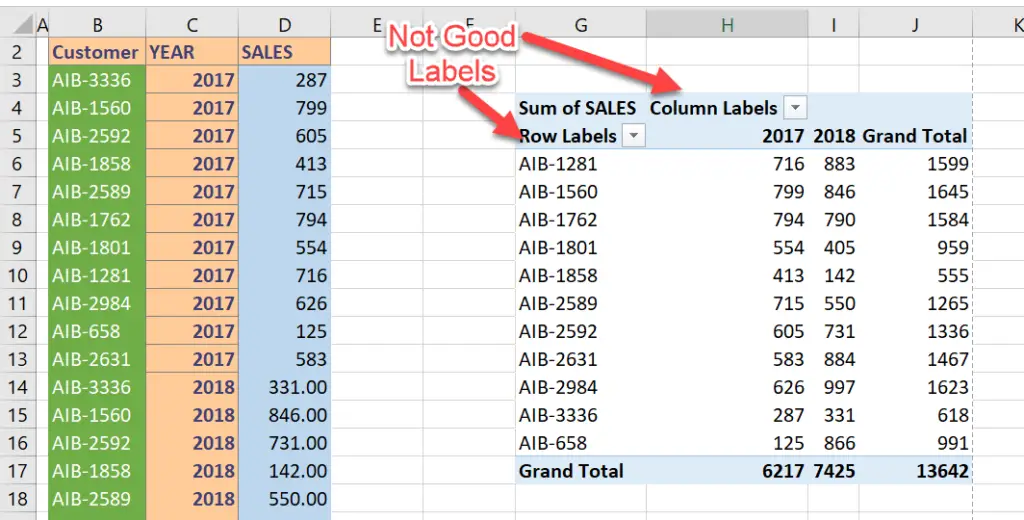
Automatic Row And Column Pivot Table Labels

Pivot Table Limited To 1000 Rows Per Page Brokeasshome

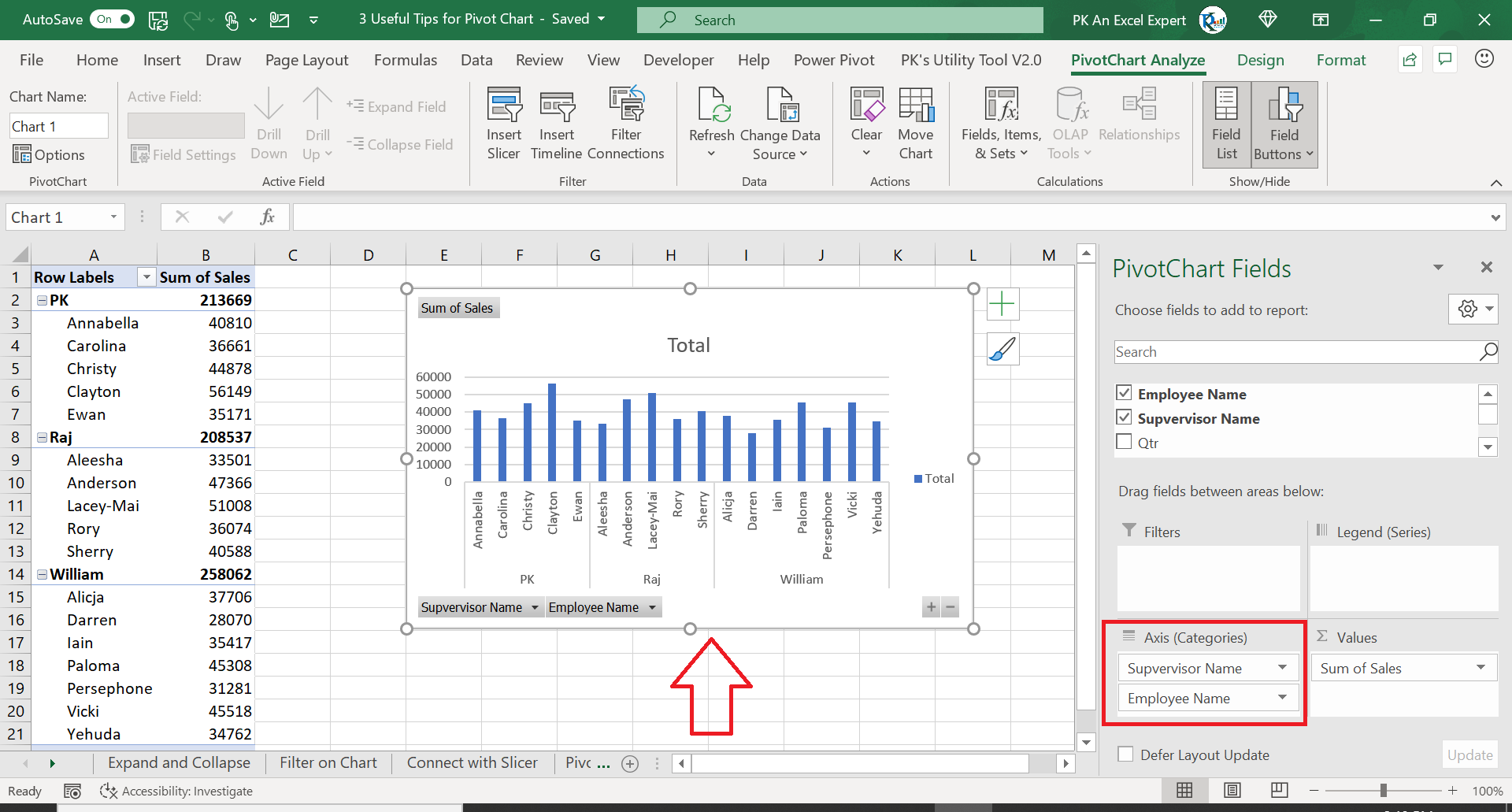
Click the object in the chart such as a bar line or column that corresponds to the field or item that you want to rename Go to PivotTable Tools Analyze and in the Active Field group click the Active Field text box Type a new name Press ENTER
Last updated Dec 20 2023 When you group some items in a Pivot Table Excel provides a default group name such as Group1 for selected items or Jan for dates in the month of January But you can rename the Default Group Name in Pivot Table to make it
To change the name of a pivot table in Excel 2016 you will need to do the following steps Right click on the pivot table and then select PivotTable Options from the popup menu When the PivotTable Options window appears enter the new name for the pivot table in the PivotTable Name field
As mentioned above it is really easy to change Pivot Table name in Microsoft Excel 1 Right click anywhere on the Pivot Table and then click on PivotTable Options in the menu that appears 2 On Pivot Table Options screen click in the box next to PivotTable Name and type the New Name for your Pivot Table

You can use that pivot table name box to make a quick change to the pivot table name Click in the PivotTable Name box Type a new name or make a change to the existing name Click anywhere outside of the name box to complete the name change you don t have to press Enter See the Changed Name
Step 1 Right click on the selected column name Step 2 Choose the Field Settings or Value Field Settings option from the context menu Step 3 In the dialog box that appears enter the new name for the column in the Custom Name or Name field Step 4 Click OK to save the new column name 6 Answers Sorted by 10 Rename the column header name in the source Refresh the pivot This will drop all forced labels and drop field from the pivot Rename the column name back to what it was Refresh pivot again Add the field back into your pivot Share Improve this answer answered Mar 27 2014 at 16 53 Madball73 2 430 1 15 16
You re free to type over the name directly in the pivot table You can also use the Field Settings dialog box to rename the field When you rename fields used in Columns or Rows the name also changes in the field list In fact even if you remove the field and refresh the pivot table your new name will stick around To go back to the