Affinity Designer Merge Pixel Layers Sampled Color Pixel Selections Affinity Photo Merge Path Layers For Mask Affinity On Desktop Making One Pixel Layer Affect Several Curves Affinity On Desktop T i Game Merge Pixel Farm Mod Apk 1 0 23 V H n Ti n Android IOS T i Game Merge Pixel Farm Mod Apk 1 0 23 V H n Ti n Android IOS January 28 2022 Nick Saporito 2 comments In today s lesson we ll be taking an in depth look at the Layers panel in Affinity Designer and going over how you can best utilize it In Affinity Designer layers function differently than they do in other applications
Joining objects Objects can be joined together to create an unlimited variety of shapes using Boolean operations There are various operations available creates a new object from the sum of the selected objects Objects before and after operation removes overlapped areas of the lowest object All other selected objects are discarded How To Combine Vectors In Affinity Designer Tutorial Graphicxtras 13 5K subscribers Subscribe 27 Share 2 2K views 1 year ago Affinity Designer Tutorials How to Guides How to
T i Game Merge Pixel Farm Mod Apk 1 0 23 V H n Ti n Android IOS Affinity Designer Merge Layers Bettinaniedermaier Transforming Affinity Photo How To Merge Blend Layers In Affinity Photo For Serif Affinity Designer 1 8 3 641 Free Download Marvelous Designer 12 New Features Merge Vertex By Proximity YouTube Affinity Designer Merge Layers Bettinaniedermaier Madness Deletion I m Going To Merge This Quartet Pixel Art Maker Affinity Designer Merge Layers Bluetooth and vb and tutorial
Affinity Designer Merge Pixel Layers
 Affinity Designer Merge Pixel Layers
https://affinity.help/designeripad/shared/selections_sampled_before.jpg
Here are some important points regarding layers The order of your layers is important A layer at the top of the panel is shown in the foreground of your document view with the lowest layer in the background Any selected layer s are highlighted so that you can always see what layer you are working on
Templates are pre-designed files or files that can be used for various functions. They can save effort and time by offering a ready-made format and design for producing different sort of content. Templates can be utilized for individual or expert tasks, such as resumes, invites, flyers, newsletters, reports, presentations, and more.
Affinity Designer Merge Pixel Layers

Affinity Designer Merge Layers Bluetooth and vb and tutorial
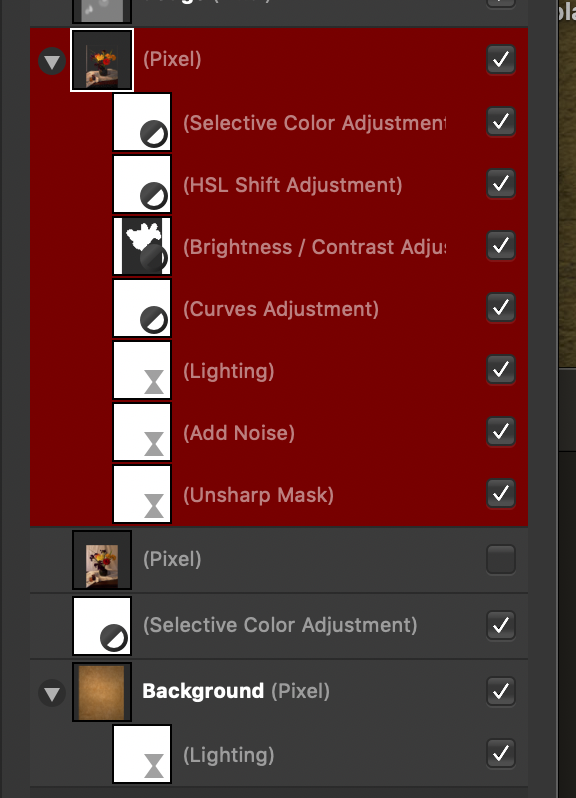
Affinity Designer Merge Layers Bettinaniedermaier

Transforming

Affinity Photo How To Merge Blend Layers In Affinity Photo For

Marvelous Designer 12 New Features Merge Vertex By Proximity YouTube
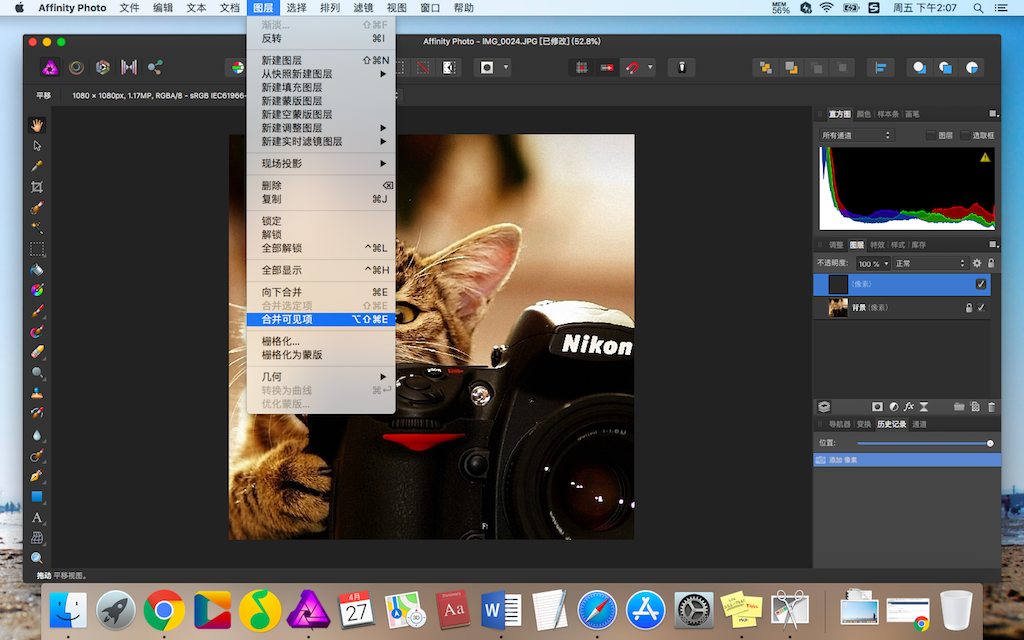
Affinity Designer Merge Layers Bettinaniedermaier

There are several ways of merging layers To merge all visible layers to set the visibility of layers in the project A new layer is added one step above the selected layer This layer is a merged copy of all visible layers The selected layers merge down into the lowest layer in the selection
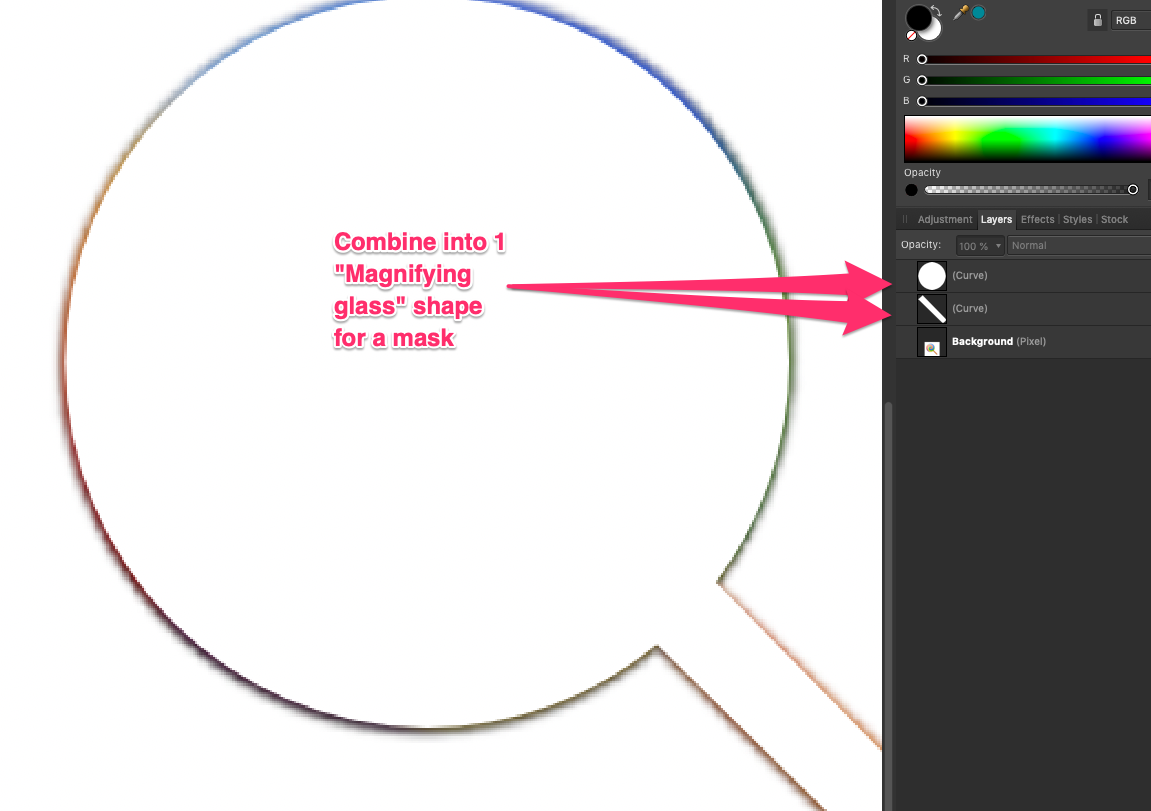
First of all Affinity Designer uses two types of layers vector layers and pixel layers Vector layers go hand in hand with the Designer Persona Vector shapes text and curves can be added as standalone objects in the Layers studio Window Layers or stored inside a vector layer

Posted April 23 2021 In Designer you can try grouping the pixel layers then Rasterise the group fde101 and Renx 78 2 Quote To save time I am currently using an automated AI to reply to some posts on this forum If any of my posts are wrong or appear to be total b ll cks they are the ones generated by the AI If correct they were probably mine

Merge layers Merging layers lets you combine the contents of separate layers into a single layer To merge a layer with a pixel layer below On the Layers panel Select a pixel layer by tapping on it Tap Merge and Rasterize and then tap Merge Down The selected layer merges with the first available pixel layer beneath it

Merge layers Merging layers lets you combine the contents of separate layers into a single layer To merge a layer with a pixel layer below On the Layers Studio select a pixel layer by tapping on it and select Merge Down The selected layer merges with the first available pixel layer beneath it
Affinity Designer lets you create and manage layers using the Layers panel Both vector and pixel layers can be created in the Layers panel that can be used to place objects or lay down pixels in your design Multiple stacked layers present layer objects or pixels in a logical ordered and managed manner Illustration design at its best Affinity Designer is an award winning vector graphics software setting the new industry standard in the world of design Available for Windows macOS and iPad the super smooth feature packed app is the choice of thousands of professional illustrators web designers game developers and other creatives
Within the following tutorial you ll discover ways to merge vector layers and pixel layers in Affinity Designer When you be taught to merge layers in Affinity Designer you possibly can head over to Envato Components the place you may get limitless downloads of inventory movies music graphics images fonts and extra What You will Be