Affinity Designer Ipad Perspective Grid PUBG Ipad Perspective File New Perspective IPad Mockup Mockup World How To Make A Perspective Grid In Affinity Designer Affinity Designer Ipad Free Bridgehunter Serif Ai Mac Win Affinity Designer iPad Affinity Web Nov 19 2022 nbsp 0183 32 1 Posted November 19 2022 I install af Designer V2 for IPAD and i m unable to find where and how to activate the GRID It s supose to be in the 171 document 187 tool bar but it doesn t appear Has someone ever faced this issue or maybe do I miss something in the configuration of the canevas Quote 1 month later Posted January 10
Web Jan 3 2019 nbsp 0183 32 perspective grid tool By CHECHENO December 6 2018 in Feedback for Affinity Designer V1 on iPad Share Followers 0 Reply to this topic Posted December 6 2018 Good day quot Perspective Grid Tool quot This tool is very necessary Implement this feature in the near future For Affinity Designer iPad Affinity Designer Desktop MarkA Web Feb 27 2020 nbsp 0183 32 Followers 1 Reply to this topic Shokstar Members 7 Posted September 16 2019 Hi there for me is it really important to have a live perspective tool like the concept app it has to have in Affinty Designer Ipad Also a Grid for Vanishing Points like Procreate also to warp Text and other forms too Thank you Markio 1 Quote 3 weeks
Serif Ai Mac Win Affinity Designer iPad Affinity Affinity Designer IPad Ist Da Affinity Tutorials How To Make A Perspective Grid In Affinity Designer 14 Best Adobe Illustrator Alternatives Free Paid B Affinity Designer IPad UI Affinity Designer Affinity Designer For Desktop Tutorials Perspective Trick In Affinity Designer YouTube 5 Game changing New Features In Affinity Designer 2 Affinity Spotlight Highlights Der Woche Aktualisiertes MacBook Pro Affinity Designer
Affinity Designer Ipad Perspective Grid
 Affinity Designer Ipad Perspective Grid
https://i.ytimg.com/vi/QUtCJxlqJE8/maxresdefault.jpg
Web Mar 5 2022 nbsp 0183 32 A quick forum search for perspective grid without the quotes gives me these existing threads Search for perspective grid more than 350 results Search for quot perspective grid quot fewer than 150 results I rather suspect that omitting the quotation marks merely introduces a lot of noise into the list of results Quote
Pre-crafted templates provide a time-saving service for developing a diverse variety of documents and files. These pre-designed formats and designs can be utilized for various personal and expert jobs, consisting of resumes, invites, leaflets, newsletters, reports, discussions, and more, simplifying the content development process.
Affinity Designer Ipad Perspective Grid

Perspective IPad Case Skin By OberArt Redbubble

Affinity Designer IPad Ist Da Affinity Tutorials

How To Make A Perspective Grid In Affinity Designer
14 Best Adobe Illustrator Alternatives Free Paid

Affinity Designer For Desktop Tutorials

Perspective Trick In Affinity Designer YouTube

Web Dec 31 2022 nbsp 0183 32 There is a known bug in iPad photo designer that limits the maximum grid size setting This currently limits users ability to set grid size relative to page size Even so the default should be at centre point as it is for square grids

Web Perspective projections are not supported in Affinity Affinity Designer lets you set up different types of grid in different ways Isometric with planes Easy setup via the Isometricpanel Trimetric left and isometric with planes as
Web Feb 21 2023 nbsp 0183 32 Hi everyone I m having a very stupid question How do you display a grid on Designer2 for iPad I have checked all supports and tutorials and I can t find the so called 171 display grid 187 menu button on the document menu can anyone help me on this

Web Apr 17 2023 nbsp 0183 32 Step 1 In order to edit the grid settings in Affinity Designer you need to go to View gt Grid and Axis By default the grid mode is set to Automatic Advertisement Step 2 Use the color wheels and opacity sliders to adjust the color and the level of transparency for gridlines and subdivision lines Step 3
Web The Perspective Tool allows you to modify the perspective of your image It has full History support meaning each modification such as handle dragging and option toggling can be undone Using the Perspective Tool to alter the
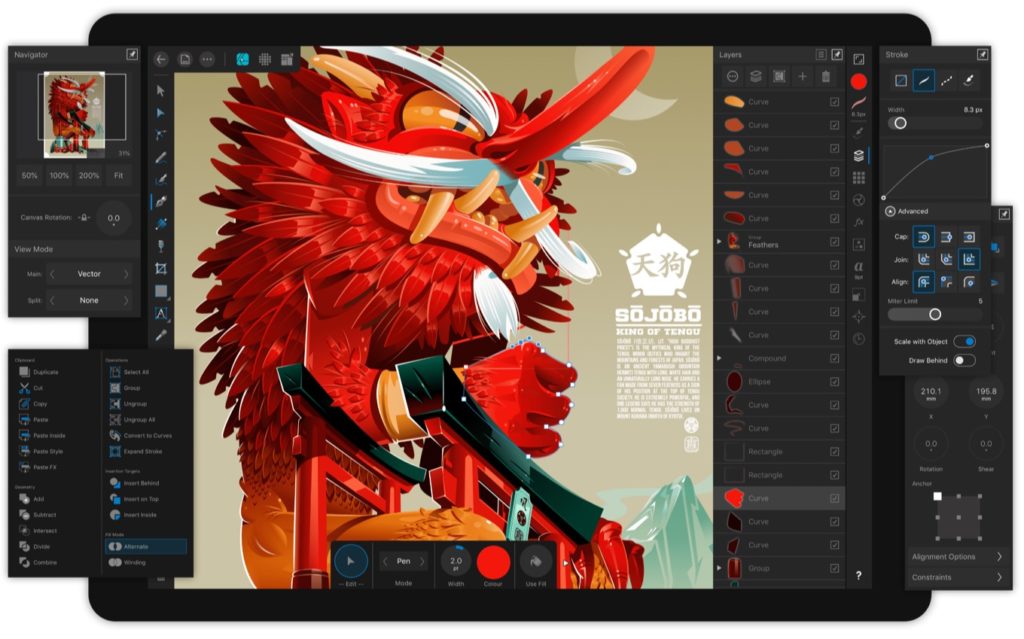
Web Just as feature packed as the desktop version Affinity Designer for iPad is a professional graphic design app with everything you need to create stunning illustrations branding icons UI UX designs print projects typography concept art and much more all completely free from the confines of your desk No subscription Web Quick Grids While drawing a shape or text frame you can tell Affinity to repeat the object in a grid and control the spacing between the grid s columns and rows For example you might want to draw a repeating geometric pattern a series of bars on a chart table like cells that can later be independently transformed and styled such as for
Web In reply to a forum post https forum affinity serif index php topic 109902 how to create this kind of perspective in ad