Zebra Scanner Auto Enter Code Programming Zebra Symbol Scanners Support Setting Up The Zebra DS4608 Barcode Scanner Lightspeed Retail X Series Motorola Symbol Barcode Scanner Setup Comfasr Bluetooth Wireless Zebra DS22 Cordless Barcode Scanner 2D Area Imager Zebra Ds22 Scanner Manual Zebra Ds2208 Barcode Scanner Posguys Com Aug 29 2025 nbsp 0183 32 USB Wi Fi Bluetooth ZDesigner v10 Windows v10 Zebra Link OS
Zebra Enterprise Support Bei Support Anfragen zu Zebra Enterprise Produkten Drucker Scanner mobile Computer RFID oder Lizenz zur 252 cksetzen klicken Sie auf die Schaltfl 228 che Find quick answer for Zebra products check warranty online email Zebra technical Support Software license reset join Zebra Discussion forum and Zebra accessories
Zebra Ds22 Scanner Manual Zebra Ds2208 Barcode Scanner Posguys Com Configuration Du Scanner De Code barres Zebra DS2200 Lightspeed Symbol Barcode Scanner Programming Sheet Cool Product Assessments Zebra DS2208 DS2278 Barcode Scanner Easy Scan K y lm Geli Perth Ge ersiz k lar Ast Zebra Barcode Scanner Set Up Your Barcode Scanner Odoo 10 0 Documentation Zebra LI4278 Wireless Handheld Barcode Scanner With Bluetooth LI4278 Configuration D un Lecteur De Code Barres Zebra De S rie DS2200 Programming Guide Symbol Motorola Zebra LI4278 Scanners RetailOps
Zebra Scanner Auto Enter Code
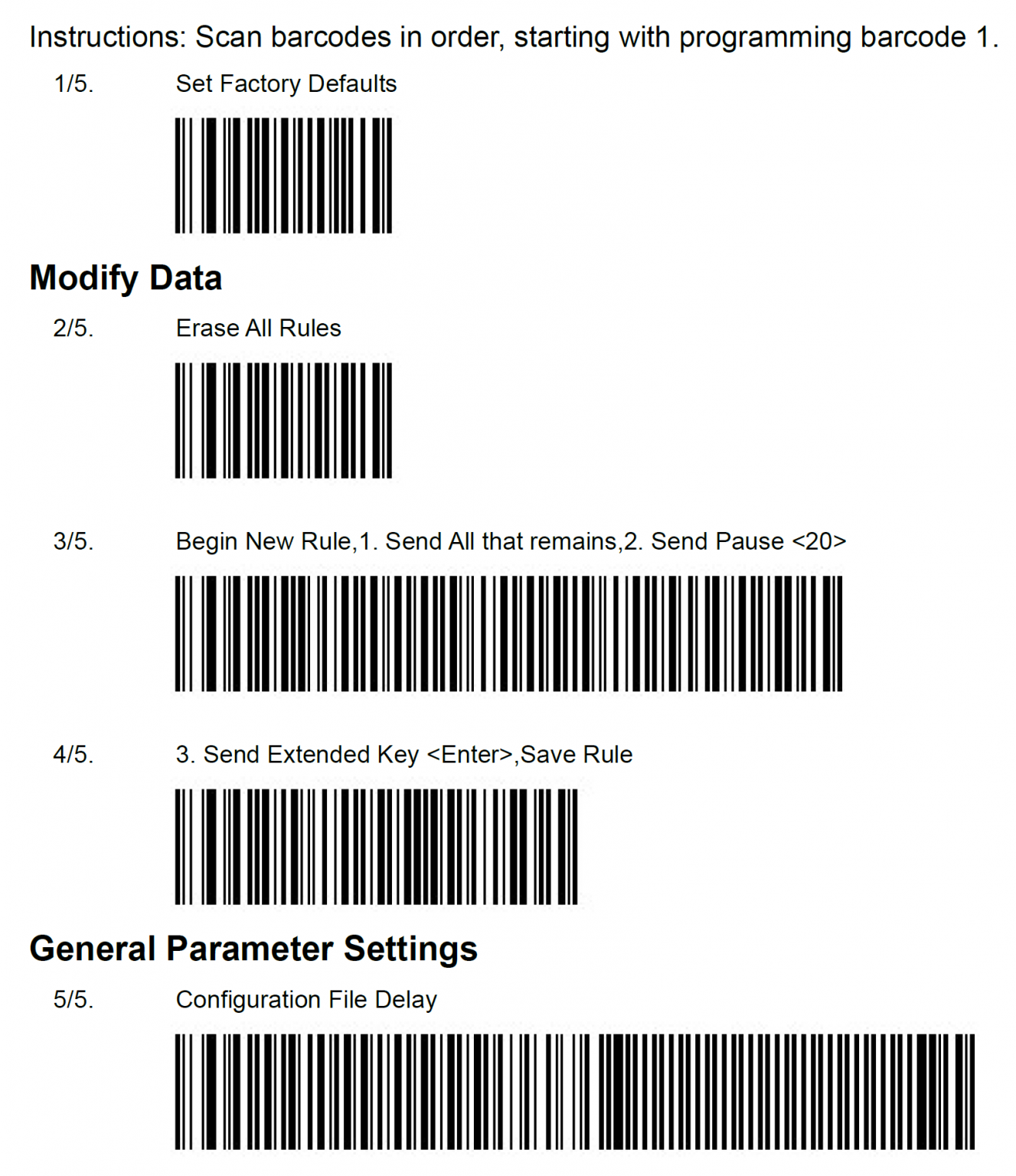 Zebra Scanner Auto Enter Code
https://saphari.net/wiki/wp-content/uploads/2021/11/5-barcodes-1327x1536.png
Sep 21 2024 nbsp 0183 32 Refer to the article Troubleshooting Zebra Printer Printing Issues Using ZPL Using Printer Configurations and Settings If you use printer settings ensure no driver or application
Pre-crafted templates offer a time-saving option for developing a diverse range of documents and files. These pre-designed formats and designs can be made use of for numerous individual and expert jobs, consisting of resumes, invites, flyers, newsletters, reports, discussions, and more, improving the content production process.
Zebra Scanner Auto Enter Code
Setting Up The Zebra DS2200 Series Barcode Scanner Lightspeed Retail

Configuration Du Scanner De Code barres Zebra DS2200 Lightspeed

Symbol Barcode Scanner Programming Sheet Cool Product Assessments

Zebra DS2208 DS2278 Barcode Scanner Easy Scan

Set Up Your Barcode Scanner Odoo 10 0 Documentation

Zebra LI4278 Wireless Handheld Barcode Scanner With Bluetooth LI4278

Sep 17 2025 nbsp 0183 32 This article explains how to clear print queue and troubleshoot spooler issues on Zebra printers by using services and commands

May 16 2025 nbsp 0183 32 This article demonstrates how to install the Zebra ZP230D Printer on a Windows Computer

Jun 6 2025 nbsp 0183 32 This guide provides step by step instructions for installing the Zebra ZP505 or ZP506 printer driver on a Windows 10 or Windows 11 PC

Jan 23 2025 nbsp 0183 32 This article outlines the steps to print a test page from the Zebra Browser Print web interface

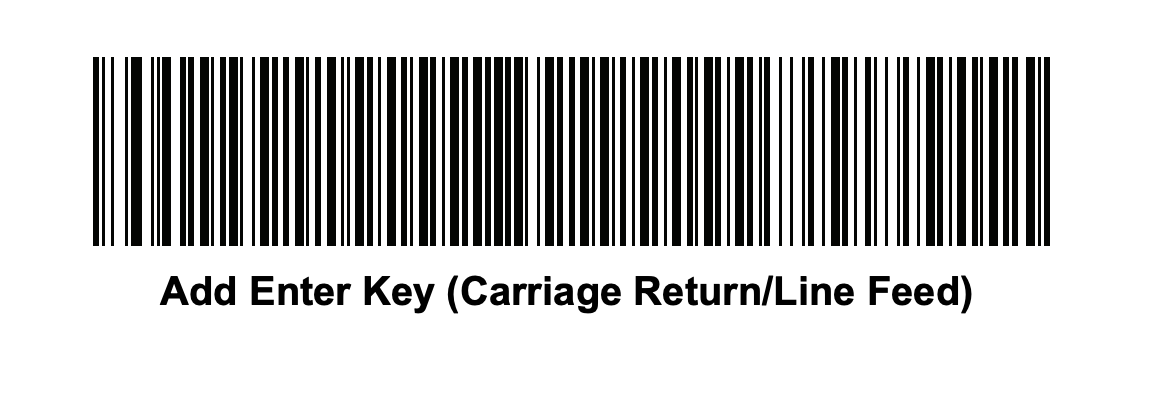
Sep 21 2024 nbsp 0183 32 This article describes how to enable a carriage return line feed Enter Key suffix after every scan with the laser scanners when attached via USB or Keyboard Wedge
[desc-11] [desc-12]
[desc-13]