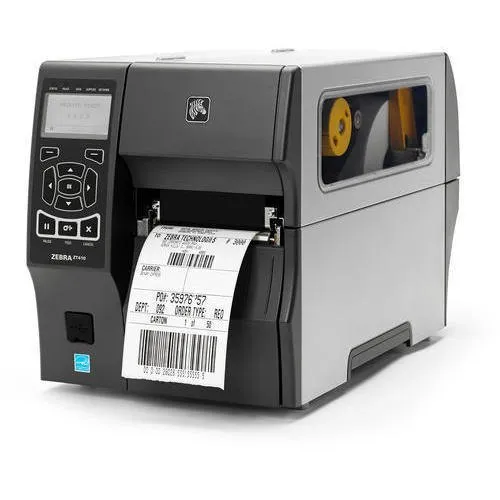
Zebra Print Speed Zebra Zebra ZD220 Barcode Bonanza Zebra GK420D Barcode Label Printer 32 bit Processor Printer At Rs Barcode Printer At Best Price In Delhi Delhi From JSK Net Commerce Zebra Print Wallpaper 6841256 Jan 23 2025 nbsp 0183 32 This article outlines the steps to print a test page from the Zebra Browser Print web interface
Find quick answer for Zebra products check warranty online email Zebra technical Support Software license reset join Zebra Discussion forum and Zebra accessories 171 Go BackInformation
Zebra Print Wallpaper 6841256 Zebra ZD220 From Dakota Zebra Print 1600x900 461000 Zebra Print Animals Photos Zebra Print Graphics Code Zebra Print Comments Pictures Zebra ZQ510 Mobile Printer Resolution 203 DPI 8 Dots mm ID Zebra Print The Animal Life Printer Barcode Toshiba Zebra Di Yogyakarta Zebra ZM600 High Speed Secure
Zebra Print Speed
 Zebra Print Speed
http://3.bp.blogspot.com/-PWuK-26GowY/TaLU7iYLt-I/AAAAAAAACNg/8ubhfPN4_fE/s1600/Zebra+Line.jpg
Zebra Setup Utilities Downloading Fonts to a Printer 171 Go Back
Templates are pre-designed files or files that can be utilized for different purposes. They can save effort and time by offering a ready-made format and design for producing various sort of material. Templates can be used for individual or professional tasks, such as resumes, invites, leaflets, newsletters, reports, presentations, and more.
Zebra Print Speed

2 X SOFT SPEED STICKS ZEBRA PERFORMANCE PU Zebra

Zebra ZD220 From Dakota

Zebra Print 1600x900 461000

Zebra Print Animals Photos

Zebra ZQ510 Mobile Printer Resolution 203 DPI 8 Dots mm ID

Zebra Print The Animal Life

Identifying Your Printer s IP Address on a Printer Without an LCD Control Panel

May 16 2025 nbsp 0183 32 This article demonstrates how to install the Zebra ZP230D Printer on a Windows Computer

171 Go BackInformation
Sep 21 2024 nbsp 0183 32 This article describes how to enable a carriage return line feed Enter Key suffix after every scan with the laser scanners when attached via USB or Keyboard Wedge

Jun 6 2025 nbsp 0183 32 This guide provides step by step instructions for installing the Zebra ZP505 or ZP506 printer driver on a Windows 10 or Windows 11 PC
[desc-11] [desc-12]
[desc-13]